
1. Introduction
Thank you for purchasing the NEEWER Q120 120Ws 2.4G TTL Outdoor Flash Strobe. This compact and powerful flash is designed for professional photographers and content creators, offering versatile lighting solutions for various shooting environments. Please read this manual carefully to understand the product's features and ensure safe and optimal operation.
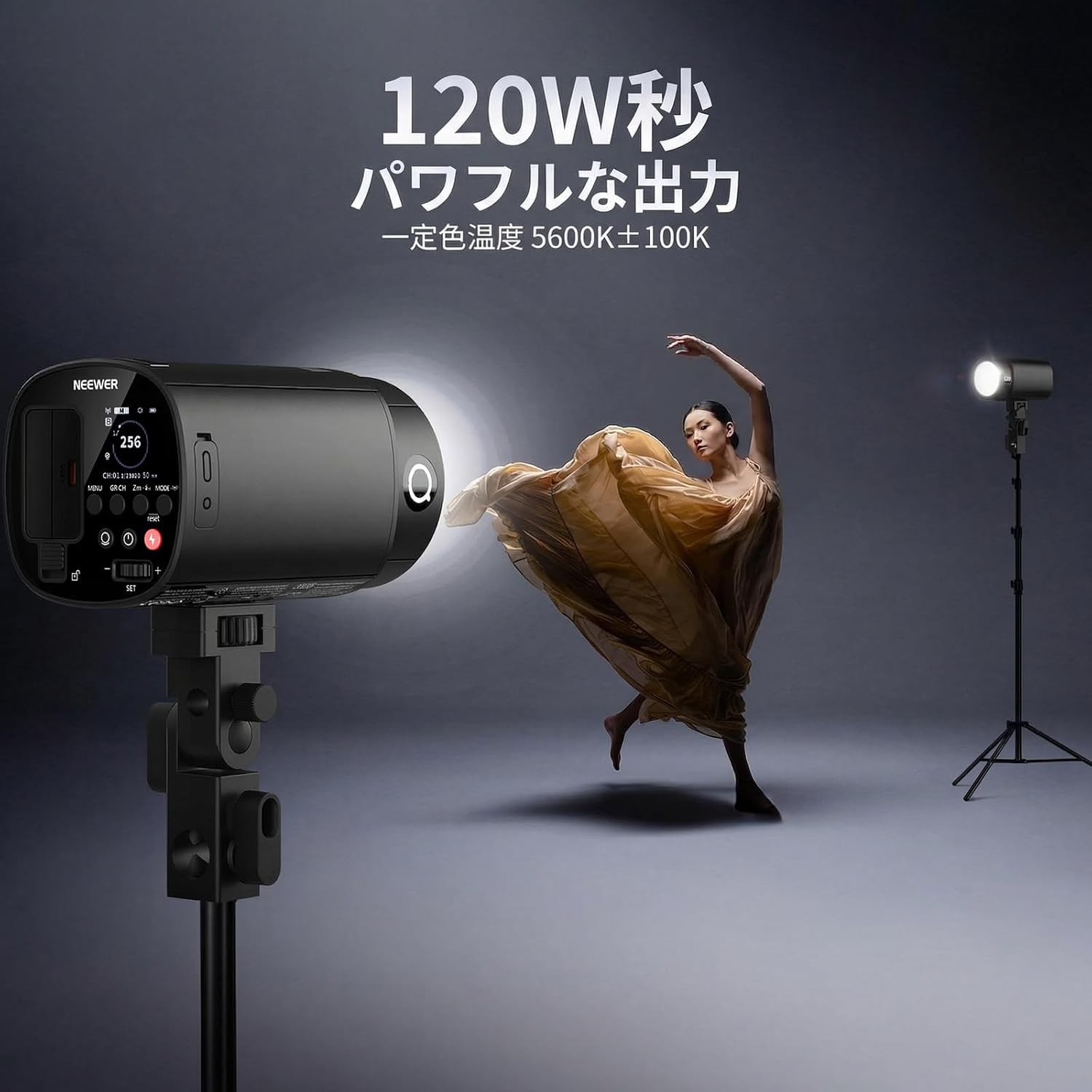
Image: The NEEWER Q120 flash on a light stand, demonstrating its powerful 120Ws output and 5600K color temperature, illuminating a dancer.
2. Product Features
- High Performance & Compact Design: The NEEWER Q120 delivers 120Ws of high power output in a portable design. It features a precise color temperature of 5600K (±100K) and excellent color rendering, effectively reducing harsh shadows and enhancing subject dimensionality.
- 2.4G Wireless Trigger System: Compatible with NEEWER QZ/QPro triggers and other Q system speedlights (Z1/Z2/Z2PRO/Z2II/Z3/Z760/Z880 series) for wireless flash control up to 100m. It also functions as a slave unit and supports various camera models including DSLRs, ZV1, ZV1F, and ZV-E10. Compatibility with Godox 2.4G X system (RX COMPAT menu) and Sekonic L-858D light meter (RT-GX module) is also available. Note: Q system and X system cannot be used simultaneously. A firmware update may be required for full compatibility.
- HSS High-Speed Sync & Modeling Light: Achieve 1/8000s HSS sync with a separately sold QZ/QPro trigger. This allows precise control over background exposure in bright conditions and effectively freezes subject motion. The built-in LED modeling light (1-10 levels, 3W output) enables pre-visualization of lighting effects, aiding in creating ideal shadows and highlights.
- Versatile Flash Modes: Supports TTL for automatic exposure, Manual (M) mode with power adjustable from 1/256 to 1/1, S1/S2 optical slave modes, and MULTI mode for high-speed strobe effects, providing precise light control for diverse shooting scenarios.
- High Capacity Battery & Fast Recycle: Equipped with a 7.2V/3000mAh lithium-ion battery, providing approximately 410-420 flashes at full power. Features a fast recycle time of 0.01-1.5 seconds for stress-free continuous shooting.
3. Package Contents
Verify that all items are present in your package:
- 1x Q120 Outdoor Strobe Flash
- 1x Carrying Bag
- 1x Diffuser
- 1x Metal Handle
- 1x Charging Cable (Type-C)
- 1x Lithium Battery (7.2V/3000mAh)

Image: Visual representation of the NEEWER Q120 package contents.
4. Setup
4.1 Attaching the Battery
- Locate the battery compartment on the flash unit.
- Insert the 7.2V/3000mAh lithium-ion battery, ensuring correct polarity.
- Close the battery compartment securely.
4.2 Mounting the Flash
- Attach the metal handle to the flash unit.
- Mount the flash onto a light stand or other compatible support using the metal handle's mounting screw.
- Secure the flash firmly in place.
4.3 Attaching Accessories
The Q120 is compatible with various light modifiers. Attach diffusers, softboxes, or other accessories to the front of the flash as needed for your desired lighting effect.

Image: The NEEWER Q120 demonstrating compatibility with various accessory mounts.
5. Operating Instructions
5.1 Power On/Off
Press and hold the power button to turn the flash unit on or off.
5.2 Flash Modes
The Q120 supports TTL, Manual (M), and Multi modes. Use the mode button to cycle through these options.
- TTL Mode: Provides automatic exposure control. Adjust exposure compensation (EV) as needed.
- Manual (M) Mode: Allows manual adjustment of flash power from 1/256 to 1/1.
- Multi Mode: For high-speed strobe effects, allowing multiple flashes within a single exposure.

Image: Illustration of TTL, Manual, and Multi flash modes.
5.3 High-Speed Sync (HSS)
When used with a compatible NEEWER QZ/QPro trigger (sold separately), the Q120 can achieve High-Speed Sync up to 1/8000s. This allows you to use wider apertures in bright conditions or freeze fast-moving subjects.

Image: High-Speed Sync (HSS) in action, freezing a running subject with the NEEWER Q120.
5.4 Modeling Light
The built-in LED modeling light can be adjusted from 1 to 10 levels. Activate the modeling light to preview your lighting setup before taking a shot, helping you achieve desired shadows and highlights.

Image: The NEEWER Q120's modeling light, adjustable from level 1 to 10.
5.5 Wireless Control
The Q120 features a 2.4G wireless system for remote control. It can be controlled via a NEEWER QZ/QPro trigger or a smartphone app.
- Remote Trigger: Use a compatible 2.4G wireless trigger to adjust flash parameters, group settings, and fire the flash remotely.
- Smartphone App: Download the NEEWER app to control the flash wirelessly from your smartphone. This allows for parameter adjustment, group management, and firmware updates.

Image: Wireless control options for the NEEWER Q120, including a remote trigger and smartphone app.

Image: Compatibility chart for NEEWER 2.4G Q System and Godox 2.4G X System.
6. Battery and Charging
The Q120 is powered by a 7.2V/3000mAh lithium-ion battery. To charge the battery:
- Connect the provided Type-C charging cable to the flash unit's input port.
- Connect the other end of the charging cable to a suitable USB power adapter (not included).
- The charging indicator will show the charging status. Ensure the battery is fully charged before use for optimal performance.

Image: The NEEWER Q120's 7.2V/3000mAh lithium-ion battery and Type-C charging port.
7. Specifications
| Model | Q120 |
| Flash Mode | M/MULTI (Wireless Off), TTL/M/MULTI (2.4G Wireless Mode) |
| Flash Output | 120Ws |
| Flash Duration | 1/220s - 1/23020s |
| Flash Power Range | 1/256 - 1/1 |
| Delay Flash | 0.01-30s |
| Optical Trigger | S1/S2 |
| Wireless Control Group | A, B, C, D, E |
| Wireless Transmission Range | 100m |
| Modeling Light Brightness | 1-10 levels |
| Modeling Light Output | 3W |
| Strobe Flash Count (Multi Mode) | Up to 100 times |
| Sync Mode | High-speed sync, Front/Rear curtain sync |
| Recycle Time | 0.01-1.5s |
| Trigger Method | 2.4G (S1/S2 Optical Trigger / 2.5mm Sync Port) |
| ID | 01-99 |
| Channel | 01-32 |
| Power Source | 7.2V/3000mAh Lithium-ion Battery |
| Full Power Flashes | 410-420 times |
| Frequency Band | 2412.75MHz - 2437.75MHz |
| Max Transmit Power | 8.62dBm |
| Flash Dimensions | 81×81×143mm |
| Flash Weight (with battery) | 671g |
| UPC | 191073128361 |
8. Troubleshooting
If you encounter issues with your NEEWER Q120, please refer to the following common troubleshooting steps:
- Flash Not Firing:
- Ensure the battery is fully charged and correctly inserted.
- Check if the flash is powered on.
- Verify the trigger connection (hot shoe, sync cable, or wireless).
- Confirm the flash mode (TTL, M, Multi) is appropriate for your setup.
- For wireless operation, ensure the trigger and flash are on the same channel and ID.
- Inconsistent Exposure:
- In TTL mode, check your camera's exposure compensation settings.
- In Manual mode, adjust the flash power output.
- Ensure the flash-to-subject distance is within the effective range.
- Check for any obstructions between the flash and the subject or trigger.
- Slow Recycle Time:
- A partially discharged battery can lead to slower recycle times. Recharge the battery.
- High power settings will naturally result in longer recycle times. Reduce flash power if faster recycling is needed.
- Wireless Connection Issues:
- Ensure both the flash and trigger are set to the same group, channel, and ID.
- Check for potential interference from other 2.4G devices.
- Update firmware on both the flash and trigger if available.
If the problem persists, please contact NEEWER customer support for assistance.
9. Maintenance
To ensure the longevity and optimal performance of your NEEWER Q120 flash, follow these maintenance guidelines:
- Cleaning: Use a soft, dry cloth to clean the exterior of the flash unit. For stubborn dirt, a slightly damp cloth can be used, followed by a dry cloth. Do not use harsh chemicals or abrasive cleaners.
- Lens/Flash Tube: Gently clean the flash tube and modeling light lens with a lens cleaning cloth or a soft, lint-free cloth. Avoid touching these surfaces directly with your fingers.
- Storage: When not in use for extended periods, store the flash in a cool, dry place, away from direct sunlight and extreme temperatures. Remove the battery if storing for a long time to prevent leakage.
- Battery Care: Recharge the battery regularly, even if not in use, to maintain its health. Avoid fully discharging the battery frequently.
- Avoid Moisture: The Q120 is not waterproof. Avoid exposing it to rain, splashes, or high humidity.
10. Warranty and Support
The NEEWER Q120 comes with a 1-year manufacturer warranty from the date of purchase. This warranty covers defects in materials and workmanship under normal use.
For warranty claims, technical support, or any questions regarding your product, please contact NEEWER customer support through the retailer where you purchased the product or visit the official NEEWER website for contact information.
Please retain your proof of purchase for warranty service.


