
Introduction
This manual provides essential information for setting up, operating, and maintaining your Samsung UN43U8000FFXZA 43 Inch Crystal 4K UHD TV. Please read this manual thoroughly to ensure proper use and to maximize your viewing experience.
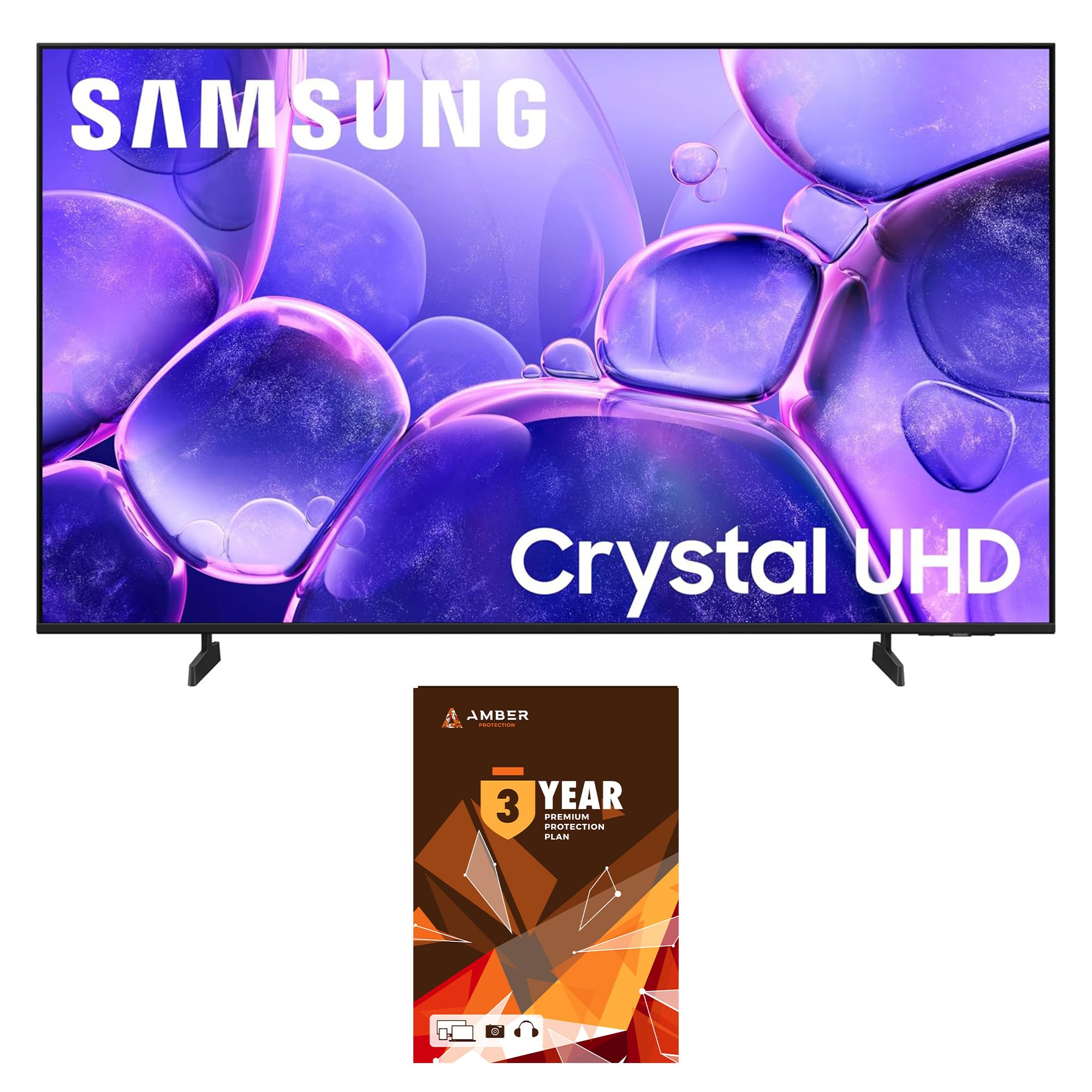
Image: Front view of the Samsung UN43U8000FFXZA 43 Inch Crystal 4K UHD TV, showcasing its sleek design and vibrant display.
Setup
Package Contents
Verify that all items are included in the box before proceeding with the setup. The package should contain:
- Samsung UN43U8000FFXZA 43 Inch Crystal 4K UHD TV
- Remote Controller (TM2240A) with batteries
- Power Cable
- User Manual
- TV Stand components

Image: A diagram illustrating the TV's dimensions and a list of items included in the package: TV, remote controller, power cable, user manual, and stand.
Connecting Cables
Connect your external devices to the TV using the appropriate ports on the back panel.
- HDMI 1 (eARC): Enhanced audio return channel for high-quality sound and advanced formats.
- USB-A: Standard rectangular port for power or media playback.
- Cable/ANT: Connector for over-the-air antenna or cable TV signals.
- HDMI 2 & HDMI 3: Transmits high-definition video and audio from external devices.
- LAN (Ethernet): Wired internet connection for streaming, updates, and smart features.

Image: A detailed view of the TV's rear input panel, highlighting HDMI, USB, LAN, and antenna ports with their respective functions.
Initial Power On
After connecting all necessary cables, plug the power cable into an electrical outlet. The TV will power on and guide you through the initial setup process, including network connection and channel scanning.
Operating
Remote Control
The included remote control (TM2240A) allows you to navigate the TV's features. It is designed for intuitive use with dedicated buttons for popular streaming services and voice assistant access.
Smart TV Features (One UI Tizen)
Your Samsung TV runs on the One UI Tizen operating system, providing access to a wide range of smart features:
- Streaming Services: Access popular apps like Netflix, Prime Video, Disney+, Hulu, Apple TV, YouTube, HBO Max, Peacock, Sling, and more.
- Smart Assistants: Built-in Bixby and Alexa, with compatibility for Google Assistant, Apple Airplay, and Google Cast.
- Gaming Hub & Cloud Gaming: Access gaming content and cloud gaming services directly from your TV.
- Endless Free Content: Enjoy a world of content at your fingertips with Samsung TV Plus, offering over 2,700 free channels without a subscription.
Product Overview Video
Watch this video for a visual overview of the Samsung U8000F Series TV, highlighting its features and benefits.
Video: A product review of the Samsung U8000F Series TV by Walts TV, showcasing its design, features, and user interface.
Key Features
Crystal Processor 4K
The Crystal Processor 4K powers 3D color mapping and AI upscaling, enhancing non-4K content to near 4K resolution for a clear and vibrant picture.

Image: A close-up of the Samsung Crystal UHD Processor 4K chip, illustrating the advanced technology behind the TV's picture quality.
MetalStream Design
The TV features an elegant MetalStream Design, providing a sleek and modern aesthetic that complements any living space.

Image: A side view of the Samsung TV, highlighting its slim profile and elegant MetalStream Design.
Samsung Knox Security
Samsung Knox Security protects your personal data with triple-layer protection, ensuring the privacy and security of your smart TV experience.

Image: The Samsung TV screen displaying the Knox Security shield logo, symbolizing the robust data protection features.
PurColor with Color Booster
Experience a wide spectrum of colors with PurColor technology and Color Booster, fine-tuning each shade for a more vibrant and lifelike picture.
Maintenance
Screen Cleaning
To maintain optimal picture quality, regularly clean your TV screen. Use the included Amber Protection HDTV Screen Cleaner Kit. The non-ammonia and alcohol-free solution is safe for display screens and effectively removes dust, dirt, and fingerprints without dripping.

Image: The Amber Protection Screen Clean spray bottle and two microfiber cloths, designed for safe and effective screen cleaning.
Instructions:
- Turn off the TV and allow it to cool.
- Lightly spray the Amber Protection Screen Clean solution onto a clean microfiber cloth (not directly onto the screen).
- Gently wipe the screen in a circular motion until clean and streak-free.
- Use a dry part of the cloth or a second clean cloth to buff the screen if necessary.
Troubleshooting
If you encounter issues with your TV, refer to the following common troubleshooting steps:
- No Power: Ensure the power cable is securely connected to both the TV and the electrical outlet. Try plugging another device into the same outlet to confirm it is working.
- No Picture/Sound: Check all HDMI and other input cables for secure connections. Verify that the correct input source is selected on the TV.
- Network Connection Issues: For Wi-Fi, ensure your router is on and within range. For Ethernet, check the cable connection. Try restarting your router and TV.
- Remote Control Not Working: Replace the batteries in the remote control. Ensure there are no obstructions between the remote and the TV's sensor.
For more detailed troubleshooting or persistent issues, please contact Samsung customer support.
Specifications
| Feature | Specification |
|---|---|
| Screen Size | 43 Inches |
| Brand | Samsung |
| Display Technology | LCD |
| Resolution | 4K |
| Refresh Rate | 60 Hz |
| Model Name | UN43U8000FFXZA |
| Color | Titan Gray |
| Operating System | One UI Tizen |
| Product Dimensions (D x W x H) | 6.2" x 37.7" x 24" |
| Item Weight | 14.6 Pounds |
| HDMI Ports | 3 |
| USB Ports | 1 |
| Wireless Technology | Bluetooth, Wi-Fi |
| Smart Assistants (Built-In) | Bixby, Alexa |
| Model Year | 2025 |
Warranty and Support
Manufacturer's Warranty
Your Samsung UN43U8000FFXZA TV comes with a full 1-year manufacturer's warranty, covering defects in materials and workmanship under normal use.
Amber Protection Plan
This product bundle includes a 3-year Amber Protection Plan, which extends coverage beyond the manufacturer's warranty. This plan typically covers mechanical & electrical failures and power surge protection. Coverage begins from the date of purchase.

Image: A graphic detailing the features and benefits of the Amber Protection Plan, including coverage for mechanical & electrical failures and power surge protection.
For specific details regarding your warranty and protection plan, please refer to the documentation provided with your purchase or contact the respective support services.