
Bearwind Stroller Fan S28 User Manual
Model: S28 | Brand: Bearwind
Introduction
This manual provides instructions for the safe and efficient operation of your Bearwind S28 Portable Stroller Fan. Please read this manual thoroughly before use and retain it for future reference.

Image: The Bearwind S28 Portable Stroller Fan, showcasing its compact design and flexible tripod.
Safety Information
- Keep the fan away from water and moisture.
- Do not insert fingers or foreign objects into the fan grille.
- Ensure the fan is securely attached when in use, especially on strollers or car seats.
- Do not allow children to play with the fan unsupervised.
- Use only the provided USB-C cable for charging.
- Do not attempt to disassemble or repair the fan. Contact customer support if service is required.
- Avoid prolonged exposure to direct sunlight or high temperatures.
- The rear safety warning light is for visibility; it is not a primary safety device.
Package Contents
- Bearwind S28 Stroller Fan
- USB-C Charging Cable
- Flexible Tripod
- User Manual
Product Features
- 60° Auto Oscillation: Provides wider, softer airflow for consistent cooling.
- Ultra-Quiet Operation: Operates at a low 35dB noise level, suitable for quiet environments.
- 4 Wind Modes: Adjustable fan speeds for various cooling needs.
- Flexible Tripod Design: Food-grade silicone tripod allows secure attachment to strollers, cribs, car seats, or as a desktop fan.
- Rear Safety Warning Light: Enhances visibility during nighttime use.
- 4400mAh Rechargeable Battery: Offers 3-12 hours of operation depending on speed and features used.
- USB-C Charging: Convenient and fast charging.
- 3-Level Soft Night-Light: Provides gentle illumination.
- Digital Display: Shows current fan speed and battery level.
Product Overview (Videos)
Portable Battery Fan for Summer Travel
This video provides a general overview of the Bearwind S28 Portable Stroller Fan, highlighting its portability and suitability for various summer travel scenarios.
Auto-Oscillating Stroller Fan for Baby
Watch this video to see the 60° auto-oscillation feature in action, demonstrating how the fan provides wider and softer airflow for a baby.
Portable Stroller Fan with Display
This video demonstrates the fan's digital display, showing battery life and speed settings, along with its portable design.
Setup
- Attach the Flexible Tripod:
Align the tripod base with the fan's bottom slot. Twist clockwise to lock it securely. To detach, twist counter-clockwise.

Image: The fan with its flexible tripod attached, demonstrating the twist-lock base for secure mounting.
- Positioning the Fan:
Bend the flexible tripod legs to wrap around stroller handles, crib rails, car seat bars, or use as a stable stand on flat surfaces. Ensure the fan is stable and not prone to falling.

Image: The fan securely mounted on a stroller handle, showcasing its flexible tripod legs.
Operating Instructions
The fan features two control buttons:
- Left Button (Oscillation/Light):
- Hold: Activates or deactivates the 60° auto-oscillation feature.
- Tap: Cycles through the 3-level night light brightness settings.
- Right Button (Power/Speed):
- Hold: Powers the fan On or Off.
- Tap: Cycles through the 4 fan speed settings (1-4).

Image: A detailed view of the fan's control panel, highlighting the digital display and button functions.
Fan Speed Modes
- Speed 1 (Sleep Wind): Gentle airflow for quiet environments.
- Speed 2 (Comfort Wind): Moderate airflow for comfortable cooling.
- Speed 3 (Cool Wind): Stronger airflow for effective cooling.
- Speed 4 (Power Wind): Maximum airflow for rapid cooling.

Image: Visual representation of the fan's 60° auto-oscillation and the four distinct wind modes.
Night Light Function
The integrated night light has three brightness levels. Tap the left button to adjust the brightness or turn it off.
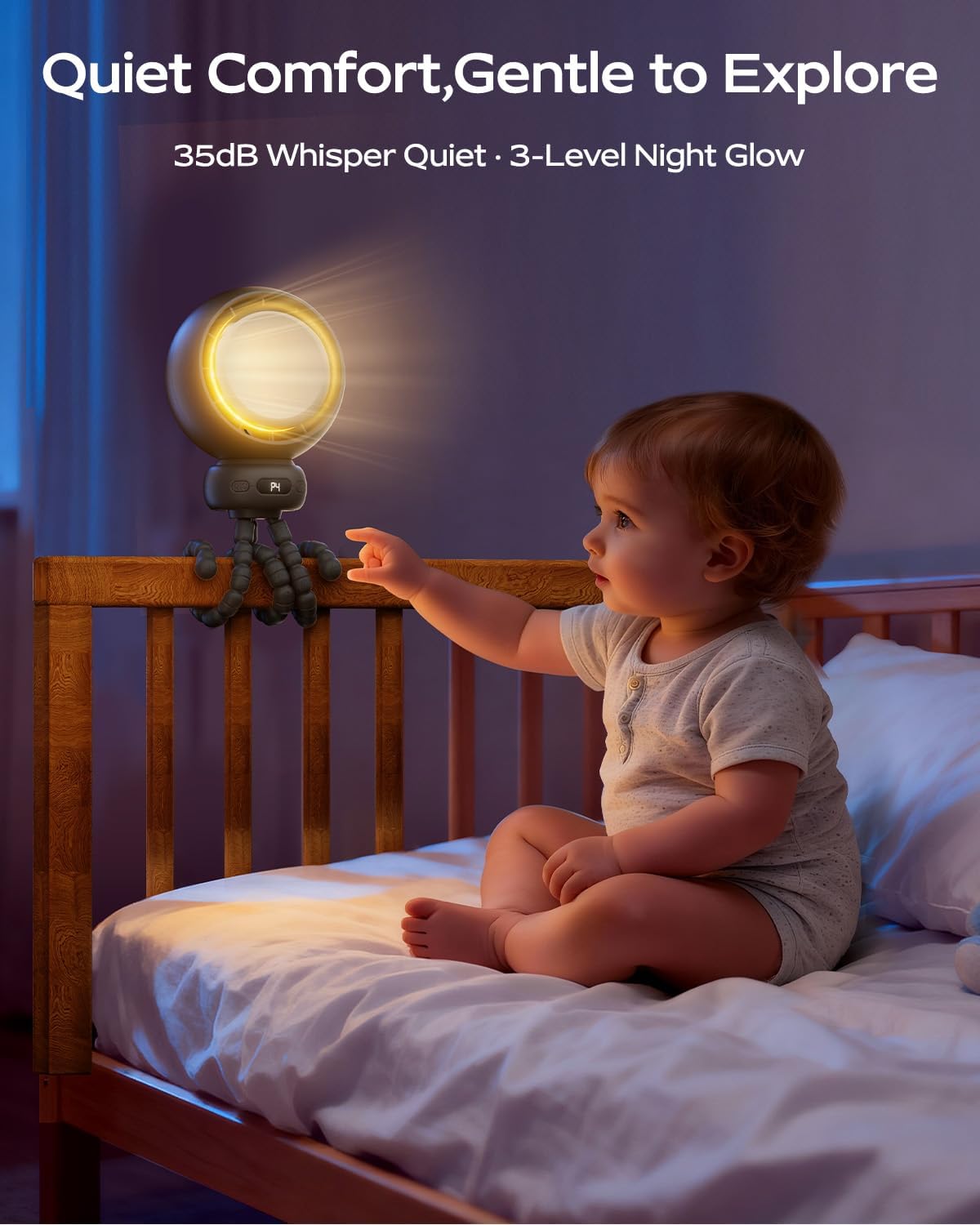
Image: The fan providing gentle illumination as a night light in a nursery setting.
Digital Display
The digital display shows the current fan speed (P1-P4) and the remaining battery percentage.
Image: A detailed view of the fan's digital display indicating battery level and fan speed.
Charging
The fan is equipped with a 4400mAh rechargeable battery.
- Connect the provided USB-C charging cable to the fan's charging port.
- Connect the other end of the cable to a USB power source (e.g., power bank, wall adapter, car USB port).
- The digital display will show the charging progress. A full charge typically takes approximately 4 hours.
- Once fully charged, the fan can operate for 3 to 12 hours, depending on the selected speed and features (oscillation, night light).

Image: Illustration of the fan's charging and operational duration.
Maintenance
- Cleaning: To clean the fan blades, gently twist and remove the front grille. Wipe the blades and grille with a soft, dry cloth. Do not use water or harsh chemicals. Ensure the grille is securely reattached before use.
- Storage: When not in use for extended periods, store the fan in a cool, dry place. Ensure the battery is partially charged (around 50%) before storage to prolong battery life.
Troubleshooting
| Problem | Possible Cause | Solution |
|---|---|---|
| Fan does not turn on. | Battery is depleted. | Charge the fan using the USB-C cable. |
| Fan turns on but airflow is weak. | Low battery or fan speed setting. | Charge the fan or increase the fan speed by tapping the right button. |
| Oscillation stops or is inconsistent. | Low battery level (below 30%) or temporary glitch. | Charge the fan. If the issue persists after charging, restart the fan. |
| Fan makes unusual noise. | Obstruction in blades or motor issue. | Turn off the fan, remove the front grille, and check for any obstructions. If the noise persists, contact customer support. |
Versatile Use Cases
The flexible tripod design allows the Bearwind S28 Stroller Fan to be used in various settings beyond just strollers.
For Strollers and Cribs

Image: The fan providing gentle, oscillating airflow for a baby in a stroller.
In Car Seats

Image: The fan securely attached to a car seat headrest, ensuring comfort during travel.
Outdoor Activities

Image: The fan providing personal cooling while attached to a beach chair.
Indoor Use

Image: The fan mounted on a treadmill, offering cooling during indoor exercise.
Specifications
| Feature | Detail |
|---|---|
| Model Number | S28 |
| Dimensions (D x W x H) | 3.35"D x 4.72"W x 13.39"H |
| Weight | 12.5 ounces |
| Power Source | Battery Powered (USB-C Rechargeable) |
| Battery Capacity | 4400mAh |
| Operating Time | 3-12 hours (depending on speed/features) |
| Charging Time | Approx. 4 hours |
| Number of Speeds | 4 |
| Oscillation Angle | 60° Auto Oscillation |
| Noise Level | 35 dB |
| Material | Plastic (Food-Grade Silicone Tripod) |
| Special Features | Detachable/Flexible Tripod, LED Display, Night Light, Rear Safety Light |
Warranty and Support
For warranty information or technical support, please refer to the product packaging or contact Bearwind customer service directly. Contact details are typically available on the official Bearwind website or through your purchase platform.