
Introduction
This manual provides detailed instructions for the proper setup, operation, and maintenance of your Monstrum Ladon 1-6x Second Focal Plane (SFP) Low Power Variable Optic (LPVO) Rifle Scope. Please read this manual thoroughly before using your scope to ensure optimal performance and longevity.

Image: The Monstrum Ladon 1-6x SFP LPVO Rifle Scope, showcasing its design and how it appears when mounted on a rifle.
Setup
1. Mounting the Scope
The Monstrum Ladon 1-6x LPVO includes an offset cantilever scope mount. Ensure your rifle has a compatible Picatinny rail. Position the mount on the rail to achieve optimal eye relief. Secure the mount to the rail using the provided hex keys, ensuring all screws are tightened evenly to the manufacturer's recommended torque specifications. Refer to the Monstrum website for specific torque values.
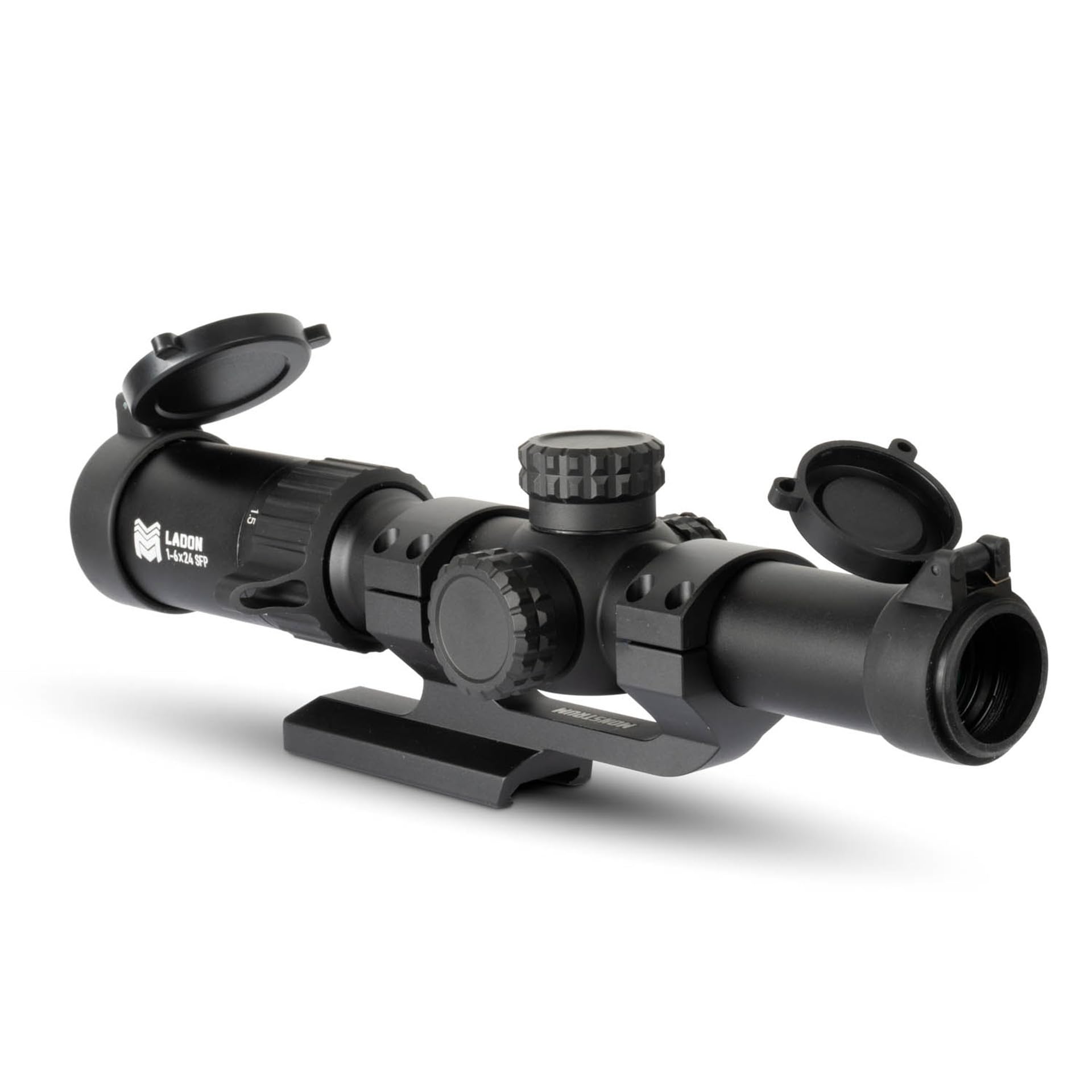
Image: The Monstrum Ladon scope, showing the included cantilever mount and flip-up lens covers, ready for installation.
2. Installing Battery for Reticle Illumination
The reticle illumination requires a CR2032 battery (typically included). Unscrew the illumination dial cap, insert the battery with the positive (+) side facing outwards, and then securely replace the cap. The illumination dial is located on the left side of the scope body.
3. Attaching Lens Covers
Attach the included spring-loaded flip-up lens covers to the objective and ocular lenses to protect them from dust, debris, and scratches when not in use.
Operating the Scope
1. Magnification Adjustment
The Ladon LPVO offers variable magnification from 1x to 6x. Rotate the magnification ring, located near the ocular lens, to adjust the desired magnification level. The scope features a true 1x magnification for close-quarters engagement and a 6x magnification for longer-range precision.

Image: A detailed view of the magnification ring on the Monstrum Ladon scope, indicating its 1-6x SFP capability.

Image: A visual comparison of the scope's field of view at 1x and 6x magnification, demonstrating the BDC-B1 reticle on a USPSA target at 50 yards.
2. Reticle Illumination
The BDC-B1 reticle features inline dial-controlled illumination in red with multiple brightness levels. Rotate the illumination dial on the left side of the scope to turn the illumination on/off and adjust its brightness. Intermediate "off" positions are present between each brightness setting for quick deactivation.
3. Windage and Elevation Adjustments
The scope features capped windage and elevation turrets. To adjust, unscrew the caps. Each click of the turret adjusts the point of impact by 1/2 inch at 100 yards. Rotate the elevation turret (top) to adjust vertical impact and the windage turret (right side) to adjust horizontal impact. After zeroing, replace the caps to protect the turrets from accidental adjustments and environmental elements.

Image: A close-up of the scope's elevation turret, showing the clear markings for adjustment direction (Right/Left) and click value (1/2" at 100 yards).
4. Second Focal Plane (SFP) Reticle
The BDC-B1 reticle is a Second Focal Plane (SFP) design. This means the reticle size remains constant regardless of the magnification setting. This ensures high visibility of the reticle at all magnification levels.
Maintenance
1. Cleaning Lenses
Use a soft, lint-free cloth or a lens pen to gently clean the objective and ocular lenses. For stubborn smudges, use a small amount of lens cleaning solution specifically designed for optics. Avoid using harsh chemicals or abrasive materials that could damage the lens coatings.

Image: A close-up view of the scope's objective lens, demonstrating the clarity of the glass.
2. General Care
Store the scope in a dry, cool place when not in use. Always use the provided lens covers to protect the glass. Periodically check all mounting screws for tightness to ensure the scope remains securely attached and holds zero.
Troubleshooting
- Reticle Not Illuminating: Check the CR2032 battery. Ensure it is inserted correctly with the positive (+) side facing out and that it is not depleted. Replace if necessary.
- Blurry Image: Adjust the diopter on the ocular lens (eyepiece) to match your eye's focus. Rotate the diopter ring until the reticle appears sharp. Ensure the lenses are clean.
- Point of Impact Shift: Verify that the scope mount is securely tightened to the rifle. Ensure the turret caps are replaced after making adjustments to prevent accidental rotation.
Specifications
| Feature | Specification |
|---|---|
| Brand | Monstrum |
| Model Name | Ladon |
| Magnification | 1-6x |
| Reticle Type | BDC-B1 (Second Focal Plane) |
| Reticle Illumination | Red, Multiple Brightness Levels |
| Click Value | 1/2 MOA (1/2 inch at 100 yards) |
| Mounting Type | Cantilever Mount (included) |
| Compatible Devices | Rifle |
| Manufacturer Part Number | SL16B-BDCB1 |
Warranty
All Monstrum products, including the Ladon 1-6x SFP LPVO Rifle Scope, are covered by a full lifetime warranty. For warranty claims or detailed information, please visit the official Monstrum website or contact their customer support.
Support
For further assistance, technical support, or inquiries not covered in this manual, please contact Monstrum customer service through their official website. Always refer to the latest information available on the manufacturer's website for product updates or additional resources.