
1. Introduction
The Comulytic Note Pro is an advanced AI voice recorder designed to streamline your note-taking process for calls, meetings, lectures, and interviews. It features one-touch recording, AI-powered transcription, summarization, and app control, supporting 113 languages. This manual provides essential information for setting up, operating, and maintaining your device.

Image: Comulytic Note Pro highlighting its slim design and one-tap recording feature.
2. What's Included
Verify that all items are present in the package:
- Comulytic Note Pro AI Voice Recorder (1 unit)
- Magnetic Case (1 unit)
- USB-C Charging Cable (1 unit)
- Quick Start Guide (1 unit)
- OTG Adapter (1 unit)

Image: All components included with the Comulytic Note Pro.
3. Product Overview
The Comulytic Note Pro is designed for portability and ease of use. It features a durable aluminum body and a clear 0.78-inch display protected by Corning Gorilla Glass.
Physical Features
- Display: 0.78-inch screen for status indicators.
- Recording Button: Single button for one-touch recording control.
- Microphone Array: Triple-mic array with AI noise reduction for clear audio capture.
- Charging Port: USB-C port for charging.
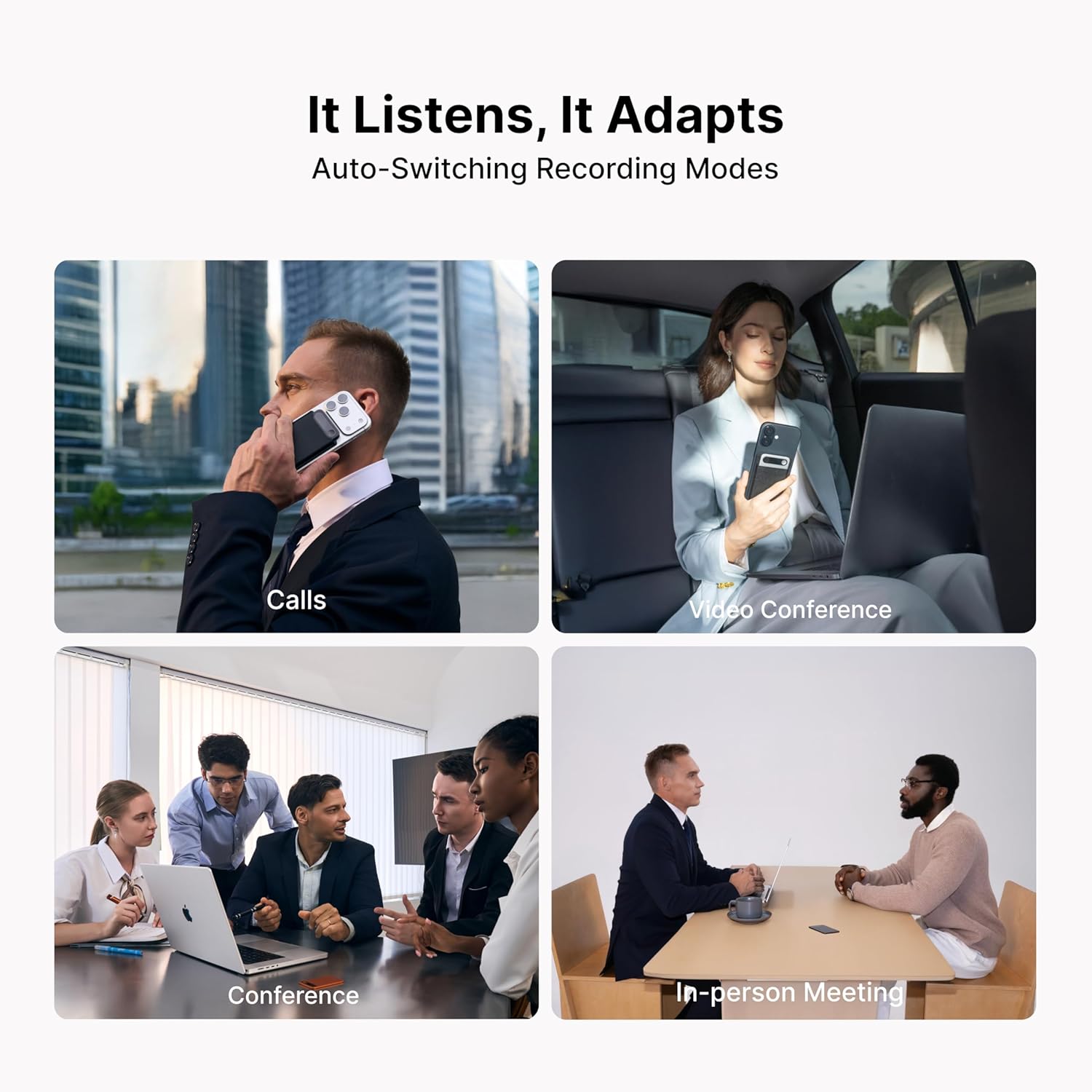
Image: The Comulytic Note Pro device, highlighting its thinness.
4. Setup
4.1 Charging the Device
Before first use, fully charge your Comulytic Note Pro. Connect the provided USB-C charging cable to the device and a power source. A full charge from 0% to 100% takes approximately 90 minutes.
4.2 App Installation
Download the Comulytic App from your smartphone's app store (iOS or Android). You can find a QR code for direct download in the Quick Start Guide.
4.3 Device Pairing
Open the Comulytic App and follow the on-screen instructions to pair your Note Pro via Bluetooth. Ensure Bluetooth is enabled on your smartphone.
5. Operating Instructions
5.1 One-Touch Recording
To start recording, press and hold the recording button for one second until you feel a vibration. To pause/resume, press the button briefly. To stop and save the recording, press and hold the button again until it vibrates twice and displays 'saved'.
5.2 AI Adaptive Recording
The device automatically detects and adapts to different recording environments, such as calls, meetings, and video conferences, without requiring manual mode switching. It captures high-fidelity audio within 5 meters.

Image: Comulytic Note Pro adapting to various recording scenarios.
5.3 App Control
Control your Note Pro remotely via the Comulytic App. The app allows you to start/stop recordings, manage files, and access advanced features from up to 10 meters away.
5.4 Transcription & Summarization
Once recorded, files are automatically uploaded to the Comulytic App for AI transcription and summarization. The AI offers up to 98% accuracy and supports 113 languages. The Starter Plan includes unlimited free transcription and basic summaries. Optional Premium Plan features include Deep Dive Analysis and the Ask Comulytic Assistant.

Image: Real-time transcription with speaker identification in the Comulytic App.

Image: Overview of AI features for managing client interactions and meetings.
5.5 Privacy & Security
Your data is protected by AES encryption throughout the entire data process flow, adhering to the CCPA privacy laws.

Image: Visual representation of the device's advanced security features.
6. Connectivity & Storage
The Note Pro utilizes Wi-Fi + BLE (Bluetooth Low Energy) for dual connectivity. Wi-Fi transfer allows for data syncing up to 10x faster than Bluetooth, enabling real-time backup. The device includes 64GB of local storage and offers unlimited cloud backup via the Comulytic app.
7. Maintenance
- Cleaning: Use a soft, dry cloth to clean the device. Avoid abrasive materials or harsh chemicals.
- Storage: Store the device in a cool, dry place away from direct sunlight and extreme temperatures.
- Battery Care: For optimal battery life, avoid fully discharging the device frequently. Charge it regularly.
- Software Updates: Keep the Comulytic App updated to ensure optimal performance and access to the latest features.
8. Troubleshooting
- Device not turning on: Ensure the device is charged. Connect it to a power source using the provided cable.
- Cannot connect to app: Ensure Bluetooth is enabled on your phone and the device is within range. Restart both the device and the app.
- Poor audio quality: Ensure the device's microphones are not obstructed. Record within the recommended 5-meter range.
- Transcription inaccuracies: Ensure clear audio recording. For complex terms, consider using the Premium Plan's vertical knowledge base features.
- Files not syncing: Check your Wi-Fi and Bluetooth connections. Ensure the Comulytic App has necessary permissions for data transfer.
9. Specifications
| Model Number | LA558 |
| Dimensions (D x W x H) | 0.12" x 2.04" x 3.37" |
| Item Weight | 27.6 Grams |
| Memory Storage Capacity | 64 GB |
| Screen Size | 0.78 Inches |
| Battery Average Life | 45 Hours (continuous recording) |
| Digital Recording Time | 2700 minutes |
| Microphone Operation Mode | Stereo |
| Hardware Interface | Bluetooth |
| Compatible Devices | Smartphone |
| Audio Format | MP3 Audio, WAV |
10. Warranty and Support
The Comulytic Note Pro comes with a 12-Month Limited Warranty. For any questions or support needs, please contact Comulytic customer service through Amazon. We aim to respond promptly to assist you.
For additional information, you may refer to the User Guide (PDF).


