
Introduction
Thank you for choosing the Aspiron AS-CA039 12-in-1 Steam Mop. This versatile cleaning device is designed to provide powerful steam cleaning for a wide range of surfaces, effectively removing stubborn stains and grime. With its detachable handheld unit and multiple attachments, it offers flexible and efficient cleaning solutions for your home.
What's in the Box
Your Aspiron 12-in-1 Steam Mop package includes the following components:
- Main Steam Mop Unit (detachable handheld cleaner and handle)
- 2 x Dirt Grip Microfiber Pads
- Carpet Glider Attachment
- Measuring Cup
- Window Squeegee Tool
- Grout Cleaning Tool
- Scraping Tool
- Small Scrub Brush
- Medium Scrub Brush
- Angled Nozzle
- Garment Steamer Cloth
- Accessory Adapter
- Instruction Manual

Image: The Aspiron 12-in-1 Steam Mop main unit and its various attachments, including brushes, squeegee, and pads.
Video: An unboxing and overview of the Aspiron 12-in-1 Steam Mop, demonstrating the included parts and initial assembly.
Setup
- Assemble the Handle: Connect the handle sections to the main unit until they click securely into place.
- Attach the Mop Head: Align the mop head with the main unit and push until it locks.
- Attach Microfiber Pad: Secure a clean microfiber pad to the bottom of the mop head using the hook-and-loop fasteners.
- Fill the Water Tank:
- Ensure the unit is unplugged.
- Open the water tank cap on the main unit.
- Use the provided measuring cup to fill the 385ml water tank with distilled water. Do not overfill.
- Close the water tank cap securely.
- Power On: Plug the power cord into a grounded electrical outlet. The indicator light will turn red, signifying it is heating up.
- Heat-Up Time: The steam mop heats up rapidly in approximately 15 seconds. The indicator light will turn blue when it is ready for use.
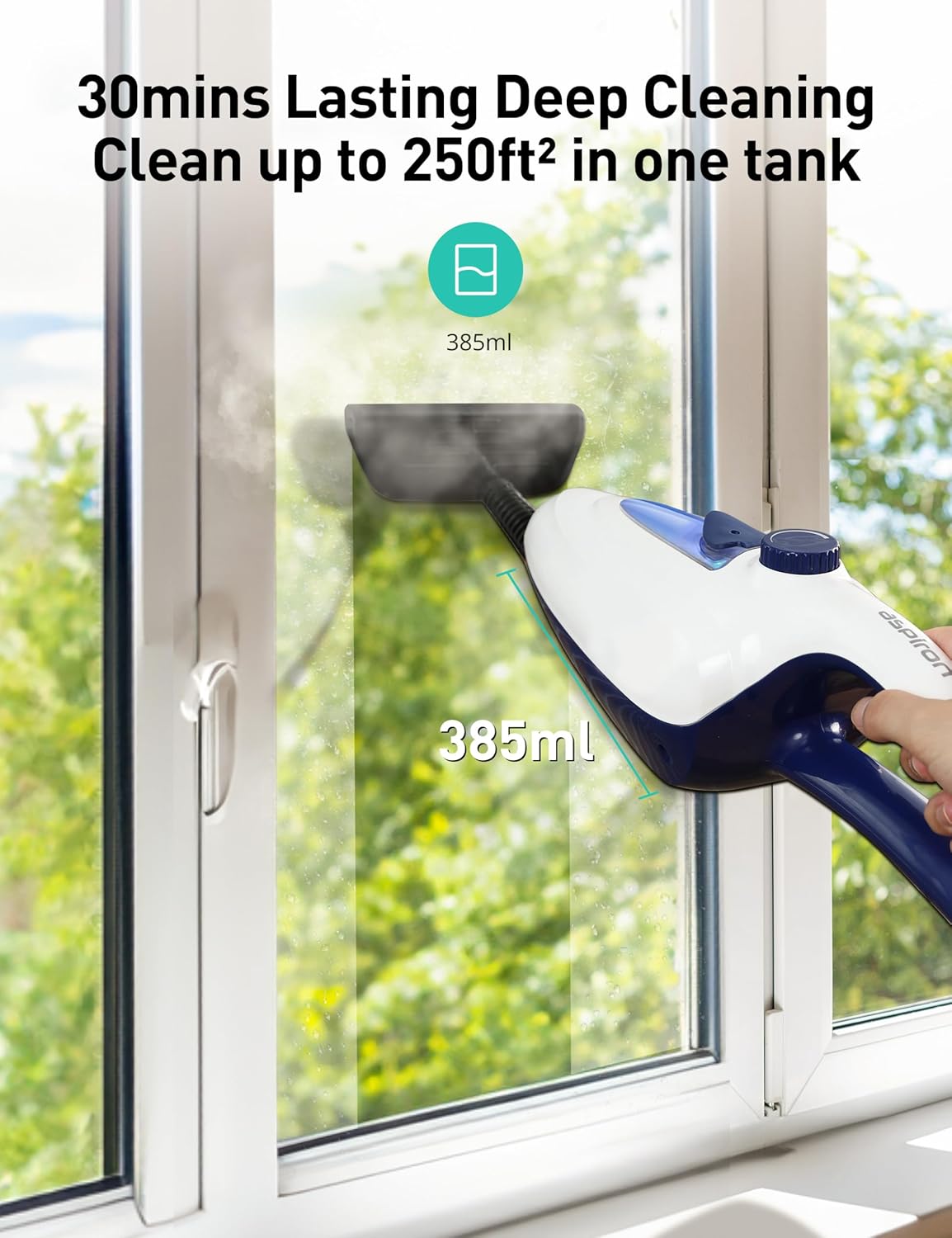
Image: A user filling the 385ml water tank of the detachable handheld unit with water using the provided measuring cup.
Video: Demonstrates the process of filling the water tank and waiting for the steam mop to heat up, indicated by the light changing from red to blue.
Operating Instructions
Using as a Floor Mop:
- Ensure the microfiber pad is securely attached to the mop head.
- Once the indicator light is blue, gently push the mop forward and backward over the surface to be cleaned.
- The mop head features 90° rotation for cleaning front-to-back and 180° rotation for left-to-right, allowing access to hard-to-reach areas and under furniture.
- For stubborn stains, hold the mop over the area for a few seconds to allow the steam to penetrate.
- For carpet cleaning, attach the carpet glider over the microfiber pad.

Image: The Aspiron steam mop in action, emitting steam to clean a floor, highlighting its high temperature cleaning capability.
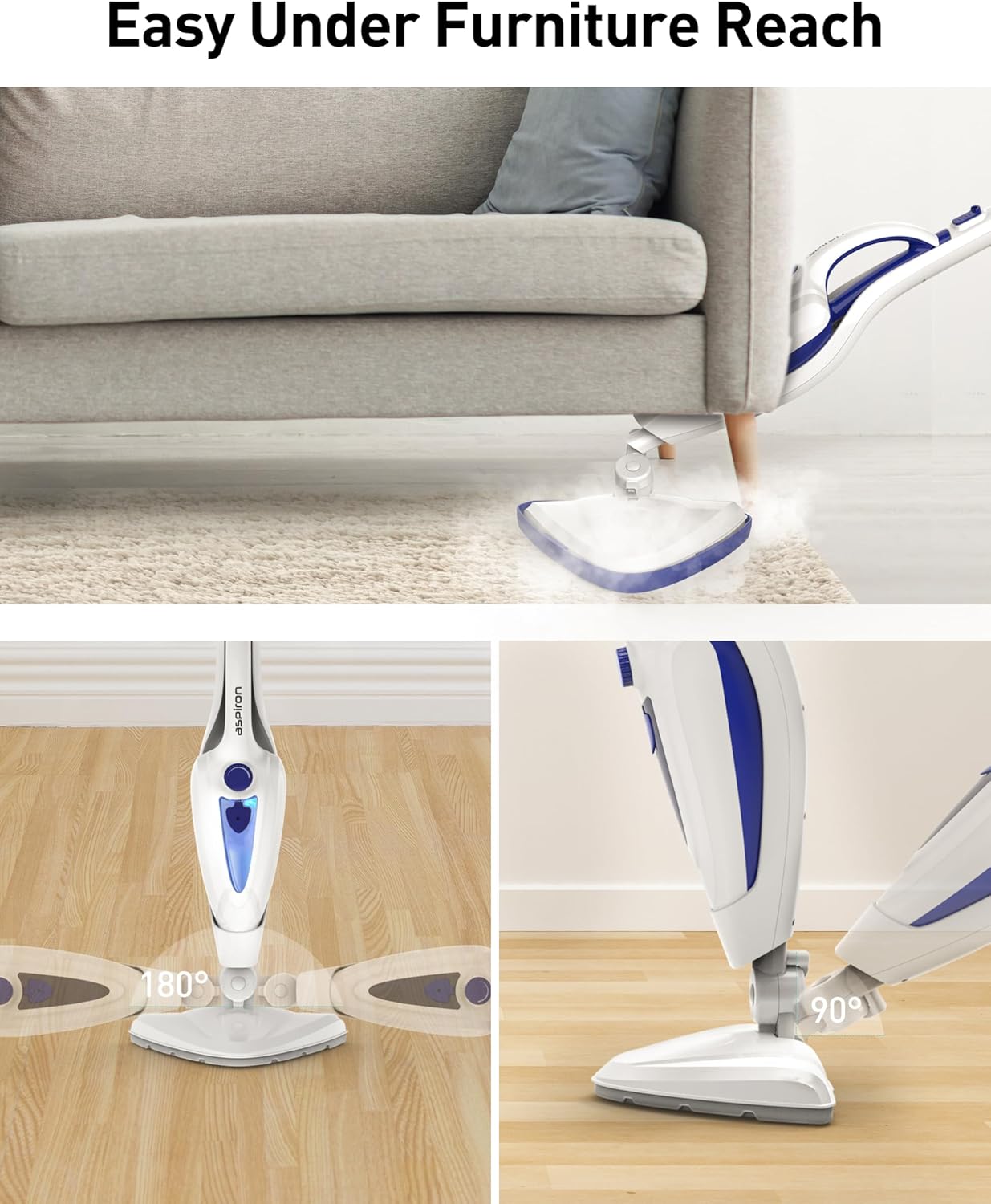
Image: The flexible mop head of the Aspiron steam mop demonstrating its ability to reach and clean under furniture with ease.
Using as a Handheld Steam Cleaner:
- Press the release button on the main unit to detach the handheld cleaner from the handle.
- Attach the desired accessory (e.g., brush, squeegee, angled nozzle) to the handheld unit.
- Direct the steam towards the surface you wish to clean. Use the appropriate attachment for the task.
- For garment steaming, attach the garment steamer cloth over the window squeegee tool.
Image: The detachable handheld unit of the Aspiron steam cleaner shown with multiple attachments, illustrating its versatility for different cleaning tasks.
Video: A demonstration of the Aspiron steam mop's multi-purpose capabilities, showcasing its use on various surfaces and with different attachments.
Attachments and Their Uses
- Microfiber Pads: For general floor cleaning on hardwood, tile, and other sealed hard surfaces.
- Carpet Glider: Used over the microfiber pad for refreshing and cleaning carpets and rugs.
- Window Squeegee Tool: Ideal for streak-free cleaning of windows, mirrors, and glass surfaces.
- Grout Cleaning Tool: Designed with stiff bristles to effectively clean grout lines between tiles.
- Scraping Tool: Helps remove baked-on grime and tough, stuck-on messes from hard surfaces.
- Small/Medium Scrub Brushes: For scrubbing smaller areas, fixtures, and tight spaces.
- Angled Nozzle: Directs steam into hard-to-reach corners, crevices, and tight spots.
- Garment Steamer Cloth: Used with the window squeegee tool for steaming and de-wrinkling clothes and fabrics.

Image: A selection of scrub brush attachments, including large and small brushes, designed for tackling different types of dirt and surfaces.

Image: The window squeegee tool and garment steamer cloth attachment, demonstrating specialized tools for glass and fabric care.
Maintenance
- Cleaning Microfiber Pads: The microfiber pads are machine washable. Remove them from the mop head after use and wash with similar colors. Do not use bleach or fabric softener. Air dry or tumble dry on low.
- Emptying Water Tank: After each use, unplug the unit and allow it to cool. Empty any remaining water from the tank.
- Storage: The steam mop features a detachable handle and split design for easy storage. Wrap the 16ft power cord neatly around the designated hooks on the handle.
- Descaling: Periodically descale the unit to prevent mineral buildup, especially if using tap water. Refer to the full manual for detailed descaling instructions.

Image: The Aspiron steam mop shown in its folded configuration, highlighting its compact design for convenient storage.
Troubleshooting
If you encounter any issues with your Aspiron Steam Mop, please refer to the following common solutions:
- No Steam Output:
- Check if the water tank is filled.
- Ensure the unit is properly plugged in and the power is on (blue indicator light).
- Allow sufficient time for the unit to heat up (approx. 15 seconds).
- Check for any blockages in the nozzle or steam outlets.
- Water Leaking:
- Ensure the water tank cap is securely closed.
- Do not overfill the water tank.
- Check that all attachments are correctly installed.
- Reduced Steam Pressure:
- The unit may require descaling if mineral buildup is present.
- Ensure the water tank is adequately filled.
For more detailed troubleshooting or persistent issues, please consult the full instruction manual or contact Aspiron customer support.
Specifications
| Brand | Aspiron |
| Model Number | AS-CA039 |
| Power | 1500W |
| Heat-Up Time | 15 seconds |
| Water Tank Capacity | 385ml (approx. 30 minutes continuous steam) |
| Power Cord Length | 16 ft |
| Weight | Under 7.5 lbs |
| Color | White |
| UPC | 779657326398, 779657327364 |
Warranty & Support
For information regarding product warranty, replacement accessories (e.g., Steam Mop Pads: B0BF2ZL2DC; Steam Shot Attachments: B0DZ28S5WK), or customer support, please visit the official Aspiron website or contact their customer service directly. Please retain your proof of purchase for warranty claims.