
1. Introduction
The Veepeak BT24 Car Battery Tester is a diagnostic tool designed to evaluate the health and performance of 12V and 24V lead-acid batteries. It provides comprehensive analysis of battery voltage, capacity, internal resistance, State of Health (SOH), and State of Charge (SOC). The device also performs cranking and charging system tests to ensure optimal vehicle electrical system function.
This manual provides detailed instructions for the safe and effective use of your Veepeak BT24 battery tester.
2. What's in the Box
- 1x Veepeak BT24 Battery Tester
- 1x User Manual
3. Safety Information
Always observe the following safety precautions when using the battery tester:
- Wear appropriate eye protection.
- Ensure proper ventilation in the work area.
- Avoid contact with battery acid.
- Do not smoke or allow sparks/flames near the battery.
- The device features reverse-polarity protection, but always connect the red clamp to the positive (+) terminal and the black clamp to the negative (-) terminal first.
- Ensure the vehicle engine is off and all electrical equipment is turned off before testing.
4. Setup and Connection
- Prepare the Battery: Ensure the battery terminals are clean and free from corrosion.
- Connect the Clamps:
- Connect the RED clamp to the battery's positive (+) terminal.
- Connect the BLACK clamp to the battery's negative (-) terminal.
The tester will power on automatically once connected to a battery with sufficient charge (minimum 9V).
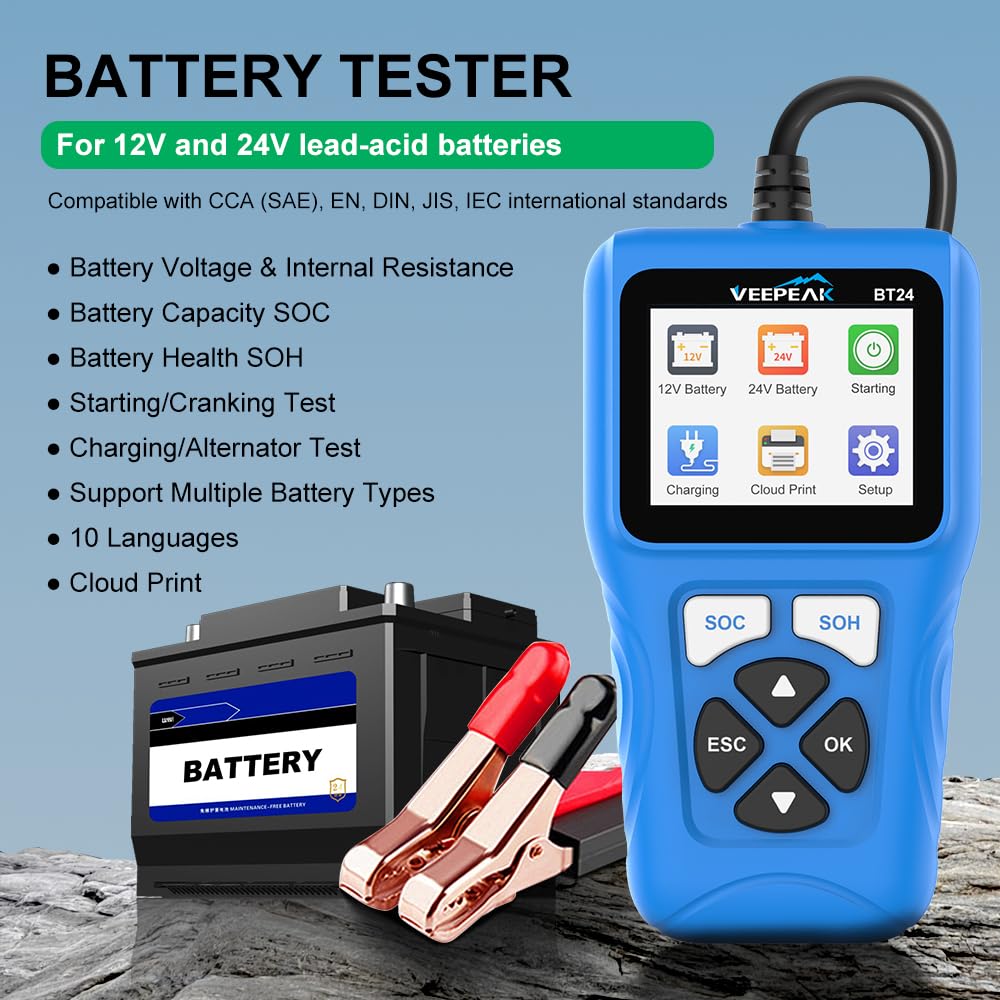
Image: The Veepeak BT24 tester connected to a car battery. The red clamp is on the positive terminal, and the black clamp is on the negative terminal. The device screen is illuminated, showing the main menu.
5. Operating Instructions
5.1. Main Menu Navigation
Use the Up/Down arrow buttons to navigate through menu options and the OK button to confirm selections. The ESC button returns to the previous screen.
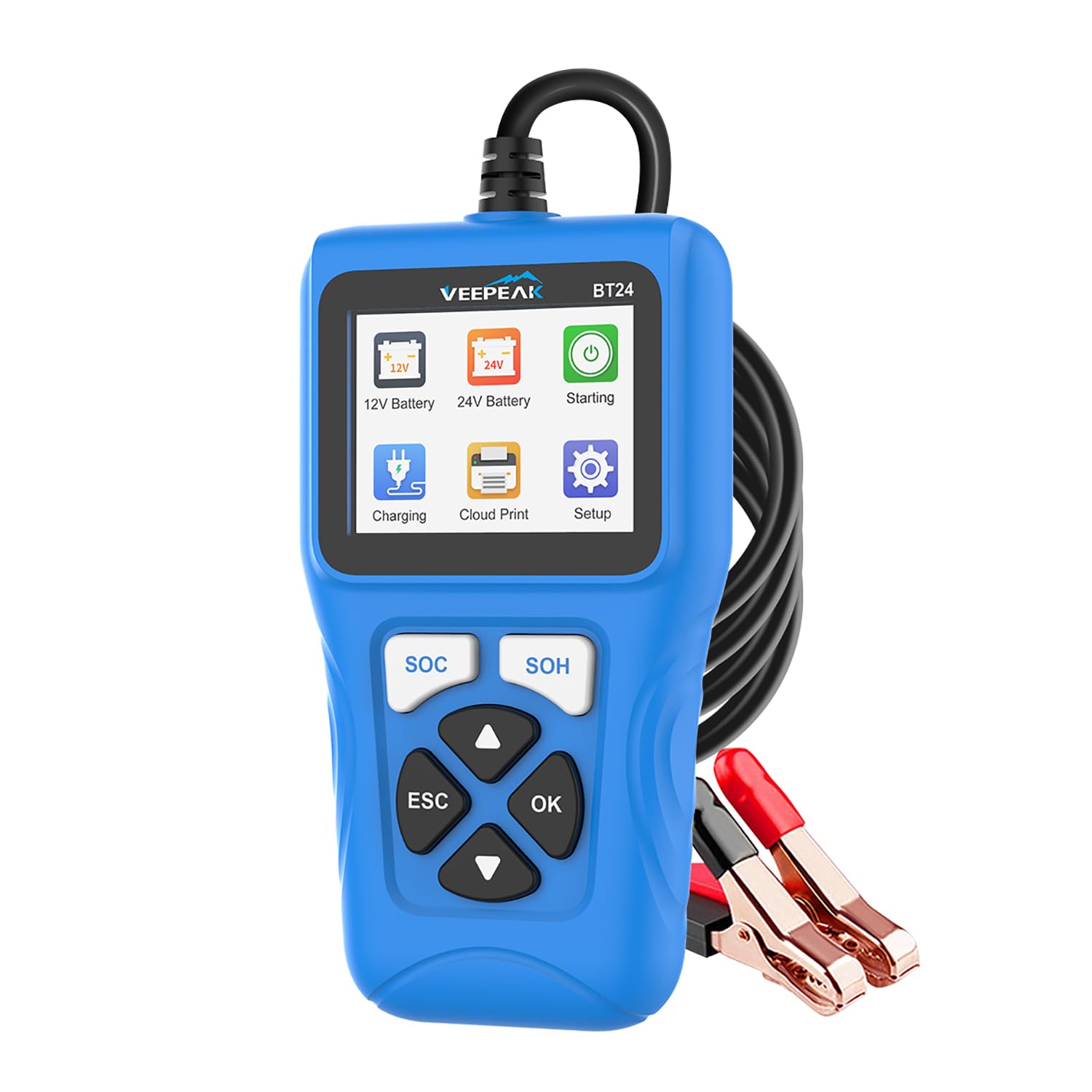
Image: The main menu of the Veepeak BT24 tester, displaying various test and utility options.
5.2. Battery Test (12V/24V)
- From the main menu, select either "12V Battery" or "24V Battery" depending on your vehicle's system.
- Choose between "Fast Test" or "Standard Test". The Standard Test provides a more detailed analysis.
- Select the Battery Type (e.g., Regular Flooded, AGM Tablet, AGM Winding, GEL, EFB). Refer to your battery's label if unsure.
- Input the battery's CCA (Cold Cranking Amps) value. This is usually printed on the battery label. Use the Up/Down buttons to adjust the value.
- Press OK to start the test. The results will display battery voltage, measured CCA, internal resistance, State of Health (SOH), and State of Charge (SOC).

Image: The tester screen showing the battery test results, indicating "Battery good" with SOH and SOC percentages.
5.3. Cranking Performance Test
This test monitors voltage drop during engine start to assess the battery's ability to deliver sufficient power for starting.
- From the main menu, select "Starting".
- Follow the on-screen prompts to start the vehicle engine.
- The tester will display the cranking voltage and time, indicating if the battery's cranking performance is Poor, Medium, or Good.
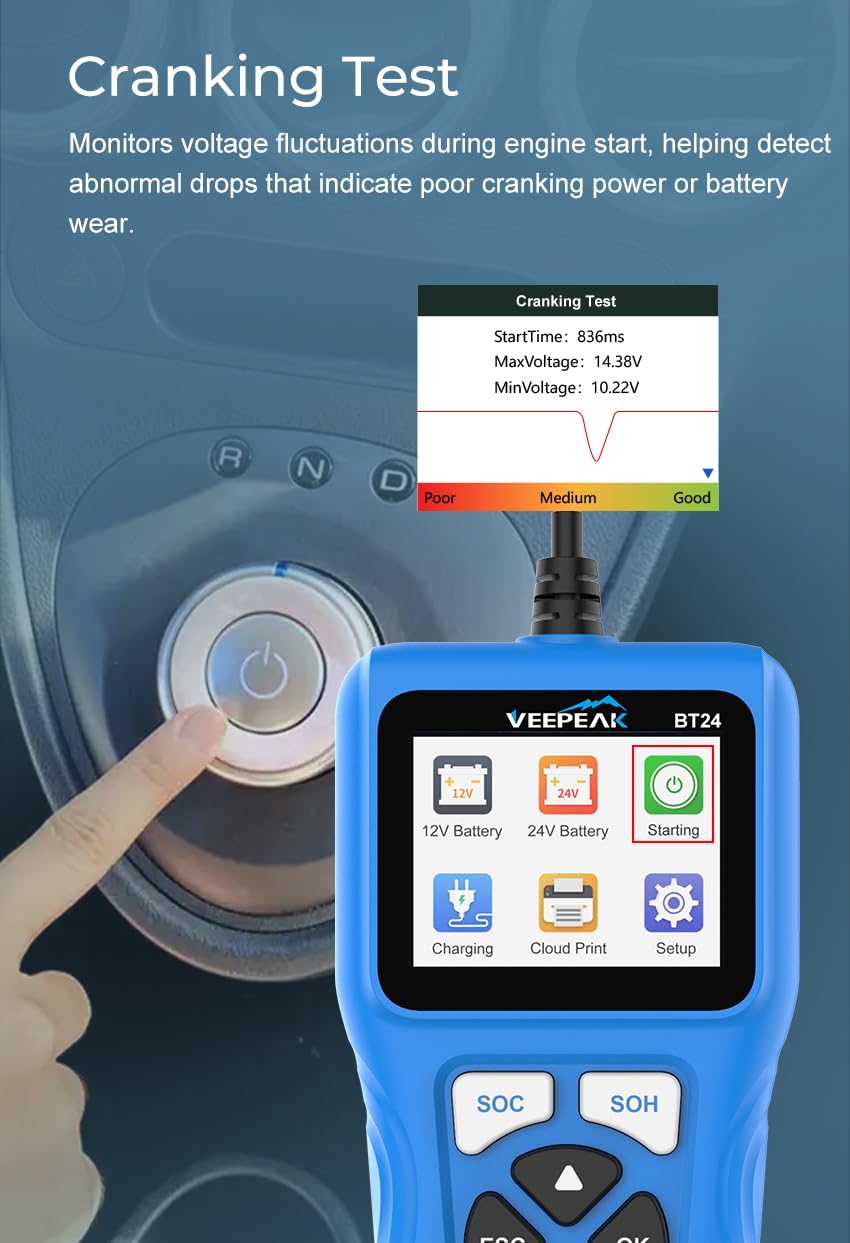
Image: The tester screen displaying the cranking test interface with a real-time voltage graph and performance indicators.
5.4. Charging System Test
This test evaluates the alternator's output and the overall charging system to prevent overcharging, undercharging, or unstable output.
- From the main menu, select "Charging".
- Follow the on-screen instructions, which typically involve turning on headlights for a few seconds, turning them off, and then revving the engine to a specified RPM (e.g., 2500 RPM) for a short period.
- The tester will display the charging voltage, ripple variation, and a diagnosis of the charging system's health.

Image: The tester screen showing instructions for the charging test and the resulting voltage readings.
5.5. Cloud Print
The Cloud Print function allows you to generate a QR code from your test results, which can then be scanned with a smartphone for easy sharing or printing of the battery report.
- After completing a test, navigate to the "Cloud Print" option from the main menu.
- The tester will display a QR code.
- Scan the QR code with your smartphone to access and print the detailed battery report.

Image: The Cloud Print feature in action, showing the tester generating a QR code for a battery report.
5.6. Setup
The Setup menu allows you to configure various settings of the device, including language, sound, and self-test options.
- Language: Select your preferred language for the interface.
- Beep Sound: Enable or disable audible feedback.
- Self-Test: Perform a self-diagnostic test of the device.
6. Maintenance
- Keep the device clean and dry. Wipe with a soft, damp cloth if necessary.
- Store the tester in a cool, dry place away from direct sunlight and extreme temperatures.
- Inspect the cables and clamps regularly for any signs of damage or wear.

Image: The Veepeak BT24 tester is designed to operate reliably in a wide range of temperatures, from -4°F to 140°F.
7. Troubleshooting
If you encounter issues with your Veepeak BT24 battery tester, consider the following:
- Device does not power on:
- Ensure clamps are securely connected to the correct battery terminals (red to positive, black to negative).
- Verify the battery has at least 9V of charge.
- Inaccurate readings:
- Check for clean battery terminals and secure connections.
- Ensure the correct battery type and CCA value are entered.
- Test fails or gives error:
- Confirm the engine is off and all electrical accessories are turned off before starting a test.
- Re-run the test to see if the error persists.
8. Specifications
| Feature | Specification |
|---|---|
| Brand | Veepeak |
| Model Number | BT24 |
| Power Source | Battery Powered (from tested battery) |
| Style | Digital battery tester |
| Color | Blue |
| Item Weight | 0.65 Pounds (10.4 ounces) |
| Dimensions (L x W x H) | 6.34 x 3.5 x 1.2 inches |
| Min. Operating Voltage | 9 Volts |
| Max. Operating Voltage | 24 Volts |
| Supported Battery Standards | CCA, JIS, EN, DIN, SAE, IEC |
| Measurement Type | CCA (Cold Cranking Amps), Voltage |
| Upper Temperature Rating | 140 Degrees Fahrenheit |
| Supported Battery Types | AGM, EFB, GEL, Flooded acid-lead batteries |
9. Warranty and Support
The Veepeak BT24 Car Battery Tester comes with a one-year hassle-free replacement warranty.
For further support, product information, or warranty claims, please visit the official Veepeak store or contact their customer service.
Veepeak Store: Veepeak Official Store