
Introduction
The KODAK Snapic A1 is a reusable 35mm film camera designed for ease of use and creative photography. Featuring a 3-element glass lens, 2-zone focus, and built-in auto flash, it allows users to capture sharp, detailed images and experiment with effects like multiple exposure. This manual will guide you through the camera's functions to help you get the most out of your film photography experience.
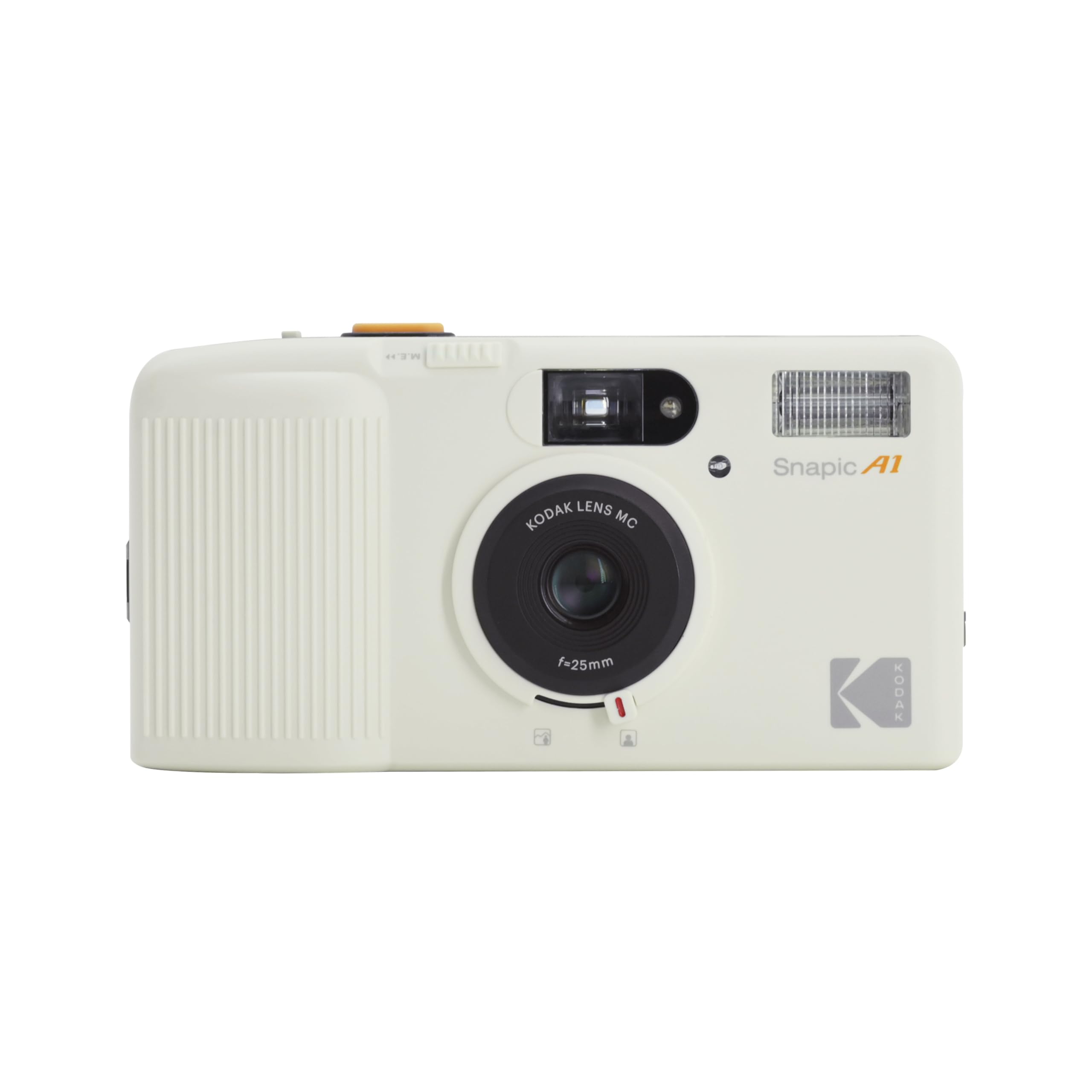
Front view of the KODAK Snapic A1 35mm Film Camera in Ivory White.
What's in the Box
Your KODAK Snapic A1 package includes:
- KODAK Snapic A1 35mm Film Camera
- Built-In Flash (integrated into the camera body)
Note: 35mm film and AAA batteries are not included and must be purchased separately.
Setup
1. Battery Installation
The KODAK Snapic A1 requires two AAA batteries to power the camera's functions, including the flash and film advance/rewind. Ensure the camera is turned off before installing or replacing batteries.
- Locate the battery compartment cover on the side or bottom of the camera.
- Slide or open the cover according to the indicator.
- Insert two fresh AAA batteries, ensuring correct polarity (+/-) as indicated inside the compartment.
- Close the battery compartment cover securely.
2. Film Loading
The camera uses standard 35mm film. Always load film in subdued light to prevent accidental exposure.
- Open the camera back by sliding the latch on the side of the camera downwards.
- Insert a new 35mm film cartridge into the film chamber on the left side.
- Pull the film leader across to the take-up spool on the right side, ensuring it catches onto one of the sprockets.
- Close the camera back firmly until it clicks into place.
- Turn on the camera. The film will automatically advance to the first frame. The frame counter on the top LCD will display '1'.
Operating the Camera
1. Power On/Off
To turn the camera on or off, slide the ON/OFF switch located on the top of the camera.

Top view of the KODAK Snapic A1, highlighting the ON/OFF switch and mode button.
2. Taking a Picture
Once the camera is on and film is loaded, simply press the shutter button located on the top-right of the camera to take a photograph. The camera will automatically advance the film to the next frame.
3. Flash Modes
The KODAK Snapic A1 features a built-in flash with multiple modes. To cycle through flash options (Auto Flash, Flash On, Flash Off), press the 'MODE' button on the top of the camera. The current flash mode will be displayed on the small LCD screen.
- Auto Flash: The camera automatically determines if flash is needed based on ambient light conditions.
- Flash On: The flash will fire with every shot, useful for fill-in flash in bright conditions or as the main light source in low light.
- Flash Off: The flash will not fire, ideal for situations where flash is prohibited or undesirable.
4. 2-Zone Focus
The KODAK Snapic A1 offers a 2-zone focus system to optimize sharpness for different distances. A switch on the front of the camera, below the lens, allows you to select between two focus zones:
- Close-up/Portrait Mode (indicated by a person icon): Use this setting for subjects that are closer to the camera, typically within 1 to 2 meters.
- Far-away/Landscape Mode (indicated by a mountain icon): Use this setting for subjects further away, typically beyond 2 meters, suitable for landscapes or group shots.

Front view of the KODAK Snapic A1, showing the 2-zone focus switch below the lens.
5. Multiple Exposure Function
The KODAK Snapic A1 allows for creative multiple exposure shots, blending two different scenes onto a single frame of film.
- To activate multiple exposure mode, press the 'MODE' button until the 'M.E.' icon appears on the LCD screen.
- Take your first photograph by pressing the shutter button. The film will not advance automatically.
- To take the second exposure on the same frame, press the small button located next to the shutter button (often labeled 'M.E.' or similar) and then press the shutter button again.
- After the second exposure, the film will automatically advance to the next frame.
Experiment with different subjects and lighting for unique artistic effects.
Maintenance
- Cleaning the Lens: Use a soft, lint-free cloth specifically designed for camera lenses to gently wipe away dust or smudges. Avoid harsh chemicals.
- Cleaning the Viewfinder: Use a soft brush or air blower to remove dust from the viewfinder.
- Storage: When not in use, store the camera in a cool, dry place away from direct sunlight and extreme temperatures. Remove batteries if storing for extended periods to prevent leakage.
- Handling Film: Always handle film cartridges and loaded film with clean, dry hands. Avoid touching the film surface.
Troubleshooting
| Problem | Possible Cause | Solution |
|---|---|---|
| Camera does not turn on. | Dead or incorrectly inserted batteries. | Check battery polarity. Replace with fresh AAA batteries. |
| Flash not firing. | Flash mode set to 'Off' or batteries are low. | Press the 'MODE' button to select 'Auto Flash' or 'Flash On'. Replace batteries if needed. |
| Film not advancing. | Film not properly loaded or at the end of the roll. | Ensure film leader is correctly attached to the take-up spool. If at the end of the roll, rewind the film. |
| Blurry photos. | Incorrect focus zone selected or camera shake. | Adjust the 2-zone focus switch to match your subject distance. Hold the camera steady when shooting. |
| Light leaks on photos. | Camera back not closed properly or damaged film seals. | Ensure camera back is securely closed. If problem persists, contact support. |
Specifications
| Feature | Detail |
|---|---|
| Brand | KODAK |
| Model Name | KODAK Snapic A1 |
| Film Format Type | 35mm |
| Special Features | Built-In Flash, Multiple Exposure, 2-Zone Focus |
| Lens | 3-Element Glass Lens, f=25mm |
| Max Shutter Speed | 1s seconds |
| Exposure Control | Automatic |
| Viewfinder | Optical |
| Item Weight | 0.27 Kilograms |
| Item Dimensions (L x W x H) | 4.65 x 2.44 x 1.38 inches |
| Power Source | 2 x AAA Batteries (not included) |
Warranty
The KODAK Snapic A1 35mm Film Camera comes with a 30-day Amazon Warranty. Please refer to Amazon's warranty policy for detailed terms and conditions regarding repairs, replacements, or refunds within this period.
Support
For further assistance, technical support, or inquiries regarding your KODAK Snapic A1 camera, please contact the seller directly through your Amazon order details. You may also visit the official KODAK Store on Amazon for additional product information and resources: