
1. Introduction
The veicomtech Ionic Foot Bath Detox Machine, Model 802Pro, is designed to provide a relaxing foot spa experience in your home. This system generates positive and negative ions through electrolysis in water, which may contribute to a sense of relaxation and well-being. This manual provides essential information for safe and effective use of your device.
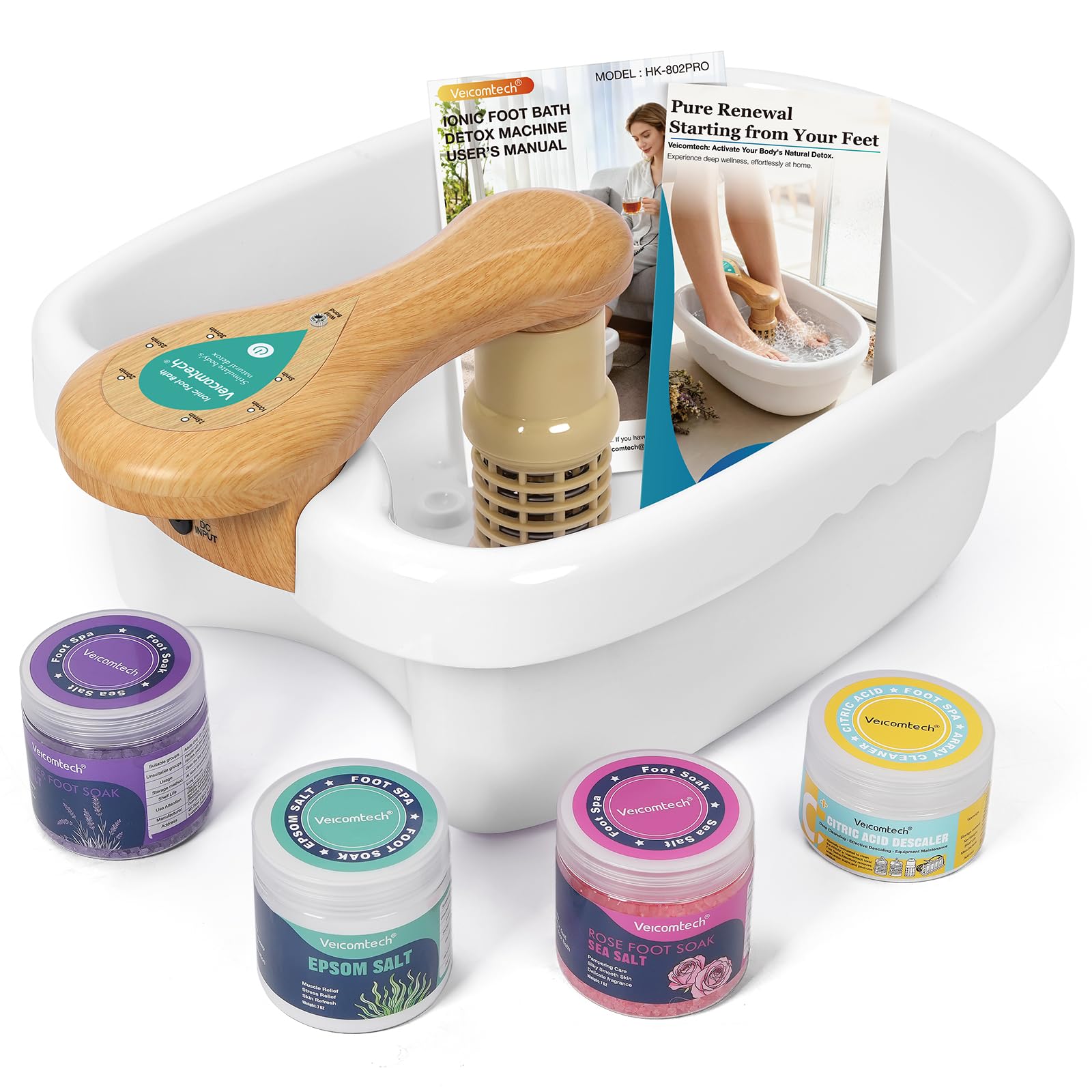
Image: The veicomtech Ionic Foot Bath Detox Machine, Model 802Pro, in green color, shown with a person using it for a foot bath.
2. Important Safety Information
Please read all safety instructions before using the device. Keep this manual for future reference.
- This product is intended for wellness purposes only and is not a medical device.
- Statements regarding dietary supplements have not been evaluated by the FDA and are not intended to diagnose, treat, cure, or prevent any disease or health condition.
- Do not use if you have open wounds on your feet or legs.
- Consult a healthcare professional before use if you have any medical conditions, are pregnant, or have electronic implants.
- Keep out of reach of children.
- Ensure the power adapter and cables are not damaged before use.
3. Package Contents
Verify that all items are present in the package:
- Ionic Foot Bath Basin
- Control Unit with Array
- Wristband
- Salt Spoon
- Power Adapter
- Plastic Tub Liners (10 pcs)
- Citric Acid Descaler
- Lavender Sea Salt
- Rose Sea Salt
- Epsom Salt

Image: Diagram showing the dimensions of the foot bath and control unit, along with a visual list of included accessories: array, wristband, salt spoon, power adapter, plastic bags, citric acid, lavender sea salt, rose sea salt, and Epsom salt.
Video: This video demonstrates the unboxing and shows all the components included in the veicomtech Ionic Foot Bath Detox Machine package.
4. Setup Instructions
Follow these steps to set up your ionic foot bath:
- Place the foot bath basin on a flat, stable surface.
- Insert a plastic tub liner into the basin for hygiene and easy cleanup.
- Fill the basin with warm water, ensuring it covers your feet comfortably.
- Add your preferred salt (e.g., Lavender, Rose, or Epsom salt) using the provided spoon. Stir to dissolve.
- Securely attach the magnetic array to the designated spot in the basin.
- Connect the power adapter to the control unit and plug it into a power outlet.
- Attach the wristband to your wrist and connect its cable to the control unit.

Image: A visual guide illustrating the 5 steps for setting up the foot bath: Add water and salt, connect power, attach ion array, wear wristband, and press the start button.
5. Operating Instructions
Once set up, operating the veicomtech Ionic Foot Bath is simple:
- Immerse your feet into the water in the basin.
- Press the power button on the control unit to start the session. The running indicator light will illuminate.
- The device features a 30-minute automatic session timer. No further monitoring is needed during this time.
- Relax and enjoy the foot bath. The water's color may change during the session, which is a normal part of the electrochemical process.
- After 30 minutes, the device will automatically turn off.
- Remove your feet, dry them thoroughly, and dispose of the tub liner and water.

Image: Close-up of the control unit showing the intuitive interface with a power button, timer settings (10min, 15min, 20min, 25min, 30min), and an indicator light. It highlights the 30-minute auto timer and ease of use for beginners and seniors.

Image: A series of three images showing the water in the foot bath changing color from clear to reddish to dark brown over 10, 20, and 30 minutes, illustrating the visible ionic response.

Image: A chart detailing various water colors and particles that may appear during an ionic foot bath session, along with their general interpretations. Examples include yellow-green for kidneys/bladder, orange for joints, dark green for gallbladder, white foam for lymphatic system, and brown/black for liver/cellular deposits.
Video: This video provides a step-by-step guide on how to use the veicomtech Ionic Foot Bath, from setup to starting a session.
6. Maintenance
Proper maintenance ensures the longevity and performance of your veicomtech Ionic Foot Bath:
- After Each Use:
- Dispose of the used tub liner and water.
- Rinse the basin and the array with clean water.
- Wipe down the control unit with a damp cloth. Do not immerse the control unit in water.
- Array Cleaning:
- Regularly clean the array using the provided citric acid descaler to remove mineral buildup.
- Follow the instructions on the citric acid descaler packaging for best results. This helps maintain optimal ionic output.
- Storage:
- Store the device in a cool, dry place away from direct sunlight.
- Ensure all components are dry before storage.

Image: A jar of veicomtech Citric Acid Descaler, emphasizing its use for effortless removal of mineral buildup to keep the array powerful and long-lasting.
7. Troubleshooting
If you encounter issues with your veicomtech Ionic Foot Bath, refer to the following common solutions:
| Problem | Possible Cause | Solution |
|---|---|---|
| Device does not power on. | Power adapter not connected, power outlet issue, or damaged cable. | Ensure the power adapter is securely connected to both the device and a working power outlet. Check for any visible damage to the cable. |
| No ionic activity (no color change, no bubbles). | Insufficient salt in water, array not properly connected, or array needs cleaning/replacement. | Add more salt to the water. Ensure the array is firmly attached. Clean the array with citric acid descaler. If the issue persists, the array may need replacement. |
| Wristband connection issue. | Wristband not securely connected to the control unit. | Ensure the wristband cable is fully inserted into its port on the control unit. |
| Water color change is different from expected. | Water quality variations, individual body chemistry. | Water color changes can vary. Refer to the "Colors and Particles in Water" chart for general guidance, but note that results are individual. |
If troubleshooting steps do not resolve the issue, please contact veicomtech customer support.
8. Specifications
| Feature | Detail |
|---|---|
| Model Number | 802Pro |
| Product Dimensions | 18"L x 5.5"W x 14.9"H |
| Weight | 4.96 Pounds |
| Power Source | Corded Electric |
| Input Voltage | AC 110V-240V |
| Output Voltage/Current | 0-12V; 0-2.0A |
| Power | 24W |
| Frequency | 50Hz-60Hz |
| Material Type | Acrylonitrile Butadiene Styrene |
| Special Features | Portable, Quiet, Timer |
9. Warranty and Support
For warranty information or technical support, please refer to the documentation included with your product or contact veicomtech customer service directly. Contact details can typically be found on the manufacturer's website or on the product packaging.