
1. Introduction
The Godox IT32 TTL Camera Flash with X5F Flash Trigger is a versatile and compact lighting solution designed for Fujifilm cameras. This manual provides essential information for setting up, operating, and maintaining your flash system, ensuring optimal performance and creative control.
2. Product Overview
2.1 Components
- Godox IT32 Flash Unit
- X5F Flash Trigger (for Fujifilm)
- USB Charging Cable
- Magnetic Mini Stand
- Diffuser
- Magnetic Color Filters (1/2 Orange, 1/1 Orange)
- Storage Bag
- Instruction Manual (this document)
- Cleaning Cloth
2.2 Key Features
- Interchangeable Magnetic X5 Hotshoe: Allows seamless switching between major camera brands by changing the X5 module.
- Dual Identity (Hotshoe & Trigger): The X5 module functions as an on-camera hotshoe mount and automatically switches to a wireless transmitter when detached, controlling the IT32 or other Godox 2.4GHz Wireless X System flashes.
- Effortless Multi-Light Sync: Built-in 2.4GHz receiver in the IT32 and X5 sender ensure instant wireless communication for fast, flexible multi-light setups.
- Intelligent Recognition & Real-Time Status: The IT32 automatically identifies the X5 version and displays critical system information (model, battery, charging) on its colorful touch screen.
- Magnetic Mounting: Provides a stable, quick-release connection between the IT32 and X5, speeding up setup.
- TTL Auto-Exposure & High-Speed Sync (HSS): Supports advanced flash metering and synchronization with faster shutter speeds.
- Rotatable Flash Head: Offers 270-degree horizontal and 90-degree vertical rotation for flexible light direction.
- Integrated LED Modeling Light: Provides continuous light for previewing lighting effects.
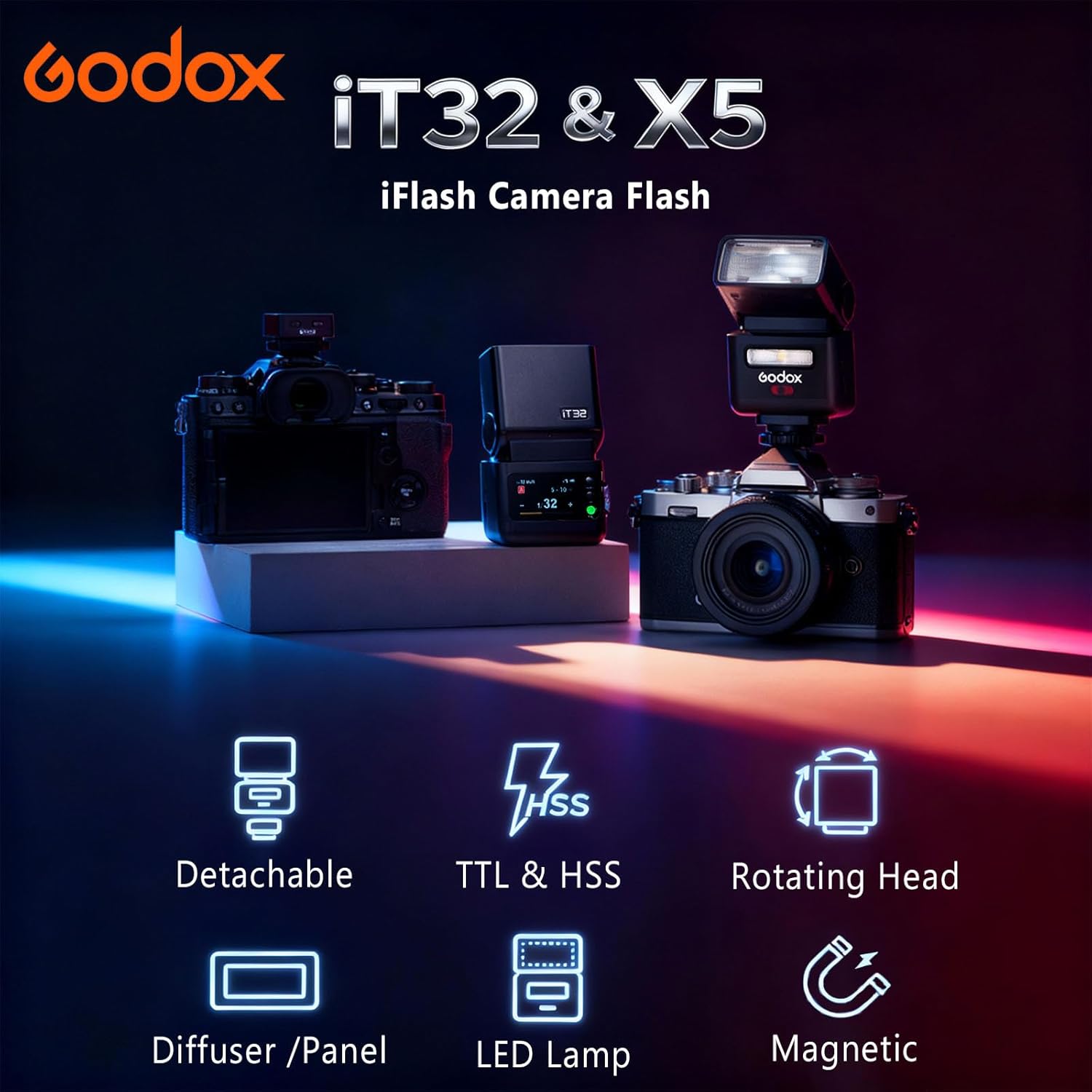
Figure 1: Godox IT32 Flash and X5 Trigger System with key features highlighted.
3. Setup
3.1 Charging the Unit
The Godox IT32 and X5 module feature internal rechargeable batteries. To charge, connect the provided USB-C cable to the USB-C port on the IT32 unit. The X5 module charges automatically when magnetically docked to the IT32. The colorful touch screen will display the charging status.

Figure 2: The Godox IT32 flash unit connected to a USB-C charging cable, displaying battery status on its screen.
3.2 Attaching the X5F Trigger to the Camera
Slide the X5F Flash Trigger onto your Fujifilm camera's hotshoe. Ensure it is securely fastened using the locking mechanism (if present) or by tightening the adjustment piece. The X5F module is specifically designed for Fujifilm cameras to ensure proper TTL communication.

Figure 3: The X5F Flash Trigger securely mounted on a Fujifilm camera's hotshoe.
3.3 Attaching the IT32 Flash to the X5F Trigger
Align the base of the IT32 flash unit with the top of the X5F trigger. The magnetic interface will securely snap the flash into place. This allows for immediate on-camera flash operation.
3.4 Using the Magnetic Mini Stand
For off-camera flash setups, detach the IT32 flash from the X5F trigger. The included magnetic mini stand can be used to position the IT32 flash on a flat surface, providing stable support for remote lighting.

Figure 4: Different X5 modules for various camera brands, demonstrating the system's cross-brand compatibility.
4. Operating Instructions
4.1 Touchscreen Control and Navigation
The IT32 features a colorful touch screen for intuitive control. Use the screen to navigate menus, adjust settings, and monitor flash parameters. A scroll wheel is also available for tactile adjustments.
4.2 Flash Modes (TTL & HSS)
- TTL (Through-The-Lens): The camera automatically measures light reflected through the lens to determine the precise flash power needed for correct exposure. This involves a nearly invisible pre-flash to calculate exposure before the main shot.
- HSS (High-Speed Sync): Allows the flash to synchronize with shutter speeds faster than the camera's native sync speed (e.g., faster than 1/250th of a second), enabling wider apertures in bright conditions or freezing fast motion.
4.3 Rotatable Flash Head
The flash head can be rotated 270 degrees horizontally and 90 degrees vertically. This flexibility allows for bouncing the flash off ceilings or walls to create softer, more natural lighting, or for directing light precisely where needed.
4.4 Built-in Reflector and Diffuser
The flash head includes a pull-out reflector and a wide-angle diffuser. The reflector can be used to add a catchlight to subjects' eyes or to slightly bounce light forward. The diffuser helps to soften the light output for a more even spread.
4.5 Magnetic Color Filters
Two magnetic color filters (1/2 Orange and 1/1 Orange) are included. These can be magnetically attached to the front of the flash to adjust the color temperature of the light, matching ambient light or creating creative effects.
4.6 Wireless X System Operation
When the X5F module is detached from the IT32, it automatically functions as a wireless transmitter. It can control the IT32 and other Godox 2.4GHz Wireless X System flashes, allowing for complex multi-light setups. Ensure the correct channel and ID settings are configured for seamless communication.

Figure 5: Visual representation of the IT32's touchscreen interface, rotatable flash head, integrated diffuser, and USB-C charging port.
Video 1: A detailed overview of the Godox IT32 Camera Flash and X5-C Module, demonstrating unboxing, setup, and various operational features including charging, mounting on a camera, adjusting flash head, and navigating the touchscreen menu. It also showcases the remote flash capability with a Canon camera.
5. Maintenance
5.1 Cleaning
Regularly clean the flash unit and trigger with a soft, dry cloth. For stubborn marks, a slightly damp cloth can be used, followed by immediate drying. Avoid using harsh chemicals or abrasive materials that could damage the surfaces or screen.
5.2 Battery Care
To prolong battery life, fully charge the unit before first use and after extended periods of storage. Store the unit in a cool, dry place when not in use. Avoid exposing the battery to extreme temperatures.
6. Troubleshooting
| Issue | Possible Cause | Solution |
|---|---|---|
| Flash not firing | Low battery, incorrect mode, trigger not connected, incorrect channel/ID. | Charge battery, check flash mode (TTL/Manual), ensure X5F is securely mounted or correctly paired, verify channel/ID settings. |
| Incorrect exposure | Flash power too high/low, subject distance, ambient light conditions. | Adjust flash power compensation (EV), check camera's exposure settings, use diffuser for softer light. |
| Wireless communication failure | Interference, distance, incorrect channel/ID. | Reduce distance between trigger and flash, change wireless channel/ID, ensure no obstructions. |
| Touchscreen unresponsive | Temporary software glitch, protective film. | Restart the unit. Ensure any protective film is properly applied or removed if causing issues. |
7. Specifications
- Product Dimensions: 1.54 x 3.98 x 2.32 inches
- Item Weight: 6 ounces
- Batteries: 1 Nonstandard Battery (rechargeable, internal)
- Compatible Mountings: Compatible with Fujifilm Cameras (via X5F trigger)
- Camera Flash Type: Hotshoe
- Flash Sync Speed: Up to 1/250s (HSS supported for faster speeds)
8. Warranty and Support
The Godox IT32 TTL Camera Flash with X5F Flash Trigger comes with a one-year manufacturer's warranty. For technical support, warranty claims, or service inquiries, please contact Godox customer service through their official website or the retailer from whom the product was purchased. Please retain your proof of purchase for warranty validation.