
Zuomeng HY-110
Contents
Zuomeng HY-110 Walk-in Cooler Controller Instruction Manual
Model: HY-110
1. Introduction
The Zuomeng HY-110 Walk-in Cooler Controller is designed to convert a standard window air conditioning unit into a precise temperature control system for walk-in cold rooms. This controller allows you to maintain temperatures between 33°F and 65°F, suitable for storing various items such as meat, produce, flowers, and beverages. It features dual sensors for accurate temperature monitoring and includes safeguards against icing.
2. Safety Information
- Electrical Safety: Ensure all electrical connections are secure and comply with local electrical codes. Disconnect power before installation or maintenance.
- Ventilation: Ensure adequate ventilation in the cold room to prevent moisture buildup and ensure proper operation of the AC unit.
- Placement: Install the controller in a location protected from direct moisture and extreme temperatures outside its operating range.
- AC Unit Compatibility: This controller is designed for use with standard window air conditioning units. Verify your AC unit's compatibility before installation.
- Professional Installation: If you are unsure about any installation steps, consult a qualified electrician or HVAC technician.
3. Package Contents
Verify that all components are present in the package:
- Zuomeng HY-110 Cooling Controller
- Room Sensor
- Fins Sensor
- Heater Cable
- Mounting Kit (screws, anchors)
- User Manual (this document)
4. Product Overview
The Zuomeng HY-110 controller features an LCD display and intuitive buttons for temperature adjustment and settings. It includes ports for the room sensor, fins sensor, and heater cable, along with a power input.
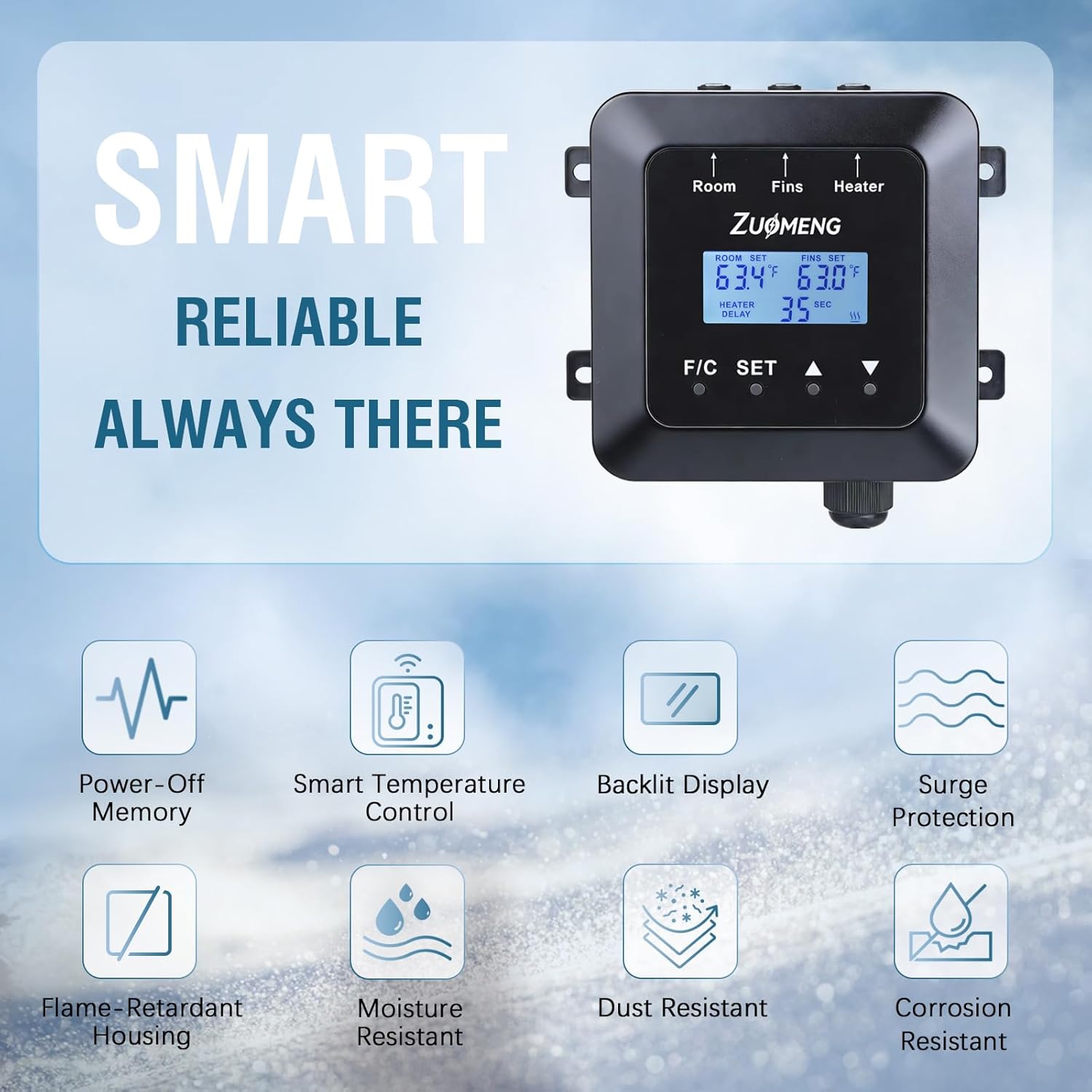
Image: Overview of the Zuomeng HY-110 controller display and key features including power-off memory, smart temperature control, backlit display, surge protection, flame-retardant housing, moisture resistance, dust resistance, and corrosion resistance.
Key Features:
- Dual Sensors: Monitors both room temperature and AC fin temperature to prevent ice buildup.
- Temperature Range: Adjustable from 33°F to 65°F.
- Power-Off Memory: Retains settings after a power interruption.
- Durable Design: Features surge protection, flame-retardant housing, and a conformal-coated circuit board for resistance against moisture, dust, and corrosion.
- Backlit Display: For easy visibility in low-light conditions.
5. Setup and Installation
Follow these steps to install your Zuomeng HY-110 Walk-in Cooler Controller. Ensure the AC unit is unplugged before beginning installation.

Image: Diagram illustrating the connection of the Zuomeng HY-110 controller to a window AC unit. It shows the room sensor, fins sensor, heater cable, and power cable connections. The fins sensor is inserted into the AC unit's cooling pipes.
- Mount the Controller: Choose a suitable location inside your walk-in cold room, away from direct moisture. Use the provided mounting kit to securely attach the controller to a wall.
- Install the Room Sensor: Place the room sensor in a central location within the cold room, ensuring it is not directly exposed to the AC airflow or any heat sources. This sensor measures the ambient temperature of the cold room.
- Install the Fins Sensor: Carefully insert the fins sensor into the cooling fins of your window AC unit. Refer to the diagram for proper placement, typically between the 2nd cooling pipe and the bottom cooling pipe. This sensor monitors the temperature of the AC evaporator coil to prevent icing.
- Connect the Heater Cable: Connect the heater cable to the designated port on the controller. The other end of the heater cable should be positioned near the AC unit's fins, as instructed, to assist in defrosting if ice buildup is detected.
- Connect AC Unit Power: Plug your window AC unit into the power outlet on the Zuomeng HY-110 controller. Then, plug the controller's power cable into a standard AC120V~240V wall outlet.
- Initial Power On: Once all connections are secure, power on the controller. The display should illuminate.
6. Operating Instructions
The controller's interface is designed for straightforward operation.
- Power On/Off: The unit powers on automatically when connected to an electrical outlet.
- Temperature Display: The LCD shows the current room temperature (ROOM SET) and the AC fin temperature (FINS SET).
- Setting Temperature:
- Press the SET button to enter temperature setting mode.
- Use the Up (▲) and Down (▼) arrows to adjust the desired room temperature.
- Press SET again to confirm and exit.
- Fahrenheit/Celsius Toggle: Press the F/C button to switch between Fahrenheit and Celsius display modes.
- Heater Delay: The "HEATER DELAY" display indicates the delay time before the heater activates to prevent icing on the AC fins. This is an automatic function.
- Automatic Operation: Once the desired temperature is set, the controller will automatically manage the AC unit and heater to maintain the set temperature and prevent ice formation.
7. Maintenance
- Cleaning: Periodically wipe the controller's exterior with a soft, dry cloth. Do not use abrasive cleaners or solvents.
- Sensor Check: Ensure the room and fins sensors are clean and free from obstructions. Verify their placement periodically.
- Cable Inspection: Regularly inspect all cables for any signs of wear, damage, or loose connections.
- AC Unit Maintenance: Follow the maintenance schedule for your window AC unit, including cleaning filters and coils, as this impacts the efficiency of the cold room.
8. Troubleshooting
| Problem | Possible Cause | Solution |
|---|---|---|
| Controller display is off. | No power supply. | Check if the power cable is securely plugged into the wall outlet and the controller. Verify the outlet has power. |
| AC unit not turning on/off as expected. | Incorrect temperature setting; AC unit not plugged into controller; AC unit malfunction. | Verify the set temperature is appropriate. Ensure the AC unit is plugged into the controller's output. Check if the AC unit operates independently. |
| Temperature in cold room is not stable. | Room sensor improperly placed; poor insulation of cold room; AC unit undersized. | Relocate the room sensor away from direct airflow. Improve cold room insulation. Consider a larger AC unit if necessary. |
| AC unit fins are icing up. | Fins sensor improperly placed or faulty; heater cable not working. | Ensure the fins sensor is correctly inserted into the AC coils. Check the heater cable connection. |
9. Specifications
- Model: HY-110
- Brand: Zuomeng
- Temperature Control Range: 33°F - 65°F (0.5°C - 18.3°C)
- Display Type: LCD
- Product Dimensions: 4.33"L x 3.8"W x 2.13"H (11cm x 9.65cm x 5.4cm)
- Material: Acrylonitrile Butadiene Styrene (ABS)
- Item Weight: 0.45 kg (0.99 lbs)
- Included Components: Controller, Room Sensor, Fins Sensor, Heater Cable, Mounting Kit
- Power Input: AC120V~240V (Specific voltage may vary by region, check product label)
10. Warranty and Support
The Zuomeng HY-110 Walk-in Cooler Controller comes with a 2-year warranty from the date of purchase, covering manufacturing defects. This warranty does not cover damage caused by misuse, improper installation, or unauthorized modifications.
For technical support, warranty claims, or further assistance, please contact Zuomeng customer service through the retailer where the product was purchased or visit the official Zuomeng website for contact information.
Please have your model number (HY-110) and purchase details ready when contacting support.
Ask a question about this manual
Ask about setup, troubleshooting, compatibility, parts, safety, or missing instructions. Manuals+ will review the question and use this page’s manual context to help answer it.