1. Introduction
Welcome to the OUKITEL C68 Plus user manual. This guide provides essential information to help you set up, operate, and maintain your new smartphone. Please read this manual carefully to ensure proper use and to maximize the device's features.
2. Package Contents
Verify that all items are present in your product package:
- 1 * OUKITEL C68 Plus Smartphone
- 1 * Type-C Cable
- 1 * Maintenance Card
- 1 * Charger
- 1 * SIM Tray Ejector
- 1 * Phone Case
- 1 * Quick Start Guide

Image: Contents of the OUKITEL C68 Plus retail package.
3. Device Overview
Familiarize yourself with the physical components of your OUKITEL C68 Plus smartphone.
3.1. Main Display
The device features a large 7.2-inch HD+ display with a 120Hz refresh rate for smooth visuals and a peak brightness of 500 nits for clear visibility even in bright sunlight.

Image: The 7.2-inch main display of the OUKITEL C68 Plus.
3.2. Secondary Display
An innovative 1.81-inch secondary display is located on the rear. This sub-display allows for quick access to notifications, weather information, music controls, and even serves as a preview screen for selfies using the main camera.
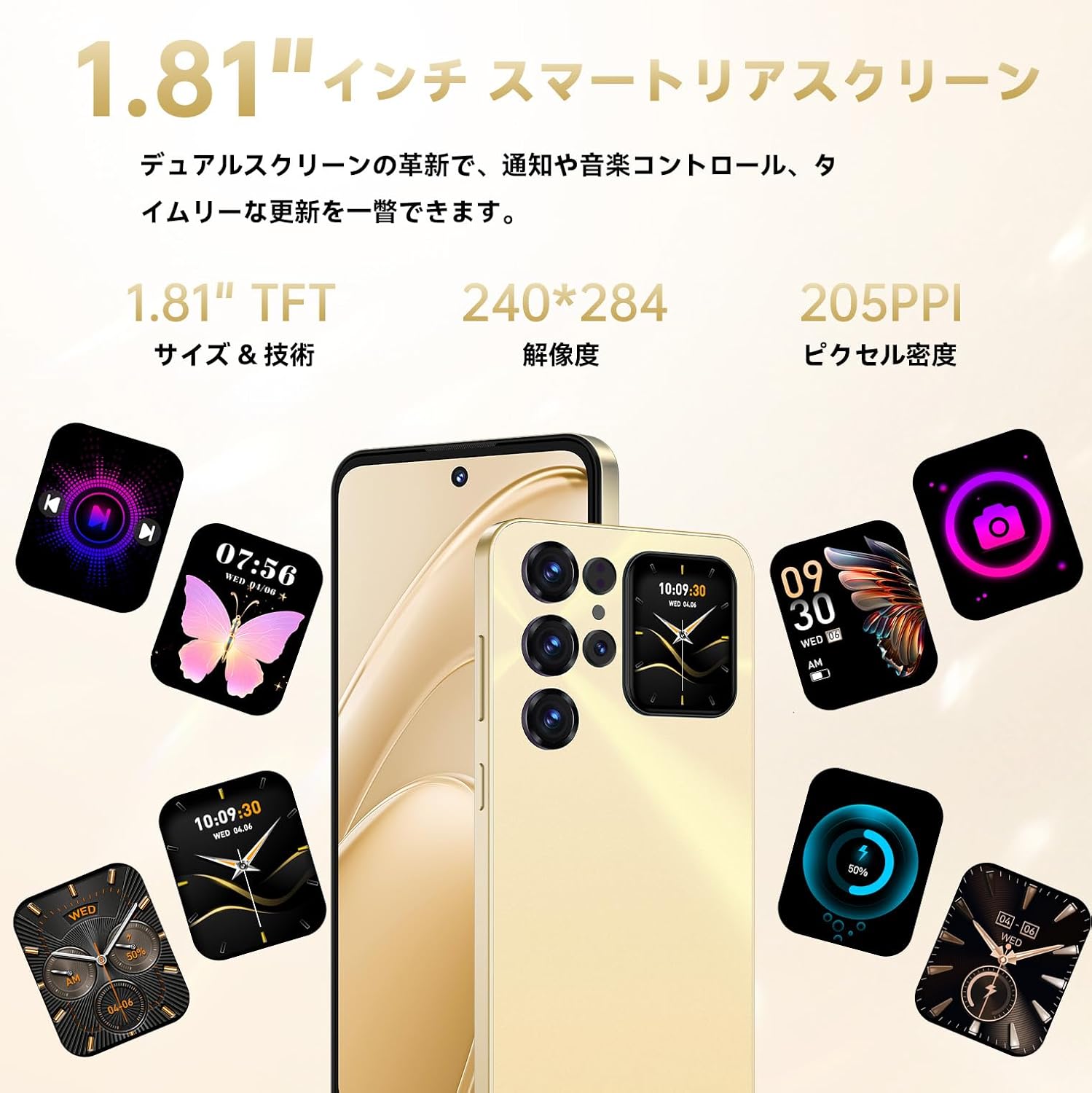
Image: The 1.81-inch secondary display on the back of the OUKITEL C68 Plus.
3.3. Camera System
The device is equipped with a 64MP ultra-clear main camera, a 0.08MP depth-sensing camera, and an 8MP front-facing camera for high-quality photos and video calls.

Image: Overview of the OUKITEL C68 Plus camera system.
3.4. Ports and Buttons
The OUKITEL C68 Plus includes a Type-C port for charging and data transfer, a side-mounted fingerprint sensor, and standard volume and power buttons. It also supports dual SIM cards or one SIM card with a TF card for expandable storage.

Image: Key features including NFC, SIM slot, and fingerprint sensor.
4. Setup
4.1. SIM Card and Storage Installation
- Locate the SIM tray on the side of your phone.
- Insert the SIM ejector tool into the small hole next to the tray and push gently until the tray pops out.
- Place your Nano-SIM card(s) and/or TF card (for storage expansion up to 1TB) into the designated slots on the tray. Ensure the gold contacts are facing down.
- Carefully reinsert the tray into the phone.
4.2. Initial Power On
- Press and hold the Power button until the OUKITEL logo appears.
- Follow the on-screen instructions to complete the initial setup, including language selection, Wi-Fi connection, Google account login, and security settings.
5. Operating Instructions
5.1. Display Features
The 7.2-inch main display offers a smooth visual experience with its 120Hz refresh rate. The 1.81-inch secondary display provides quick access to information and camera controls without needing to unlock the main screen.
5.2. Camera Operation
The 64MP main camera, combined with a 0.08MP depth camera, allows for artistic photos with natural background blur. The 8MP front camera optimizes skin tone and facial features for clear selfies and video calls. Utilize the secondary display for precise selfie framing.
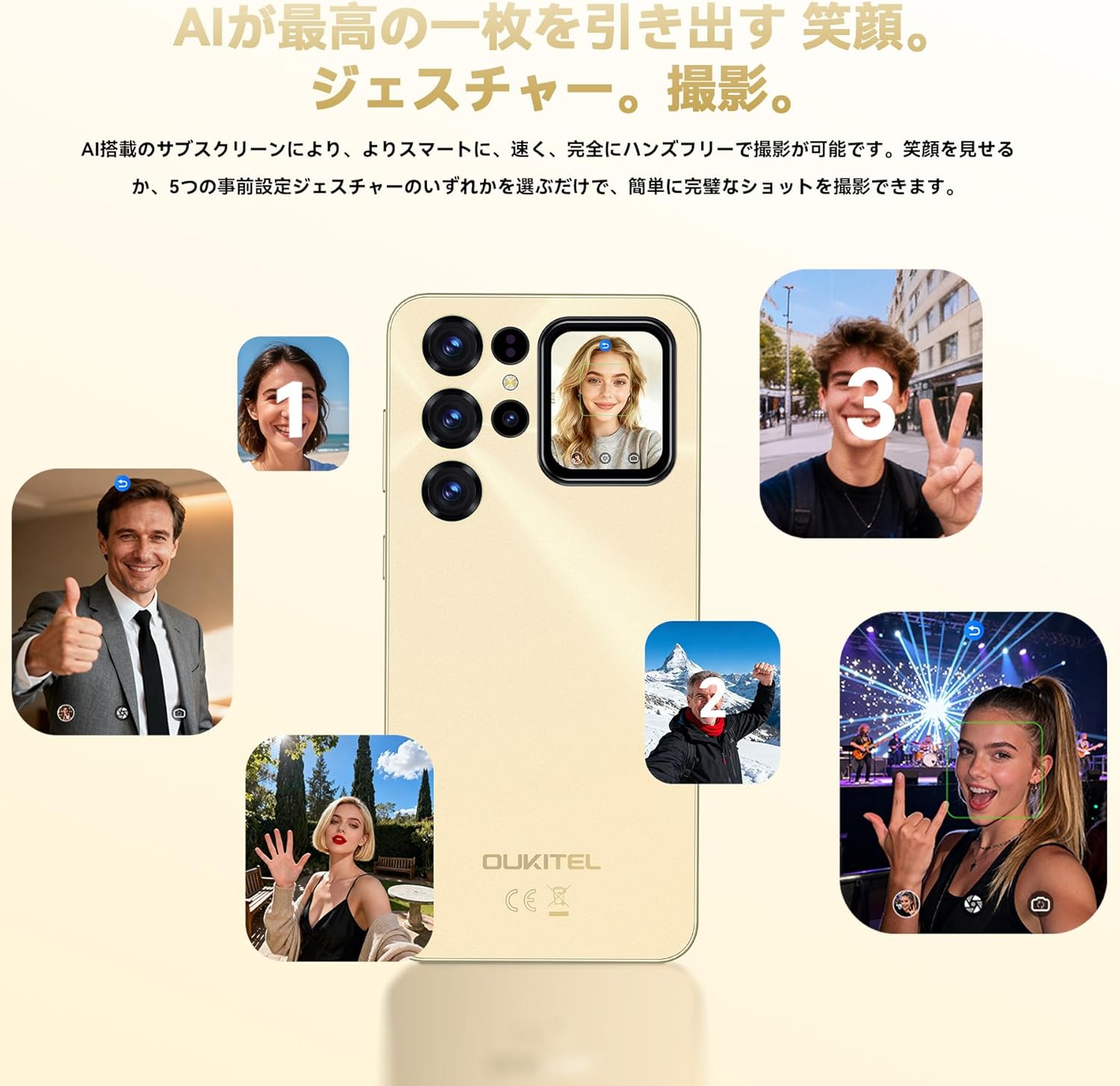
Image: AI action gesture photography using the secondary display.
5.3. Performance and Storage
The OUKITEL C68 Plus is powered by an Octa-core T615 processor and features 24GB RAM (8GB physical + 16GB virtual) and 256GB ROM, expandable up to 1TB with a TF card. This configuration ensures smooth multitasking and ample storage for apps, photos, and files.

Image: Memory and storage capabilities of the OUKITEL C68 Plus.
5.4. Battery Management
The 6000mAh battery provides extended usage times: up to 850 hours standby, 40 hours talk time, 40 hours online music playback, and 12 hours continuous gaming. It supports 18W fast charging and OTG reverse charging, allowing it to act as a power bank for other devices.

Image: 6000mAh battery and charging features.
5.5. Connectivity and Security
The device supports 4G LTE networks and includes NFC for convenient payments, GPS/GLONASS/Beidou/Galileo for navigation, and both fingerprint and face unlock for secure access.
5.6. Android 15 and AI Features
Running on the latest Android 15, the OUKITEL C68 Plus offers enhanced privacy protection and optimized power consumption. Integrated Google Gemini AI provides intelligent voice control, information search, and dynamic performance optimization for a seamless user experience.

Image: The OUKITEL C68 Plus operating on Android 15.
6. Maintenance
6.1. Cleaning Your Device
Use a soft, lint-free cloth to clean the screen and body of your smartphone. Avoid using harsh chemicals or abrasive materials that could damage the device.
6.2. Software Updates
Regularly check for and install software updates to ensure your device has the latest features, security patches, and performance improvements. Navigate to Settings > System > System update to check for updates.
7. Troubleshooting
If you encounter issues with your OUKITEL C68 Plus, refer to the following common problems and solutions:
| Problem | Solution |
|---|---|
| Device does not power on | Ensure the battery is charged. Connect the charger and wait a few minutes before attempting to power on again. If unresponsive, perform a forced restart by holding the Power button for 10-15 seconds. |
| Poor network signal | Check if your SIM card is correctly inserted. Move to an area with better network coverage. Restart the device. |
| Apps are slow or crashing | Close unnecessary background applications. Clear app cache (Settings > Apps > [App Name] > Storage > Clear cache). Restart the device. Ensure sufficient storage space is available. |
| Battery drains quickly | Reduce screen brightness. Disable Wi-Fi, Bluetooth, and GPS when not in use. Close power-intensive apps. Check battery usage in Settings to identify draining apps. |
| Fingerprint/Face unlock not working | Ensure your finger/face is clean and properly positioned. Re-register your fingerprint/face in Settings > Security. |
8. Specifications
Detailed technical specifications for the OUKITEL C68 Plus:
| Feature | Specification |
|---|---|
| Display Size | 7.2 inches |
| Secondary Display | 1.81 inches |
| Battery Capacity | 6000 mAh |
| Continuous Use Time | 24 Hours (general usage) |
| Color | Purple (variant) |
| Operating System | Android 15 |
| Installed RAM Memory Size | 24 GB (8GB physical + 16GB virtual) |
| CPU Speed | 1.8 GHz (Octa-core Unisoc T615) |
| Memory Storage Capacity | 256 GB (expandable up to 1TB with TF card) |
| Rear Camera | 64 MP Main + 0.08 MP Depth |
| Front Camera | 8 MP |
| Other Features | 120Hz Refresh Rate, Gemini AI, NFC, OTG, GPS, Face Unlock, Fingerprint Unlock |
| Dimensions | 17.62 x 8.3 x 0.95 cm |
| Weight | 250 g |
9. Warranty and Support
OUKITEL provides comprehensive support for your device. Please refer to the included Maintenance Card for specific warranty details and contact information.
- Technical Support: Lifetime technical support is available.
- Exchange Service: 365-day exchange service.
- Response Time: 24-hour quick response for inquiries.
For further assistance, please visit the official OUKITEL website or contact customer service through the details provided in your product packaging.


