
1. Product Overview
The X-STAR 5-in-1 Universal Travel Voltage Converter and Adapter is designed to provide a versatile power solution for international travelers. This compact device allows you to safely use your electronic appliances in over 200 countries and regions worldwide, offering both voltage conversion and universal plug compatibility.
It integrates a step-down voltage converter (220V-250V to 100V-120V), multiple international adapter plugs (US, EU, UK, AU, Type C), and multiple USB charging ports (2 USB-A, 2 USB-C) into a single unit.

Image 1.1: The X-STAR travel adapter providing power to a hair dryer, demonstrating its voltage conversion capability for Japanese appliances abroad.
2. Safety Instructions and Precautions
To ensure safe operation and prevent damage to your devices or the converter, please read and follow these instructions carefully:
- Check Device Wattage: Before using the converter mode, always verify the wattage of your appliance. This converter supports devices up to 800W.
- Incompatible Devices (Converter Mode): This converter is not suitable for devices with power consumption of 25W or less, such as electric toothbrushes, electric shavers, hair straighteners, curling irons, or electric drills. Using these devices in converter mode may cause damage. Always check your device's safety data sheet or nameplate.
- CE Certification: The product is CE certified, ensuring it meets European safety standards.
- Built-in Fuses: Equipped with a main fuse and a spare fuse for protection against overloads. The device will automatically power off during abnormal use to protect connected electronics.
- Overload and Short Circuit Protection: Advanced design features prevent damage from overloads and short circuits.
- Proper Mode Selection: Ensure you select the correct mode (Adapter or Converter) based on your appliance and destination voltage. Incorrect mode selection can damage your device.
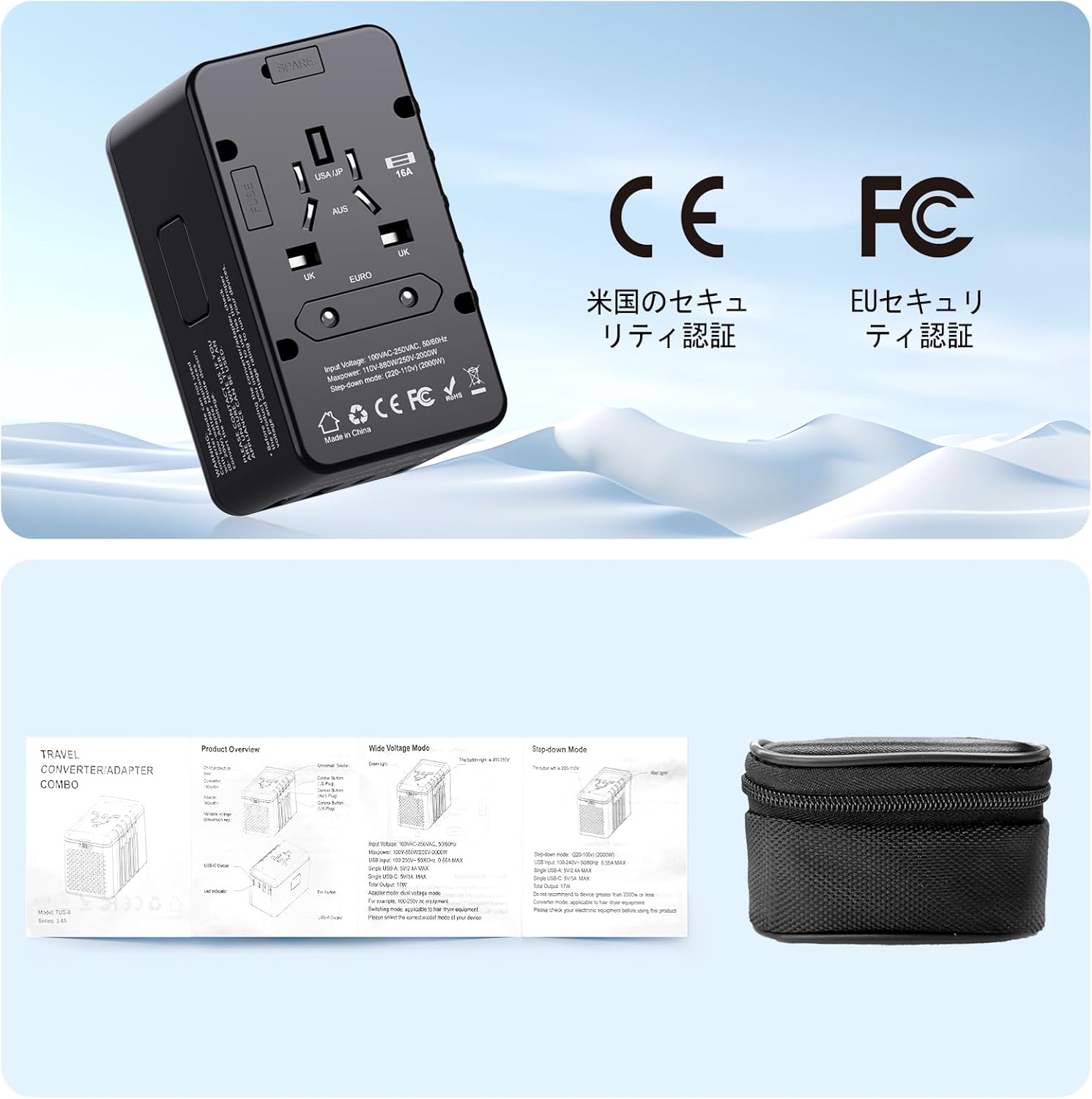
Image 2.1: Visual guide illustrating examples of compatible devices (hair dryer, iron, kettle, straightener) and incompatible devices (refrigerator, coffee machine, fan, blender) for the converter mode.
3. Product Features and Components
The X-STAR travel adapter is designed for convenience and functionality:
- Compact and Portable Design: Its small size makes it easy to carry in your luggage.
- Multi-Country Plugs: Integrated US, EU, UK, AU, and Type C plugs cover over 200 countries.
- Voltage Converter Mode: Converts 220V-250V to 100V-120V for high-wattage Japanese appliances (up to 800W).
- Adapter Mode: For dual-voltage devices (100V-250V) that do not require voltage conversion.
- USB Charging Ports: Features 2 USB-A and 2 USB-C ports for charging up to 4 devices simultaneously (smartphones, tablets, laptops). Total output 17W.
- Outlet Lock Function: A safety mechanism to prevent accidental retraction of the plugs when inserted into a wall socket.

Image 3.1: The compact X-STAR adapter easily fits into a travel bag, highlighting its portability.
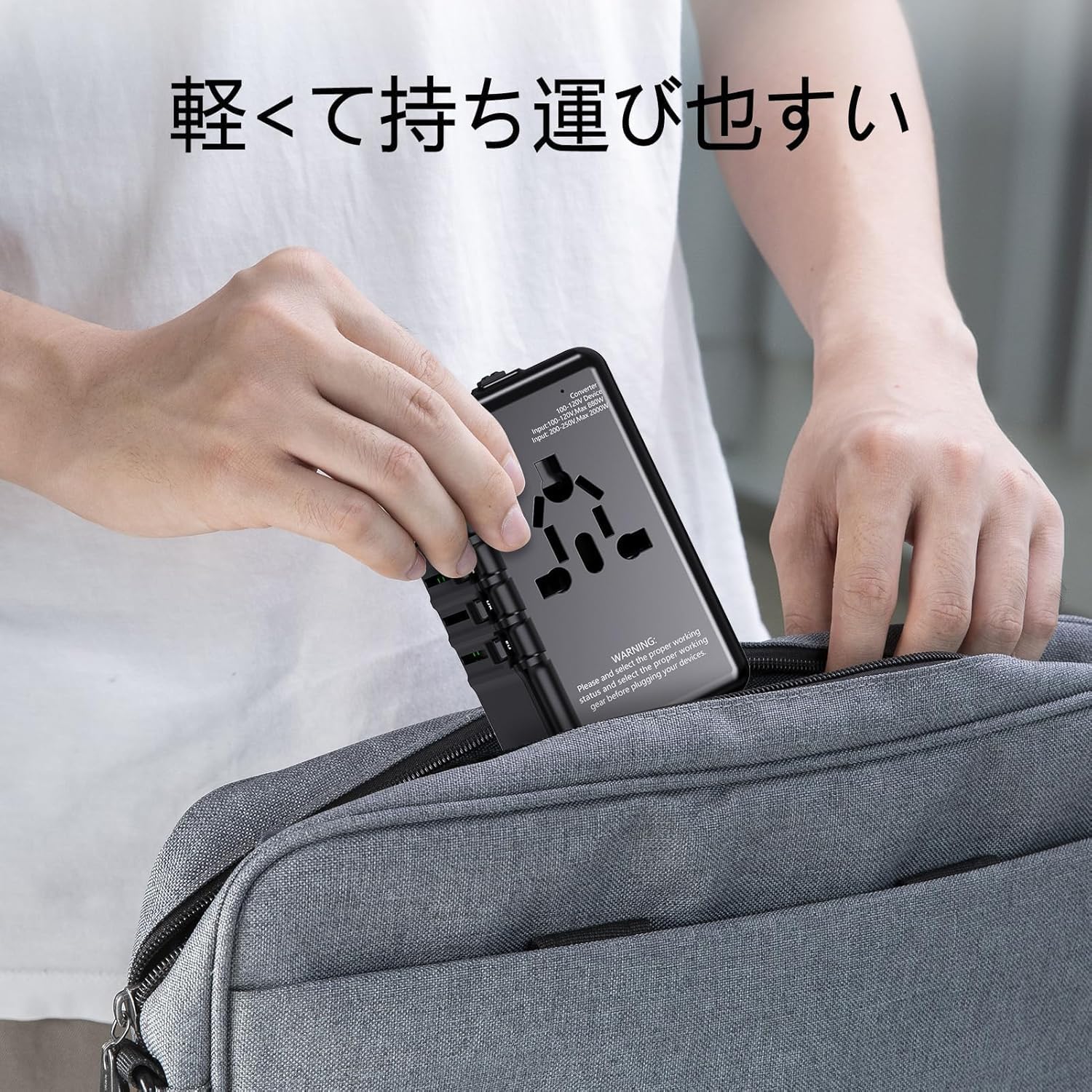
Image 3.2: A finger activating the outlet lock feature, ensuring secure connection during use.

Image 3.3: A visual representation of the Converter and Adapter modes, indicating their respective voltage ranges.

Image 3.4: The adapter showcasing its universal plug compatibility against a global backdrop.
4. Setup and Usage Instructions
4.1 Selecting the Correct Plug Type
- Identify the required plug type for your destination (US, EU, UK, AU, or Type C).
- Locate the corresponding slider on the side of the adapter.
- Slide the button to extend the correct prongs. Only one set of prongs can be extended at a time.
4.2 Choosing Between Adapter and Converter Mode
The device has a switch to select between 'Adapter' and 'Converter' modes. This is crucial for safe operation:
- Adapter Mode (100V-250V): Use this mode for dual-voltage appliances (e.g., most laptops, phone chargers, cameras) that can handle a wide range of input voltages. In this mode, the device acts as a pass-through adapter, changing only the plug shape, not the voltage.
- Converter Mode (220V-250V to 100V-120V): Use this mode for single-voltage Japanese appliances (e.g., hair dryers, small heating appliances) that are rated for 100V-120V and have a wattage between 25W and 800W. This mode steps down the higher foreign voltage to a safe level for your Japanese appliance.
WARNING: Never use Converter Mode for devices rated 25W or less, or for sensitive electronics like electric toothbrushes, shavers, hair straighteners, or curling irons, as this may damage them. Always confirm your appliance's voltage and wattage requirements.
4.3 Using the USB Charging Ports
The device includes 2 USB-A and 2 USB-C ports for charging. These ports operate independently of the adapter/converter mode and provide a total output of 17W.
- Connect your USB charging cables to the appropriate USB-A or USB-C ports.
- Plug the adapter into a wall outlet.
- Your devices (smartphones, tablets, etc.) will begin charging.

Image 4.1: The rear view of the adapter, displaying safety certifications (CE, FC) and the included carrying pouch and mini manual.
5. Worldwide Compatibility
This X-STAR travel adapter is designed for extensive global use:
- Supported Countries: Compatible with over 200 countries and regions, including but not limited to: America, Canada, United Kingdom, Australia, Singapore, Hong Kong, Taiwan, South Korea, China, and various European countries.
- Plug Types: Features integrated US, EU, UK, AU, and Type C plugs to fit most international wall outlets.
- Voltage Conversion: The converter mode is specifically for stepping down 220V-250V to 100V-120V, ideal for Japanese appliances.

Image 5.1: The adapter in use, demonstrating its ability to charge multiple devices simultaneously from a single wall outlet.
6. Troubleshooting
If you encounter issues with your X-STAR travel adapter, consider the following:
- No Power:
- Ensure the adapter is securely plugged into the wall outlet.
- Check if the wall outlet is functional by testing it with another device.
- Verify that the correct plug type is fully extended and locked into place.
- The internal fuse might have tripped due to an overload. The device includes a spare fuse. Refer to the included mini-manual for instructions on checking/replacing the fuse.
- Device Not Charging/Working:
- Confirm you have selected the appropriate mode (Adapter or Converter) for your device and destination voltage.
- Check your device's wattage. If using Converter Mode, ensure it is between 25W and 800W.
- For USB charging, ensure your USB cables are functional and correctly connected.
- Unusual Noise or Smell: Immediately unplug the device from the wall outlet and disconnect all appliances. Do not attempt to use it again. Contact customer support.
If the problem persists after following these steps, please contact our customer support for assistance.
7. Specifications
| Feature | Detail |
|---|---|
| Brand | X-Star |
| Model Number | D1-B5SN-XMBQ |
| Color | Black |
| Item Weight | 245 grams |
| Input Voltage | 100-250 Volts |
| Output Voltage (Converter Mode) | 100-120 Volts |
| Product Dimensions (LxWxH) | 50 x 60 x 80 mm |
| USB Output | 2 USB-A, 2 USB-C (Total 17W) |
| UPC | 762206988246 |
| Country of Origin | China |
8. Warranty and Support
Your X-STAR 5-in-1 Universal Travel Voltage Converter and Adapter comes with a 1-year warranty from the date of purchase.
We are committed to providing excellent customer service. If you have any questions, concerns, or require technical assistance, please do not hesitate to contact us. We aim to respond to all inquiries within 18 hours to ensure your satisfaction.
Contact Information:
- Please refer to your purchase platform or the included documentation for specific contact details.