
1. Introduction
Thank you for purchasing the Douk Audio A5 PRO 32V HiFi Stereo Amplifier. This manual provides essential information for the proper setup, operation, and maintenance of your device. Please read it thoroughly before use to ensure optimal performance and safety.
2. Safety Information
- Do not expose the device to water or excessive moisture.
- Avoid placing the device near heat sources or in direct sunlight.
- Ensure proper ventilation to prevent overheating.
- Use only the provided power adapter.
- Do not attempt to open or repair the device yourself. Refer all servicing to qualified personnel.
- Keep out of reach of children.
3. Package Contents
Verify that all items are present in the package:
- 1 * A5 PRO Amplifier
- 1 * DC 32V/5A Power Adapter
- 1 * Bluetooth Antenna
- 1 * User Manual

Image: Contents of the Douk Audio A5 PRO package, including the amplifier, power adapter, Bluetooth antenna, and user manual.
4. Product Overview
4.1 Front Panel
The front panel features the input selector switch (BT/RCA/OFF), a 3.5mm headphone output, Bass and Treble tone controls, and a Volume knob.

Image: Front view of the Douk Audio A5 PRO amplifier, showing the input selector, headphone jack, bass, treble, and volume knobs.
4.2 Rear Panel
The rear panel includes the Bluetooth antenna connector, RCA stereo input (L/R), 3.5mm AUX output, speaker binding posts (L/R), and the DC power input (24V-48V).
4.3 Top Panel
The top panel features a transparent cover, allowing visibility of the internal components. It also provides access for op-amp replacement and LED ambiance control switches.
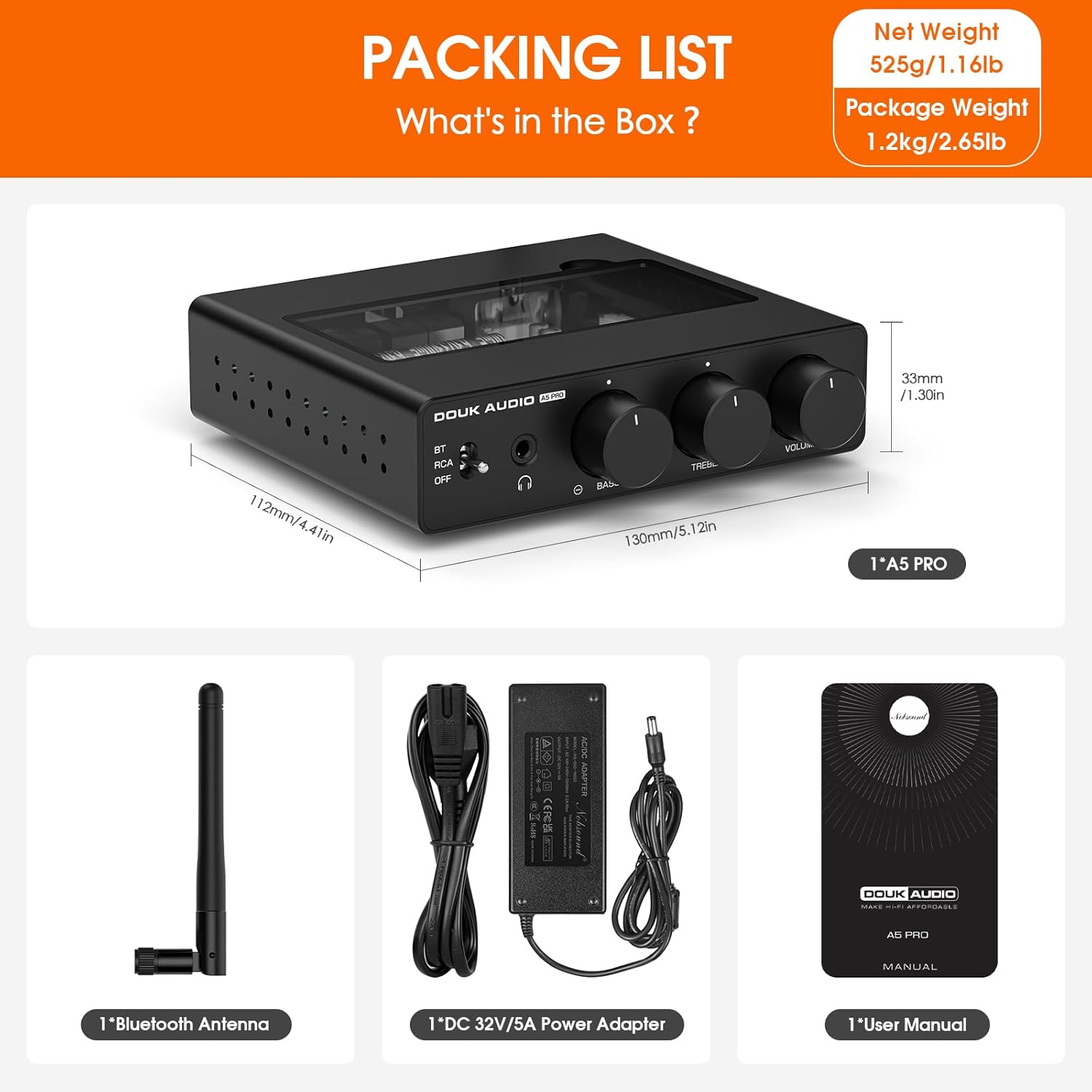
Image: Detailed diagram illustrating the various inputs, outputs, and controls on the front and rear panels of the A5 PRO amplifier.
5. Setup Instructions
5.1 Connecting Speakers
Connect your passive bookshelf speakers to the speaker binding posts on the rear panel. Ensure correct polarity (red to red, black to black) for both left and right channels.
5.2 Connecting Audio Sources
- RCA Input: Connect your audio source (e.g., CD player, DAC) to the RCA L/R inputs on the rear panel using appropriate RCA cables.
- Bluetooth Input: Ensure the Bluetooth antenna is securely attached to the rear panel.
5.3 Connecting Power
Connect the provided DC 32V/5A power adapter to the DC input jack on the rear panel. Plug the power adapter into a suitable wall outlet.

Image: The A5 PRO amplifier integrated into a desktop audio setup, connected to a laptop and bookshelf speakers.
6. Operating Instructions
6.1 Power On/Off and Input Selection
Use the toggle switch on the front panel to select between Bluetooth (BT), RCA input, or power off (OFF).
6.2 Bluetooth Pairing
- Set the input selector switch to 'BT'.
- On your mobile device or computer, search for Bluetooth devices and select 'Douk Audio A5 PRO'.
- Once paired, the amplifier will be ready to receive audio wirelessly.
6.3 RCA Input
Set the input selector switch to 'RCA' to use the wired RCA input.
6.4 Headphone Output
Plug your headphones into the 3.5mm headphone jack on the front panel. Note that the speaker outputs are not automatically muted when headphones are connected.
6.5 Tone Control
Adjust the 'BASS' and 'TREBLE' knobs on the front panel to fine-tune the audio frequency response to your preference. The knobs have a center detent for a neutral setting.
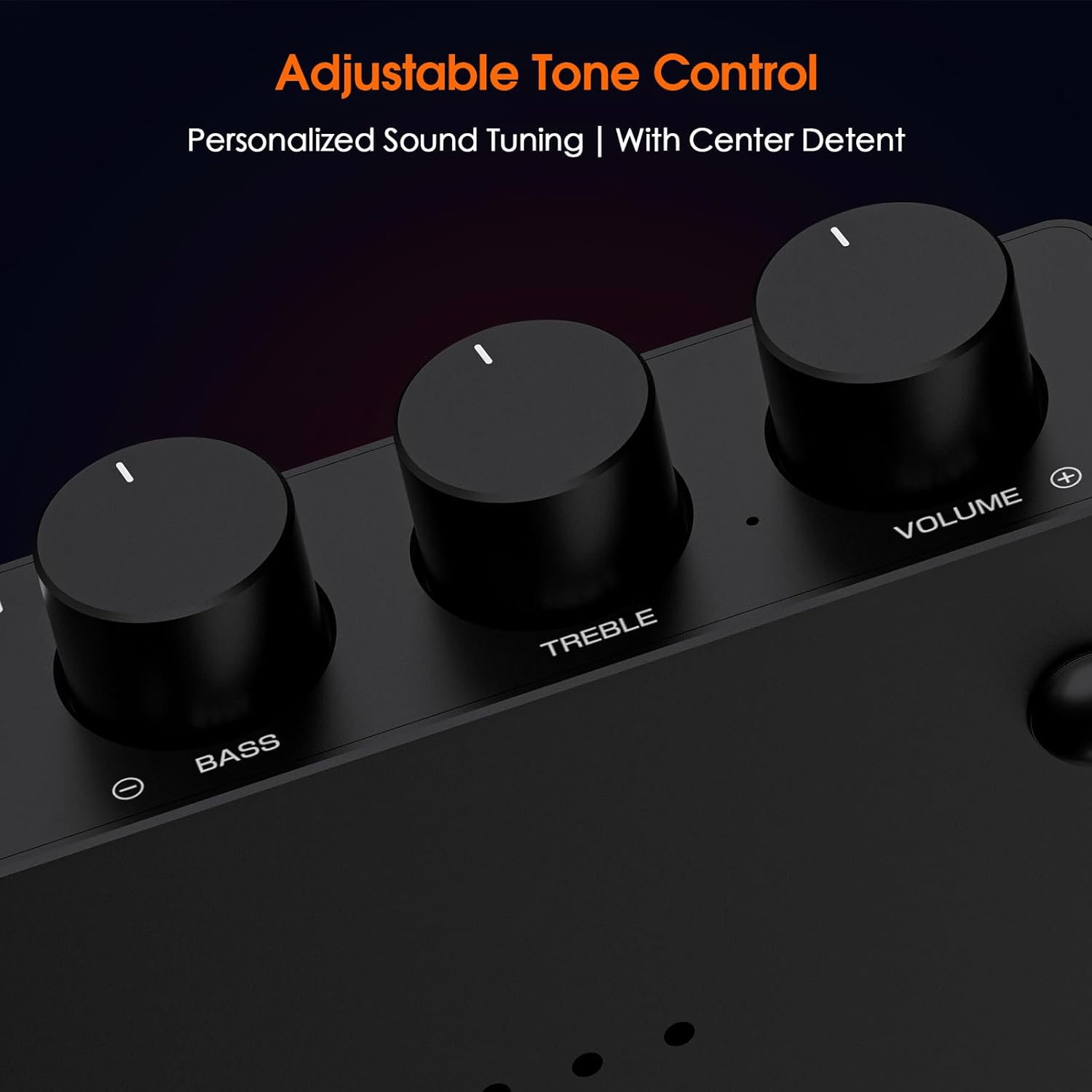
Image: Close-up view of the amplifier's front panel showing the bass, treble, and volume control knobs.
6.6 Volume Control
Rotate the 'VOLUME' knob to adjust the overall output level.
6.7 LED Ambiance
The A5 PRO features adjustable internal LED lighting. You can change the color options using the switches located under the transparent top panel. Refer to the diagram for switch settings.

Image: Illustration of the A5 PRO's transparent top panel revealing internal LED lighting and switches for color selection.
6.8 Op-Amp Customization
The A5 PRO allows for easy op-amp replacement without disassembling the unit. Simply remove the tempered glass access panel on the top to swap op-amps and customize your sound profile.
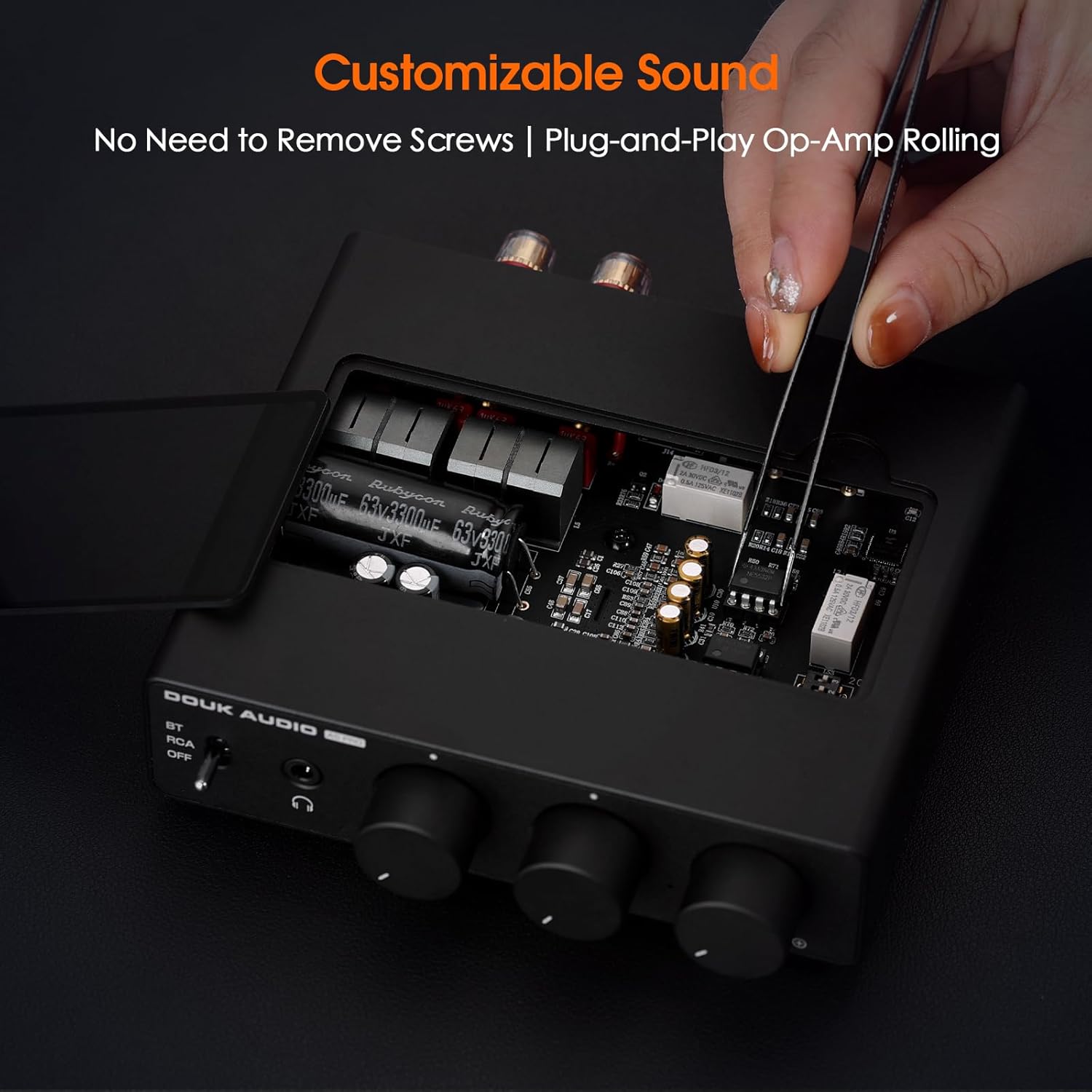
Image: A hand demonstrating the process of replacing an op-amp on the A5 PRO amplifier, highlighting the easy access design.
Video: A demonstration of the Douk Audio A5 PRO Bluetooth Amplifier, showcasing its features, connections, and LED lighting options.
7. Maintenance
- Clean the device with a soft, dry cloth. Do not use liquid cleaners or aerosols.
- Ensure the ventilation holes are clear of dust and obstructions.
- When not in use for extended periods, disconnect the power adapter.
8. Troubleshooting
- No Sound: Check all cable connections, ensure the correct input source is selected, and verify that the volume is not set to minimum.
- Bluetooth Disconnection: Ensure the device is within range and there are no obstructions. Try resetting the Bluetooth connection on both the amplifier and your source device.
- Distorted Sound: Reduce the volume on both the amplifier and the source device. Check speaker connections for proper polarity.
- Device feels warm: It is normal for the casing to heat up during operation, especially under high load. Ensure adequate ventilation around the unit.
9. Specifications
| Feature | Specification |
|---|---|
| Model Number | A5 PRO 32V |
| Power Output | 300W×2 (with TPA3255) |
| Headphone Output | 500mW@32Ω |
| Bluetooth Version | 5.1 |
| Supply Voltage | DC 24V-48V (32V PSU included) |
| Dimensions | 112mm (W) x 33mm (H) x 130mm (D) / 4.41in x 1.30in x 5.12in |
| Weight | 1.12 Pounds (Net) |
| Key Features | TPA3255 Chip, Class D PFFB Technology, Bass/Treble Control, Headphone Out, Customizable Op-Amps, LED Ambiance |
10. Warranty and Support
Douk Audio products are designed for reliability and performance. For warranty information or technical support, please refer to the contact details provided with your purchase or visit the official Douk Audio website. Keep your purchase receipt for warranty claims.


