
1. Introduction
The Power Queen 48V (4 * 12V) Battery Balancer is designed to maintain voltage equilibrium across batteries in a series-connected battery bank. This device ensures that all batteries in the system are charged and discharged uniformly, which is crucial for extending the overall lifespan and efficiency of your battery system. It is compatible with 24V, 36V, and 48V battery banks composed of 12V batteries, supporting various battery types including LiFePO4, Lithium-ion, Lead-Acid (GEL, SLA, FLA), and AGM.
2. Key Features
- Versatile Compatibility: Supports 24V, 36V, and 48V battery systems using 12V batteries. Compatible with LiFePO4, Lithium-ion, Lead-Acid (GEL, SLA, FLA), and AGM battery types.
- Automatic Balancing: Activates automatically when a voltage difference exceeds 10mV between batteries, balancing until the difference is below 10mV.
- Extended Battery Life: Enhances battery performance and significantly prolongs service life by preventing voltage imbalances.
- Advanced Safety Protections: Includes reverse polarity protection to prevent damage from incorrect wiring and high-temperature protection to avoid overheating.
- Low Power Standby: Switches to a low-power standby mode, drawing only 5mA, once batteries are balanced, conserving energy.
- Compact Design: Product dimensions are 5.1 x 2.7 x 1.1 inches (L129*W69*H28 mm) for easy integration.
3. Setup and Installation
Proper installation is critical for the safe and effective operation of the battery balancer. Follow these steps carefully.
3.1 Connection Overview
The balancer features four connection ports, each designed for a 12V battery in a series configuration. The M8 ring terminals are provided for secure connections.

Figure 3.1: Connection guide for the battery balancer.
Important Note: For series-parallel battery systems, always connect the batteries in parallel first, then connect them in series. Ensure transparent plastic protective caps remain in place on any unused ports to prevent accidental short circuits if red and black wires touch.
3.2 Wiring Diagrams for Various Systems
The Power Queen Battery Balancer is compatible with 24V, 36V, and 48V series battery systems, as well as combined parallel and series systems.

Figure 3.2: Wiring configurations for 24V, 36V, 48V series, and series-parallel battery systems.
Refer to the diagrams above for correct wiring. Each numbered wire pair from the balancer connects to a corresponding 12V battery in the series.
3.3 Physical Installation
The balancer has mounting holes for secure attachment. Consider the cable length (19.69 inches / 50 cm) when choosing a mounting location.

Figure 3.3: Balancer dimensions and cable details.
Mount the balancer in a location that allows for proper ventilation and easy access to battery terminals. Ensure all connections are tight and secure.
3.4 Video Guide: How to Use a Battery Balancer
Video 3.4: This video demonstrates the connection process for the Power Queen Battery Balancer to a battery bank, illustrating how to properly wire the balancer to ensure correct operation and voltage equalization.
4. Operating Instructions
The Power Queen Battery Balancer operates automatically once connected.
4.1 Automatic Balancing Mode
The balancer continuously monitors the voltage of each battery in the bank. When it detects a voltage difference exceeding 10mV between any two batteries, it automatically initiates the balancing process. This process actively transfers energy between batteries to equalize their voltages.
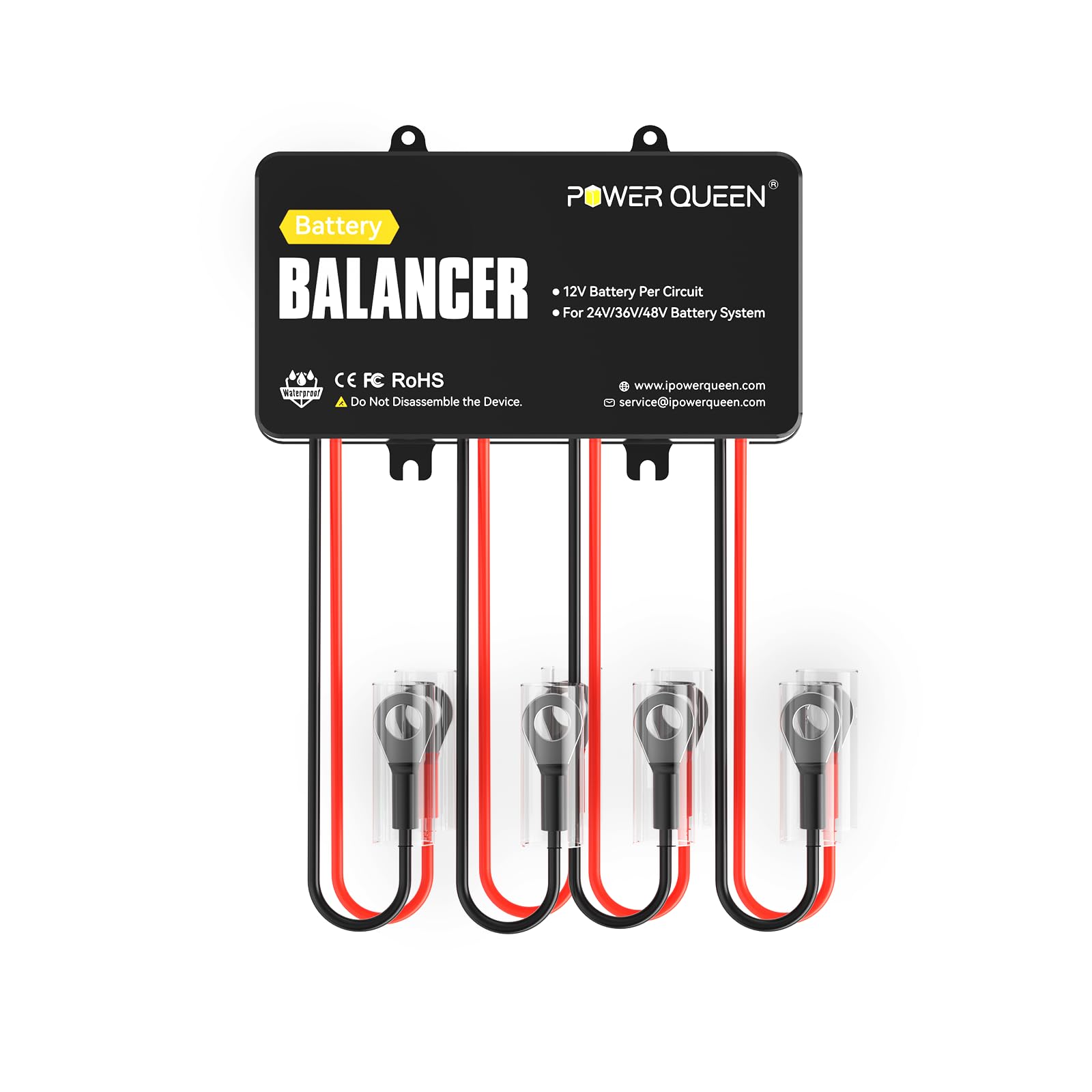
Figure 4.1: Automatic Smart Balance Mode operation.
4.2 Standby Mode
Once the voltage difference between batteries is reduced to below 10mV, the balancer enters a low-power standby mode. In this mode, it draws only 5mA, conserving energy while still monitoring the battery voltages. It will reactivate balancing if the voltage difference again exceeds 10mV.

Figure 4.2: The balancer actively maintains system stability.
5. Maintenance
The Power Queen Battery Balancer is designed for minimal maintenance.
- Regular Inspection: Periodically check all wiring connections to ensure they remain tight and free from corrosion.
- Cleanliness: Keep the balancer unit clean and free from dust or debris. Use a dry cloth for cleaning.
- Environmental Conditions: Ensure the balancer is operating within its specified temperature range (-4°F to 122°F / -20°C to 50°C) and is not exposed to excessive moisture or direct sunlight.
- Protective Caps: Always ensure unused ports have their protective caps in place to prevent accidental short circuits.
6. Troubleshooting
If you encounter issues with your Power Queen Battery Balancer, consider the following:
- Balancer Not Activating:
- Verify all connections are secure and correctly wired according to the diagrams in Section 3.2.
- Ensure the voltage difference between batteries exceeds 10mV. The balancer will only activate when this threshold is met.
- Persistent Voltage Imbalance:
- Check the health of individual batteries. A severely degraded battery may not balance effectively.
- Confirm that the balancer is correctly rated for your battery system voltage (e.g., 48V system with 12V batteries).
- Overheating:
- Ensure adequate ventilation around the balancer.
- If the balancer feels excessively hot, disconnect it and contact support. The unit has high-temperature protection, but continuous extreme heat may indicate an underlying issue.
- Incorrect Wiring Protection: The balancer includes reverse polarity protection. If wired incorrectly, it will prevent damage but will not operate. Correct the wiring as per the instructions.

Figure 6.1: Multi-layer protection features of the balancer.
7. Specifications
| Feature | Specification |
|---|---|
| Product Dimensions | 5.1 x 2.7 x 1.1 inches (L129*W69*H28 mm) |
| Item Weight | 1.01 pounds |
| Input Voltage Range | 2-20V DC Per Circuit |
| Current Draw When Working | 0-10A |
| Current Draw When Standby | 5mA |
| Reverse Polarity Protection | Yes |
| Over Temp. Protection | Yes |
| Operating Temperature | -4°F to 122°F / -20°C to 50°C |
| Connection Terminals | M8 Ring Terminals |
| Protection Class | IP65 |

Figure 7.1: Technical Specifications of the Power Queen 48V Battery Balancer.
8. Warranty and Support
For warranty information or technical support, please refer to the official Power Queen website or contact their customer service directly. Details regarding specific warranty periods and support procedures are typically provided with your purchase documentation or on the manufacturer's website.
You can find more information and contact details on the Power Queen official website: www.powerqueen.com.