
1. Product Overview
The BelFone TactixM5-S5plus is a professional two-way radio designed for reliable and clear communication in various environments. It features a robust build, long-range capabilities, and a high-capacity battery for extended use. This manual provides essential information for the proper setup, operation, and maintenance of your device.
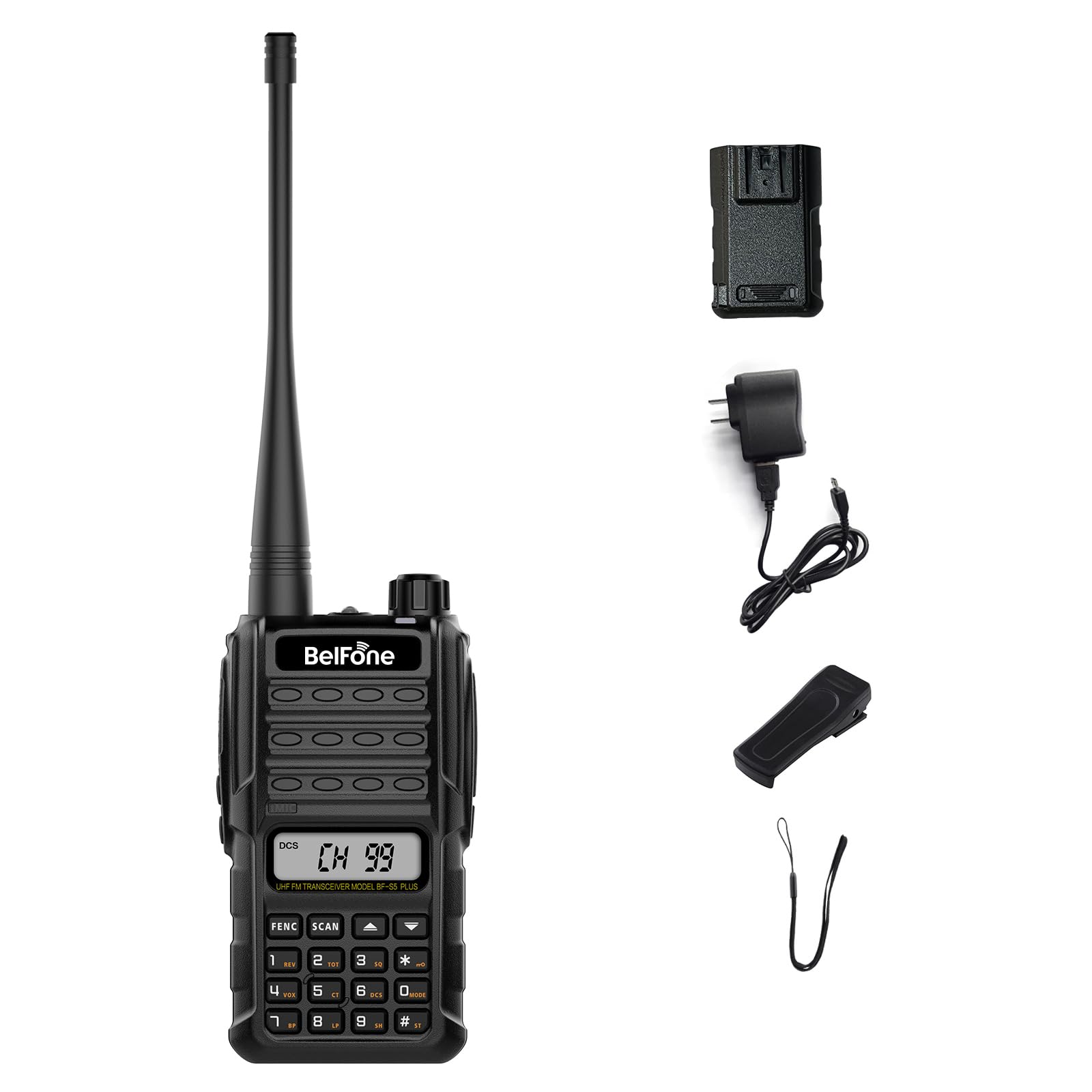
Figure 1: BelFone TactixM5-S5plus Professional Two-Way Radio.

Figure 2: Illustrates the long-range communication capability of the radio, up to 5-10 km in open areas with a 5W high power output.
2. Setup and Initial Configuration
2.1 Battery Installation and Charging
The radio is powered by a 2800mAh high-capacity battery. Ensure the battery is fully charged before first use.
- Align the battery with the compartment on the back of the radio.
- Slide the battery into place until it clicks securely.
- To charge, connect the radio to a USB power source using the provided charging cable. The battery can also be charged independently.
- A full charge provides approximately 10 days of standby time.
2.2 Initial Power On
To power on the radio, rotate the Power/Volume knob clockwise until you hear a click and the display illuminates.
2.3 Channel Programming
The TactixM5-S5plus supports manual FM programming and a quick clone function for efficient channel setup.
- Manual FM Programming: Use the matrix numeric keypad to directly input frequencies and other channel parameters. This allows for customized channel configurations.
- Quick Clone Function: This feature allows you to easily copy channel settings from one radio to another, simplifying fleet management. Refer to the detailed programming guide for specific steps.

Figure 3: Features for direct setup including matrix-style number pad, clear LCD display, and Quick Clone function.
3. Operating Instructions
3.1 Basic Communication
To transmit, press and hold the Push-to-Talk (PTT) button on the side of the radio. Speak clearly into the microphone. Release the PTT button to receive.
3.2 Squelch Function
The radio features 9 levels of squelch to filter out background noise and ensure clear audio. Adjust the squelch level to minimize unwanted noise, especially in loud environments.
3.3 VOX Function (Hands-Free Operation)
The VOX (Voice Operated Exchange) function allows for hands-free transmission without pressing the PTT button. When enabled, the radio will transmit automatically when it detects your voice. This function has 9 adjustable levels of sensitivity.
3.4 Busy Channel Lockout (BCL)
BCL prevents transmission on a channel that is already in use, avoiding interference with ongoing conversations.
3.5 CTCSS / CDCSS Anti-Crosstalk
Continuous Tone-Coded Squelch System (CTCSS) and Continuous Digital-Coded Squelch System (CDCSS) help to prevent interference from other users on the same frequency, ensuring more private and smooth communication.

Figure 4: Highlights 9-level VOX for hands-free operation and CTCSS/DCS dual tones with 9-level squelch for noise reduction.
3.6 Flashlight
The radio is equipped with a strong flashlight. Short press the scanning button to activate or deactivate the light.
3.7 Channel Scanning
Use the channel scanning feature to quickly find active channels with signals.
3.8 Voice Prompts and Voice Control
The radio offers selectable voice prompts (English or no voice prompt). Voice control functionality is available when headphones are connected.

Figure 5: Details the strong flashlight, high-definition liquid crystal display, and easy-to-operate numeric keypad.
4. Maintenance
4.1 Battery Care
- To maximize battery life, avoid fully discharging the battery frequently.
- Store the radio and battery in a cool, dry place when not in use for extended periods.
- The radio features an intelligent power-saving mode that automatically activates after a period of inactivity or no signal, conserving battery power.
4.2 Durability and Environmental Use
The radio's shell is constructed from PC+ABS material, providing rainproof, waterproof, and dustproof capabilities. It is designed to withstand various harsh environments.
- Operating Temperature Range: -20℃ to 60℃.
- While waterproof, avoid submerging the radio unless specifically rated for such use.
4.3 Cleaning
Clean the radio's exterior with a soft, damp cloth. Do not use harsh chemicals or abrasive cleaners.
5. Troubleshooting
If you encounter issues with your radio, refer to the following common troubleshooting steps:
- No Power: Ensure the battery is correctly installed and fully charged. Check the Power/Volume knob position.
- Cannot Transmit or Receive: Verify that the radio is on the correct channel. Check the antenna connection. Ensure the PTT button is functioning correctly.
- Unclear Audio: Adjust the squelch level. Ensure the microphone and speaker are clear of obstructions. Move to an area with better signal reception.
- Short Communication Range: Ensure the antenna is securely attached. Check for obstructions between radios. Battery level can affect transmission power.
- Interference: Adjust CTCSS/CDCSS settings. Use the Busy Channel Lockout feature.
If problems persist, contact customer support.
6. Specifications
| Feature | Specification |
|---|---|
| Brand | BelFone |
| Model Number | BF-TactixM5-S5plus |
| Color | Black |
| Number of Channels | 98 |
| Special Feature | Long Range |
| Talking Range Maximum | 5 Mile |
| Voltage | 3.7 Volts (DC) |
| Water Resistance Level | Waterproof |
| Product Dimensions (D x W x H) | 1.5" x 2.4" x 4" |
| Number of Batteries | 1 Nonstandard Battery (included) |
| Included Components | 1*walkie talkie |
| Compatible Devices | Other two-way radios with manual FM support and similar keypad design |
| Temperature Range | -20℃ to 60℃ Degrees Celsius |
| Battery Average Life | 3 days (typical use) |
| Impedance | 50 Ohms |
| UPC | 784482904185 |
7. Warranty Information
The BelFone TactixM5-S5plus Professional Two-Way Radio comes with a 1-Year Warranty from the date of purchase. This warranty covers manufacturing defects and malfunctions under normal use. Please retain your proof of purchase for warranty claims. The warranty does not cover damage caused by misuse, accidents, unauthorized modifications, or normal wear and tear.
8. Support
For technical assistance, troubleshooting, or warranty inquiries, please contact BelFone customer support. Refer to the contact information provided with your product packaging or visit the official BelFone website for the most up-to-date support details.
Online Resources: For additional information, FAQs, and firmware updates, please visit the BelFone official website.