1. Product Overview
The OLIXIS Heat Press Machine is a portable and easy-to-use device designed for heat transfer applications on various materials such as T-shirts, tote bags, and other fabric items. It features an LCD display for precise temperature and time control, ensuring optimal results for your projects. This machine is UL-listed and FCC-certified for safety.
Key Features:
- Extra-Large Heating Plate: 9.06" × 11.81" heating surface for comprehensive coverage, reducing the need for repositioning.
- Wide Temperature Range: Adjustable from 32°F to 450°F (0°C to 232°C) to accommodate various materials like sublimation paper, HTV vinyl, and delicate fabrics.
- Precise Control: LCD display for accurate temperature and timer settings.
- Certified Safety: UL-listed and FCC-certified for reliable and safe operation.
- Portable & Compact: Lightweight design for easy transport and storage, suitable for home or studio use.

Image 1.1: OLIXIS Heat Press Machine with key dimensions (12.20"L x 10.43"W x 4.17"H) and heating plate size (11.81" x 9.06").

Image 1.2: The OLIXIS Heat Press Machine is versatile for customizing T-shirts, tote bags, aprons, pillows, and pet scarves.
2. Safety Instructions
Please read all safety instructions carefully before using the OLIXIS Heat Press Machine to prevent injury or damage to the product. Keep this manual for future reference.
- Always place the heat press on a stable, heat-resistant surface.
- Do not touch the heating plate during operation or immediately after use, as it will be extremely hot. Use the handle provided.
- Keep out of reach of children and pets.
- Ensure the power cord is not damaged and is properly plugged into a grounded outlet.
- Do not immerse the machine in water or any other liquid.
- Unplug the machine when not in use and before cleaning or maintenance.
- Never leave the machine unattended while it is powered on or heating.
- Use in a well-ventilated area.
- This appliance is for household use only. Do not use outdoors.
3. Package Contents
Verify that all items are present in the package upon unboxing:
- OLIXIS Heat Press Machine (9.06" x 11.81" plate) x 1
- Pallet Base (Safety Pallet Parts) x 1
- High-Temperature Sponge x 1
- Power Cord x 1

Image 3.1: All accessories included with the OLIXIS Heat Press Machine, ready for use.
4. Product Components
Familiarize yourself with the main components of your OLIXIS Heat Press Machine:
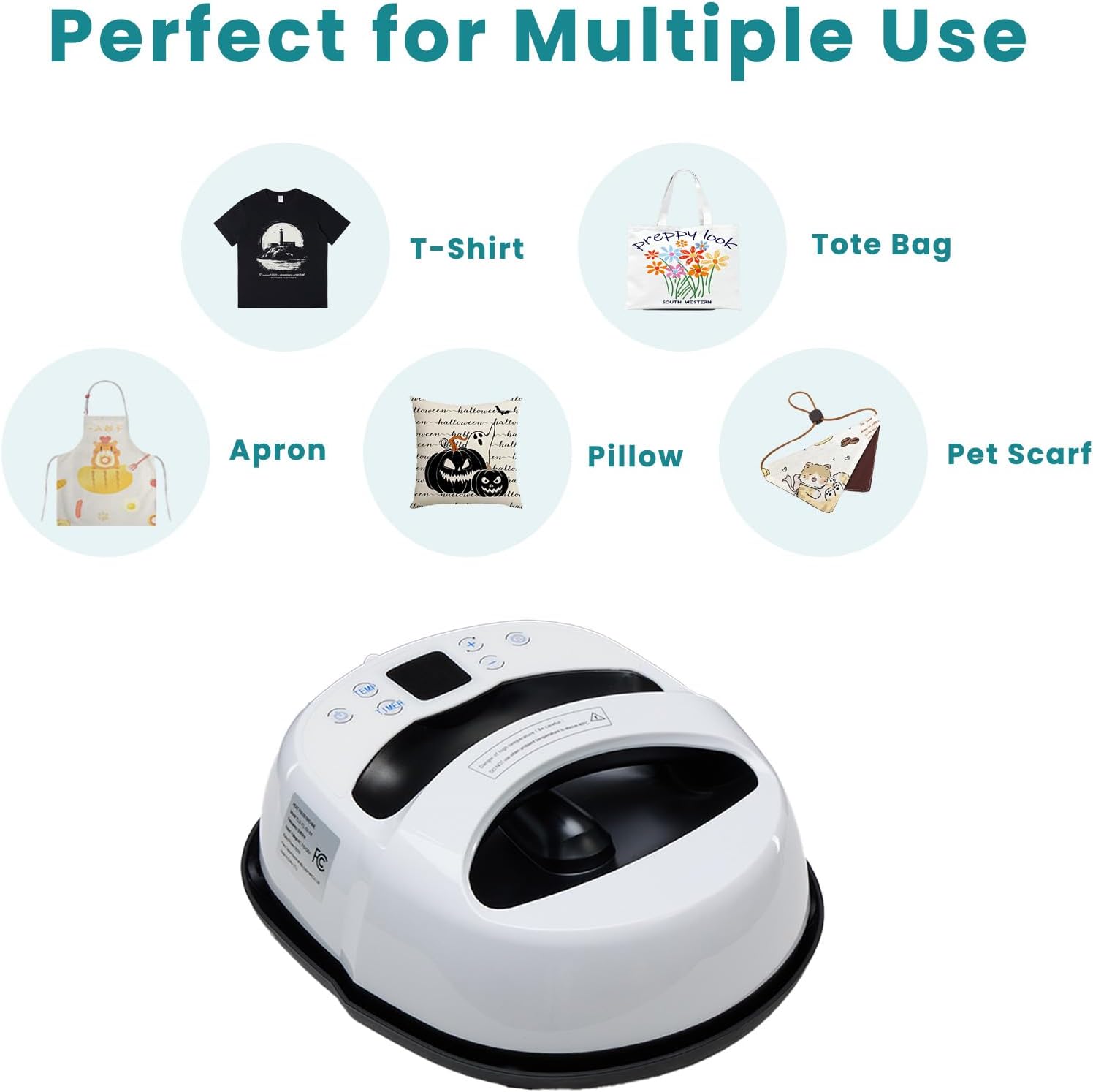
Image 4.1: Control Panel Diagram. This diagram illustrates the various buttons and display areas on the heat press for setting temperature and time.
- Heating Plate: The main surface that heats up to transfer designs.
- Handle: For safely holding and pressing the machine.
- Control Panel: Includes LCD display, temperature setting buttons (TEMP), timer setting buttons (TIMER), plus/minus buttons (+/-), and an execution key.
- Power Switch: To turn the machine on/off.
- Safety Pallet Base: Provides a safe resting place for the hot machine after use and protects your desktop.
- High-Temperature Sponge: Used as a pressing mat to ensure even pressure and heat distribution.
5. Setup
Follow these steps for initial setup:
- Unpack all components from the box.
- Place the high-temperature sponge on a flat, stable, and heat-resistant desktop.
- Ensure the safety pallet base is within easy reach for when the machine is hot.
- Plug the power cord into a grounded electrical outlet.

Image 5.1: Visual guide for the four easy steps of setting up and operating the heat press.
6. Operating Instructions
This section guides you through the process of using your OLIXIS Heat Press Machine for heat transfer projects.
Basic Operation Steps:
- Prepare Your Item: Place your garment or item flat on the high-temperature sponge. Smooth out any wrinkles. Position your heat transfer design (HTV, sublimation print, etc.) onto the item.
- Power On: Turn on the heat press machine using the power switch.
- Set Temperature: Press the TEMP button, then use the + and - buttons to set the desired temperature. Refer to your transfer material's instructions for recommended settings.
- Set Timer: Press the TIMER button, then use the + and - buttons to set the desired pressing time.
- Preheat: Allow the machine to preheat until it reaches the set temperature. The display will indicate when it's ready.
- Press: Place the preheated heat press machine evenly over your design and item. Press down firmly for the set duration. The machine will beep when the time is complete.
- Release and Cool: Lift the heat press and immediately place it back onto its safety pallet base. Allow the item and design to cool according to your transfer material's instructions (e.g., warm peel, cold peel).
- Remove Transfer Material: Carefully peel off the transfer material backing.
- Power Off: Turn off the machine and unplug it when finished.

Image 6.1: The LCD display provides precise temperature control, ranging from 32°F to 450°F (0°C to 232°C).
Instructional Video:
Video 6.1: An official OLIXIS video demonstrating the heat press in action, showcasing its ease of use and application on various items. This video highlights the precise temperature control and simple one-second press for effective heat transfers.
7. Maintenance
Proper maintenance ensures the longevity and optimal performance of your heat press machine.
- Cleaning: Ensure the machine is unplugged and completely cool before cleaning. Wipe the heating plate with a soft, damp cloth. For stubborn residue, use a specialized heat press cleaning solution, following its instructions. Do not use abrasive cleaners or harsh chemicals.
- Storage: Store the heat press machine in a dry, cool place, away from direct sunlight and moisture. Always place it on its safety pallet base when not in use.
- Cord Care: Regularly inspect the power cord for any signs of damage. Do not wrap the cord tightly around the machine.
8. Troubleshooting
If you encounter issues with your heat press machine, refer to the following common problems and solutions:
| Problem | Possible Cause | Solution |
|---|---|---|
| Machine does not power on | Power cord not plugged in; outlet malfunction; machine fault | Check power connection; try a different outlet; contact support if issue persists. |
| Uneven heat transfer | Insufficient pressure; uneven surface; incorrect temperature | Apply firm, even pressure; ensure item is flat on sponge; verify temperature setting. |
| Design not adhering | Incorrect temperature/time; wrong peel method (hot/cold); low-quality transfer material | Adjust temperature/time per material instructions; ensure correct peel method; use quality transfer materials. |
| Machine not reaching set temperature | Faulty heating element; sensor issue | Allow more time to heat; contact support if problem continues. |
9. Specifications
| Specification | Value |
|---|---|
| Model Number | THJ-BX10-OL |
| Heating Plate Size | 9.06" x 11.81" |
| Temperature Range | 32°F - 450°F (0°C - 232°C) |
| Voltage | 110 Volts |
| Wattage | 1000 watts |
| Product Dimensions | 12.2"L x 10.43"W x 4.17"H |
| Item Weight | 8.38 pounds |
| Material | Metal, Plastic |
| Color | White |
| UPC | 751074080176 |
10. Warranty and Support
The OLIXIS Heat Press Machine comes with a 1-year warranty from the date of purchase, covering manufacturing defects. Please retain your proof of purchase for warranty claims.
For technical support, troubleshooting assistance, or warranty inquiries, please contact OLIXIS customer service through the retailer where the product was purchased or visit the official OLIXIS website for contact information.


