
Product Overview
The ENCASED GripMallow is a foldable silicone grip holder designed to enhance the handling and comfort of your tablet or e-reader. Its soft, adhesive design provides a secure hold and reduces hand fatigue during extended use.

Image: The GripMallow attached to a tablet, demonstrating a comfortable hold.
Key Features:
- GripMallow Comfort: Features a soft, adhesive silicone material for comfortable, cloud-like grip, preventing discomfort often associated with hard plastic grips.
- Strong Adhesive: Equipped with a pre-installed, powerful adhesive backing to ensure the grip remains securely attached to your device or case through daily use.
- Foldable Design: Easily extends for use as a finger grip and folds flat with a single push, maintaining a slim profile for convenient storage in pockets or bags.
- Enhanced Stability: Provides a secure hold for activities like texting, streaming, and taking selfies, with a soft-touch surface that naturally improves grip.
- Optimized for Tablets/E-readers: Designed to rethink device gripping, offering a smooth, satisfying, and secure experience.
Setup and Installation
Follow these steps to properly install your GripMallow holder:
- Prepare the Surface: Ensure the back surface of your tablet, e-reader, or device case is clean and dry. Use a lint-free cloth to wipe away any dust, oils, or debris.
- Remove Protective Film: Carefully peel off the protective film from the adhesive backing of the GripMallow.
- Position and Apply: Align the GripMallow to your desired position on the back of your device or case. Press firmly for several seconds to ensure good contact.
- Secure Adhesion: After initial application, apply pressure to the grip for a few moments to help the adhesive form a strong bond with the surface.

Image: Illustration of the high-tack gel adhesive creating a secure bond with the device surface.
Operating Instructions
The GripMallow is designed for simple and intuitive use:
- To Extend: Gently pull the top part of the grip outwards until it fully extends. This creates a loop for your fingers to hold your device securely.
- To Fold Flat: Press the top part of the grip inwards until it collapses and lies flat against your device. This slim profile allows for easy storage.
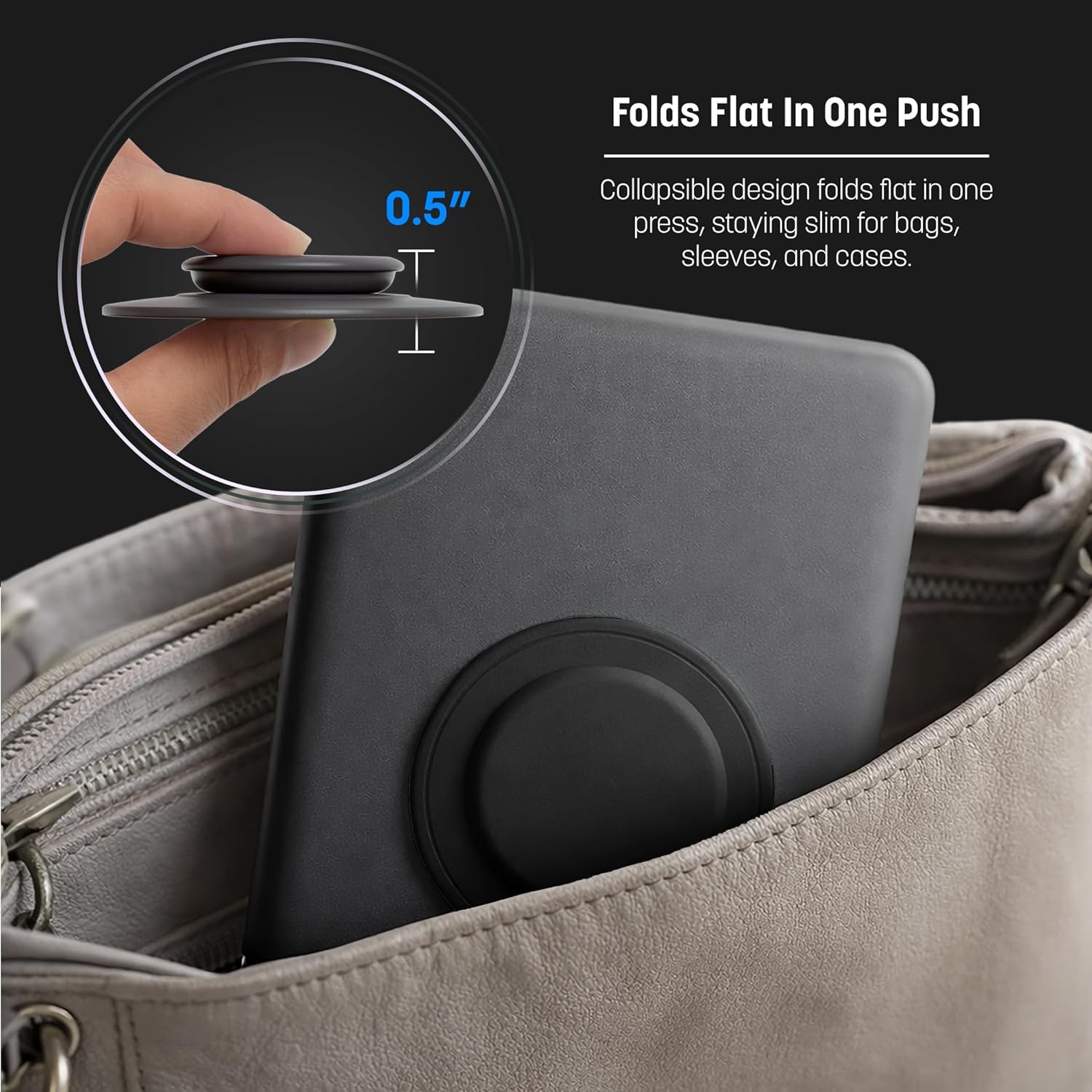
Image: The GripMallow folded flat, demonstrating its compact design for easy storage.
Maintenance
To ensure the longevity and optimal performance of your GripMallow:
- Cleaning: If the silicone surface becomes dirty, wipe it gently with a damp cloth. Avoid harsh chemicals or abrasive cleaners.
- Adhesive Care: If the adhesive backing loses some tackiness due to dust, gently rinse it with water and let it air dry completely. Do not wipe with a cloth as this may leave fibers.
- Storage: When not in use, keep the grip folded flat to protect it from accidental damage or snagging.
Troubleshooting
- Grip not sticking:
- Ensure the device surface is clean and free of dust, oils, or textures that prevent adhesion.
- Re-clean the adhesive backing with water and allow it to air dry completely before reapplying.
- Ensure the surface is flat and non-porous. Adhesion may be reduced on textured or silicone cases.
- Grip feels loose:
- Re-press the grip firmly onto the device surface for 30 seconds to re-establish the bond.
- Avoid repositioning the grip frequently, as this can weaken the adhesive.
Specifications
| Model Number | SOPI50 |
| Brand | ENCASED |
| Material | Silicone, Polycarbonate (PC) |
| Color | Black |
| Product Weight | 32 g |
| Dimensions (Package) | 8.2 x 8.1 x 1.6 cm |
| Special Features | Collapsible |
| Grip Type | Adhesive Grip |

Image: Comparison of GripMallow sizes, highlighting the 80mm base for tablets.
Warranty and Support
Information regarding product warranty and customer support is not available in this manual. Please refer to the product packaging or the manufacturer's official website for details on warranty coverage and how to contact customer support.