
Product Overview
The eKids WWE Money in The Bank Electronic Case is an interactive money box designed for WWE fans. It features a mechanical lock for securing small items, over 75 phrases and sound effects from 11 WWE Superstars, and comes with superstar stickers and a WWE championship contract.

Figure 1: The eKids WWE Money in The Bank Electronic Case in its closed state.
Setup
1. Battery Installation
The Electronic Case requires 2 AA batteries (not included) for sound effects and electronic functions.
- Locate the battery compartment on the underside of the case.
- Using a Phillips head screwdriver, unscrew the battery compartment cover.
- Insert 2 new AA batteries, ensuring correct polarity (+/-) as indicated inside the compartment.
- Replace the battery compartment cover and secure it with the screw.
2. Initial Lock Setup
The case features a mechanical dial lock. The default code is typically 000. Refer to the packaging or included instructions for any pre-set code or instructions on how to set a new personal code.

Figure 2: The case opened, highlighting the sound effect buttons and the mechanical dial lock.
Operating Instructions
1. Opening the Case
- Ensure the case is in the upright position.
- Align the three numerical dials on the mechanical lock to the correct code.
- Slide the release button (usually located next to the dials) to unlock and open the case.
2. Using Sound Effects
The case includes buttons for activating various WWE Superstar phrases and sound effects.
- Locate the speaker and sound effect buttons on the inside panel of the case.
- Press the designated buttons to play different phrases and sound effects.
- To conserve battery life, ensure the power switch (if available) is turned off when not in use.
3. Storing Items
The interior of the case provides space for storing small items. The mechanical lock helps keep contents secure.
Included Accessories
Your eKids WWE Money in The Bank Electronic Case comes with the following accessories:
- Superstar Stickers: A collection of stickers featuring various WWE Superstars.
- WWE Championship Contract: A replica contract for imaginative play.
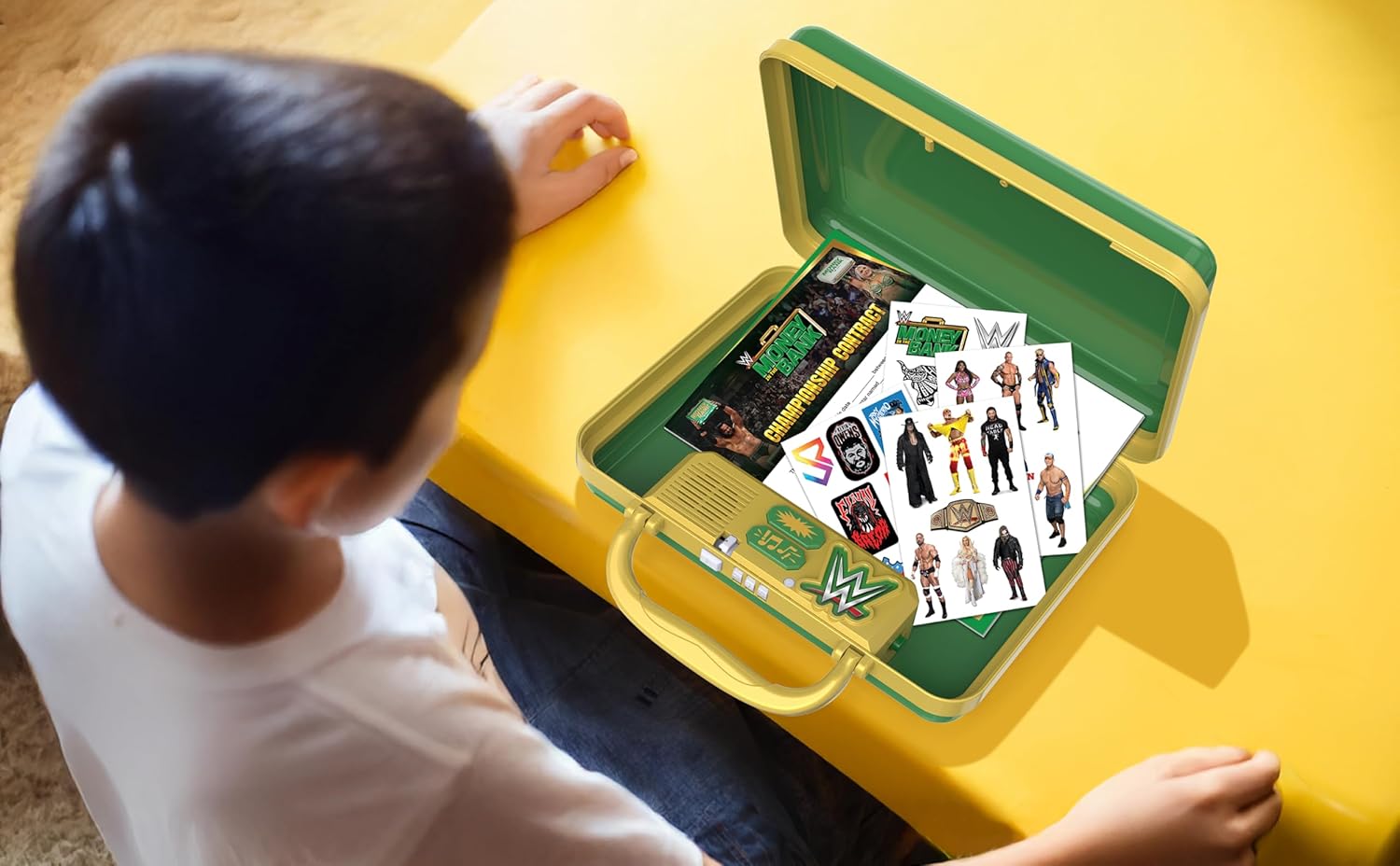
Figure 3: A child interacting with the open case, displaying the included stickers and championship contract.
Maintenance
Cleaning
To clean the case, wipe it with a soft, dry cloth. Do not use abrasive cleaners or immerse the product in water. Keep the electronic components dry.
Battery Care
- Remove batteries if the product is not going to be used for an extended period.
- Do not mix old and new batteries.
- Do not mix alkaline, standard (carbon-zinc), or rechargeable (nickel-cadmium) batteries.
Troubleshooting
No Sound or Distorted Sound
- Check if the batteries are correctly installed.
- Replace old batteries with new AA batteries.
- Ensure the power switch (if present) is in the 'ON' position.
Lock Not Opening
- Verify that the correct three-digit code is entered on the mechanical dials.
- Ensure the release button is fully slid to the open position after entering the code.
- Avoid forcing the lock, as this may cause damage.
Specifications
| Feature | Detail |
|---|---|
| Product Dimensions | 9 x 2.4 x 9 inches |
| Item Weight | 1.3 pounds |
| Model Number | WW-324 |
| Manufacturer | KIDdesigns |
| Batteries Required | 2 AA batteries |

Figure 4: Product dimensions of the electronic case.
Warranty and Support
For warranty information or technical support, please contact eKids customer service. Details can typically be found on the product packaging or the official eKids website. Keep your purchase receipt as proof of purchase.