
Introduction
Thank you for choosing the UTRAI JS-40 Car Jump Starter. This multifunctional device combines a powerful jump starter, a smart tire inflator, a high-speed blower, a 30W fast-charging power bank, and an emergency LED light. Designed for convenience and safety, the JS-40 is an essential tool for urban commutes, long journeys, and outdoor adventures. Please read this manual carefully before use to ensure proper operation and to maximize the product's lifespan.
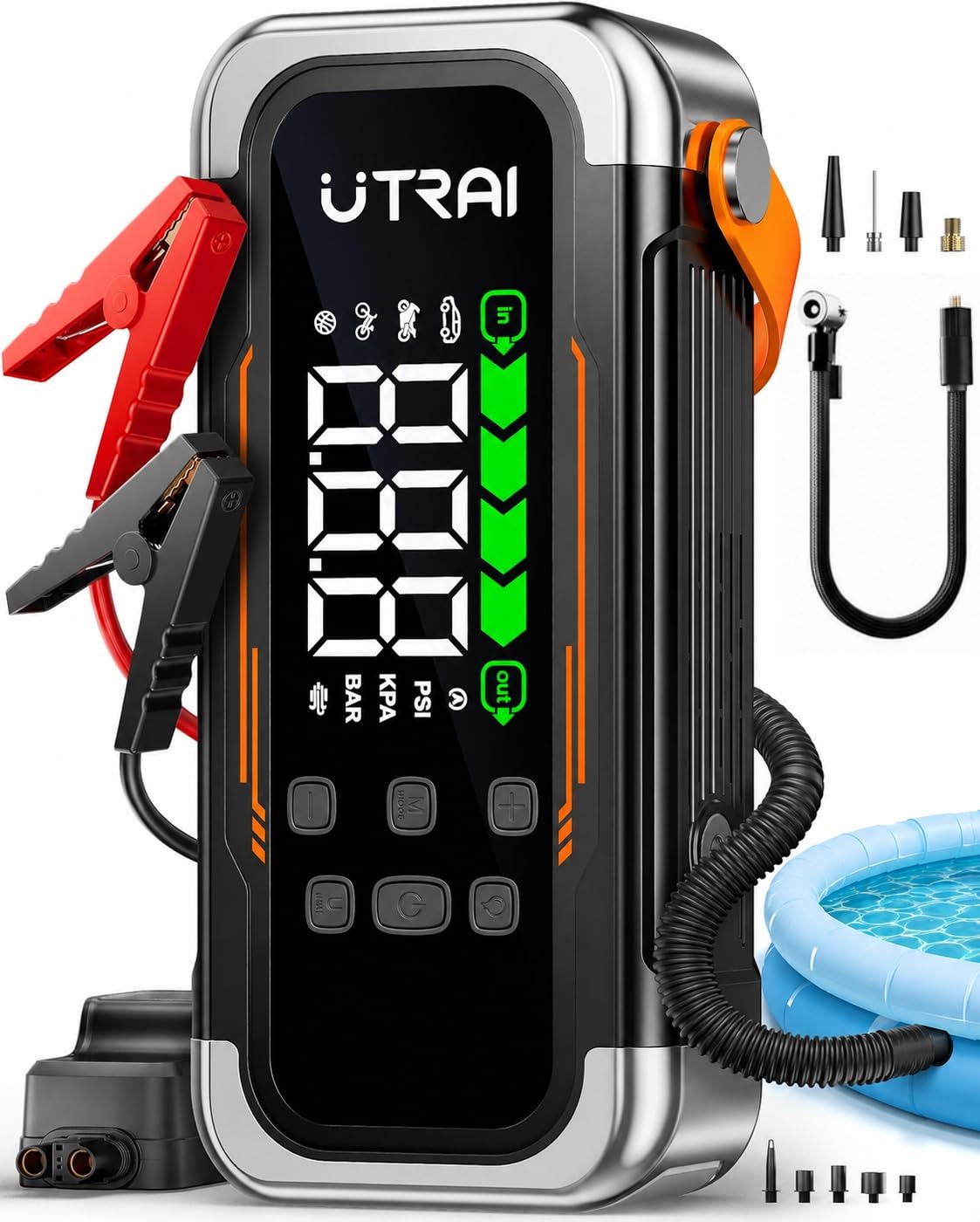
Image: The UTRAI JS-40 device connected to a car battery, ready for jump starting.
Safety Information
Always observe the following safety precautions to prevent injury or damage to the device and vehicle:
- Do not disassemble the device. Incorrect reassembly may lead to fire or electric shock.
- Do not use this device if the battery clamps or cables are damaged.
- Keep out of reach of children.
- Ensure proper polarity when connecting to a vehicle battery (red clamp to positive, black clamp to negative).
- Avoid short-circuiting the clamps.
- Do not expose the device to extreme temperatures or direct sunlight.
- Store the device in a cool, dry place.
- Recharge the device every 2-3 months if stored for prolonged periods to maintain battery health.
- The device features over 10 safety protections, including reverse polarity, overcurrent, overvoltage, and short-circuit protection.

Image: Internal components and safety features of the UTRAI JS-40.
Package Contents
Verify that all items are present in the package:
- 1x UTRAI JS-40 Car Jump Starter
- 1x Smart Jumper Cables with Clamps
- 1x USB-A to USB-C Cable
- 1x USB-C to USB-C Cable
- 1x Air Hose
- 4x Inflation Nozzles
- 6x Blower Function Accessories
- 1x User Manual
- 1x Storage Bag

Image: All items included in the UTRAI JS-40 package.
Setup
Initial Charging
Before first use, fully charge the UTRAI JS-40. Connect the provided USB-C cable to the device's input port and a compatible USB wall adapter (not included). The digital display will indicate the charging status. A full charge ensures optimal performance for all functions.
Operating Instructions
1. Jump Starting a Vehicle
The JS-40 can deliver up to 7000A peak current, suitable for all gasoline engines and diesel engines up to 10L.
- Insert Smart Clamps: Plug the smart jumper cable connector into the jump start port on the JS-40.
- Connect to Battery: Attach the red clamp to the vehicle's positive (+) battery terminal and the black clamp to the negative (-) battery terminal. The smart clamps will indicate connection status.
- Start Vehicle: Start your vehicle's engine within 30 seconds.
- Remove Clamps: Once the engine starts, immediately remove the clamps from the vehicle battery, then unplug the smart clamps from the JS-40.

Image: Step-by-step guide for using the jump start function.

Image: Vehicle jump start scenario.
2. Using the Tire Inflator
The intelligent compressor can inflate up to 150 PSI and supports real-time pressure detection with automatic shut-off.
- Connect Hose: Screw the air hose onto the inflation port of the JS-40 and connect the other end to the tire valve.
- Power On & Select Mode: Turn on the device. Press the 'M' button to select the desired inflation mode (Car, Motorcycle, Bicycle, Ball, Custom, Blower). Use the 'U' button to change pressure units (PSI / BAR / KPA). Adjust the target pressure using the '+' and '-' buttons.
- Start Inflation: Press and hold the power button to begin inflation. The device will automatically stop once the preset pressure is reached.

Image: Intelligent compressor features and display.

Image: Step-by-step guide for using the tire inflator.

Image: Available inflation modes on the JS-40.
3. Using the Blower/Deflator Function
The powerful high-speed fan is designed for quick inflation of large items and efficient deflation for compact storage.
- Connect Hose: Insert the hose into the inflation/deflation port and connect it to the item.
- Power On & Select Mode: Turn on the device. Press the 'M' button to select the blower mode (indicated by a fan icon).
- Start Operation: Press and hold the power button to start inflation or deflation. Press 'M' again to stop.

Image: Multifunction blower for inflation and deflation.

Image: Applications of the integrated blower function.

Image: Step-by-step guide for using the blower function.

Image: Blower function in action, showing inflation and deflation capabilities.
4. Using as a Portable Power Bank
The JS-40 features a 30W fast-charging power bank with multiple ports to charge your electronic devices.
- USB-C Output (30W): For fast charging compatible devices.
- USB-C Output (18W): For charging various devices.
- USB-A Output (18W): For charging various devices.
Connect your device using the appropriate USB cable to the available output ports. The JS-40 provides a reliable power source during emergencies or while traveling.

Image: UTRAI JS-40 used as a portable power bank for charging devices.

Image: Close-up of the power bank ports and charging capabilities.
5. LED Emergency Light
The JS-40 is equipped with an 800-lumen LED light offering three modes:
- Continuous Lighting: For general illumination during tire changes, vehicle maintenance, or camping.
- Strobe Mode: For signaling or attracting attention in emergency situations.
- SOS Mode: For distress signaling.
Press the light button to cycle through the modes.

Image: The JS-40 with its LED emergency light active, showing available modes.
Maintenance
- Recharging: For prolonged storage, it is recommended to recharge the device every 2 to 3 months to preserve battery health and extend its lifespan.
- Cleaning: Wipe the device with a soft, dry cloth. Do not use harsh chemicals or abrasive materials.
- Storage: Store the JS-40 in its storage bag in a cool, dry place, away from direct sunlight and moisture.
Troubleshooting
| Problem | Possible Cause | Solution |
|---|---|---|
| Device does not turn on | Low battery or no charge | Charge the device fully. |
| Vehicle does not jump start | Incorrect clamp connection, vehicle battery too low, or engine issue | Ensure clamps are connected correctly (red to +, black to -). Check the smart clamp indicator for errors. Try again after a few minutes. If the vehicle battery is completely dead, it may require a longer charge or professional assistance. |
| Inflator not working or inaccurate pressure reading | Hose not securely connected, incorrect mode selected, or valve issue | Ensure the air hose is tightly screwed onto the device and the tire valve. Verify the correct inflation mode and pressure unit are selected. Check the tire valve for damage. |
| Blower/Deflator not working effectively | Hose not properly inserted, wrong accessory used, or item too large/small | Ensure the hose is fully inserted into the correct port. Use the appropriate accessory for the item being inflated/deflated. |
| Device not charging external devices | Low device battery, incorrect cable, or device not compatible | Ensure the JS-40 has sufficient charge. Use the correct USB cable for your external device. Check device compatibility with the output ports. |
Specifications
| Feature | Specification |
|---|---|
| Brand | UTRAI |
| Model Number | JS-40 |
| Peak Current | 7000 A |
| Battery Capacity | 10000 mAh (Lithium-polymer) |
| Voltage | 14.8 Volts |
| Engine Compatibility | All Gasoline Engines, Diesel Engines up to 10 L |
| Tire Inflator Pressure | Up to 150 PSI |
| Power Bank Output | USB-C 30W, USB-C 18W, USB-A 18W |
| LED Light Brightness | 800 Lumens |
| Vehicle Service Type | Truck, Van, Motorcycle, Watercraft, Snowmobile, Lawn Mower, Car |
Warranty and Support
UTRAI provides the following support for your JS-40 device:
- Manufacturer Warranty: 2 years
- Customer Service: 24/7 availability
- Technical Support: Lifetime assistance
- Defective Product Returns: Supported
For any inquiries or assistance, please contact us:
Email: support.fr@utrai.com

Image: UTRAI customer support and warranty information.


