
Introduction
The COOSPO TR70 is a rearview radar taillight designed to enhance cycling safety by detecting approaching vehicles from behind. It integrates advanced radar technology with smart lighting features, offering comprehensive awareness and visibility for cyclists. This manual provides essential information for the proper setup, operation, and maintenance of your TR70 device.
Key Features
- High-Precision Radar Detection: Detects approaching vehicles up to 140 meters away with a 40° wide detection angle, providing accurate alerts even on curves.
- Smart Brake & Warning Light: Automatically flashes when vehicles approach and instantly highlights during sudden braking, increasing visibility to trailing vehicles.
- ANT+ & Bluetooth Connectivity: Pairs with popular cycle computers (Garmin, Wahoo, Bryton, iGPSPORT, Magene) via ANT+ and connects to the 'CoospoRide' app via Bluetooth for easy settings, mode changes, and firmware updates.
- 7 Custom Light Modes: Offers Low Light, High Light, Breathing, Daytime Flash, Nighttime Flash, Group Ride, and Radar Only modes to suit various riding conditions and optimize battery life.
- Long Battery Life: Equipped with a high-capacity battery, providing up to 40 hours of continuous use, supported by an intelligent power management system with auto-sleep and low-power protection.
- IP67 Waterproof & Durable Design: Built with an IP67 waterproof and dustproof rating and a robust body structure, ensuring stable performance in rain, dust, and mud.
- Quick-Release Mount: Features a tool-free quick-release mounting system compatible with round, D-shaped, and aero seatposts, fitting 99% of bicycles.
Setup
Package Contents
Before starting, ensure all items are present in the package:
- COOSPO TR70 Main Unit (x1)
- Mount (x1)
- Charging Cable (x1)
- Instruction Manual (x1)

Image: Contents of the COOSPO TR70 package.
Mounting the Device
The TR70 features a quick-release mount for easy installation on various seatpost types (round, D-shaped, aero). No tools are required.
- Select the appropriate rubber strap for your seatpost type.
- Attach the mount securely to your bicycle's seatpost.
- Slide the TR70 main unit onto the mount until it clicks into place, ensuring it is firmly attached and facing backward.

Image: The COOSPO TR70 device securely mounted on a bicycle seatpost.
Charging the Battery
The TR70 uses a Type-C charging port. Connect the provided USB-C cable to the device and a power source (e.g., computer, USB wall adapter). The charging indicator light will show the charging status.

Image: Close-up of the COOSPO TR70's Type-C charging port.
Operating Instructions
Power On/Off
- Power On: Press and hold the power button for 2 seconds. The indicator light will illuminate.
- Power Off: Press and hold the power button for 3 seconds. The indicator light will turn off.
Light Modes
The TR70 offers 7 distinct light modes. Cycle through them by short-pressing the power button after the device is powered on. The modes are:
- Low Light Mode
- High Light Mode
- Breathing Mode
- Daytime Flash Mode
- Nighttime Flash Mode
- Group Ride Mode
- Radar Only Mode

Image: Overview of the 7 light modes and their estimated battery life.
Radar Functionality
The TR70 continuously scans for approaching vehicles from behind. When a vehicle is detected within 140 meters, the device will provide visual alerts through its light and can send notifications to a connected cycle computer or smartphone app. The light will also intensify during sudden braking to alert drivers.
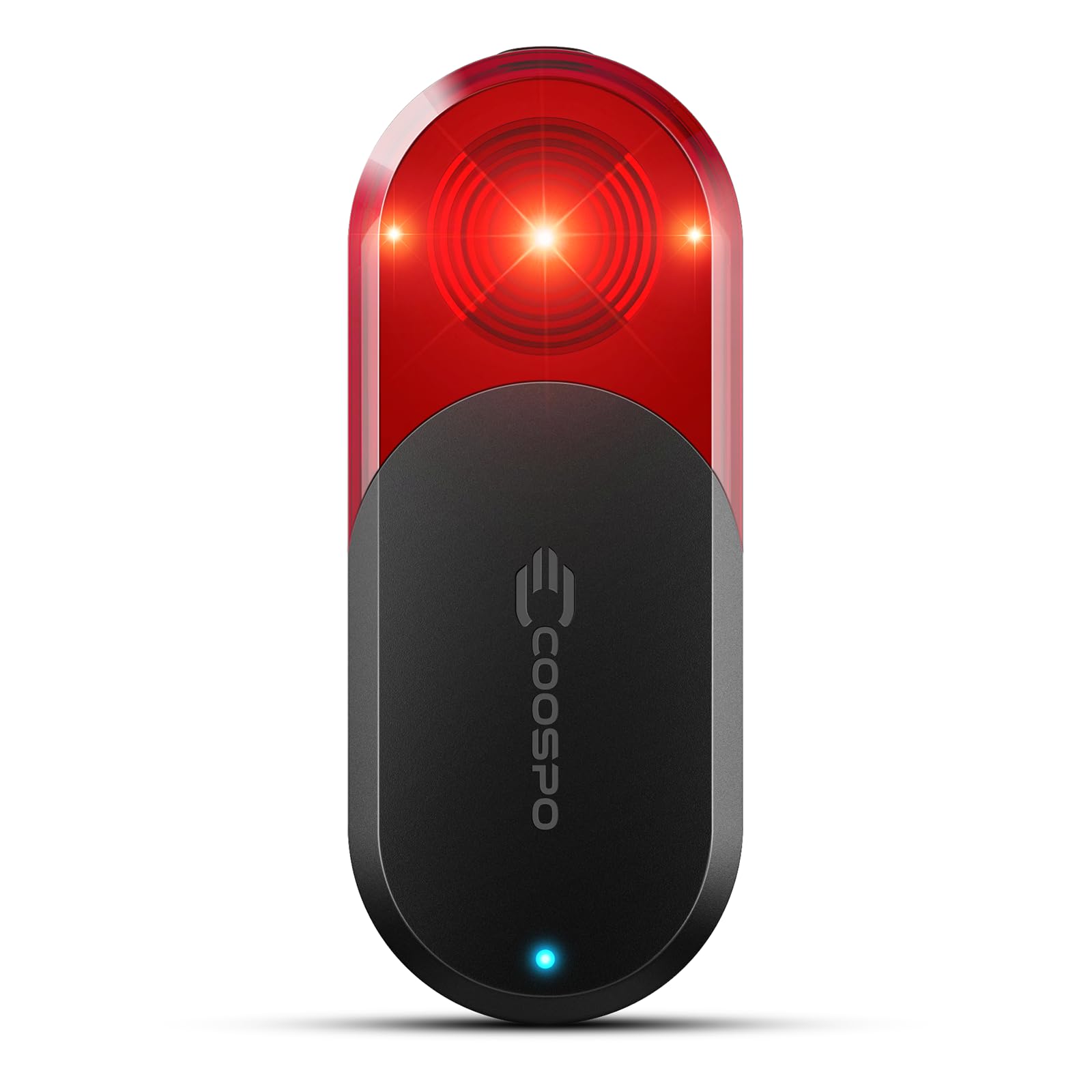
Image: Visual representation of the TR70's radar detection range and angle.
Connecting to the CoospoRide App (Bluetooth)
Download the 'CoospoRide' app from your smartphone's app store. Enable Bluetooth on your phone and open the app. Follow the in-app instructions to pair with your TR70. The app allows you to:
- Customize light modes.
- Adjust radar settings.
- Receive real-time vehicle alerts.
- Perform firmware updates.

Image: The CoospoRide app interface for managing TR70 settings and viewing radar data.
Connecting to Cycle Computers (ANT+)
The TR70 supports ANT+ connectivity, allowing it to pair with various cycle computers from brands like COOSPO, Garmin, Wahoo, Bryton, iGPSPORT, and Magene. Refer to your cycle computer's manual for specific pairing instructions. Once paired, vehicle detection data will be displayed on your cycle computer screen.
Maintenance
Cleaning
To maintain optimal performance, regularly clean the TR70 unit. Use a soft, damp cloth to wipe the device. Avoid using harsh chemicals or abrasive materials that could damage the lens or casing.
Water Resistance
The TR70 has an IP67 waterproof rating, meaning it is protected against dust and can withstand immersion in water up to 1 meter for 30 minutes. While it is designed for use in various weather conditions, avoid prolonged submersion or high-pressure water jets.

Image: The COOSPO TR70 enduring water splashes, highlighting its IP67 water resistance.
Battery Care
To prolong battery life:
- Charge the device fully before first use.
- Avoid completely draining the battery frequently.
- Store the device in a cool, dry place when not in use for extended periods, with a partial charge (around 50%).

Image: The COOSPO TR70 with a visual representation of its 40-hour battery life.
Troubleshooting
Common Issues and Solutions
- Device not powering on: Ensure the battery is charged. Connect to a power source and try again.
- Cannot pair with app/cycle computer: Ensure Bluetooth/ANT+ is enabled on your external device. Make sure the TR70 is powered on and within range. Try restarting both devices.
- Inaccurate radar detection: Ensure the TR70 is mounted correctly and not obstructed. Clean the radar sensor area if dirty.
- Light not working: Check the selected light mode. If in 'Radar Only' mode, the light will only activate upon vehicle detection or braking.
If issues persist, please contact COOSPO customer support.
Specifications
| Feature | Detail |
|---|---|
| Model Number | TR70 |
| Brand | COOSPO |
| Color | Black |
| Material | ABS |
| Water Resistance Level | IP67 Waterproof |
| Item Weight | 64 grams (approximate, based on feature bullets) |
| Mounting Type | Seatpost Mount (Quick-Release) |
| Number of Light Settings | 7 |
| Mounting Position | Rear |
| Radar Detection Range | Up to 140 meters |
| Radar Detection Angle | 40° |
| Connectivity | ANT+, Bluetooth 5.0 |
| Battery Life | Up to 40 hours (depending on mode) |
| Country of Origin | China |
Warranty
The COOSPO TR70 comes with a 1-year manufacturer's warranty from the date of purchase. This warranty covers defects in materials and workmanship under normal use. It does not cover damage caused by misuse, accidents, unauthorized modifications, or normal wear and tear. Please retain your proof of purchase for warranty claims.
Support
For further assistance, technical support, or warranty inquiries, please contact COOSPO customer service through their official website or the contact information provided with your product packaging. You can also refer to the 'CoospoRide' app for additional resources and FAQs.