
Introduction
Thank you for choosing the wegear Hybrid Active Noise Cancelling Wireless Earbuds, Model TW9. These earbuds are designed to provide a superior audio experience with advanced noise cancellation, clear call quality, and immersive sound. This manual will guide you through the setup, operation, and maintenance of your new earbuds to ensure optimal performance and longevity.
What's in the Box
- Wireless Earbuds
- Charging Case
- USB-C Charging Cable
- User Manual
- Eartips (S/M/L sizes)

Figure 1: Package Contents - wegear TW9 Wireless Earbuds, Charging Case, USB-C Charging Cable, User Manual, and Eartips.
Product Overview
The wegear TW9 earbuds feature a sleek design with intuitive touch controls and a compact charging case. Each earbud is equipped with advanced audio technology for an exceptional listening and calling experience.
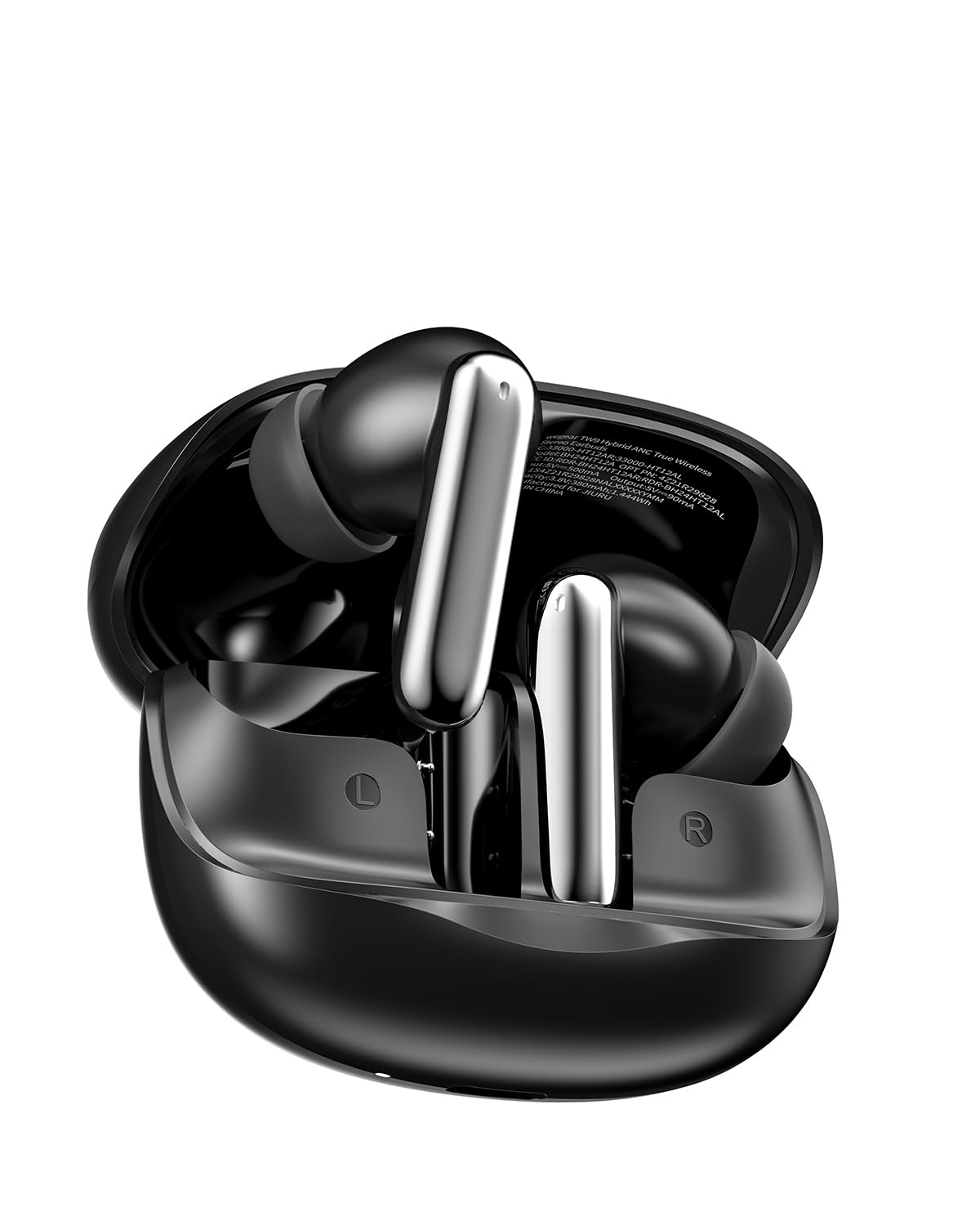
Figure 2: wegear TW9 Wireless Earbuds and Charging Case.

Figure 3: wegear TW9 Earbuds in use, highlighting their comfortable and secure fit.
Setup
1. Charging the Earbuds and Case
Before first use, fully charge the earbuds and charging case. Connect the provided USB-C cable to the charging port on the case and a power source. The indicator lights on the case will show the charging status. Once fully charged, the lights will indicate completion.

Figure 4: Charging the wegear TW9 Earbuds Case via USB-C.
2. Bluetooth Pairing
- Open the charging case. The earbuds will automatically enter pairing mode.
- On your device (smartphone, tablet, etc.), enable Bluetooth.
- Search for "wegear TW9" in the list of available Bluetooth devices and select it to connect.
- Once connected, you will hear an audio prompt, and the indicator lights on the earbuds will change.
Operating Instructions
Touch Controls
The wegear TW9 earbuds feature smart touch controls for easy management of your audio and calls. Refer to the diagram below for specific functions:

Figure 5: Smart Touch Control Functions.
Active Noise Cancelling (ANC)
The earbuds offer Hybrid Active Noise Cancelling up to 45 dB. To activate or deactivate ANC, use the designated touch control as shown in the touch control diagram. This feature helps block out ambient noise for an immersive listening experience.

Figure 6: Hybrid Active Noise Cancelling in action.
6-Mic AI Clear Calls
Equipped with 6 beamforming microphones and AI noise reduction, these earbuds ensure crystal-clear calls by capturing your voice and minimizing ambient noise. This is ideal for calls in noisy environments.

Figure 7: 6-Mic AI Noise Reduction for Clear Calls.
Premium Hi-Fi Stereo Sound
Experience deep, punchy bass and clear, detailed treble thanks to the powerful 12mm dynamic drivers. The 360° immersive sound design creates a theater-like audio experience.

Figure 8: 12mm Dynamic Drivers for Enhanced Audio.

Figure 9: 360° Immersive Surround Sound.
Low-Latency Gaming Mode
The advanced Bluetooth 5.4 chip supports a low-latency gaming mode, ensuring perfectly synchronized audio and visuals for an immersive gaming experience.

Figure 10: Ultra Low Latency for Gaming.
Comfort and Fit
The earbuds are designed for all-day comfort. They come with three sizes of soft silicone ear tips (S, M, L) to ensure a secure and comfortable fit for various ear shapes. Choose the size that provides the best seal for optimal sound and noise cancellation.

Figure 11: All-Day Comfortable Fit with Multiple Ear Tip Sizes.
Battery Life and Charging
The wegear TW9 earbuds offer extended listening times:
- Normal Mode: Up to 8 hours on a single charge, or up to 30 hours with the charging case.
- ANC On: Up to 6 hours of playback, extendable to 22 hours with the charging case.
A quick 10-minute charge can provide up to 2 hours of playtime.

Figure 12: Extended Battery Life and Fast Charging.
Multipoint Connection
The earbuds support multipoint connection, allowing you to connect to two devices simultaneously and switch between them seamlessly.
- Power on earbuds; they will automatically become connectable. Connect them to Device A.
- Turn off Bluetooth on Device A.
- On Device B, search for "wegear TW9" and tap to connect.
- On Device A, tap "wegear TW9" to finish Multipoint Connection.

Figure 13: Multipoint Connection with Bluetooth 5.4.
Water Resistance
The earbuds are IPX4 water-resistant, making them suitable for workouts and outdoor activities. They are protected against splashing water from any direction. Note: The charging case is not water-resistant.

Figure 14: IPX4 Water Resistant Design.
Specifications
| Feature | Detail |
|---|---|
| Brand | wegear |
| Model Number | TW9 |
| Ear Placement | In Ear |
| Connectivity Technology | Wireless (Bluetooth 5.4) |
| Bluetooth Range | 39.37 Feet |
| Noise Control | Hybrid Active Noise Cancellation (up to 45 dB) |
| Microphones | 6-Mic AI Noise Reduction |
| Audio Driver Size | 12 Millimeters |
| Frequency Range | 20Hz - 20,000Hz |
| Battery Life (Earbuds) | 8 Hours (Normal Mode), 6 Hours (ANC On) |
| Total Playtime (with Case) | 30 Hours (Normal Mode), 22 Hours (ANC On) |
| Fast Charge | 10 minutes for 2 hours playtime |
| Water Resistance Level | IPX4 |
| Control Type | Touch Control |
| Material | Acrylonitrile Butadiene Styrene (ABS), Plastic |
Troubleshooting
- No Sound/Connection Issues: Ensure earbuds are charged and within Bluetooth range. Re-pair the earbuds with your device.
- ANC Not Working: Verify ANC is activated via touch control. Ensure ear tips provide a good seal in your ear canal.
- Poor Call Quality: Check for obstructions around the microphones. Ensure earbuds are properly seated.
- Earbuds Not Charging: Clean the charging contacts on both the earbuds and the case. Ensure the charging cable is securely connected to a working power source.
Warranty and Support
The wegear TW9 Wireless Earbuds come with a 1-Year Manufacturer Warranty. For warranty claims or technical support, please refer to the contact information provided in the included user manual or visit the official wegear website.