
1. Overview
The Godox iT32 TTL Camera Flash is a versatile lighting solution designed for photographers using various camera systems. It features a built-in 2.4GHz receiver and is compatible with the interchangeable magnetic X5 hotshoe (sold separately), allowing for seamless switching between different camera brands such as Canon, Nikon, Sony, Fujifilm, and Olympus. This design enhances creative flexibility by simplifying equipment compatibility.
The iT32 flash unit, when paired with the X5 trigger, functions as both an on-camera hotshoe mount and a wireless transmitter. This dual functionality enables smooth transitions between on-camera and off-camera flash setups. The system supports effortless multi-light synchronization, intelligent recognition of the attached X5 version, and real-time display of key information like battery level and charging status. Its magnetic interface ensures quick and secure attachment, streamlining your workflow.
2. What's in the Box
Please check to ensure all items are included in your package:
- 1 x Flash Body (iT32)
- 1 x USB-C Charging Cable
- 1 x Magnetic Mini Stand
- 1 x Diffuser
- 1 x Magnetic Color Filter (1/1 orange)
- 1 x Magnetic Color Filter (1/2 orange)
- 1 x Storage Bag
- 1 x Instruction Manual (this document)

Image: The complete contents of the Godox iT32 flash package, including the flash body, USB-C cable, mini stand, diffuser, color filters, and storage bag.
3. Key Features
- Universal Compatibility: The iT32 and X5 (sold separately) provide a universal solution for various camera systems, allowing instant switching between brands by changing the X5 version.
- Dual Functionality: The X5 (sold separately) acts as both a hotshoe mount and a wireless transmitter, enabling seamless transitions between on-camera and off-camera use.
- Effortless Multi-Light Sync: Equipped with a built-in 2.4GHz receiver in the iT32 and a 2.4GHz sender in the X5, ensuring instant wireless communication and control of multiple Godox flashes.
- Intelligent Recognition & Real-Time Display: The iT32 automatically identifies the attached X5 version, displaying model type, battery level, and charging status on its screen.
- Magnetic Mounting: A stable, one-click magnetic interface between iT32 and X5 for quick attachment and detachment.
- Rotatable Flash Head: The flash head can rotate 90° up and 270° left/right for flexible lighting angles.
- Built-in Reflector & Diffuser: Integrated panels for soft and stunning lighting.
- USB-C Fast Charging: Convenient and rapid charging via USB-C.
- TTL & HSS Flexibility: Supports Through-The-Lens (TTL) metering and High-Speed Sync (HSS) for diverse shooting conditions.
- LED Modeling Lamp: Provides continuous light for focusing and previewing lighting effects.
4. Setup Guide
4.1 Battery Installation and Charging
The iT32 flash uses one nonstandard battery (included). Ensure the battery is fully charged before first use. Connect the provided USB-C charging cable to the flash unit and a suitable USB power source. The screen will indicate charging status.

Image: The Godox iT32 flash unit connected via USB-C for charging, illustrating the charging port and screen display.
4.2 Mounting the Flash
To mount the iT32 flash onto your camera, first ensure the X5 flash trigger (sold separately) is securely inserted into your camera's hot shoe and locked in place. Then, magnetically attach the iT32 flash unit to the X5 trigger. The magnetic interface ensures a firm and quick connection.

Image: The Godox iT32 flash unit attached to a camera's hot shoe via the X5 trigger, ready for use.
4.3 Powering On and Initial Setup
Long-press the power button on the iT32 unit until the instruction appears on the screen. Swipe up on the screen or rotate the dial clockwise to unlock and power on the device. The screen will display the current mode and settings.
Video: This video demonstrates the initial power-on sequence, touchscreen navigation, and basic button controls of the Godox iT32 flash unit. It shows how to unlock the screen and access various functions.
5. Operating Instructions
5.1 On-Camera Flash Mode (TTL & Manual)
When the iT32 is mounted on your camera via the X5 trigger, it operates in on-camera mode. You can switch between TTL (Through-The-Lens) and Manual (M) modes using the touchscreen interface or the dial and buttons. In TTL mode, the flash automatically adjusts its output for correct exposure. In Manual mode, you have full control over the flash power (1/1 to 1/256).
- Adjusting Flash Power (M Mode): Use the '+' and '-' icons on the touchscreen or rotate the dial to adjust flash power in 0.3 increments. A slider bar is available for rapid power changes.
- Exposure Distance Indicator: Adjust your camera settings to display the correct flash distance range on the iT32 screen.
- TTL Mode: Swipe down on the screen to switch to TTL mode. Drag the yellow slider to adjust flash exposure compensation.

Image: The Godox iT32 flash unit displaying its TTL and HSS capabilities on the screen, highlighting its flexible exposure control.
5.2 Off-Camera Flash Mode & Wireless Sync
Separate the iT32 from the X5 trigger to seamlessly switch to off-camera flash mode. The X5 trigger (now detached from the iT32) can wirelessly control the iT32 or other Godox Wireless X System flashes. The iT32 features a built-in 2.4GHz receiver for instant wireless communication without manual pairing.
- Button Control (X5 Trigger): Use the '+' and '-' buttons on the X5 trigger to increase/decrease exposure. Long-press 'M' to switch between M and TTL modes.
- Checking X5 Battery Status: Long-press the '-' button on the X5 trigger to check its battery status. Red indicator light flashes: 1 flash = low battery, 4 flashes = fully charged.
- Switching X5 Triggers: The iT32 light unit seamlessly switches between different X5 trigger versions (e.g., X5C, X5S, X5N, X5F, X5O).
- Sender Mode: Swipe down on the iT32 screen to enter Sender mode. Pair with other Godox 2.4GHz wireless flashes.
- Receiver Mode: Syncs wirelessly with X3Pro / X3 trigger. Tap to sync channel & ID quickly.
- Wireless Settings: Manually set channel or ID for wireless operation.
Video: This video provides a comprehensive operation tutorial for the Godox iT32 iFlash Camera Flash, covering various modes, settings, and wireless synchronization with X5 triggers and the Godox 2.4GHz Wireless X System.
5.3 Using Built-in Reflector and Diffuser
The iT32 features a built-in reflector and a wide-angle diffuser. Pull out the reflector to bounce light or use the diffuser to soften the flash output for more even illumination. Magnetic accessories like color filters can also be attached for creative lighting effects.
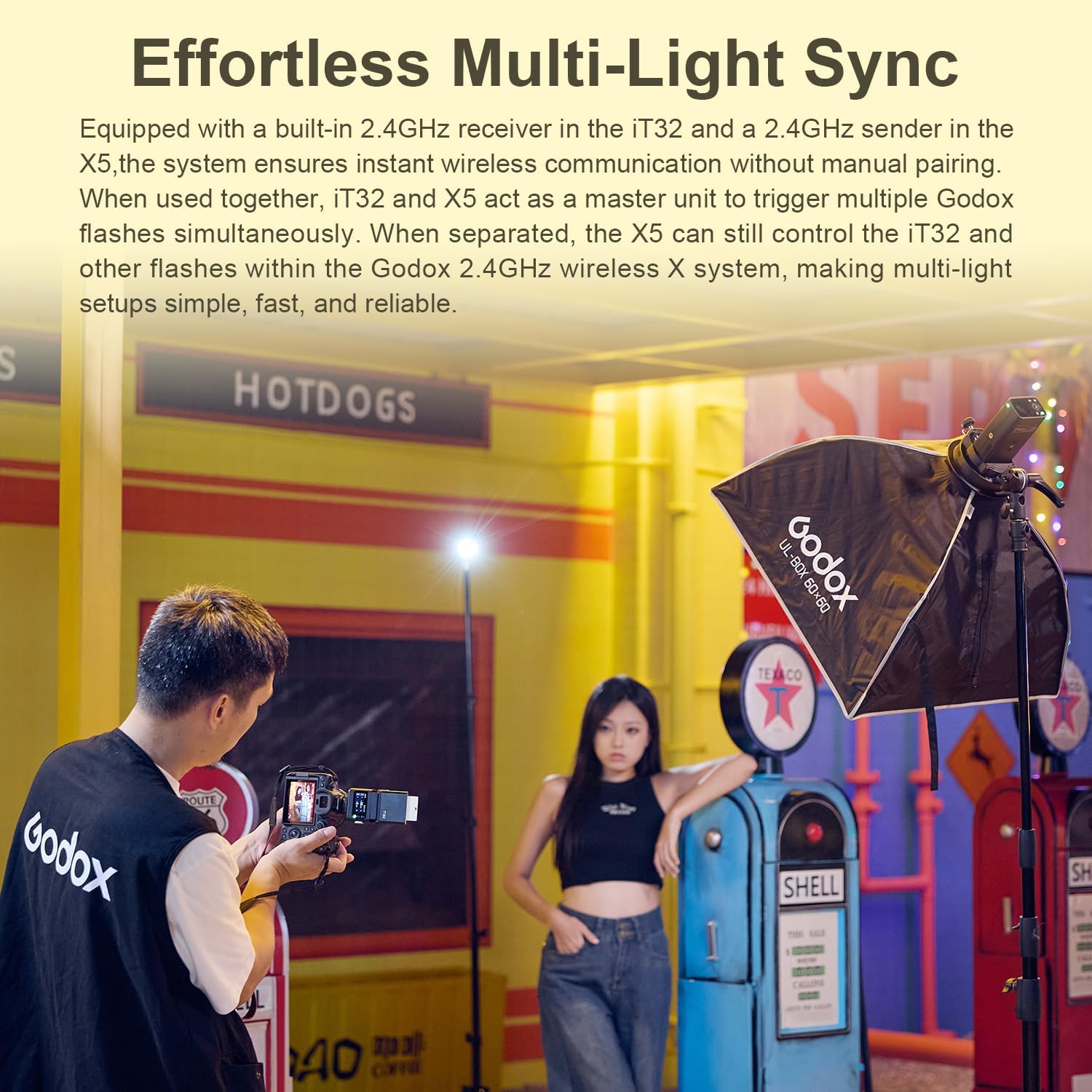
Image: The Godox iT32 flash unit with its built-in diffuser panel extended, demonstrating its capability for soft lighting.
5.4 Modeling Light
The iT32 includes an LED modeling lamp. Access the modeling light settings through the menu to adjust its stepless brightness. This feature is useful for previewing lighting and assisting with focus in low-light conditions.
Image: The Godox iT32 flash unit with its LED modeling lamp illuminated, demonstrating its continuous light feature.
5.5 Other Functions
- TCM (TTL Converted to Manual): Convert TTL metering parameters to Manual mode for consistent lighting.
- Photocell (S1/S2): S1 mode fires in sync with the master's first flash. S2 mode fires in sync with the master's second flash (pre-flash ignored).
- Sync Mode: Supports Front-curtain, High-speed, and Rear-curtain sync modes.
- Stroboscopic Flash (Multi): Allows for multiple flashes during a single exposure to capture motion.
- Screen Lock: Long-press the screen or SET button for 2 seconds to unlock.
- Auto Off: Set the auto-off timer (30, 60, 90 minutes).
- Screen Standby: Set the screen standby timer (1, 2 minutes).
- Screen Brightness Adjustment: Adjust the display brightness for optimal viewing.
- Bootup Settings: Configure whether the device unlocks automatically at bootup.
- Language: Select between English and other available languages.
- Factory Reset: Restore all settings to their factory defaults.
- Device Info: View model and firmware version information.
6. Maintenance
- Cleaning: Use a soft, dry cloth to clean the flash unit. For stubborn dirt, a slightly damp cloth can be used, followed by immediate drying. Avoid harsh chemicals or abrasive materials.
- Storage: When not in use for extended periods, store the flash in its storage bag in a cool, dry place, away from direct sunlight and extreme temperatures.
- Battery Care: If storing for a long time, ensure the battery is partially charged (around 50%) to prolong its lifespan. Recharge periodically if stored for several months.
- Avoid Moisture: The iT32 is not water-resistant. Protect it from rain, splashes, and high humidity.
7. Troubleshooting
- Flash Not Firing:
- Check if the flash is powered on and fully charged.
- Ensure the flash is securely mounted on the camera's hot shoe via the X5 trigger.
- Verify camera and flash settings (e.g., flash mode, sync mode).
- If using off-camera, ensure the X5 trigger and iT32 are on the same channel and ID.
- Inconsistent Exposure:
- In TTL mode, check flash exposure compensation settings.
- In Manual mode, adjust flash power output.
- Ensure the flash head is positioned correctly for the subject and environment.
- Wireless Sync Issues:
- Confirm both the iT32 and X5 trigger are set to the correct channel and ID.
- Check for obstructions between the trigger and flash unit.
- Ensure batteries in both units are adequately charged.
- Screen Unresponsive:
- The screen might be locked. Long-press the screen or SET button for 2 seconds to unlock.
- Restart the device.
8. Specifications
| Brand | GODOX |
| Model Name | IT32 |
| Compatible Mountings | Canon Cameras, Nikon Cameras, Sony Cameras, Fuji Cameras, Olympus Cameras, etc. |
| Camera Flash Type | Built-In |
| Flash Sync Speed | 1/250s |
| Connectivity Technology | Hot Shoe |
| Guide Number | 18 |
| Number of Batteries | 1 Nonstandard Battery (included) |
| Wireless Technology | RF (2.4GHz Godox Wireless X System) |
| Mount Type | Hot Shoe Mount |
| Shooting Modes | Auto, On, Off, High Speed Sync |
| Exposure Control Type | TTL |
| Water Resistance Level | Not Water Resistant |
| Viewfinder Type | LCD screen |
9. Warranty and Support
The Godox iT32 TTL Camera Flash comes with a 1-year warranty from the date of purchase. Please retain your proof of purchase for warranty claims.
For technical support, troubleshooting assistance, or warranty service, please contact your retailer or visit the official Godox website for contact information.