
Introduction
Thank you for choosing the MageGee TS68 Mini 60% Gaming Keyboard. This ultra-compact keyboard is designed for both gaming and office use, featuring RGB backlighting, a waterproof circuit board, and an ergonomic design for comfortable, long-term use. This manual provides detailed instructions for setup, operation, maintenance, and troubleshooting to ensure optimal performance.

Image: Overview of the MageGee TS68 keyboard highlighting its features like RGB lighting, 19-key rollover, ergonomic design, multifunctional knob, and 68 keys.
Package Contents
- MageGee TS68 Mini 60% Gaming Keyboard
- USB-C Cable
- User Manual
Setup Instructions
Follow these steps to set up your MageGee TS68 keyboard:
- Connect the Keyboard: Plug the USB-C end of the provided cable into the keyboard's port and the USB-A end into an available USB port on your computer (PC, Mac, PS4, Xbox ONE).
- Driver Installation: The keyboard is plug-and-play. Your operating system will automatically detect and install the necessary drivers. No additional software is required.
- Placement: Position the keyboard comfortably on your desk. The compact 60% layout saves desk space.

Image: The MageGee TS68 keyboard showing its USB-C connection port and cable, indicating compatibility with Mac and Windows systems.
Operating Instructions
RGB Backlight Control
The TS68 keyboard features customizable RGB backlighting. Use the following key combinations to adjust the lighting effects:
- FN + \|: Switch between different backlight modes.
- FN + BACK: Turn the backlight On/Off.
- FN + [{: Increase backlight brightness.
- FN + ]}: Decrease backlight brightness.
- FN + <: Decrease backlight speed.
- FN + >: Increase backlight speed.

Image: A visual guide to the FN key combinations for controlling RGB backlight modes, brightness, speed, and other keyboard functions.
Multifunctional Knob
The rotary knob located on the upper-right corner of the keyboard provides convenient volume control:
- Press FN, then scroll the knob: Adjust system volume.

Image: A close-up view of the multifunctional knob, illustrating its use for volume adjustment by pressing FN and then scrolling.
Additional Key Functions
The TS68 keyboard utilizes FN key combinations for various functions due to its compact layout:
- FN + DEL: Scroll Lock (Scr)
- FN + ESC: Tilde (~)
- FN + WIN: Lock/Unlock Windows Key
- FN + W: Switch WASD and directional keys.
- FN + F1 to F12: Access multimedia and function keys.
Compatibility
The TS68 keyboard is compatible with a wide range of operating systems and devices, including:
- Windows 10 / 8 / 7 / Vista / XP
- Mac OS
- PS4 / PS5
- Xbox ONE

Image: The MageGee TS68 keyboard integrated into a gaming setup, illustrating its broad compatibility with various platforms including PC, PlayStation, Xbox, and macOS.
Maintenance
To ensure the longevity and optimal performance of your keyboard, follow these maintenance guidelines:
- Cleaning: The keyboard's circuit board is IPX4 certified waterproof, allowing for easy cleaning of spills. However, the USB-C interface is not waterproof. Disconnect the keyboard before cleaning. Use a soft, damp cloth to wipe the surface. For deeper cleaning, keycaps can be carefully removed.
- Avoid Extreme Conditions: Do not expose the keyboard to extreme temperatures, direct sunlight, or high humidity.
- Proper Storage: When not in use, store the keyboard in a clean, dry environment.
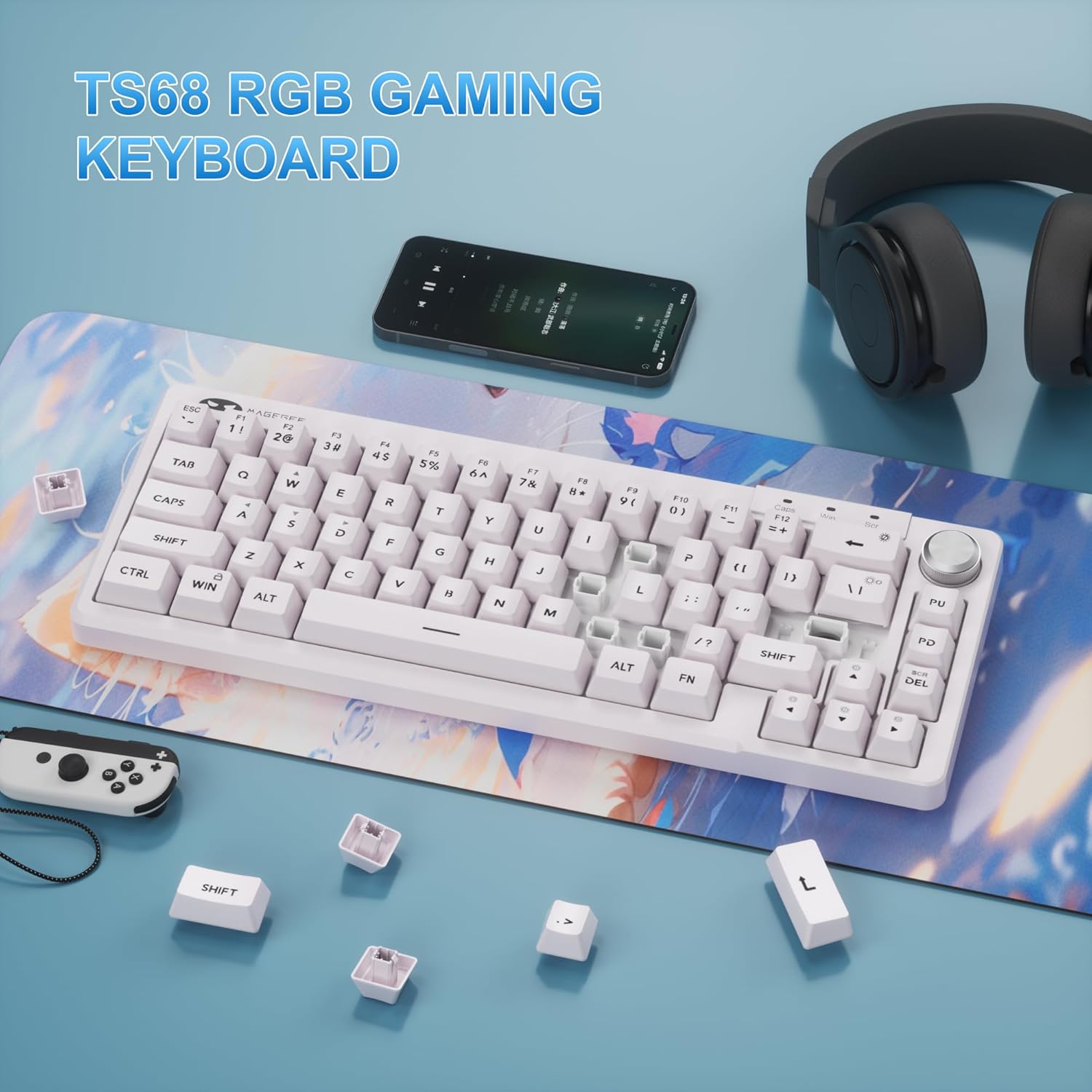
Image: The MageGee TS68 keyboard with some keycaps detached, demonstrating how they can be removed for cleaning or customization.
Troubleshooting
If you encounter issues with your MageGee TS68 keyboard, refer to the following common solutions:
- Keyboard Not Responding:
- Ensure the USB-C cable is securely connected to both the keyboard and your computer.
- Try connecting the keyboard to a different USB port on your computer.
- Test the keyboard on another computer to rule out system-specific issues.
- Backlight Not Working:
- Press FN + BACK to ensure the backlight is turned on.
- Adjust brightness using FN + [{ and FN + ]}.
- Keys Not Registering:
- Clean around the affected keys to remove any debris.
- Ensure the Windows key is not locked (FN + WIN).
- Volume Knob Not Functioning:
- Ensure you are pressing FN before scrolling the knob.
If the issue persists after trying these steps, please contact customer support.
Specifications
| Feature | Detail |
|---|---|
| Brand | MageGee |
| Model Number | TS68 |
| Connectivity Technology | USB-C |
| Keyboard Description | Compact (60% Layout) |
| Number of Keys | 68 |
| Switch Type | Mechanical Feeling (Membrane) |
| Backlighting | RGB Backlit |
| Special Features | Waterproof (IPX4 Circuit Board), Ergonomic Design, Volume Knob |
| Compatible Devices | Laptop, PC, Tablet, PS4, Xbox ONE |
| Compatible OS | Windows 10/8/7/Vista/XP, Mac OS |
| Material | Plastic |

Image: The MageGee TS68 keyboard with its physical dimensions clearly marked, showing its compact size.
Warranty and Support
MageGee provides a one-year warranty for the TS68 Mini 60% Gaming Keyboard. Should you have any questions about the product, require technical assistance, or need to claim warranty service, please contact our customer support team. We offer round-the-clock consultation to assist you.
For support, please refer to the contact information provided on the product packaging or the official MageGee website.
Product Video Overview
Video: A brief overview of the MageGee TS91 Mini Keyboard, showcasing its design and features. Note: The product model is TS68, but this video is provided by the seller and is relevant to the product line.
