1. Introduction
This manual provides detailed instructions for the operation and maintenance of your SWOFY M4 MP3 Player. Please read this manual thoroughly before using the device to ensure proper functionality and to maximize your user experience.
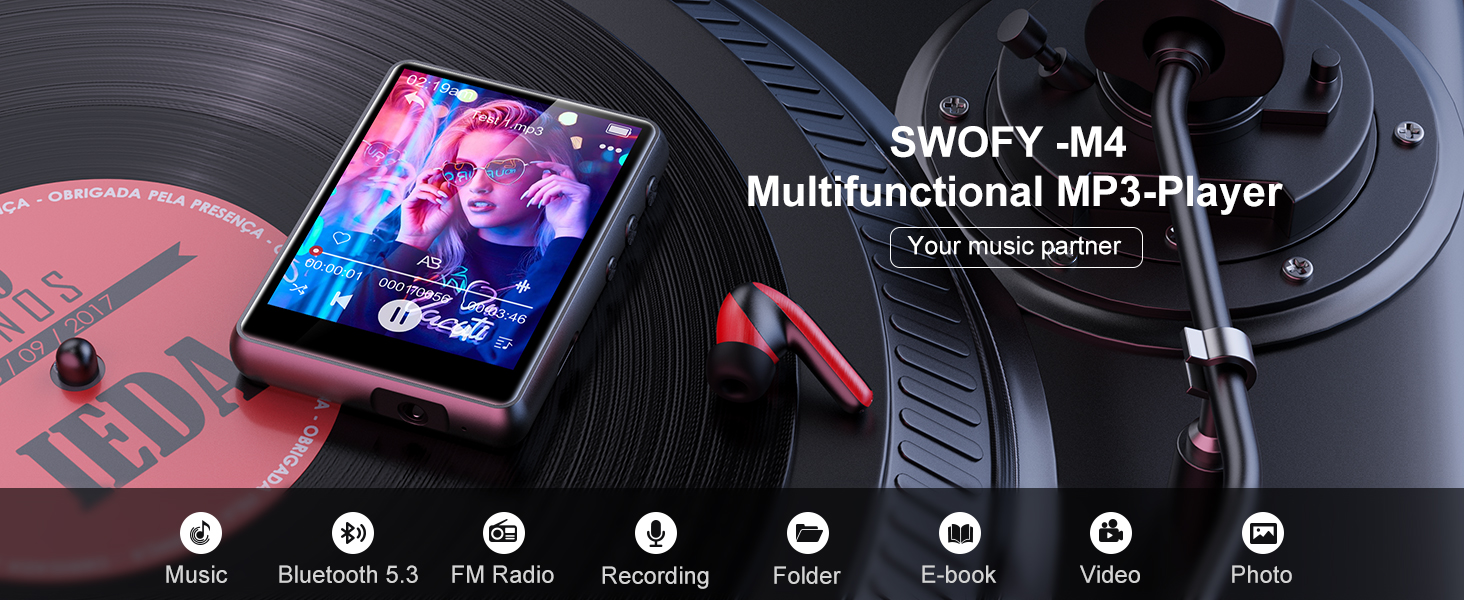
Image: The SWOFY M4 MP3 Player, highlighting its multifunctional capabilities.
2. Package Contents
Verify that all items are present in the package:
- 1x SWOFY M4 MP3 Player (64GB)
- 1x Wired Earbuds
- 1x USB Type-C Charging Cable
- 1x User Manual
- 1x Protective Cover

Image: Contents of the SWOFY M4 MP3 Player package.
3. Device Overview
The SWOFY M4 MP3 Player features a 2.4-inch full touch screen and a compact design. It includes a built-in speaker, FM radio, voice recorder, and supports e-books and video playback.

Image: Front view of the SWOFY M4 MP3 Player during music playback.
3.1 Built-in Speaker
The device includes an integrated HD speaker, allowing audio playback without headphones.

Image: Highlighting the device's audio output capabilities, including its built-in speaker.
4. Setup
4.1 Charging the Device
Before first use, fully charge the MP3 player. Connect the provided USB Type-C cable to the device and a power source (e.g., computer USB port or a USB wall adapter). A full charge typically takes approximately 2 hours.

Image: The MP3 player connected for charging via its USB Type-C port.
4.2 Powering On/Off
- To power on: Press and hold the power button until the screen illuminates.
- To power off: Press and hold the power button, then follow the on-screen prompts to shut down.
4.3 Inserting a Micro SD Card
The device has 64GB of internal storage and supports external memory expansion up to 128GB via a Micro SD card. Locate the Micro SD card slot on the side of the device. Gently insert the Micro SD card until it clicks into place. Ensure the card is inserted in the correct orientation.

Image: Illustrates the expandable storage capability with a Micro SD card.
5. Operating Instructions
5.1 Basic Navigation
The SWOFY M4 features a 2.4-inch full touch screen. Swipe left/right or tap icons to navigate through menus and select functions.
5.2 Transferring Files
Connect the MP3 player to your computer using the USB Type-C cable. The device will appear as a removable disk. You can then drag and drop music, video, e-book, and other compatible files into the appropriate folders on the device or inserted Micro SD card.

Image: Demonstrates connecting the device for file transfer.
5.3 Bluetooth Pairing
The MP3 player supports Bluetooth 5.3 for connecting to Bluetooth headphones or speakers. It acts as a unilateral transmitter.
- Go to the Bluetooth settings on your MP3 player.
- Ensure Bluetooth is enabled on both your MP3 player and the target device (headphones/speaker).
- Select "Search for devices" on the MP3 player.
- Choose your Bluetooth headphones or speaker from the list to pair.
Note: The MP3 player cannot perform Bluetooth data transmission or connect to mobile phones and computers via Bluetooth.

Image: The MP3 player paired with Bluetooth earbuds.
5.4 Music Playback
From the main menu, select the "Music" icon. You can browse music by title, artist, album, or folder. The player supports MP3, WMA, APE, FLAC, WAV, DRM, and ACELP formats.
- AB Repeat: Allows repeating a specific segment of a song.
- 8 Speed Playback: Adjust playback speed.
- Equalizer: Customize audio output.

Image: Music playback settings and options on the device.
5.5 FM Radio
To use the FM radio, connect the wired earbuds (acting as an antenna) to the device. Select the "FM Radio" icon from the main menu. You can scan for stations or manually tune to a frequency.

Image: The MP3 player showing the FM radio interface with wired headphones.
5.6 Voice Recording
Select the "Recorder" icon to access the voice recording function. Tap the record button to start and stop recordings. Recorded files are saved on the device.

Image: The MP3 player's voice recording function in use.
5.7 E-book Reading
Transfer compatible e-book files to the device. Select the "E-books" icon to browse and read your e-books.

Image: Reading an e-book on the MP3 player's touch screen.
5.8 Video Playback
Transfer compatible video files to the device. Select the "Videos" icon to browse and play your videos.

Image: Video playback on the MP3 player's screen.
5.9 Image Viewing
Transfer compatible image files to the device. Select the "Photos" or "Gallery" icon (depending on firmware) to browse and view your images.

Image: Viewing images on the MP3 player's touch screen.
5.10 Other Functions
The device also includes an alarm clock and calendar functions, accessible from the main menu.
6. Maintenance
- Cleaning: Use a soft, dry cloth to clean the device. Avoid liquid cleaners or abrasive materials.
- Battery Care: To prolong battery life, avoid fully discharging the battery frequently. Charge the device regularly, even if not in use for extended periods.
- Storage: Store the device in a cool, dry place away from direct sunlight and extreme temperatures.
7. Troubleshooting
| Problem | Possible Solution |
|---|---|
| Device does not power on. | Ensure the device is fully charged. Connect it to a power source and try again. |
| Cannot connect via Bluetooth. |
|
| Files not transferring to the device. |
|
| Poor FM radio reception. | Ensure wired earbuds are properly connected, as they function as the antenna. Try moving to an area with better signal. |
8. Specifications
| Feature | Detail |
|---|---|
| Model Name | M4 |
| Screen Size | 2.4 Inches (240*320 resolution) |
| Internal Storage | 64GB |
| Expandable Storage | Up to 128GB via Micro SD card |
| Connectivity | Bluetooth 5.3, USB 2.0 (Type-C) |
| Battery | 300mAh Lithium-ion |
| Battery Life (Wired Earbuds) | Approx. 50 hours |
| Battery Life (FM Radio Recording) | Approx. 7.5 hours |
| Charging Time | Approx. 2 hours |
| Supported Audio Formats | MP3, WMA, APE, FLAC, WAV, DRM, ACELP |
| Special Features | Built-In Speaker, Equalizer, FM Radio, Touch Screen, Video Playback, Voice Recorder, E-book Reader, Alarm Clock, Calendar, Image Viewer |
| Dimensions | 5.79 x 5.71 x 0.94 inches (Package) |
| Item Weight | 6.7 ounces |
9. Warranty and Support
SWOFY offers a one-year return policy for this product. For any inquiries or assistance, please contact SWOFY customer support. We guarantee a response within 24 hours.
For further support, please refer to the official SWOFY store on Amazon: SWOFY Store


