
1. Product Overview
The SUNKTA FV23-E Smart Watch is designed to enhance your daily life with its advanced features and stylish design. This manual provides essential information for setup, operation, and maintenance.

Image 1.1: The SUNKTA FV23-E Smart Watch, showcasing its elegant design and included straps.
What's in the Box:
- Smartwatch × 1
- Mesh Strap × 1
- Silicone Strap × 1
- Magnetic Charger × 2 (USB-A and Type-C)
- 2-year warranty card × 1
2. Getting Started
2.1 Charging the Smart Watch
Before first use, fully charge your smartwatch. The device comes with two magnetic charging cables (USB-A and Type-C) for convenience.
- Connect the magnetic charging cable to a 5V-1A adapter or a USB port on your computer.
- Align the magnetic end of the cable with the charging contacts on the back of the watch. The watch will automatically attach and begin charging.
- It is recommended to charge the device once a month to ensure longevity and optimal performance, even if not in regular use.
Video 2.1: This video demonstrates the unboxing process, initial setup, and charging of the smartwatch, including the use of the dual charging cables.
2.2 App Download and Pairing
To unlock the full potential of your SUNKTA FV23-E Smart Watch, download the Fit CloudPro app and pair it with your smartphone.
- Scan the QR code displayed on the watch screen or in the manual to download the Fit CloudPro app from the App Store (iOS) or Google Play (Android).
- Enable Bluetooth on your smartphone.
- Open the Fit CloudPro app, navigate to the 'Device' section, and tap 'Add Device'.
- Select 'FV23' from the list of available devices to initiate pairing. Confirm the pairing request on both your phone and the watch.
- Allow the smartwatch to display notifications and grant necessary permissions for contacts and call history.

Image 2.2: A visual guide detailing the steps to connect the smartwatch to your smartphone using the Fit CloudPro application.
3. Operating Your Smart Watch
3.1 Basic Navigation
The 1.32-inch AMOLED display offers intuitive touch controls for easy navigation.
- Swipe Up/Down: Scroll through menus and notifications.
- Swipe Left/Right: Access quick functions like heart rate, weather, and music control.
- Tap: Select an item or confirm an action.
- Press Side Button: Return to the watch face or power on/off.
3.2 Customizing Watch Faces
Personalize your smartwatch with a variety of watch faces.
- The watch comes with 5 pre-installed designs.
- Access over 200 additional watch faces through the Fit CloudPro app.
- You can also upload your own photos to create custom wallpapers directly from the app.
Image 3.1: The smartwatch showcasing its vibrant AMOLED display and a selection of customizable watch faces.
3.3 Bluetooth Calling and Notifications
Stay connected directly from your wrist.
- Bluetooth Calling: With a built-in microphone and speaker, you can answer, reject, or make calls directly from the watch. Ensure 'Call Audio' is enabled in the app's Bluetooth settings.
- Message Notifications: Receive alerts from popular social media platforms (WhatsApp, Facebook, Instagram, etc.), SMS, and emails. Enable desired notifications in the Fit CloudPro app under 'Push Notifications'.

Image 3.2: The smartwatch displaying incoming calls, message notifications, and real-time weather updates.
3.4 Additional Smart Features
- Music Control: Play, pause, skip tracks, and adjust volume for music playing on your phone.
- Remote Camera: Use your watch as a remote shutter to take photos on your smartphone.
- Voice Assistant: Access your phone's voice assistant for quick commands and information.
- Weather Updates: Get real-time weather forecasts directly on your watch.
- Alarms & Reminders: Set alarms, sedentary reminders, and hydration prompts.
- Find Phone: Locate your misplaced phone by triggering an alert from your watch.
- Always-on Display: Customize the clock to check the time without touching the screen.

Image 3.3: An overview of various smart features available on the watch, such as music control, phone finder, weather, alarms, voice assistant, and remote camera.
4. Health and Fitness Tracking
The SUNKTA FV23-E Smart Watch is your personal health and fitness companion.
4.1 Sports Modes
Track your workouts with over 100 sports modes.
- Select from activities like walking, running, yoga, tennis, basketball, and more.
- The watch automatically records daily steps, distance traveled, calories burned, and active minutes.
- Sync data with the Fit CloudPro app for detailed insights and progress tracking.
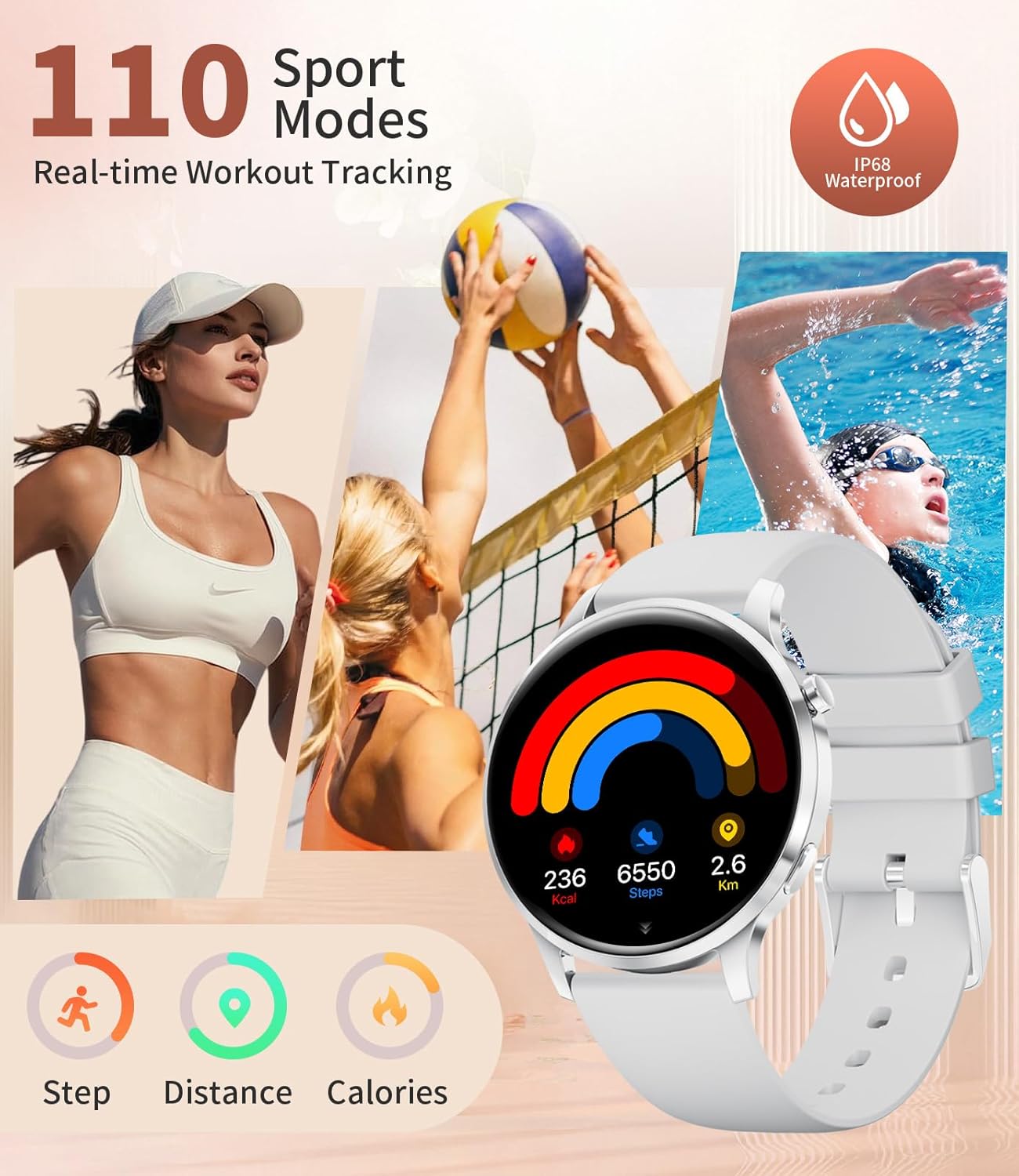
Image 4.1: The smartwatch interface showing various sport modes and real-time tracking of steps, distance, and calories.
4.2 Health Monitoring
High-performance optical sensors continuously monitor key health metrics.
- Heart Rate: Continuous heart rate tracking throughout the day.
- Blood Oxygen: Monitor your blood oxygen saturation levels.
- Stress Levels: Track and understand your stress patterns.
- Sleep Quality: Analyze sleep stages (deep, light, awake) to improve sleep habits.

Image 4.2: Displays the watch's capability to monitor heart rate, blood oxygen, stress levels, and sleep patterns.
4.3 Women's Health Tracking
Dedicated features for women's health management.
- Physiological Cycle Reminder: Track menstrual and ovulation periods, and predict your next cycle.
- Pregnancy Tracking: Stay connected and monitor progress during pregnancy.

Image 4.3: The smartwatch interface showing women's health tracking features, including period, gestation, ovulation, and prediction.
5. Maintenance and Care
5.1 Water Resistance
The SUNKTA FV23-E Smart Watch is IP68 rated, meaning it is protected against dust and can withstand immersion in water up to 1.5 meters for 30 minutes. It is suitable for daily use, including washing hands, swimming, and exposure to rain or splashes.
Video 5.1: This video demonstrates the water resistance of the smartwatch, showing it being exposed to water splashes and immersion.
Note: While water-resistant, avoid prolonged exposure to hot water, steam, or high-pressure water jets, as this may compromise the seal.
5.2 General Care
- Clean the watch regularly with a soft, dry cloth.
- Avoid using harsh chemicals or abrasive materials.
- Ensure the charging contacts are clean and dry before charging.
6. Troubleshooting
If you encounter any issues with your SUNKTA FV23-E Smart Watch, please refer to the following common solutions:
- Watch not turning on: Ensure the watch is fully charged. Connect it to the charger for at least 15 minutes.
- Unable to pair with phone: Make sure Bluetooth is enabled on your phone and the watch is within range. Restart both the watch and your phone, then try pairing again. Ensure the Fit CloudPro app has all necessary permissions.
- Notifications not received: Check the 'Push Notifications' settings in the Fit CloudPro app to ensure they are enabled for the desired applications. Also, verify that your phone's notification settings allow the app to send alerts.
- Inaccurate health data: Ensure the watch is worn snugly on your wrist, about one finger's width from your wrist bone. Keep the sensor clean.
- Short battery life: Reduce screen brightness, disable unnecessary features like continuous heart rate monitoring if not needed, and limit frequent screen wake-ups.
For further assistance, please contact our customer service team.
7. Specifications
| Feature | Specification |
|---|---|
| Model Number | FV23-E |
| Display Size | 1.32 Inches |
| Display Type | AMOLED |
| Connectivity | Bluetooth |
| Operating System Compatibility | Android 5.0+, iOS 9.0+ |
| Battery Capacity | 200 Milliamp Hours |
| Water Resistance | IP68 |
| Memory Storage Capacity | 128 MB |
| Item Weight | 7 ounces |
8. Warranty and Support
SUNKTA stands behind the quality of its products. Your FV23-E Smart Watch comes with a 24-month worry-free product warranty, which includes replacement, return, or accessory replacement services.
If you have any questions or concerns about your smartwatch, please do not hesitate to contact our dedicated Customer Service Team. We are committed to providing excellent support and ensuring your satisfaction.