
1. Introduction
This manual provides detailed instructions for the installation, operation, and maintenance of your VORGUT 4K Wireless Security Camera System F2. Please read this manual thoroughly before using the product to ensure proper functionality and safety. Keep this manual for future reference.
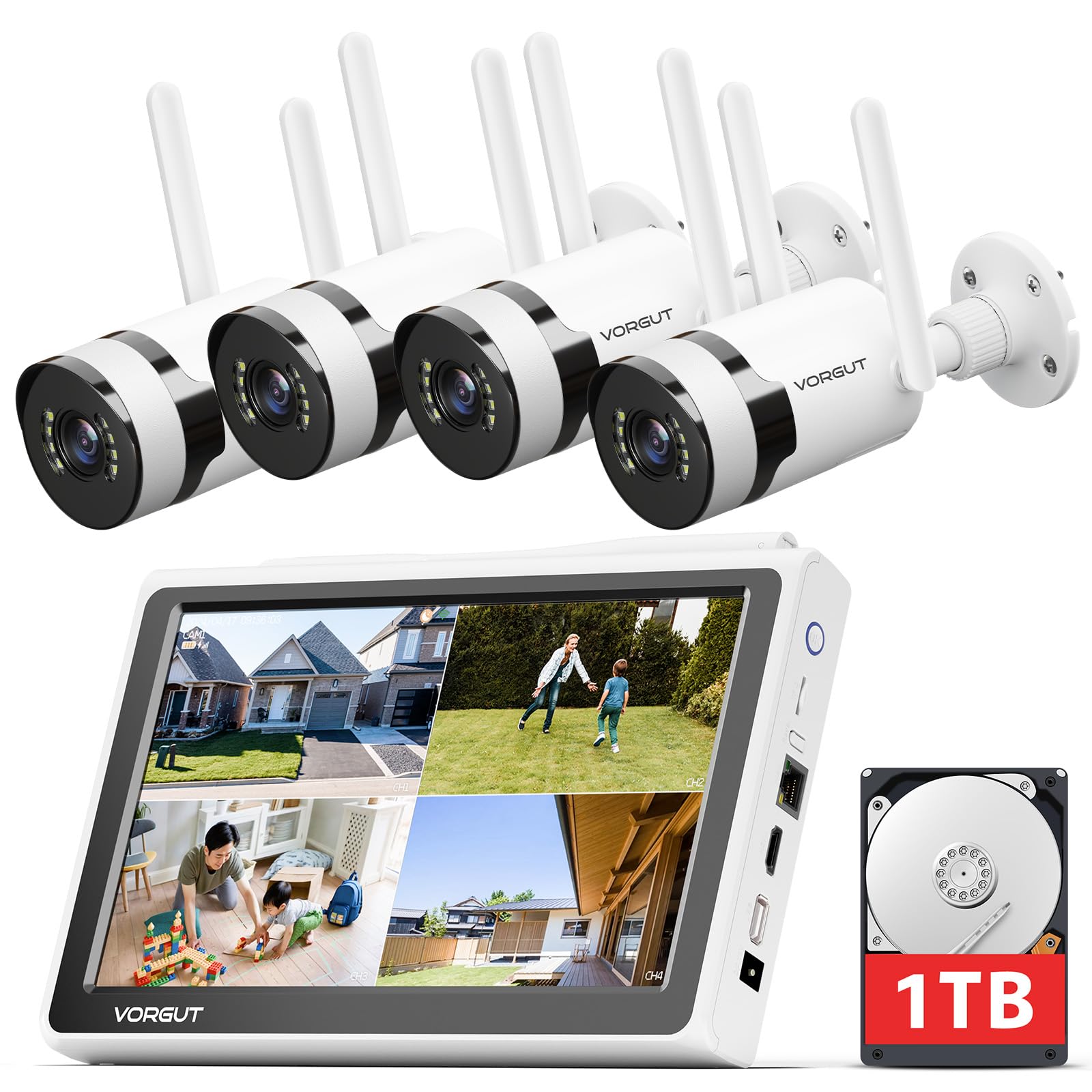
Image: Overview of the VORGUT 4K Wireless Security Camera System F2, showing the camera and monitor.

Image: A banner highlighting key features of the VORGUT 4K Wireless Security Camera System F2, including 8MP resolution, 2.4G/5G WiFi, 24-hour recording, plug & play, human detection, and high-performance night vision.
2. Package Contents
Verify that all items listed below are included in your package. If any items are missing or damaged, please contact customer support.
- 4x VORGUT 4K Wireless Security Cameras
- 1x 10-inch Monitor with Built-in NVR
- 1x 1TB Hard Disk Drive (pre-installed in NVR)
- 4x 12V1A Power Adapters for Cameras
- 1x 12V2A Power Adapter for Monitor/NVR
- 1x User Manual
- 4x Warning Stickers
- 1x LAN Cable
- 4x Screw Sets for Camera Installation

Image: Visual representation of all items included in the VORGUT 4K Wireless Security Camera System F2 package, such as cameras, monitor, power adapters, HDD, manual, stickers, LAN cable, and screw sets.

Image: A detailed layout of the package contents, showing 4 cameras, 4 power adapters for cameras, 1 monitor, 1 power adapter for the monitor, 1TB HDD, 1 manual, 4 warning stickers, 1 LAN cable, and 4 screw sets.
3. Setup Instructions
3.1 Initial Setup (Plug & Play)
- Connect Power to Cameras: Plug each camera into a power outlet using the provided 12V1A power adapters.
- Connect Power to Monitor/NVR: Plug the 10-inch monitor (NVR) into a power outlet using the provided 12V2A power adapter.
- Automatic Pairing: The cameras will automatically connect to the monitor within seconds. You should see the camera feeds appear on the monitor.

Image: A diagram illustrating the automatic pairing process: 1) Plug in camera power, 2) Power on the recorder (monitor), 3) Video appears after a few seconds.

Video: An introduction to the components of a security camera system, demonstrating how to connect the camera and monitor for initial setup.
3.2 Network Connection (Optional for Remote Access)
- Connect NVR to Router: Use the provided LAN cable to connect the NVR to your internet router.
- Download Mobile App: Download the dedicated mobile application (refer to the manual for app name and QR code) on your smartphone.
- Add Device in App: Follow the in-app instructions to add your NVR system. This typically involves scanning a QR code on the NVR or entering its device ID.
- Live View and Playback: Once added, you can view live feeds and playback recordings remotely via the app.

Image: Demonstrates the simple setup process and the system's expandability, showing the monitor connected to a router and the ability to add up to 10 cameras.

Image: Screenshots of the mobile application interface, showing device discovery, adding a network camera, and live viewing/playback options.
4. Operating Instructions
4.1 Live View
After successful setup, the monitor will display live feeds from all connected cameras. You can switch between single-camera view and multi-camera grid view using the NVR controls or the mobile app.
4.2 Recording Modes
The system supports various recording modes:
- 24/7 Continuous Recording: Records continuously to the 1TB HDD. Older footage is automatically overwritten when the disk is full.
- Motion Detection Recording: Records only when motion is detected, saving storage space.
- Scheduled Recording: Set specific times for recording.

Image: Illustrates the three main recording modes: 24-hour continuous recording, motion detection recording, and scheduled recording, with visual examples.
4.3 Playback
Recorded footage can be played back directly on the 10-inch monitor or remotely via the mobile application or PC client. Navigate through the timeline to find specific events.
4.4 Two-Way Audio
The cameras are equipped with a microphone and speaker, allowing for two-way communication. Use the mobile app to speak through the camera and listen to audio from the camera's location.

Image: Depicts the two-way audio communication feature, showing a person speaking through the camera to a delivery person and multiple users sharing access to the camera feed.

Image: A scenario showing a person interacting with a delivery driver via the camera's two-way audio function.
4.5 Alarm Functions
The system offers multiple alarm methods upon motion detection:
- Light Alarm: Ultra-bright white LEDs automatically illuminate to deter intruders.
- Sound Alarm: A warning siren sounds simultaneously with the light alarm.
- App Notifications: Push notifications are sent to your smartphone with screenshots of the event.
- Email Notifications: Configurable email alerts for detected events.

Image: Icons representing various alarm methods: light warning, NVR buzzer, email notification, app notification, and camera siren.

Video: Demonstrates the NK03 series wireless security camera set, showcasing its features and general operation, including night vision and motion detection alerts.
5. Features
5.1 8MP High-Resolution Camera
The system features 8-megapixel cameras, providing clear and detailed 4K resolution video. This allows for precise identification of people and objects, day or night.
5.2 Dual-Band Wi-Fi (2.4GHz & 5GHz)
Supports both 2.4GHz and 5GHz Wi-Fi bands for stable and high-speed communication, ensuring smooth video transmission regardless of your network environment.
5.3 AI Human Motion Detection
Advanced AI algorithms accurately detect human movement, reducing false alarms from pets or swaying branches. When motion is detected, you receive instant alerts on your smartphone.

Image: Illustrates the smart detection feature, showing a person walking into a monitored area with a red box highlighting the detected human figure, and a smartphone receiving an alert.

Image: An example of motion detection in action, with a person highlighted by a red box as they walk past a garage.
5.4 10-inch Monitor with 1TB HDD
The system includes a large 10-inch monitor for clear viewing of camera feeds. A built-in 1TB HDD provides ample storage for 24/7 continuous recording, with automatic overwriting of old footage.
5.5 Expandable System
The NVR supports up to 10 cameras simultaneously, allowing you to expand your surveillance coverage for homes, shops, or warehouses. It is fully compatible with all VORGUT brand solar cameras.
5.6 IP66 Waterproof Rating
The cameras are rated IP66 waterproof, making them suitable for outdoor use in various weather conditions, including rain and dust.

Image: A VORGUT camera shown outdoors in the rain, illustrating its IP66 waterproof and weather-resistant design, suitable for temperatures from -10°C to 55°C (14°F to 131°F).
5.7 H.265+ Video Compression
Utilizes H.265+ high-efficiency video compression technology, which doubles the recording time compared to traditional H.264, allowing for longer storage with the same disk capacity. This also ensures smoother video streaming even in less optimal network conditions.

Image: A comparison graphic showing H.264 vs. H.265 compression, indicating that H.265 offers 75% more efficiency, effectively doubling storage capacity.
5.8 Night Vision
The cameras provide clear night vision. With the white LEDs, full-color night vision is possible, enhancing detail and identification in low-light conditions.

Image: A split image showing the same outdoor scene during the day (top) and at night (bottom), demonstrating the camera's clear vision in both conditions.

Image: A VORGUT camera with its white light illuminated, showing a comparison between standard night vision (lights off) and full-color night vision (lights on) in an outdoor setting.
6. Maintenance
6.1 Cleaning
- Regularly wipe the camera lens with a soft, dry cloth to ensure clear image quality.
- Clean the monitor screen with a screen-safe cleaner and a microfiber cloth.
- Ensure no dust or debris accumulates around the camera or NVR ventilation openings.
6.2 Firmware Updates
Check the VORGUT official website or the mobile app periodically for firmware updates. Keeping your system updated ensures optimal performance and security.
6.3 Storage Management
The 1TB HDD automatically overwrites old footage. If you require longer retention, consider backing up important recordings or utilizing the optional cloud storage service (subscription may be required).
7. Troubleshooting
- No Image on Monitor:
- Ensure both the cameras and the monitor are properly powered on.
- Check if the cameras are within range of the NVR for wireless connection.
- Restart the NVR and cameras.
- Poor Image Quality:
- Clean the camera lens.
- Ensure there are no obstructions in the camera's field of view.
- Check for strong interference sources near the cameras or NVR.
- No Remote Access:
- Verify the NVR is connected to the internet via the LAN cable.
- Check your router's internet connection.
- Ensure the mobile app is updated and the device is correctly added.
- False Motion Alarms:
- Adjust the motion detection sensitivity settings in the NVR or app.
- Define specific detection zones to exclude areas with frequent non-human movement.
8. Specifications
| Feature | Specification |
|---|---|
| Brand | VORGUT |
| Model Number | F2 |
| Camera Resolution | 8 Megapixels (4K) |
| Wi-Fi Connectivity | 2.4GHz & 5GHz Dual-Band |
| Monitor Size | 10 inches |
| Internal Storage | 1TB HDD |
| Max Cameras Supported | 10 |
| Waterproof Rating | IP66 |
| Video Compression | H.265+ |
| Product Dimensions (LxWxH) | 20 x 10 x 25 cm |
| Product Weight | 3 kg |
| Origin | China |
9. Warranty and Support
VORGUT products come with a standard warranty. Please refer to the warranty card included in your package for specific terms and conditions. For technical support, troubleshooting assistance, or warranty claims, please contact VORGUT customer service through the contact information provided on the official website or in your product documentation.

Image: A graphic featuring the VORGUT logo and a shield with a checkmark, symbolizing product quality and support.