
Product Overview
The DUMOS Conner Desk is designed for small spaces, offering a versatile workstation with integrated features. It includes a built-in charging station, customizable LED lighting, ergonomic design elements, and ample storage options. This manual provides essential information for assembly, operation, and maintenance to ensure optimal use and longevity of your desk.

Image: Fully assembled DUMOS Conner Desk with LED lighting, dual monitors, and gaming accessories.
Safety Information
This desk has a weight capacity of 132lbs (60kg). Ensure it is properly assembled for stability. Do not exceed the weight limit. Always follow assembly instructions carefully. Keep small parts away from children. Do not stand or sit on the desk. Place the desk on a level surface.
Setup and Assembly
Please follow the step-by-step instructions provided in the assembly video and diagrams. Ensure all parts are present before beginning assembly. A hex key is typically included for most fasteners.
Assembly Video Guide
Video: Detailed assembly instructions for a corner computer desk. This video demonstrates the step-by-step process of putting together the desk frame, shelves, and desktop components.
Key Assembly Steps
- Attach Feet to Frame: Secure the adjustable feet (Part O) to the bottom of the main frame components (Parts 13, 14, 15, 16).
- Assemble Side Frames: Connect the vertical frame pieces using horizontal bars (Parts 11, 12) and screws (Part D). Ensure all connections are tight.
- Install Support Bars: Attach the cross support bars (Part 19) to the assembled frames using screws (Part H) to enhance stability.
- Mount Corner Supports: Secure the corner support brackets (Parts 5, 6) to the frame using screws (Part D).
- Place Wooden Shelves: Insert the wooden shelves (Parts 4, 5, 6, 7) into their designated positions within the frame. Secure them with screws (Part C).
- Attach Desktop Panels: Carefully place the desktop panels onto the assembled frame, aligning them with the pre-drilled holes. Secure with screws (Part D).
- Install Monitor Stand: Assemble the monitor stand components (Parts 1, 8, 9, 18) and attach it to the main desktop using screws (Part E).
- Apply LED Strip: Peel the protective paper from the LED light strip and adhere it to the underside of the monitor stand. Connect the LED strip to the power source.
- Install Power Outlet: Secure the power outlet unit (Part M) into the designated cutout on the desktop using screws (Part G).
- Attach Storage Drawer: Assemble the fabric storage drawer (Parts A, B, I, L) and slide it into its designated slot.

Image: Detailed diagram illustrating the dimensions and weight capacities of various sections of the DUMOS Conner Desk.
Operating Instructions
Built-in Charging Station
The desk features a built-in power strip with 2 AC outlets and 2 USB ports. To use, simply plug the desk's power cord into a wall outlet. You can then conveniently charge your phone, laptop, and other devices directly from your desktop.
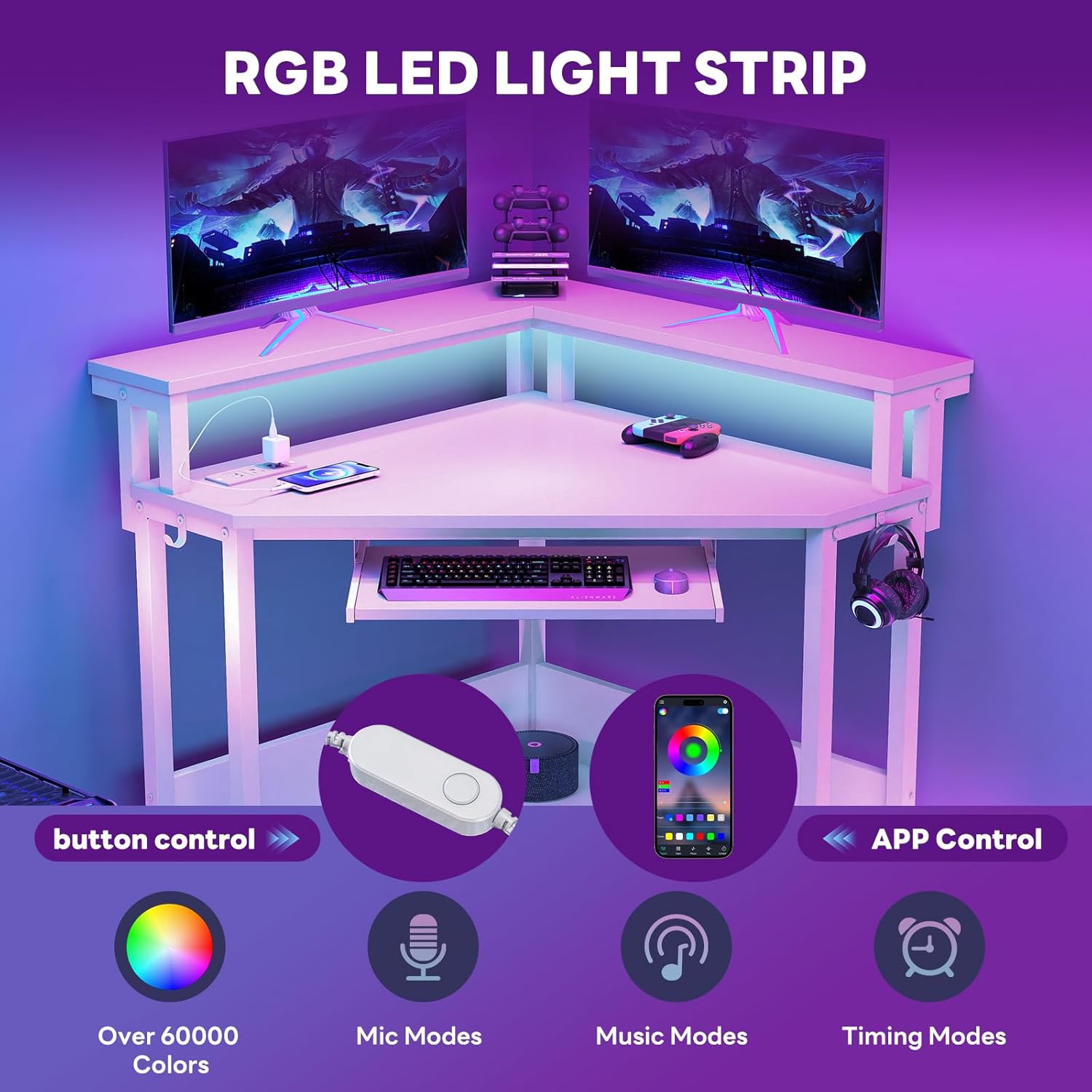
Image: A close-up view of the built-in charging station, showing two AC outlets and two USB ports, with a smartphone charging.
Customizable LED Lighting
The integrated LED light strips can be controlled via a button control or a dedicated app. This allows you to set the mood with custom colors, utilize mic modes for sound-reactive lighting, music modes, and timing modes for personalized ambiance.

Image: The DUMOS Conner Desk illuminated by customizable RGB LED lights, showcasing various color options and control methods.
Ergonomic Monitor Stand & Keyboard Tray
The included monitor stand raises your screen to eye level, promoting a healthier posture and reducing neck and shoulder strain. The sliding keyboard tray provides a comfortable typing position and helps save desktop space.

Image: An illustration demonstrating the ergonomic benefits of the monitor stand, showing correct posture while using the desk.

Image: A close-up of the sliding keyboard tray, featuring a keyboard and mouse, highlighting its space-saving design.
Storage Options
The desk includes a bottom storage shelf, ideal for books, a printer, or other accessories. A convenient side hook is also provided to keep your headset within easy reach, helping to maintain a clutter-free workspace.

Image: The DUMOS Conner Desk showcasing the convenient side hook for headphones and the spacious bottom storage shelf.
Maintenance
To maintain the appearance and longevity of your DUMOS Conner Desk, wipe it with a dry cloth regularly. Avoid using harsh chemicals or abrasive cleaners that may damage the laminated finish. Ensure all screws and connections remain tight to maintain structural integrity.
Troubleshooting
- Stability Issues: If the desk feels wobbly, ensure all screws are tightened securely. Check that the adjustable feet are evenly balanced on the floor.
- LED Lights Not Working: Verify that the LED strip is correctly connected to the power source and that the power cord is plugged into a functional outlet. Check the controller for any loose connections.
- Charging Station Malfunction: Ensure the desk's main power cord is securely plugged in. Test the outlets and USB ports with different devices to confirm functionality.
- Missing Parts: If any parts are missing or damaged upon arrival, please contact customer support immediately for assistance.
Specifications
| Feature | Detail |
|---|---|
| Brand | DUMOS |
| Model Number | D-2DZ01-31IN |
| Shape | Triangular |
| Desk Design | Writing Desk |
| Product Dimensions | 31.5"D x 31.5"W x 34.5"H |
| Color | White |
| Base Material | Metal |
| Top Material Type | Engineered Wood |
| Finish Type | Laminated |
| Special Features | Built-In USB Outlet, Ergonomic, Keyboard Tray Included, Monitor Stand |
| Included Components | Built-in Outlet, Built-in USB Port, Headphone Hook, Keyboard Tray |
| Item Weight | 29 Pounds |
| Number Of Shelves | 1 |
| Required Assembly | Yes |
Warranty
This DUMOS Conner Desk comes with a Limited Warranty. Please refer to the product packaging or contact customer support for specific terms and conditions of the warranty coverage.
Support
For any questions, concerns, or assistance with your DUMOS Conner Desk, please refer to the contact information provided on the product packaging or the official DUMOS website. Our customer support team is available to help you.