
Introduction
Thank you for choosing the INIU P512 22.5W 20000mAh Portable Charger. This device is designed to provide safe and fast charging for your electronic devices on the go. With over 38 million global users, INIU is committed to using high-quality materials and offering industry-leading 3-Year INIU Care, plus Lifetime Technical Support. This manual will guide you through the setup, operation, and maintenance of your new power bank.
Product Features
- Fast Charging Capability: Charge your phone up to 75% in just 30 minutes with upgraded 22.5W output and PD3.0 & QC4+ technologies.
- iPad Pro Compatibility: Charge your iPad Pro up to 34% in 30 minutes, providing full-speed charging for all existing iPad models.
- Versatile USB-C Port: Features a 2024 Version USB-C In & Out port, compatible with new iPhones, iPads, and upcoming USB-C devices.
- Triple Device Charging: Equipped with one USB-C port and two USB-A ports, allowing you to charge three devices simultaneously.
- Built-in USB-C GoCord: A 0.4ft detachable USB-C GoCord is integrated for convenient charging without needing an extra cable.
- Digital LED Display: Provides a clear and precise percentage readout of the remaining battery life.
- Integrated Flashlight: A small LED flashlight is included for emergency use or when extra light is needed.
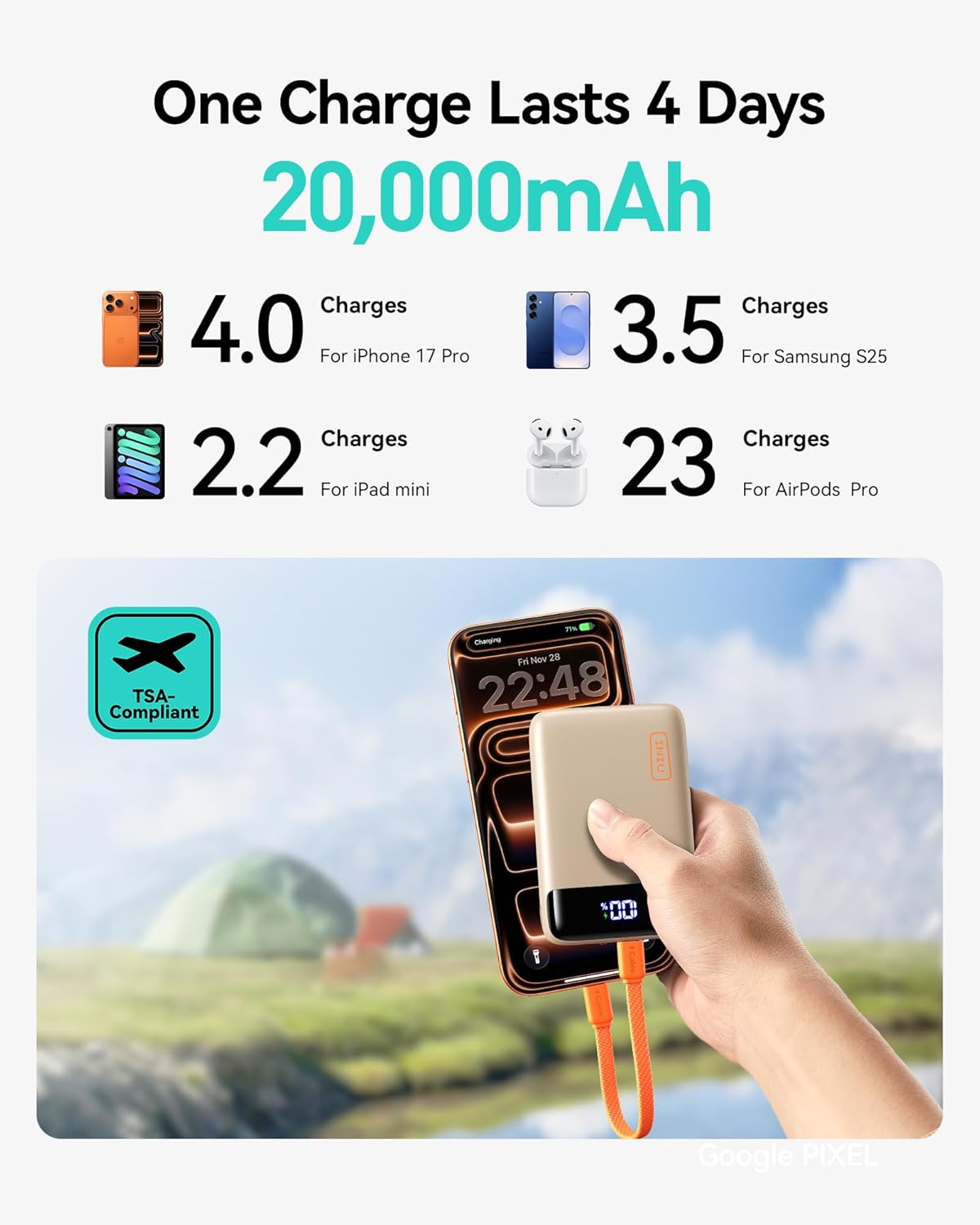
The INIU Portable Charger provides extended power, capable of charging an iPhone 17 Pro up to 4 times, a Samsung S25 3.5 times, an iPad mini 2.2 times, and AirPods Pro 23 times on a single charge. It is also TSA-compliant for air travel.

Despite its 20,000mAh capacity, the INIU Portable Charger is designed to be compact, measuring 2.8 x 4.1 x 1.2 inches and weighing 11.1 oz, making it 31% smaller than other 20,000mAh products.
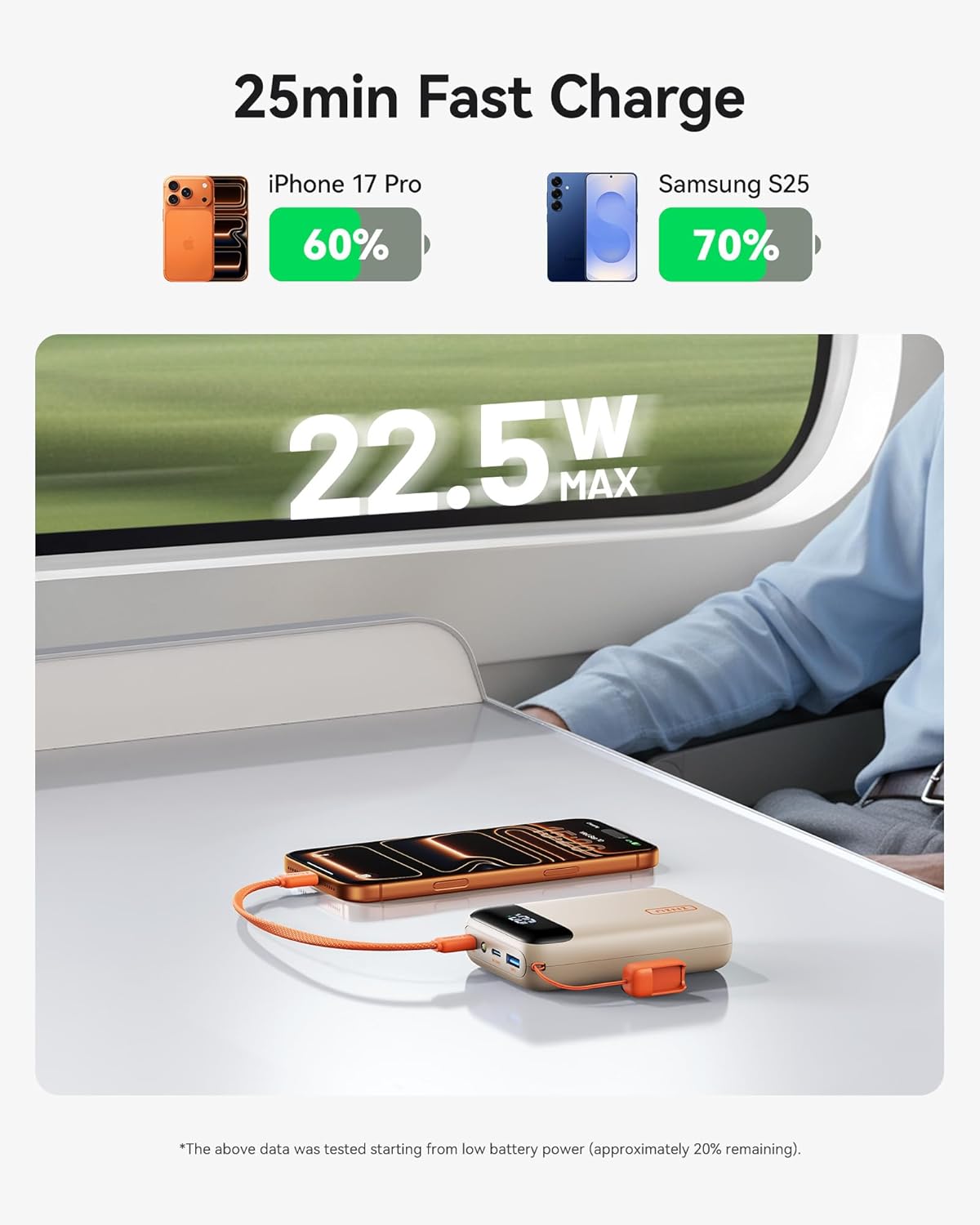
Experience rapid charging with the INIU Portable Charger, capable of fast charging an iPhone 17 Pro to 60% and a Samsung S25 to 70% in approximately 25 minutes, thanks to its 22.5W max output.
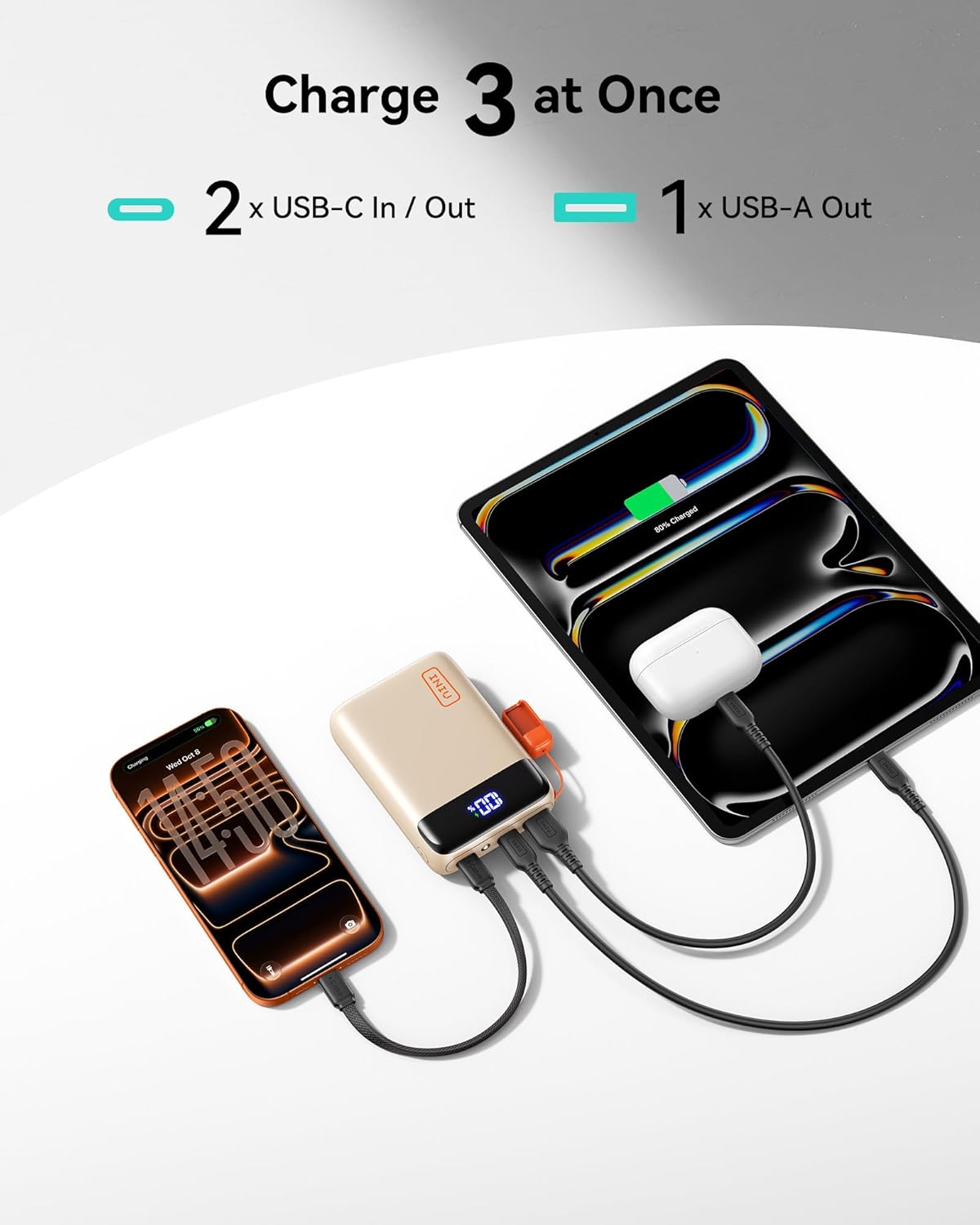
The power bank features two USB-C In/Out ports and one USB-A Out port, allowing you to charge up to three devices, such as an iPhone, iPad, and AirPods, simultaneously.
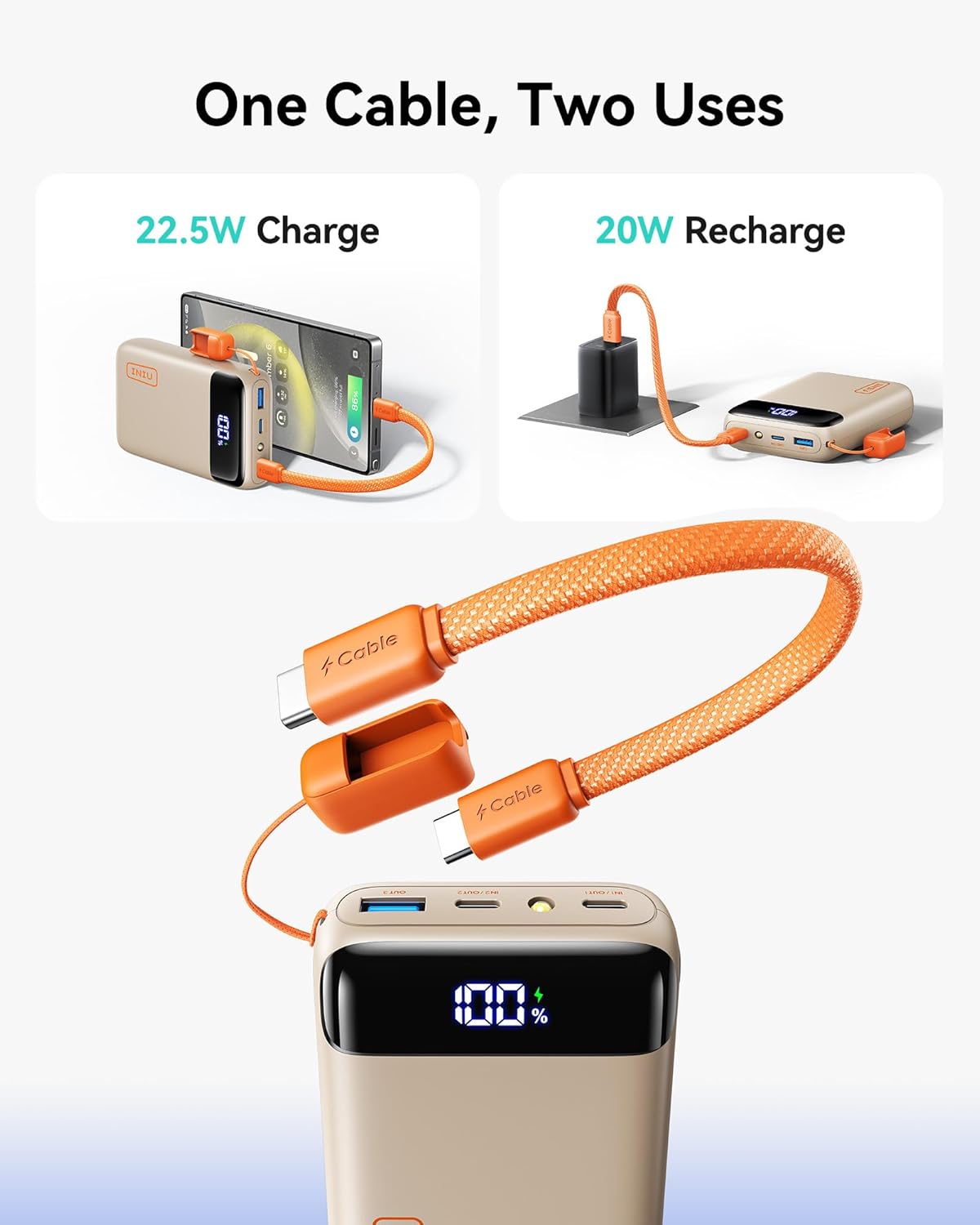
The innovative built-in USB-C GoCord serves a dual purpose: it can be used for 22.5W fast charging your devices and for 20W recharging the power bank itself, ensuring you always have a cable handy.

The INIU Portable Charger offers vast compatibility, supporting a wide range of devices including iPhone, Samsung, Google Pixel phones, iPad Pro, iPad Air, iPad Mini tablets, AirPods, wireless earbuds, and smartwatches.
Setup
Charging the Power Bank
- Connect the built-in USB-C GoCord or another USB-C cable to the IN/OUT USB-C port on the power bank.
- Plug the other end of the cable into a compatible USB wall adapter (20W recommended for optimal speed).
- The LED display will show the charging percentage, indicating the power bank is recharging.
Charging Your Devices
- Connect your device's charging cable to one of the available output ports on the power bank (USB-C IN/OUT or USB-A OUT).
- Plug the other end of the cable into your device.
- The LED display on the power bank will activate, showing the remaining charge and indicating that your device is charging.
Watch this video for a demonstration of how to use the INIU P512 22.5W 20,000mAh power bank to charge your devices, highlighting its compact design and multiple charging ports.
Operating Instructions
LED Digital Display
The integrated LED display shows the exact percentage of remaining battery life. Press the power button once to activate the display and check the current charge level.
Flashlight Function
To turn the built-in flashlight ON or OFF, quickly double-click the power button located on the side of the power bank.
Pass-Through Charging
The INIU P512 supports pass-through charging. This means you can charge the power bank while it simultaneously charges your connected devices. The power bank prioritizes charging your connected devices first, and once they are fully charged, it will then proceed to fully recharge itself.
Specifications
| Feature | Detail |
|---|---|
| Model Number | P512 |
| Battery Capacity | 20000 Milliamp Hours |
| Output | USB-C*2 + USB-A*1 |
| Special Features | Fast Charging, LED Display, Built-in USB-C GoCord |
| Product Dimensions | 2.8 x 4.1 x 1.2 inches |
| Item Weight | 12.7 ounces |
| Battery Type | 1 Lithium Polymer batteries (included) |
| Manufacturer | Shenzhen Topstar Industry Co.,Ltd. |
Maintenance
- Store the power bank in a cool, dry place away from direct sunlight and extreme temperatures.
- Avoid dropping or subjecting the power bank to heavy impacts.
- For optimal battery life, fully charge the power bank at least once every three months if not in regular use.
- Keep the ports free from dust and debris.
- Use only certified charging cables and adapters.
Troubleshooting
Device Not Charging
- Ensure the power bank has sufficient charge (check the LED display).
- Verify that the charging cable is securely connected to both the power bank and your device.
- Try using a different charging cable or port on the power bank.
- Confirm your device is compatible with the power bank's output specifications.
Power Bank Not Recharging
- Check if the charging cable is properly connected to the power bank's IN/OUT USB-C port and the wall adapter.
- Ensure the wall adapter is functioning correctly and plugged into a live power outlet.
- Try using a different USB-C cable or wall adapter.
Slow Charging
- Ensure you are using a fast-charging compatible cable and wall adapter.
- If charging multiple devices, the output power is distributed, which may result in slower charging for individual devices.
- Check if your device supports fast charging.
Warranty & Support
INIU provides an industry-leading 3-Year INIU Care warranty for your portable charger. In case of any quality issues within this period, a new replacement will be provided. Additionally, you benefit from Lifetime Technical Support.
For technical assistance or warranty claims, please contact INIU Innovations Inc. directly through their official support channels.

The product packaging includes a user manual and highlights the 3-year INIU Care warranty, ensuring quality and customer support.


