1. Introduction
The FOSSiBOT C1000F is a high-precision laser rangefinder designed for golf and hunting. It offers accurate distance measurement, flag lock with vibration, slope compensation, and speed measurement capabilities. This manual provides essential information for the proper setup, operation, and maintenance of your device.
2. Package Contents
Verify that all items are present in the package:
- FOSSiBOT C1000F Laser Rangefinder
- Carry Pouch
- USB Type-C Charging Cable
- Lens Cleaning Cloth
- User Manual (this document)
3. Product Overview
Familiarize yourself with the components of your rangefinder.

Figure 3.1: Front view of the FOSSiBOT C1000F Laser Rangefinder, showing the objective lens and ergonomic design.
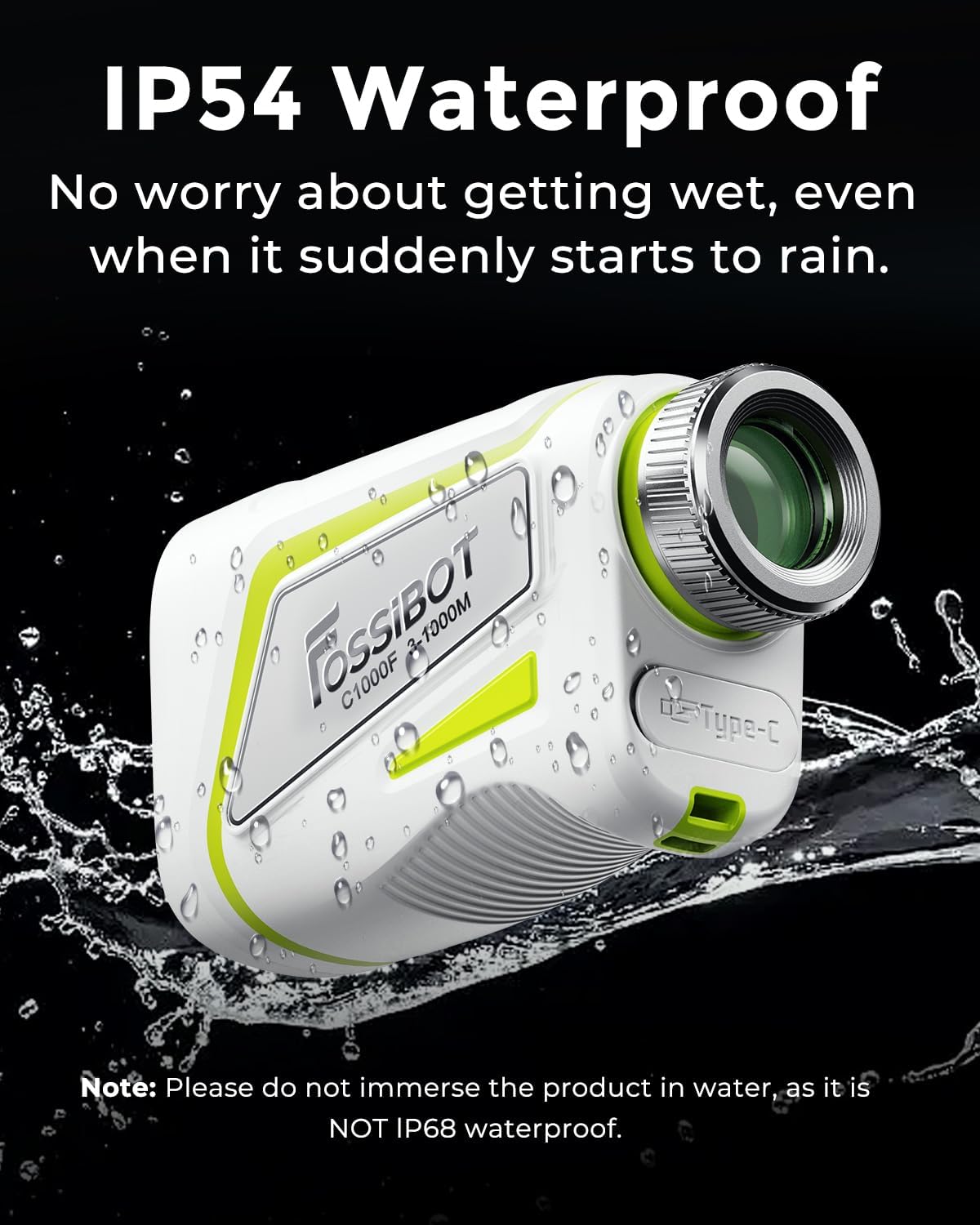
Figure 3.2: Side view of the rangefinder, highlighting the USB Type-C charging port.
Key Features

Figure 3.3: Overview of the FOSSiBOT C1000F's primary functions and capabilities.
- Eyepiece: For viewing the target and display.
- Objective Lens: Emits and receives laser signals.
- Power/Measurement Button: Turns the device on/off and initiates measurements.
- Mode Button: Cycles through different measurement modes.
- Diopter Adjustment Ring: Adjusts focus for clear viewing.
- USB Type-C Port: For charging the internal battery.
4. Setup
4.1 Charging the Battery
The device is equipped with a built-in 650mAh Li-ion battery. Before first use, fully charge the rangefinder.
- Connect the supplied USB Type-C cable to the rangefinder's charging port.
- Connect the other end of the cable to a standard USB power adapter (not included) or a computer's USB port.
- The charging indicator light will illuminate red during charging.
- Once fully charged, the indicator light will turn green. A full charge supports up to 20,000 measurements.

Figure 4.1: Charging the FOSSiBOT C1000F and battery status indicators.
4.2 Diopter Adjustment
To ensure a clear view through the eyepiece, adjust the diopter ring until the display and target appear sharp.
5. Operating Instructions
5.1 Basic Measurement Steps
Follow these steps for standard distance measurement:
- Turn on Power: Press the Power/Measurement button briefly. The display will activate in the viewfinder.
- Select Mode: Press the Mode button repeatedly to cycle through available measurement modes (e.g., standard, flag lock, slope, speed).
- Focus: Look through the eyepiece and adjust the diopter ring until the target and display are clear.
- Aim and Measure: Align the crosshairs in the viewfinder with your target. Press the Power/Measurement button again to initiate the laser measurement. The distance will be displayed.

Figure 5.1: Illustrated guide for basic operation of the rangefinder.
5.2 Measurement Modes
The C1000F offers several measurement modes:
- Standard Measurement: Provides direct line-of-sight distance to the target. Range: 3 to 1100 yards. Accuracy: ±0.5m.
- Flag Lock with Vibration: Designed for golf, this mode automatically identifies and locks onto the nearest target, such as a flagstick, even with background objects. A single vibration confirms a standard measurement, while a double vibration confirms a flag lock.
- Slope Mode: Calculates and displays the actual distance, the slope-adjusted distance, and the vertical height difference to the target. This feature assists in club selection on varied terrain.

Figure 5.2: Explanation of slope compensation for uphill and downhill measurements.
- Speed Measurement: Measures the speed of a moving object up to 300 km/h.
- Continuous Scan: Allows for continuous measurement as you pan across multiple targets, providing real-time distance updates.
- Horizontal & Vertical Distance Measurement: Provides horizontal and vertical distances, useful for various outdoor activities.
5.3 Automatic Power-Off
To conserve battery, the rangefinder will automatically power off after 10 seconds of inactivity.
6. Maintenance
6.1 Cleaning
Use the provided lens cloth to gently clean the objective lens and eyepiece. Do not use abrasive materials or chemical cleaners that could damage the optical coatings.
6.2 Storage
When not in use, store the rangefinder in its carry pouch to protect it from dust and scratches. Store in a cool, dry place.
6.3 Water Resistance
The FOSSiBOT C1000F has an IP54 rating, meaning it is protected against dust ingress and splashing water from any direction. It is not designed for immersion in water.

Figure 6.1: The C1000F is resistant to splashes but should not be submerged.
7. Troubleshooting
- Device does not power on:
Ensure the battery is charged. Connect the device to a power source using the USB Type-C cable and allow it to charge. - Inaccurate readings:
Ensure a clear line of sight to the target. Obstructions or extreme weather conditions (heavy fog, rain) can affect accuracy. Clean the lenses if they are dirty. - Display is blurry:
Adjust the diopter adjustment ring on the eyepiece until the display and target appear sharp. - No vibration feedback:
Ensure the flag lock mode is active if expecting a double vibration. Check battery level as low power can affect vibration function.
8. Specifications
| Feature | Specification |
|---|---|
| Model | C1000F |
| Measurement Range | 3 - 1100 Yards |
| Measurement Accuracy | ±0.5m |
| Magnification | 6.5X |
| Field of View | 7° |
| Speed Measurement Range | Up to 300 km/h |
| Laser Class | Class 1 (Eye-safe) |
| Battery Type | Rechargeable Lithium-Ion |
| Battery Capacity | 650mAh |
| Charging Port | USB Type-C |
| Water Resistance | IP54 |
| Product Dimensions | 40.64 x 22.86 x 33.02 cm |
| Weight | 227 g |
9. Safety Information
This device uses a Class 1 laser, which is considered eye-safe under normal operating conditions. Do not stare directly into the laser aperture or aim the laser at others' eyes. Keep out of reach of children.


