1. Introduction
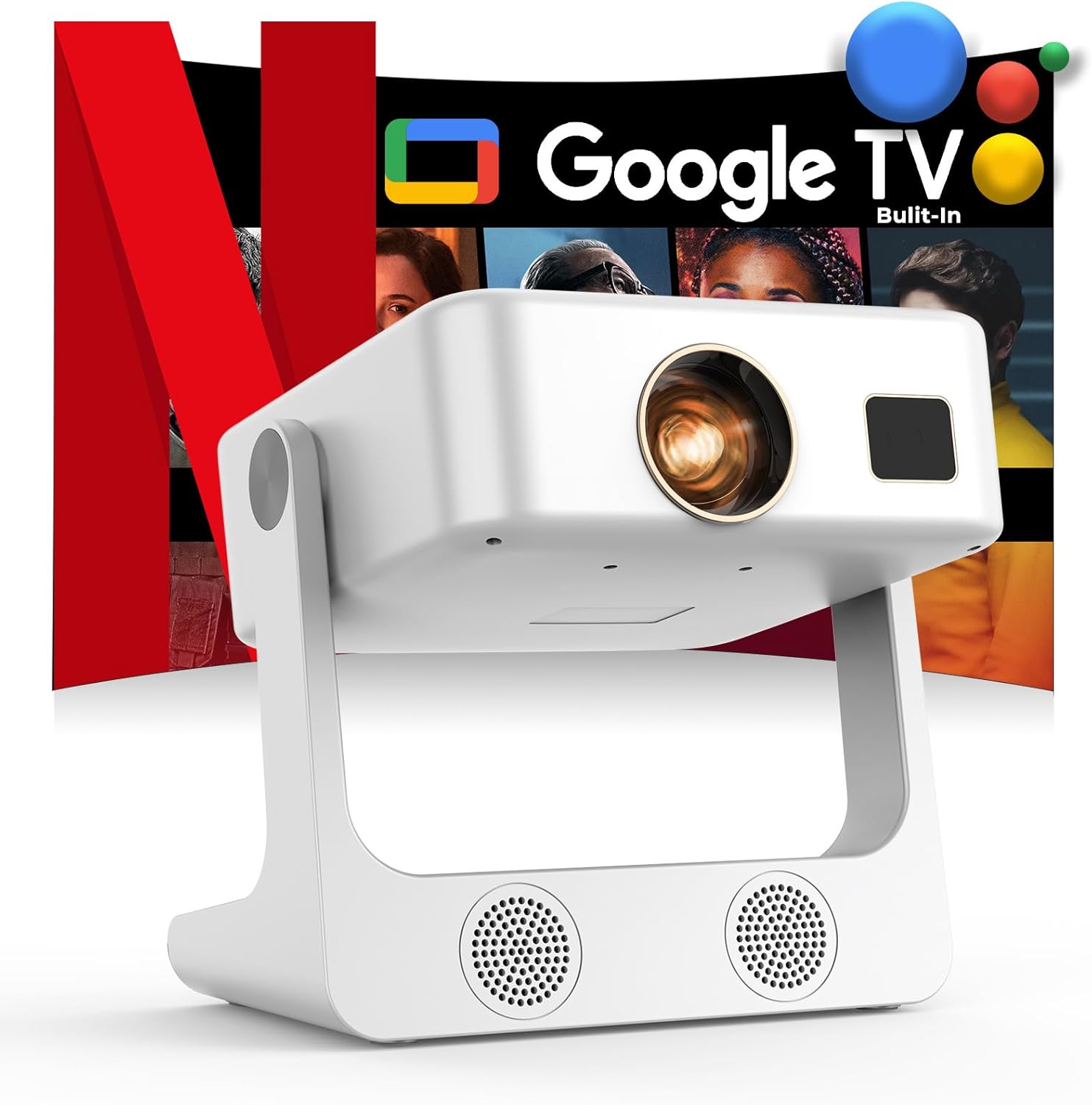
The Sovboi S61Pro is a versatile projector designed for both indoor and outdoor use, featuring integrated Google TV for seamless access to a wide range of streaming applications. It delivers native 1080P resolution with 4K support, 2000 ANSI lumens brightness, and intelligent automatic adjustments for focus and keystone correction. This manual provides essential information for setting up, operating, and maintaining your projector.
2. What's in the Box
- 1 × Sovboi S61Pro Projector with 180° Stand
- 1 × Remote Control (Battery NOT Included)
- 1 × Power Cable (1.5M/4.92ft)
- 1 × HDMI Cable (1.2M/3.94ft)
- User Manual
Note: For 4K video playback, ensure to connect 4K devices (e.g., TV stick) via HDMI. Videos labeled as 4K will be displayed at a native resolution of 1080P, commonly referred to as "4K supported."
3. Setup
3.1 Initial Power-On and Google TV Setup
- Connect the power cable to the projector and a power outlet.
- Press the power button on the projector or remote control to turn it on.
- Follow the on-screen guided setup for Google TV, including connecting to your Wi-Fi network.
- Log in with your Google account to access the Google Play Store and download applications.
3.2 Remote Control Pairing
The remote control uses Bluetooth for enhanced functionality, including voice control. Ensure it is paired during the initial setup or via the settings menu.
3.3 Physical Placement and Adjustments
- 180° Flexible Stand: Utilize the integrated 180° flexible stand to adjust the projection angle, including ceiling projection.
- Tripod Mount: The projector features a standard mount thread on the bottom for compatibility with tripods or ceiling mounts.
- Adjustable Peg: An adjustable peg is located on the bottom to fine-tune the screen height.
3.4 Connectivity
- HDMI: Connect external devices such as TV boxes, laptops, or game consoles.
- USB: Play media files directly from a USB flash drive.
- 3.5mm Audio Port: Connect external headphones or speakers.
- Wi-Fi 6: High-speed wireless internet connection for streaming.
- Bluetooth 5.4: Connect wireless audio devices or mirror your phone screen.
4. Operating Instructions
4.1 Google TV Interface
The projector features a built-in Google TV operating system, providing access to over 10,000 apps and 800+ channels, including Netflix, YouTube, Disney+, Prime Video, and Hulu. The interface is designed for ease of use with millisecond-level rapid response.
4.2 Intelligent Voice Control
Utilize the Google Assistant by pressing the dedicated button on the remote. Speak naturally to search for content, control playback, and adjust settings without manual typing.
4.3 Automatic Image Adjustments
- One-Click Focus: Press a button on the remote to automatically adjust the image focus for a clear picture.
- Auto Vertical Keystone Correction: The projector automatically corrects vertical image distortion. Manual keystone adjustments are also available in the settings.
4.4 Display Settings
Customize your viewing experience through the display settings, including brightness, contrast, saturation, sharpness, and aspect ratios (4:3 and 16:9). The projector also supports up to 70% zoom.
4.5 Bluetooth Speaker Mode
Connect external Bluetooth speakers for an enhanced audio experience. The projector's dual 15W speakers also provide cinema-level sound effects.
5. Features and Performance
- Brightness & Resolution: 2000 ANSI lumens, Native 1080P, 4K support, HDR10+ dynamic optimization.
- Color Accuracy: 99% color gamut coverage for lifelike colors.
- Audio System: Independent speaker stand design with 2x15W dual-stereo speakers.
- Cooling System: Upgraded dual-vortex fan for efficient cooling and extended component lifespan.
- Short Throw Ratio: 1:1 ratio allows for a large screen size (e.g., 100" from a shorter distance).
- Eye-Care Design: Soft diffusion technology reduces eye strain.
- Processor: AI chips for millisecond-level rapid response and smooth operation.
6. Specifications
| Feature | Detail |
|---|---|
| Brand Name | Sovboi |
| Item Model Number | S61Pro |
| Display Resolution | 1920 x 1080 (Native 1080P, 4K Supported) |
| Brightness | 2000 ANSI Lumens |
| Operating System | Built-in Google TV |
| Connectivity Technology | WiFi 6, Bluetooth 5.4, HDMI, USB, 3.5mm Audio |
| Special Features | Google Assistant, AI Image Enhance, Eye Protect, One-Click Focus, Auto Keystone, 2*15W HIFI Speakers, 180° Flexible Stand, Dual Fans, Sealed Optical Engine |
| Item Weight | 4.18 pounds |
| Product Dimensions | 8.66 x 8.27 x 9.45 inches |
| Color Name | White |
7. Maintenance
- Sealed Optical Engine: The projector features a sealed optical engine designed to reduce dust accumulation and extend lifespan.
- Firmware Upgrades: For the latest features and optimal performance, contact Sovboi support for firmware upgrade packages.
- Cooling System: The dual-vortex fan system is designed for efficient heat dissipation, ensuring long-term high brightness without attenuation.
8. Troubleshooting
- No Picture/Blurry Image: Check focus and keystone settings. Ensure the projector is placed at an appropriate distance from the screen.
- No Sound: Verify volume levels on the projector and any connected external audio devices. Check Bluetooth connections if applicable.
- App Issues/Lag: Ensure a stable Wi-Fi connection. Google TV regularly maintains and updates apps. Restart the projector if issues persist.
- Connectivity Problems: Ensure cables are securely connected for HDMI/USB. For wireless, check Wi-Fi and Bluetooth settings.
9. Warranty and Support
Sovboi offers comprehensive customer support for the S61Pro projector:
- 24/7 Support: Assistance is available around the clock.
- 3-Year Protection: The product is covered by a 3-year protection plan.
- Lifetime Customer Support: Ongoing support for the lifetime of the product.
- Contact: For any inquiries or assistance, please reach out to support_us@sovboi.com.
10. Product Images