
1. Overview
The eudic Video Doorbell Wireless (J4) is a smart home security device designed to provide real-time monitoring and communication at your doorstep. It features wireless connectivity, motion detection, night vision, two-way audio, and an indoor chime for enhanced security and convenience.

Image 1.1: Main view of the eudic Video Doorbell Wireless (J4).
2. What's in the Box
Verify that all components are present in the package:
- Doorbell camera
- USB cable
- Instruction manual
- Indoor chime
- Tool pack (for installation)
3. Product Features
The eudic Video Doorbell Wireless (J4) offers a range of features for comprehensive home security:
- Weatherproof Design: IP65-rated waterproof and dustproof housing ensures reliable performance in various weather conditions.
- Advanced Motion Detection: Intelligent motion sensors detect movement up to 16 feet (5 meters) away and send instant alerts to your smartphone.
- Night Vision Capability: Built-in infrared LEDs provide clear night vision up to 16 feet (5 meters) for round-the-clock security monitoring.
- Two-Way Audio: Integrated microphone and speaker allow you to communicate with visitors from your mobile device.
- Easy Installation: Wireless setup and battery-powered operation enable quick and hassle-free installation without any wiring required.
- Cloud Storage: Gain peace of mind with AES-128 encrypted cloud storage available through an optional subscription plan (sold separately). Note: No SD Card Slot.
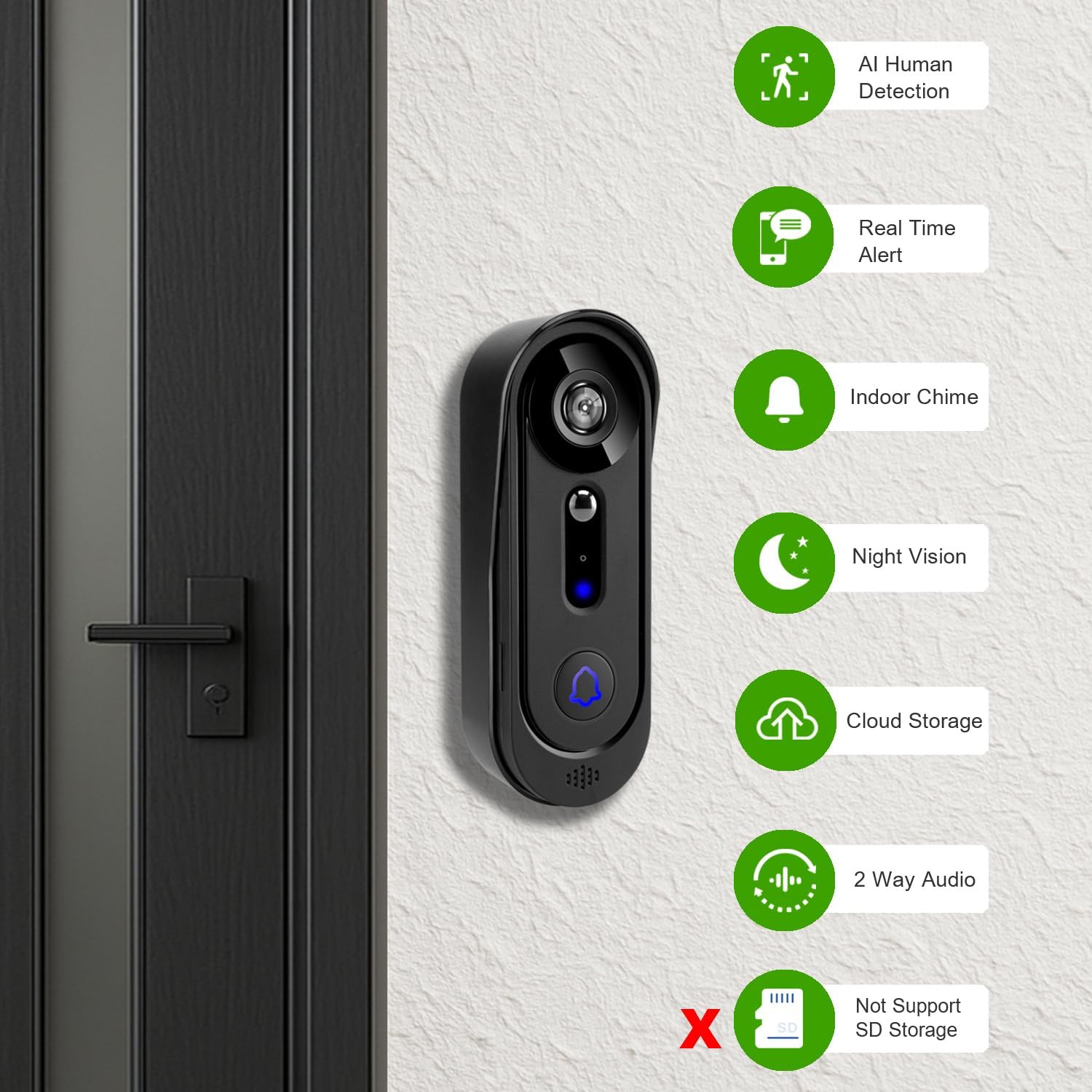
Image 3.1: Key features of the eudic Video Doorbell, including AI Human Detection, Real Time Alert, Indoor Chime, Night Vision, Cloud Storage, and Two-Way Audio. It also indicates no SD card support.

Image 3.2: The doorbell's IP65 weatherproof design ensures protection against rain, snow, dust, and hot weather.

Image 3.3: Day and Night Vision comparison, demonstrating clear visibility in both lighting conditions.
4. Setup & Installation
Follow these steps to set up and install your eudic Video Doorbell Wireless (J4):
- Charge the Doorbell Camera: Ensure the doorbell camera is fully charged using the provided USB cable before installation.
- Download the App: Download the dedicated mobile application to your smartphone (compatible with Android and iOS).
- Connect to Wi-Fi: Open the app, click the 'Add' button, and scan the QR code located on the doorbell's fuselage. Select your 2.4GHz Wi-Fi network and enter the password. Incorrect password entry will cause the addition to fail.
- Pairing: Point your phone to the doorbell camera until you hear a beep, then click 'Next' in the app. Wait for automatic network configuration.
- Name the Device: Once successfully added, set a name for your doorbell camera within the app.
- Mount the Doorbell: Use the provided tool pack to securely mount the doorbell to your desired location on the wall.

Image 4.1: Visual guide for the four-step installation process: Charge, Download App, Scan QR Code, and Install.
Video: How to Install Doorbell Camera
Video 4.1: This video demonstrates the process of adding the Wi-Fi device, including powering on, clicking the app's add button, scanning the QR code, selecting the Wi-Fi network, entering the password, and naming the device.
5. Operating Instructions
Once installed, operate your eudic Video Doorbell using the mobile application:
- Real-Time Monitoring: Access live video feed from your doorbell camera at any time through the app.
- Two-Way Communication: When a visitor presses the doorbell or motion is detected, you can see, hear, and speak to them directly from your smartphone.
- Motion Alerts: Receive instant notifications on your smartphone when motion is detected at your door. The AI human detection feature helps reduce false alarms.
- Cloud Storage: Recorded events are stored in the cloud (optional subscription required). You can choose to view images or video clips of these events.
- Indoor Chime: The included indoor chime will ring when the doorbell button is pressed, alerting you even if your phone is not nearby.
- Multi-User Sharing: Share access to your doorbell camera with family members through the app.

Image 5.1: The doorbell connects via 2.4G WiFi, enabling real-time two-way communication with visitors through your smartphone.
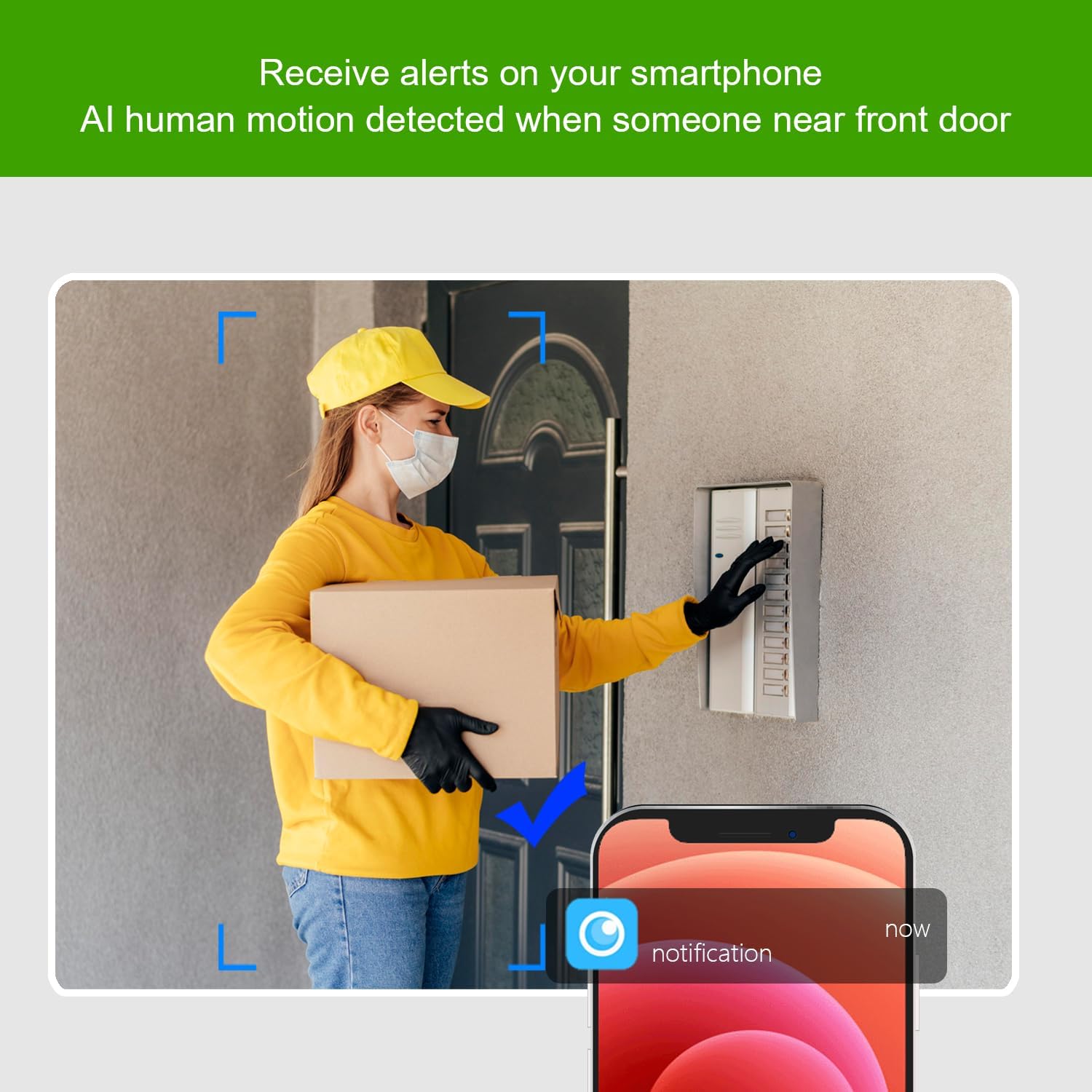
Image 5.2: Receive immediate alerts on your smartphone when AI human motion is detected near your front door.

Image 5.3: The app displays cloud storage options and a log of motion-detected events. Cloud storage is optional, and there is no SD card slot.

Image 5.4: The indoor chime provides an audible alert when someone rings your doorbell.

Image 5.5: The multi-user sharing feature allows you to share access to the doorbell's feed with family members.
6. Maintenance
To ensure optimal performance and longevity of your eudic Video Doorbell:
- Cleaning: Periodically wipe the camera lens and the doorbell's exterior with a soft, damp cloth to remove dust and debris. Avoid using harsh chemicals.
- Battery Charging: The doorbell is battery-powered. When the battery level is low, you will need to remove a screw to access and charge the batteries. Ensure regular charging to maintain continuous operation.
- Firmware Updates: Check the mobile application regularly for any available firmware updates to ensure your device has the latest features and security enhancements.
7. Troubleshooting
If you encounter issues with your eudic Video Doorbell, refer to the following common problems and solutions:
| Problem | Possible Cause | Solution |
|---|---|---|
| Device fails to connect to Wi-Fi | Incorrect Wi-Fi password; device too far from router; 5GHz Wi-Fi network selected. | Double-check Wi-Fi password. Move the doorbell closer to the router. Ensure you are connecting to a 2.4GHz Wi-Fi network. |
| Motion detection delay or missed events | Sensitivity settings too low; network latency; object moving too quickly. | Adjust motion detection sensitivity in the app. Ensure a stable Wi-Fi connection. Position the doorbell to capture the desired area effectively. |
| Short battery life | Frequent motion detection; extreme temperatures; old battery. | Reduce motion detection sensitivity or frequency if possible. Ensure the doorbell is operating within recommended temperature ranges. Fully charge the battery. |
| No indoor chime sound | Chime not paired; volume too low; power issue. | Ensure the indoor chime is properly paired with the doorbell. Check the chime's volume settings. Verify the chime is powered on. |
| Poor video quality | Dirty lens; low light conditions; weak Wi-Fi signal. | Clean the camera lens. Ensure adequate lighting for optimal day vision. Verify strong Wi-Fi signal strength. |
8. Specifications
| Specification | Detail |
|---|---|
| Model Number | J1 (Variant J4) |
| Brand | eudic |
| Indoor/Outdoor Usage | Indoor, Outdoor |
| Compatible Devices | Android, iOS |
| Power Source | Battery Powered (3 Lithium Ion batteries included) |
| Connectivity Protocol | Wi-Fi (2.4GHz) |
| Mounting Type | Wall Mount |
| Video Capture Resolution | 1080p |
| Viewing Angle | 130 Degrees |
| Night Vision Range | 33 Feet (10 meters) |
| Item Dimensions (L x W x H) | 2 x 1 x 5 inches |
| Item Weight | 14 ounces |
| International Protection Rating | IP65 |
| Maximum Webcam Image Resolution | 2 MP |
| Control Method | App |
| Special Features | 2-Way Audio, Easy to Install, Motion Sensor, Night Vision |
| UPC | 758073381020 |
9. Warranty & Support
For warranty information or technical support, please refer to the contact details provided with your purchase or visit the official eudic website. Keep your proof of purchase for warranty claims.