
1. Safety Information
Please read all instructions carefully before assembly and use. Keep this manual for future reference.
- Maximum Load Capacity: Do not exceed the maximum load of 10 kg (22 pounds) on the tabletop. Overloading can cause instability and damage.
- Stable Placement: Always place the stand on a flat, stable, and level surface to prevent tipping.
- Avoid Climbing: Do not climb on or stand on the product.
- Children and Pets: Keep children and pets away from the stand during assembly and ensure it is stable before leaving them unsupervised near it.
- Regular Checks: Periodically check all screws and connections to ensure they remain tight and secure.
- Environmental Conditions: Avoid exposing the stand to extreme temperatures, direct sunlight for prolonged periods, or high humidity.
2. Package Contents
Verify that all components are present and undamaged before proceeding with assembly. If any parts are missing or damaged, please contact customer support.
- Tabletop (Wooden surface)
- Main Rod (Adjustable height pole)
- Base (Square metal base)
- Assembly Hardware (Screws, Allen wrench if needed)
- User Manual (This document)
3. Setup and Assembly
The Viozon Floor Laptop Stand is designed for quick and easy assembly. No complex tools are required beyond what may be provided.

This image illustrates the main components of the Viozon Floor Laptop Stand, including the tabletop, main rod, and base, highlighting the simple assembly process.
- Attach the Main Rod to the Base: Carefully align the bottom end of the main rod with the hole in the center of the square metal base. Insert the rod and secure it using the provided screws and Allen wrench (if applicable). Ensure it is tightened firmly to prevent wobbling.
- Attach the Tabletop to the Main Rod: Align the mounting plate on the underside of the tabletop with the top of the main rod. Secure the tabletop using the provided screws. Ensure the tabletop is centered and firmly attached.
- Final Check: Once assembled, gently shake the stand to ensure all connections are secure and the stand is stable.
4. Operating Instructions
The Viozon Floor Laptop Stand features an adjustable height mechanism for ergonomic use.

This diagram details the adjustable height range of the stand from 26.7 to 36.6 inches, along with the tabletop dimensions of 16.5 by 12.6 inches and base dimensions of 11.8 by 11.8 inches. The height adjustment knob is also indicated.
Adjusting Height:
- Locate the Adjustment Knob: Identify the height adjustment knob located on the main rod of the stand.
- Rotate to Loosen: Rotate the knob counter-clockwise to loosen the locking mechanism.
- Adjust Height: Gently raise or lower the tabletop to your desired height. The stand offers an adjustable range from 26.7 inches to 36.6 inches.
- Rotate to Tighten: Once the desired height is reached, rotate the knob clockwise to tighten and secure the stand in position. Ensure it is firmly locked before placing items on the tabletop.
5. Maintenance
Proper care will ensure the longevity and appearance of your Viozon Floor Laptop Stand.
- Cleaning the Tabletop: The wooden tabletop is stain and scratch resistant. Wipe clean with a soft, damp cloth. Avoid abrasive cleaners or harsh chemicals that may damage the finish.
- Cleaning the Metal Parts: Use a soft, dry or slightly damp cloth to wipe down the aluminum alloy rod and metal base.
- Avoid Liquids: Do not spill liquids directly onto the stand, especially near the adjustment mechanism. If spills occur, wipe immediately.
- Storage: For long-term storage or transport, the main rod can be detached from the base for easier packing.

This image collage showcases key features: a hand cleaning the stain-resistant tabletop, the detachable main rod for easy storage, and the robust 0.16-inch thickened iron base for stability.
6. Troubleshooting
If you encounter any issues with your Viozon Floor Laptop Stand, refer to the following common problems and solutions.
- Problem: The stand feels unstable or wobbles.
- Solution:
- Ensure the stand is placed on a completely flat and level surface.
- Check all assembly screws (connecting the rod to the base and the tabletop to the rod) and tighten them firmly.
- Verify that the height adjustment knob is fully tightened after setting the desired height.
- Problem: Difficulty adjusting the height.
- Solution:
- Ensure the height adjustment knob is rotated counter-clockwise enough to fully loosen the mechanism before attempting to adjust.
- Do not force the adjustment. If it feels stuck, check for any obstructions or debris in the mechanism.
- Problem: Tabletop appears scratched or stained.
- Solution:
- For minor scratches, specialized wood repair kits may be used.
- For stains, clean immediately with a soft, damp cloth. For stubborn stains, a mild wood cleaner may be used sparingly, followed by wiping dry.
7. Specifications
| Brand | Viozon |
| Model Number | S03 |
| Material | Aluminum Alloy, Premium Wood |
| Adjustable Height Range | 26.7" - 36.6" (67.8 cm - 93 cm) |
| Tabletop Dimensions | 16.5" x 12.6" (41.9 cm x 32 cm) |
| Tabletop Thickness | 0.4" (1 cm) |
| Base Dimensions | 11.8" x 11.8" (30 cm x 30 cm) |
| Base Thickness | 0.16" (0.4 cm) - Thickened Iron |
| Maximum Load Capacity | 10 kg (22 lbs) |
| Color | Black and Wood Grain |
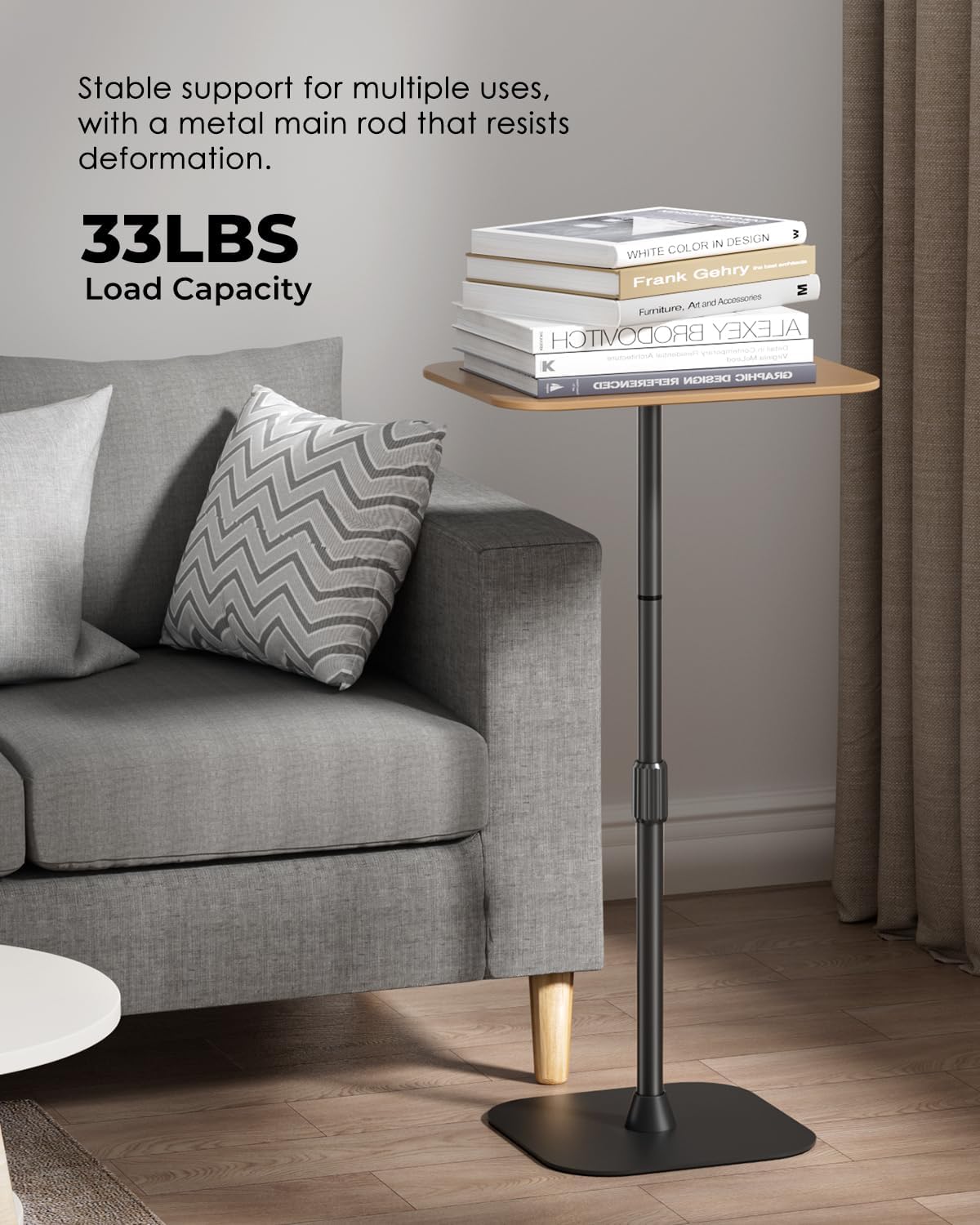
The image shows the Viozon Floor Laptop Stand supporting a stack of books, illustrating its stable support and 22 lbs (10 kg) load capacity.
8. Warranty Information
The Viozon Floor Laptop Stand (Model S03) comes with a 1-year manufacturer's warranty from the date of purchase.
This warranty covers defects in materials and workmanship under normal use. It does not cover damage caused by misuse, accidents, unauthorized modifications, or normal wear and tear. Please retain your proof of purchase for warranty claims.
9. Customer Support
For any questions, concerns, or assistance with your Viozon Floor Laptop Stand, please contact Viozon customer support through the retailer's platform or the official Viozon website.
When contacting support, please have your product model number (S03) and proof of purchase readily available.

