
1. Introduction
This manual provides essential information for the safe and efficient operation of your BETUMODA Level 1&2 EV Charger. This charger is designed to provide flexible charging solutions for electric vehicles compatible with the SAE J1772 standard, offering both 120V (Level 1) and 240V (Level 2) charging capabilities with an adjustable current up to 16 Amps. It features a 2.8-inch LED touch screen for real-time status monitoring and a 1-12 hour delay start timer.
2. Safety Information
Please read all safety instructions carefully before using the charger. Failure to follow these instructions may result in electric shock, fire, or serious injury.
- Electrical Safety: Ensure the power outlet is properly grounded and rated for the charger's specifications. Do not use extension cords or adapters that are not rated for the charger's power requirements.
- Environmental Conditions: The charger is rated IP65 for water and dust resistance, making it suitable for outdoor use. However, avoid submerging the control box in water or exposing it to extreme temperatures beyond its operating range (-22°F to +122°F).
- Damage Inspection: Do not use the charger if the cable, plug, EV connector, or control box is damaged. Contact customer support for assistance.
- Children and Pets: Keep the charger out of reach of children and pets during operation.
- Ventilation: Ensure adequate ventilation around the charger during use to prevent overheating.
The charger incorporates 10 intelligent protection modes to ensure safe operation, including:
- Over-current protection
- Over-voltage protection
- Under-voltage protection
- Over-temperature protection
- Grounding protection
- Leakage protection
- Lightning protection
- Short-circuit protection
- Overload protection
- Surge protection

The charger features 10 intelligent protection modes for enhanced safety during charging.
3. Package Contents
Verify that all items are present in the package:
- EV Charger (with NEMA 6-20 plug)
- Portable Carry Bag
- NEMA 5-15 Plug Adapter
- Control Box Holder
- Fixed Nails (for holder installation)
- User Manual
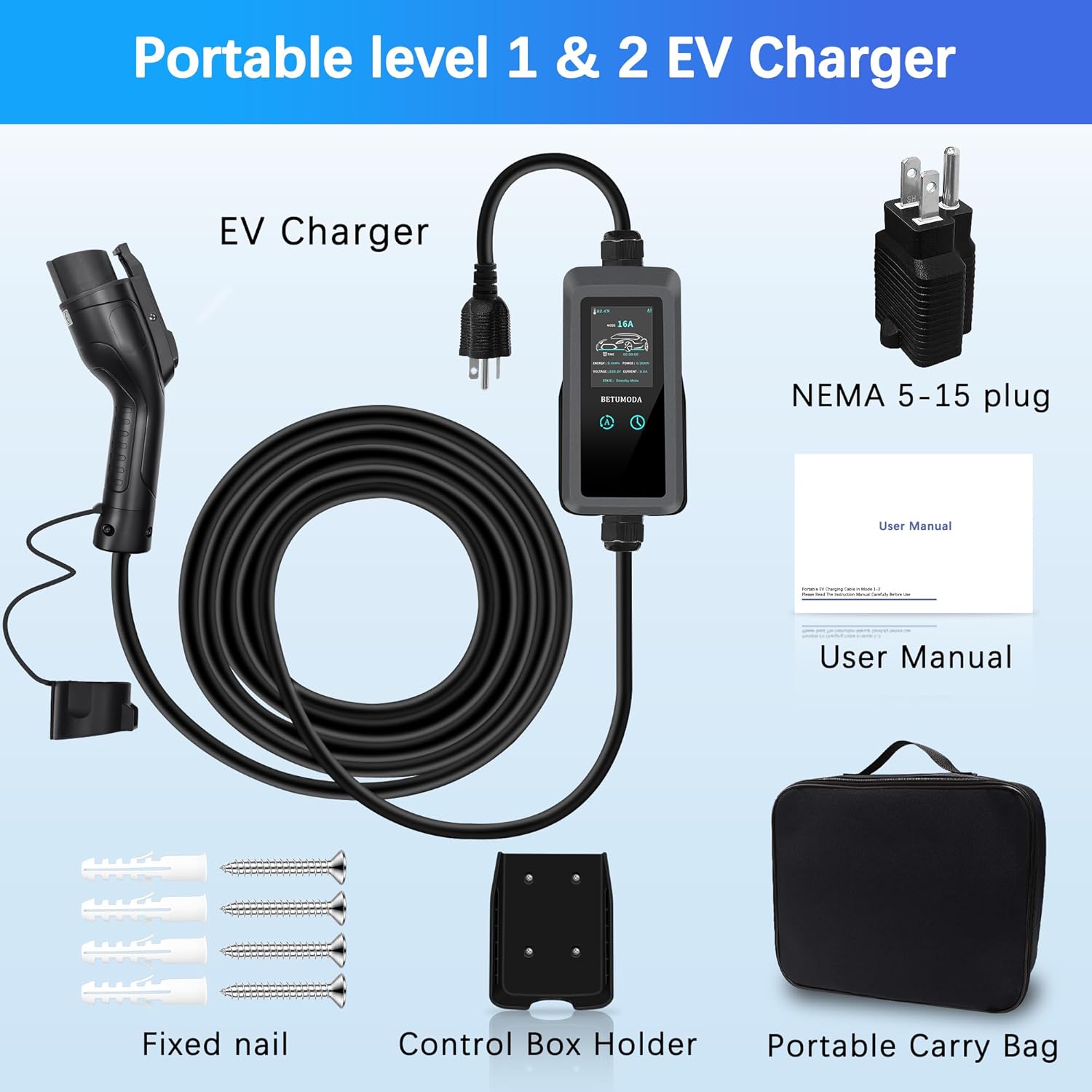
All components included in the BETUMODA EV charger package.
4. Setup
4.1 Outlet Compatibility
This charger supports both 120V and 240V outlets. It comes with a NEMA 6-20 plug for 240V charging and includes a NEMA 6-20 to 5-15 adapter for 120V charging.
- NEMA 5-15 (120V): Standard household outlet. Provides approximately 2-5 miles of range per hour.
- NEMA 6-20 (240V): Higher power outlet. Provides approximately 10-12 miles of range per hour.
Important: This charger is NOT compatible with NEMA 6-15, 10-30, 14-30, 14-50, or 6-50 outlets. If your outlet is one of these types, a NEMA 14-50 / 14-30 / 10-30 / 6-50 to 6-20 adapter (sold separately) is required for proper connection.
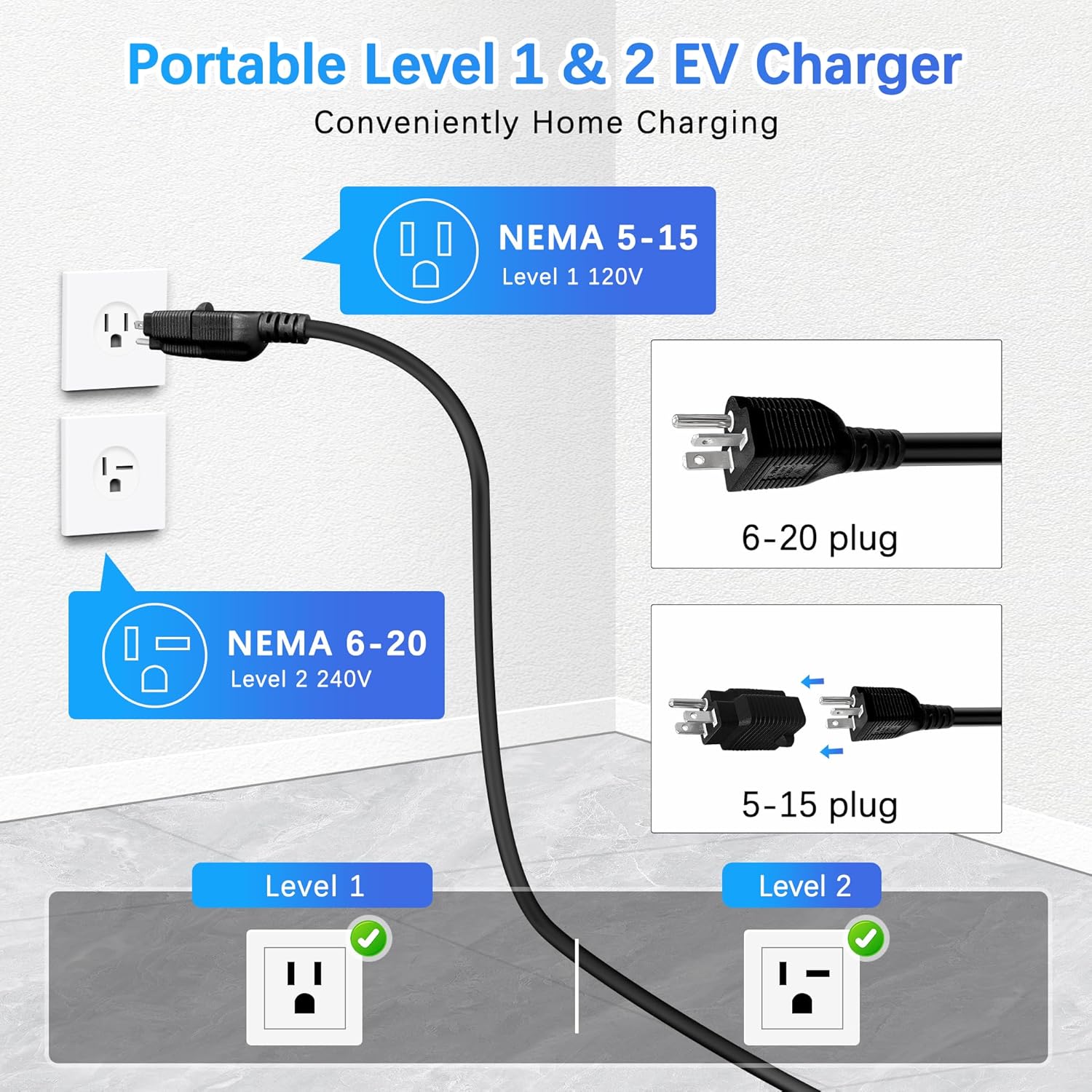
The charger supports NEMA 5-15 and NEMA 6-20 outlets.
4.2 Installing the Control Box Holder
The included control box holder can be mounted on a wall for convenient storage and organization of the charger. Use the provided fixed nails to secure the holder in a suitable location near your charging area.
4.3 Connecting to Power
- Select the appropriate plug: Use the NEMA 6-20 plug for 240V outlets or attach the NEMA 5-15 adapter for 120V outlets.
- Insert the charger's power plug firmly into the compatible wall outlet.
- Ensure the connection is secure. The charger's LED screen should illuminate, indicating it is powered on.
5. Operating Instructions
5.1 Connecting to Your Electric Vehicle
- Ensure your vehicle is turned off and the parking brake is engaged.
- Open the charging port cover on your electric vehicle.
- Firmly insert the J1772 connector from the charger into your vehicle's charging port until it clicks into place.
- The charger will automatically begin the charging process or wait for your settings.
This charger is compatible with most North American electric vehicles and plug-in hybrids that use the SAE J1772 standard. For TESLA vehicles, a separate J1772 to Tesla adapter is required (not included).

The charger is compatible with most J1772 EVs; Tesla requires an adapter.
5.2 Using the LED Touch Screen
The 2.8-inch LED screen displays real-time charging status, current settings, and any error indications. You can adjust settings directly on the screen.
- Adjusting Current: The charger offers four adjustable current levels: 8A, 10A, 13A, and 16A. To change the current, press and hold the appropriate button on the control box until the current setting highlights, then tap to cycle through the options. The change will take effect automatically.
- Delay Start Timer: The built-in 1-12 hour delay start timer allows you to schedule charging for a more convenient or cost-effective time, such as off-peak electricity hours. Access this function via the touch screen and set your desired delay.

Charging speeds vary based on voltage and amperage settings.
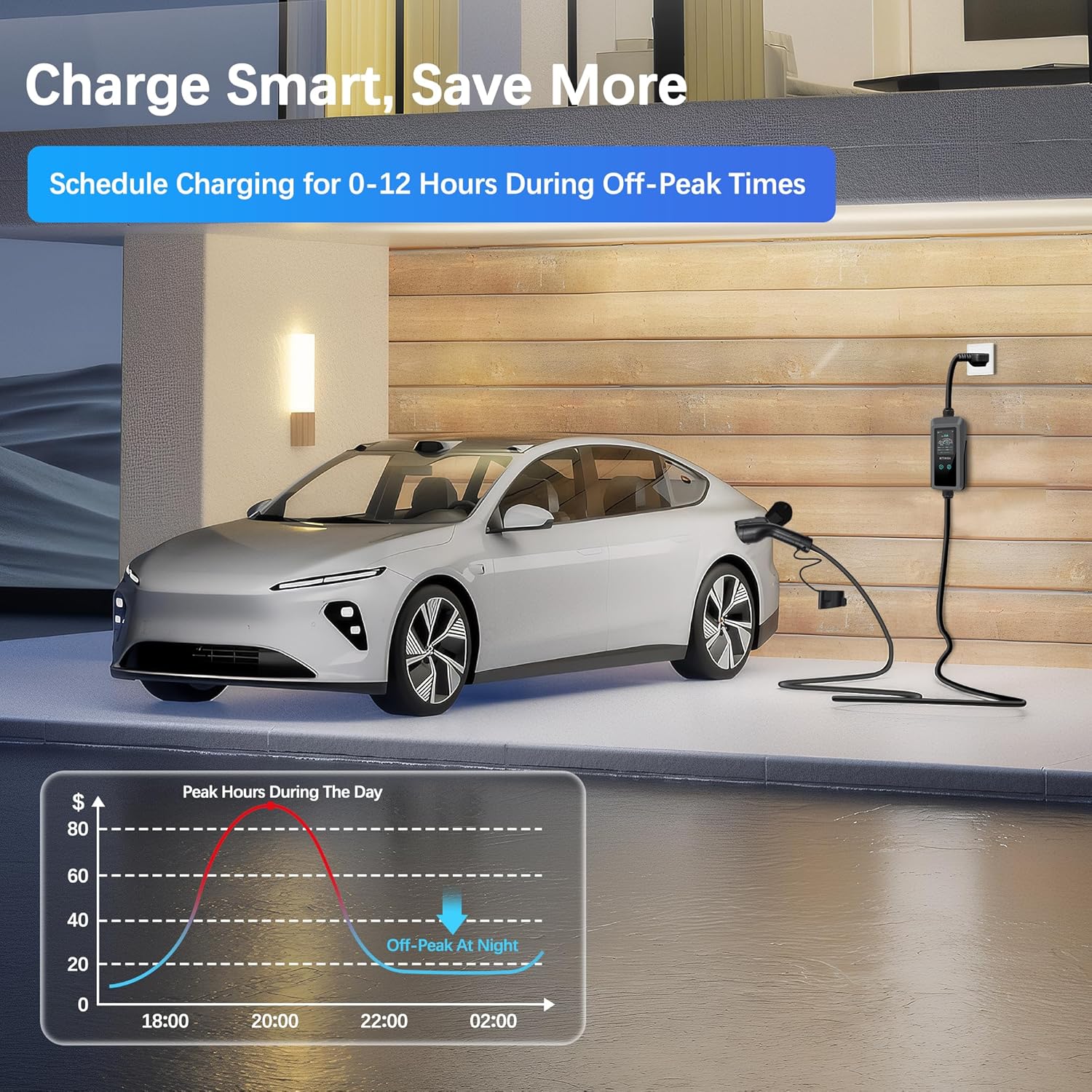
Schedule charging during off-peak hours to optimize costs.
5.3 Ending the Charging Session
- Once charging is complete, or if you need to stop charging, unlock your vehicle's charging port (if applicable).
- Press the release button on the J1772 connector and gently pull it out of the vehicle's charging port.
- Disconnect the charger from the wall outlet if you are finished charging for an extended period or moving the charger.
- Store the cable and connector properly to prevent damage.
6. Maintenance
Proper maintenance ensures the longevity and safe operation of your EV charger.
- Cleaning: Wipe the charger's control box and cables with a soft, damp cloth. Do not use harsh chemicals or abrasive cleaners. Ensure the charger is unplugged before cleaning.
- Storage: When not in use, store the charger in its portable carry bag in a dry, cool place. Avoid coiling the cable too tightly or placing heavy objects on it.
- Cable Care: Regularly inspect the charging cable for any cuts, fraying, or damage. Do not use a damaged cable.
- Environmental Protection: The charger's IP65 rating provides protection against dust and low-pressure water jets. It is designed to withstand various weather conditions, including rain and snow, and operate in temperatures from -22°F to +122°F.

The charger is IP65 rated for water and dust resistance, and operates in extreme temperatures.
7. Troubleshooting
If you encounter issues with your BETUMODA EV Charger, refer to the following common troubleshooting steps:
- Charger Not Powering On: Ensure the power plug is fully inserted into a functional wall outlet. Check the circuit breaker for the outlet.
- Charging Not Starting: Verify that the J1772 connector is securely plugged into the vehicle's charging port. Check the vehicle's charging settings.
- Error Message on Screen: The LED screen will display specific error codes or messages. Consult the screen for details and refer to the full user manual (if provided separately) for a list of error codes and their solutions. Common errors may relate to over-current, over-voltage, or temperature warnings.
- Slow Charging: Confirm the current setting on the charger's screen. Ensure you are using a 240V outlet for faster Level 2 charging if available.
- Overheating: If the charger or plug feels excessively hot, immediately disconnect it from the power source and vehicle. Ensure there is adequate ventilation around the charger and that the outlet is not overloaded.
If the problem persists after attempting these steps, please contact customer support.
8. Specifications
| Feature | Specification |
|---|---|
| Model Number | 16A EV CHARGER |
| Input Voltage | 110V / 240V AC |
| Adjustable Current | 8A / 10A / 13A / 16A |
| Cable Length | 25 feet |
| Plug Type | NEMA 6-20 (with NEMA 5-15 adapter) |
| EV Connector | SAE J1772 |
| Display | 2.8-inch LED Touch Screen |
| IP Rating | IP65 (Water and Dust Resistant) |
| Operating Temperature | -22°F to +122°F (-30°C to +50°C) |
| Certifications | FCC, CE |
| Product Dimensions | 16 x 13 x 5.9 inches |
| Item Weight | 7.52 pounds |
9. Warranty and Support
9.1 Warranty Information
The BETUMODA Level 1&2 EV Charger is covered by a manufacturer's warranty. Please refer to the warranty card included in your package or contact BETUMODA customer support for specific warranty terms and conditions.
9.2 Customer Support
For technical assistance, troubleshooting, or warranty claims, please contact BETUMODA customer support through the retailer where the product was purchased or visit the official BETUMODA website for contact information.