1. Introduction
The ULANZI MT86 is a versatile 2-in-1 mobile phone accessory designed to function as both a stable tripod and an extendable selfie stick. Featuring an automatic pop-open leg design, a flexible phone clamp, and a detachable Bluetooth remote, it provides a convenient solution for capturing photos and videos with your smartphone. This manual provides detailed instructions for the proper setup, operation, and maintenance of your MT86 tripod.
2. Product Overview
Familiarize yourself with the main components of your ULANZI MT86 tripod:
- Telescopic Pole: The main shaft that extends to adjust height.
- Automatic Tripod Legs: Four legs that deploy automatically when the unit is placed down.
- Phone Clamp: Securely holds your smartphone, offering rotation and tilt adjustments.
- Cold Shoe Mount: Integrated on the phone clamp for attaching accessories like microphones or LED lights.
- Bluetooth Remote: Detachable wireless remote for triggering your phone's camera shutter.
3. Setup
3.1 Deploying the Tripod Legs
To deploy the tripod legs, simply place the base of the MT86 firmly on a flat surface. The four legs will automatically extend and lock into position, providing a stable base.
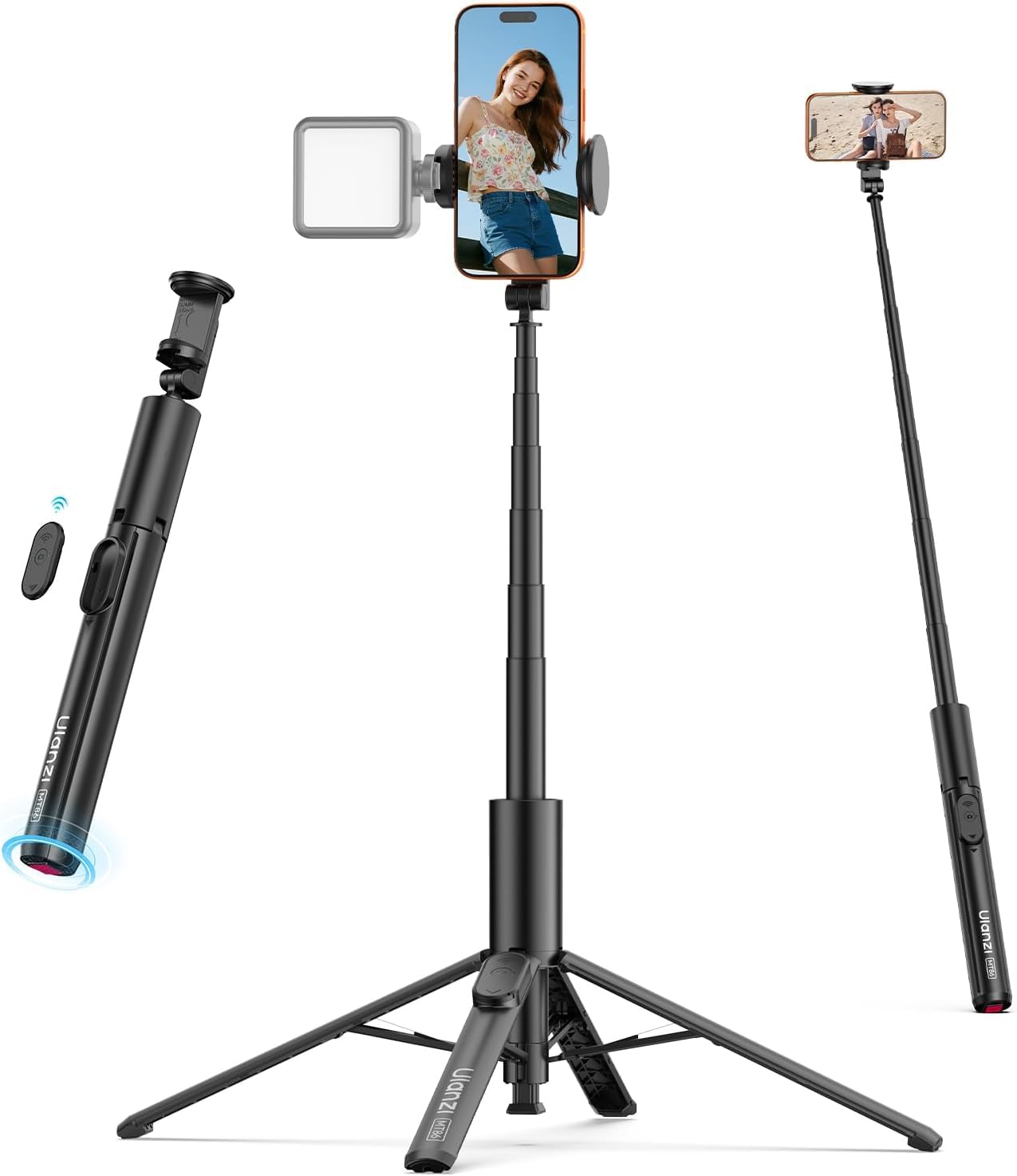
Image: The ULANZI MT86 tripod legs automatically extend outwards when the unit is set down, ensuring quick and stable deployment.
3.2 Attaching Your Smartphone
- Gently pull apart the two sides of the phone clamp.
- Carefully insert your smartphone into the clamp, ensuring it is centered and securely held. The clamp accommodates phones between 2.2 and 3.6 inches (56mm to 92mm) wide.
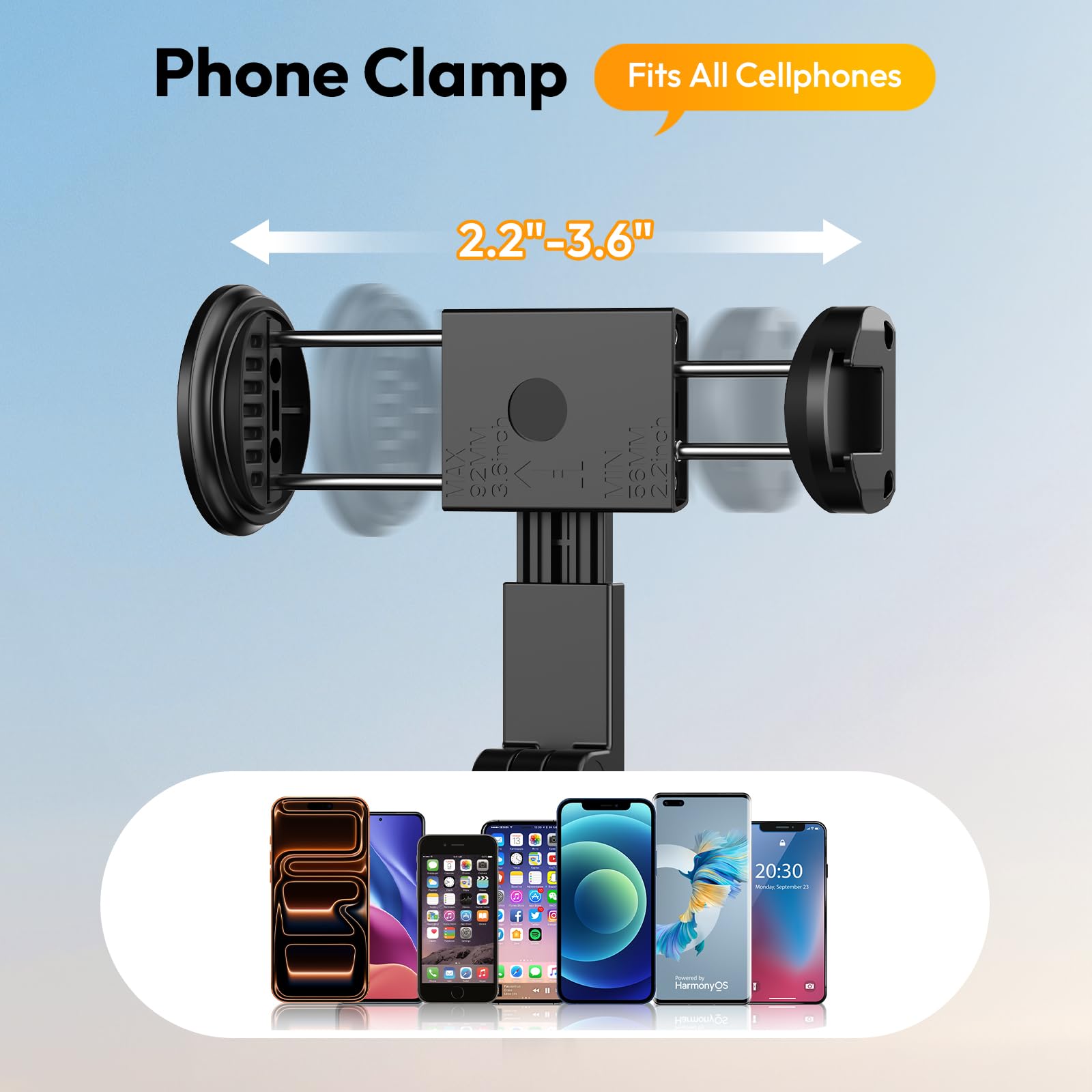
Image: The phone clamp adjusts to fit various smartphone sizes, typically ranging from 2.2 to 3.6 inches in width.
3.3 Pairing the Bluetooth Remote
- Remove the Bluetooth remote from its slot on the tripod leg.
- Press and hold the button on the remote until the indicator light begins to flash, indicating it is in pairing mode.
- On your smartphone, navigate to your Bluetooth settings and search for available devices.
- Select "ULANZI" or a similar device name to pair. The indicator light on the remote will stop flashing once successfully paired.
4. Operating Instructions
4.1 Adjusting Height and Angle
The telescopic pole can be extended to your desired height, up to 59 inches (150 cm). To extend, simply pull the pole upwards. To retract, push it downwards. The phone clamp allows for 90-degree tilt and 360-degree rotation, enabling you to switch between portrait, landscape, and overhead shooting angles.
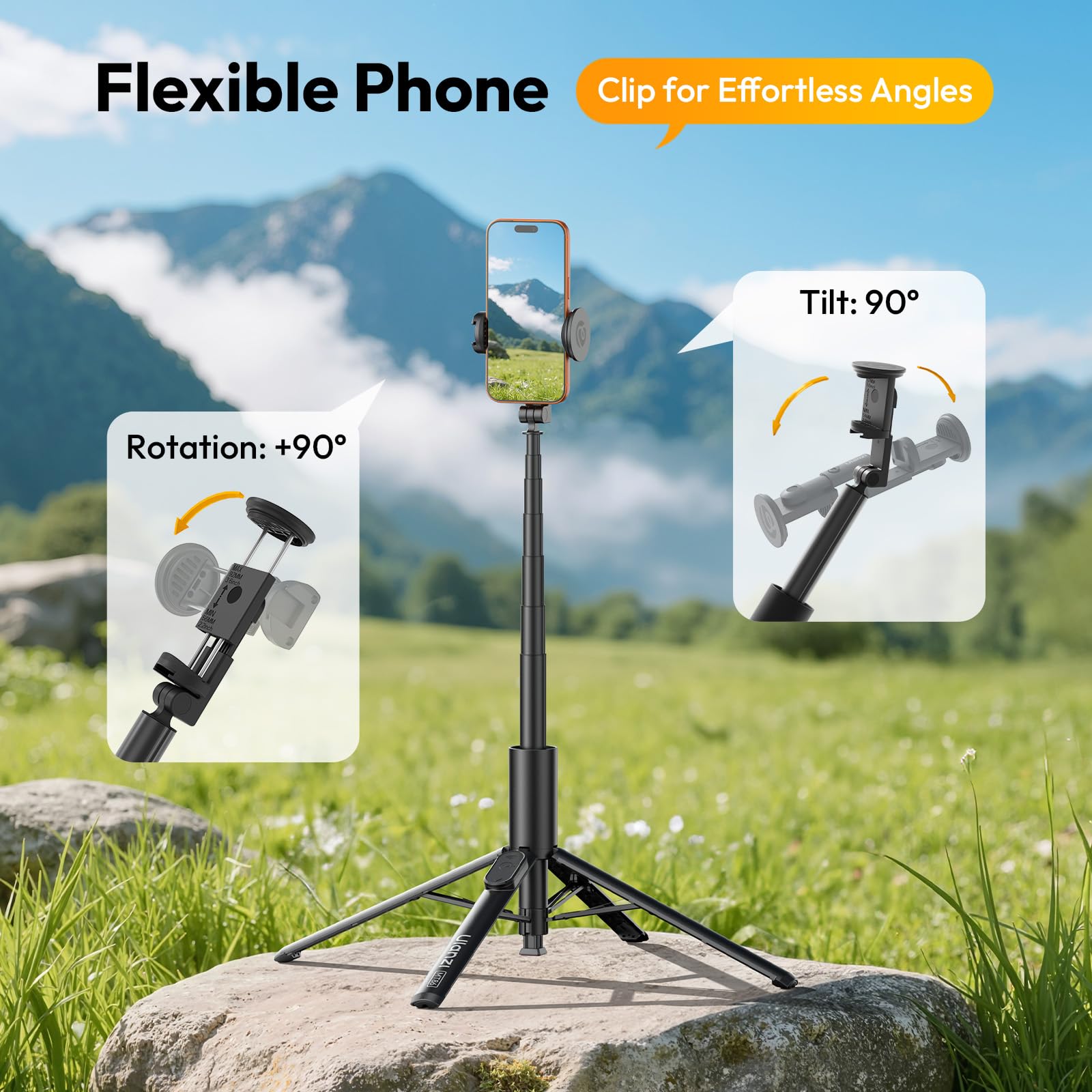
Image: The flexible phone clamp offers 90-degree tilt and 360-degree rotation for versatile shooting angles.
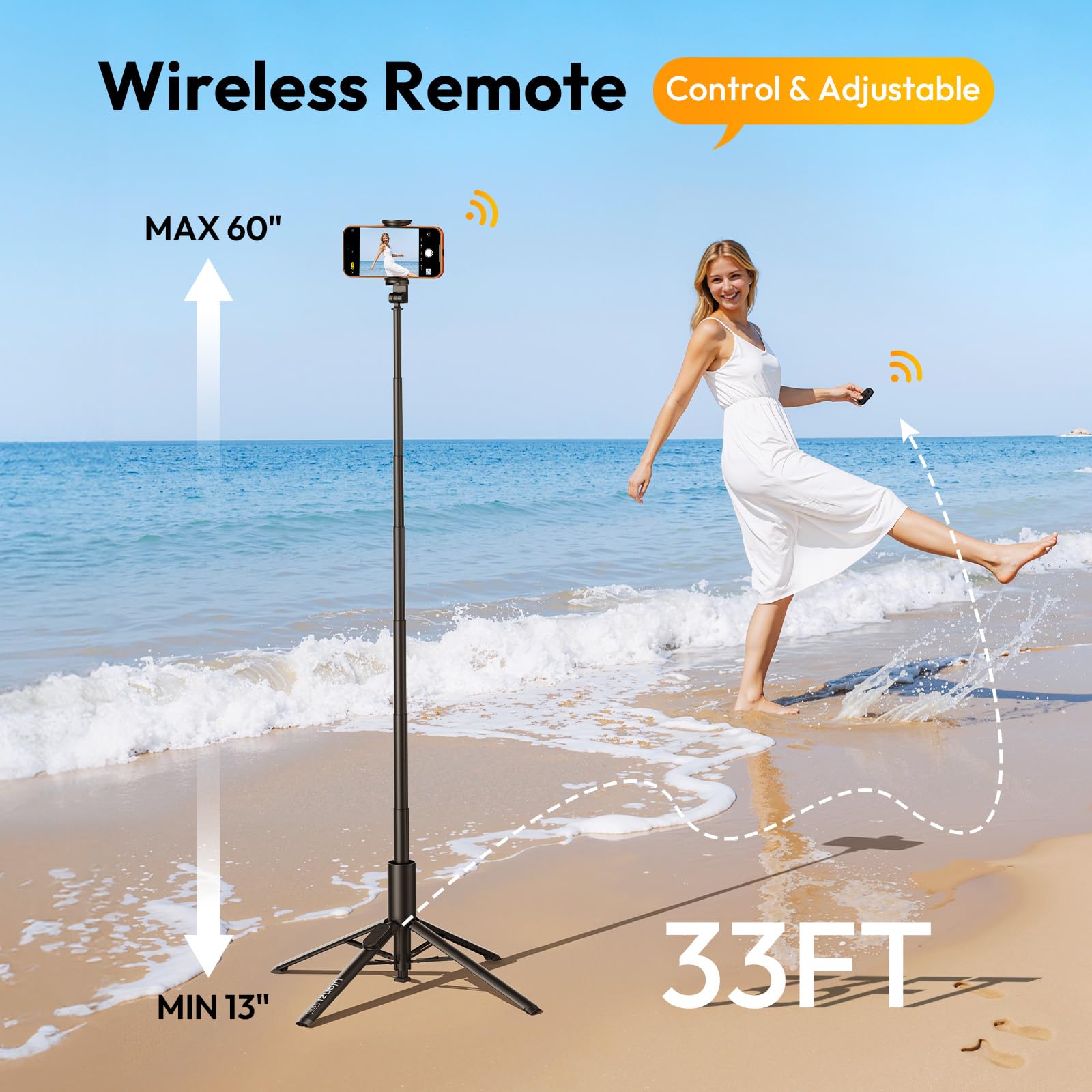
Image: The tripod extends from a minimum of 13 inches to a maximum of 60 inches, controlled by a wireless remote.
4.2 Using as a Selfie Stick
When the tripod legs are retracted, the MT86 functions as a selfie stick. Hold the handle firmly and extend the telescopic pole to capture wider shots or group photos.
4.3 Utilizing the Cold Shoe Mount
The integrated cold shoe mount on the side of the phone clamp allows you to attach external accessories such as small LED video lights or microphones. This enhances the quality of your content by providing better lighting or audio.
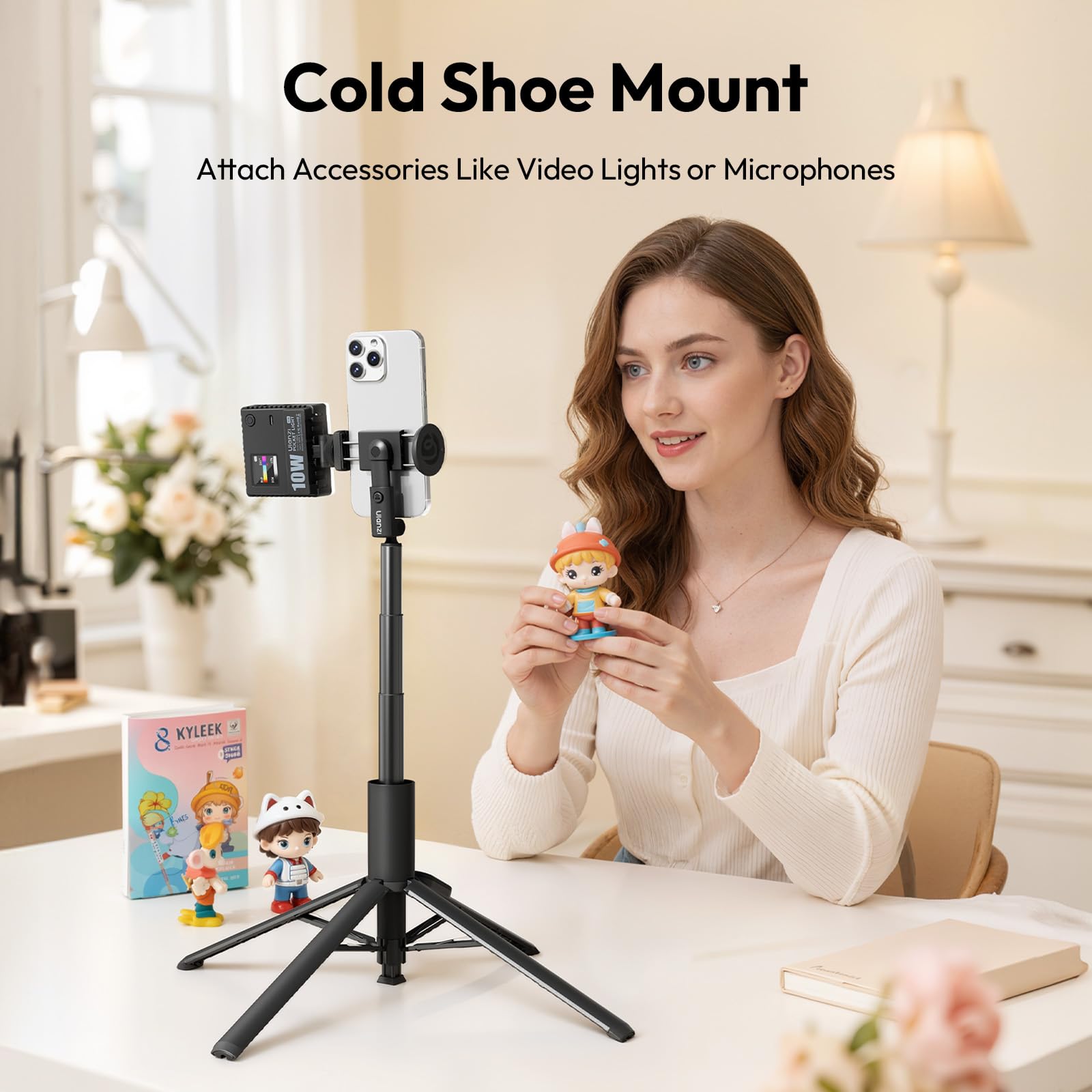
Image: The cold shoe mount allows for easy attachment of accessories like video lights or microphones.
4.4 Capturing Photos/Videos with Bluetooth Remote
Once paired, open your smartphone's camera application. Press the button on the Bluetooth remote to remotely trigger the shutter for photos or start/stop video recording. The remote has an operating range of up to 33 feet (10 meters).
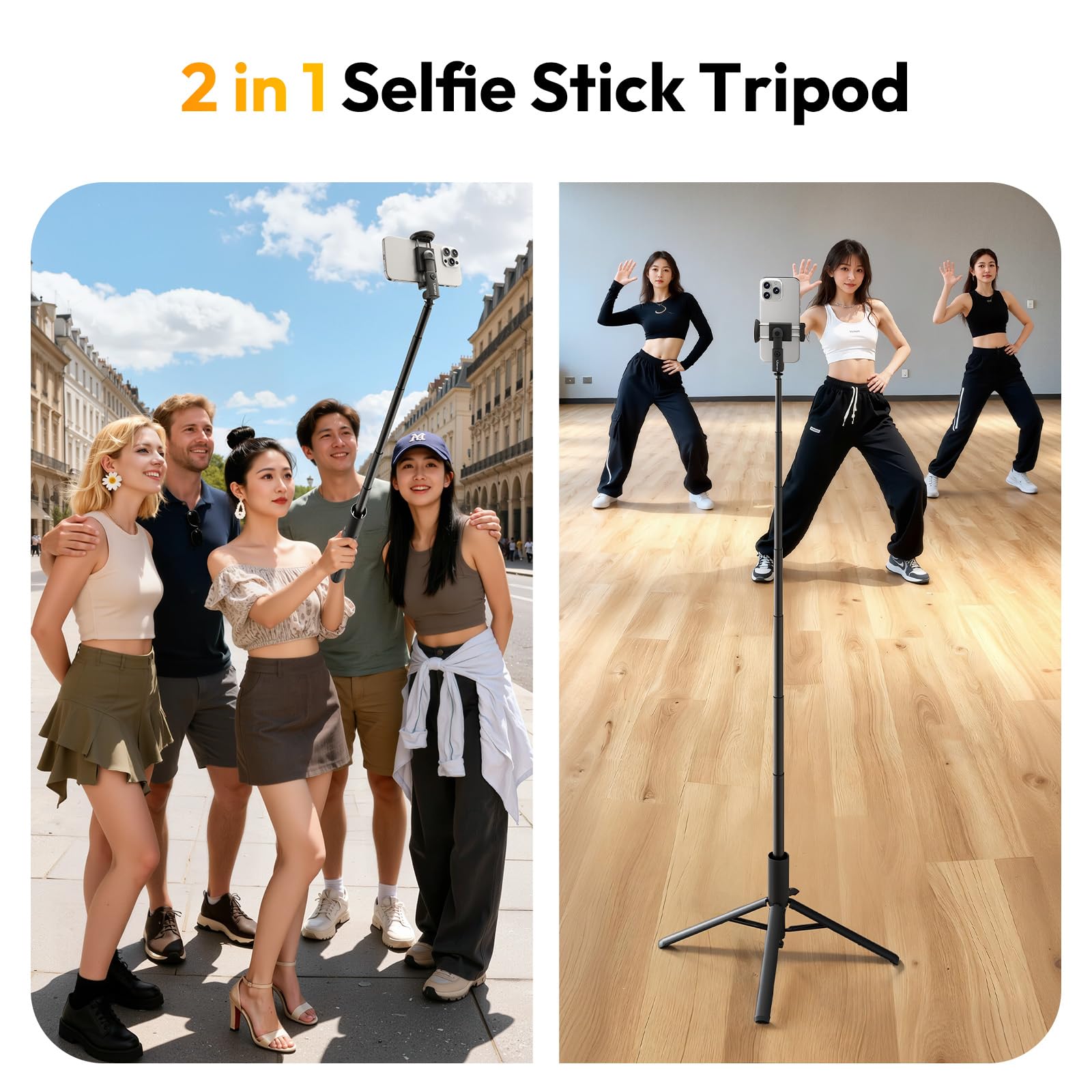
Image: The ULANZI MT86 serves as a versatile 2-in-1 tool, functioning effectively as both a selfie stick and a stable tripod.
5. Maintenance
To ensure the longevity and optimal performance of your ULANZI MT86 tripod, follow these maintenance guidelines:
- Cleaning: Wipe the tripod with a soft, dry cloth. For stubborn dirt, use a slightly damp cloth and then dry thoroughly. Avoid harsh chemicals or abrasive materials.
- Storage: Store the tripod in a cool, dry place away from direct sunlight and extreme temperatures. Ensure it is fully retracted and the legs are folded for compact storage.
- Battery: The Bluetooth remote uses a small button cell battery. If the remote stops responding, replace the battery. Refer to the remote's casing for battery type.
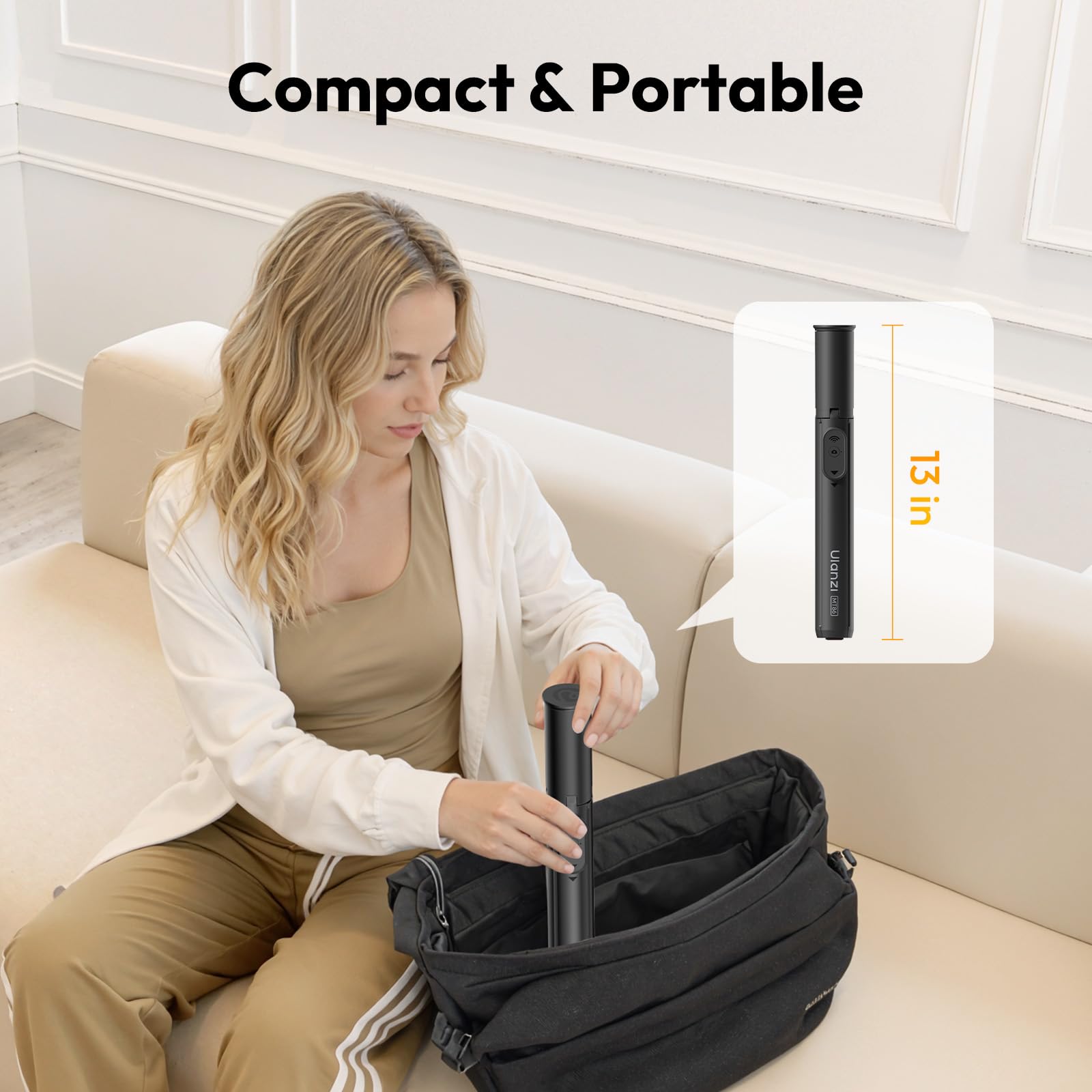
Image: The ULANZI MT86 is designed to be compact and portable, easily fitting into a bag when collapsed to 13 inches.
6. Troubleshooting
- Bluetooth Remote Not Pairing:
- Ensure the remote's battery is not depleted. Replace if necessary.
- Make sure the remote is in pairing mode (flashing light).
- Check your phone's Bluetooth settings and ensure Bluetooth is enabled.
- Try unpairing and re-pairing the device. - Tripod Legs Not Deploying/Retracting Smoothly:
- Check for any obstructions or debris in the leg mechanisms.
- Ensure the tripod is placed on a flat, even surface for automatic deployment.
- Avoid forcing the legs; if resistance is met, inspect for damage. - Phone Not Secure in Clamp:
- Ensure your phone's width is within the specified range (2.2-3.6 inches).
- Remove any bulky phone cases that might prevent a secure fit.
7. Specifications
| Feature | Specification |
|---|---|
| Model Number | MT86 |
| Brand | ULANZI |
| Maximum Extension Height | Approx. 150 cm (59 inches) |
| Collapsed Length | Approx. 32.5 cm (13 inches) |
| Product Dimensions | 4 x 153 x 4 cm (extended) |
| Item Weight | 0.44 Kilograms (440 g) |
| Compatible Devices | Smartphones (width 2.2-3.6 inches / 56-92mm) |
| Bluetooth Version | 5.0 (approximate, inferred from reviews) |
| Bluetooth Range | Up to 10 meters (33 feet) |
8. Warranty and Support
The ULANZI MT86 Mobile Phone Tripod is subject to a return policy allowing for refunds or replacements within 15 days of purchase. For specific warranty details, technical support, or further assistance, please contact ULANZI customer service or refer to the official ULANZI website. Keep your purchase receipt as proof of purchase.


