
OUKITEL C36
Contents
OUKITEL C36 Smartphone User Manual
Model: C36
1. Introduction
This manual provides essential information for setting up, operating, maintaining, and troubleshooting your OUKITEL C36 smartphone. Please read this guide carefully to ensure proper use and to maximize the device's performance and longevity.
2. What's in the Box
Verify that all items are present in your product package:
- OUKITEL C36 Smartphone
- Protective Phone Case
- Charger Adapter
- Type-C Charging Cable
- Card Pin (SIM Ejector Tool)
3. Setup
3.1. SIM Card and Storage Card Installation
The OUKITEL C36 supports a 3-card slot design, allowing for two 4G LTE SIM cards and one microSD card for expandable storage.
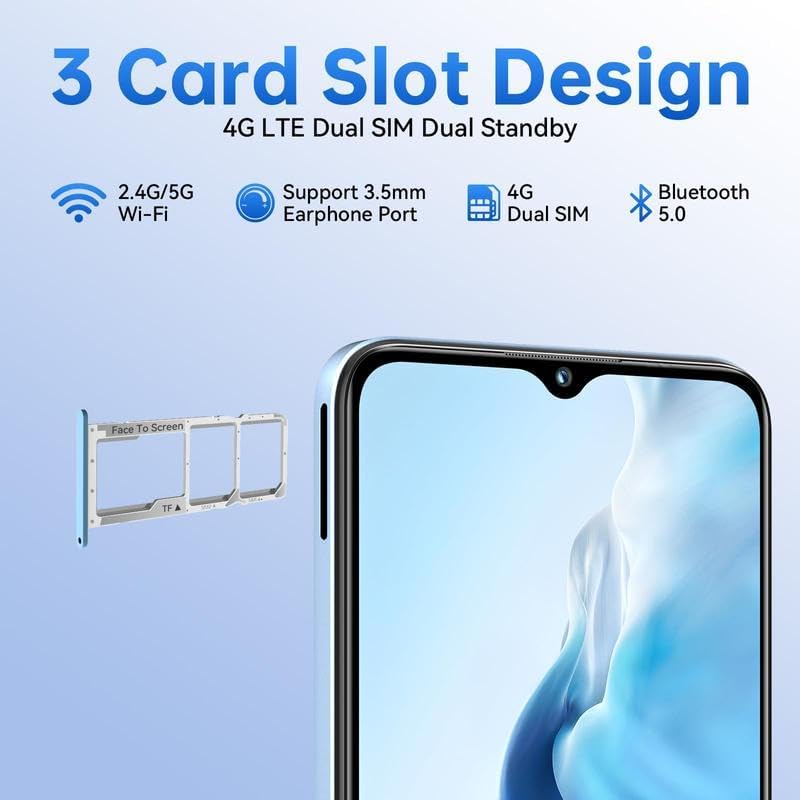
Image: The OUKITEL C36 features a triple card slot, accommodating two 4G LTE SIM cards and one microSD card for memory expansion. This image displays the card tray removed from the phone, highlighting the dedicated slots for each card type, along with icons indicating 2.4G/5G Wi-Fi, 3.5mm earphone port support, 4G Dual SIM, and Bluetooth 5.0 capabilities.
- Locate the SIM Tray: On the side of your phone, find the small opening for the SIM card tray.
- Eject the Tray: Insert the provided card pin into the small hole next to the SIM tray and gently push until the tray pops out.
- Insert Cards: Place your Nano-SIM cards and/or microSD card into the designated slots on the tray. Ensure the gold contacts face downwards and the cards are correctly oriented.
- Reinsert Tray: Carefully slide the tray back into the phone until it is flush with the device's side.
3.2. Initial Power On
Press and hold the Power button (usually on the right side of the device) for a few seconds until the OUKITEL logo appears on the screen. Follow the on-screen prompts to complete the initial setup, including language selection, Wi-Fi connection, and Google account setup.
3.3. Charging the Device
Connect the Type-C charging cable to the charging port at the bottom of your phone and the other end to the charger adapter. Plug the adapter into a power outlet. The battery icon on the screen will indicate charging status. For optimal battery life, use the provided charger and cable.
4. Operating Your Device
4.1. Basic Navigation
The OUKITEL C36 runs on Android 13. Navigate using gestures or the traditional three-button navigation bar (Back, Home, Recent Apps). Swipe down from the top of the screen to access notifications and quick settings.
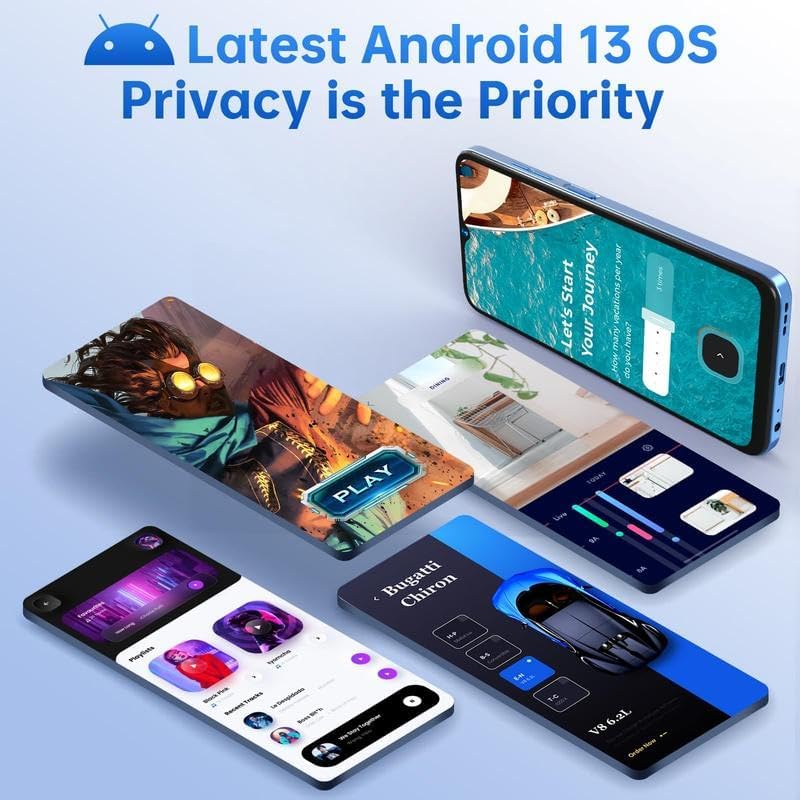
Image: This image illustrates the OUKITEL C36 running the latest Android 13 OS, emphasizing privacy features. Multiple screens are shown, demonstrating the modern user interface and various applications, including a music player, a navigation app, and a car racing game, highlighting the phone's capability to handle diverse tasks.
4.2. Security Features
The device offers multiple security options to protect your data:
- Fingerprint Sensor: Register your fingerprints in the Security settings for quick and secure unlocking. The sensor is typically located on the side or rear of the device.
- Face ID Recognition: Set up Face ID in the Security settings to unlock your phone using facial recognition. Ensure good lighting conditions for optimal performance.
- PIN/Pattern/Password: Standard Android security options are available for primary device protection.
4.3. Camera Usage
The OUKITEL C36 is equipped with a 13MP main camera and a 5MP front camera.

Image: This visual highlights the OUKITEL C36's camera system, featuring a 13MP main camera and a 5MP front camera. The image includes example photographs taken with both cameras, demonstrating their capabilities in capturing details and colors, from portraits to landscapes.
- Open Camera App: Tap the Camera icon on your home screen or app drawer.
- Switch Cameras: Use the camera switch icon to toggle between the front and rear cameras.
- Take Photo/Video: Tap the shutter button to capture a photo or switch to video mode to record.
- Settings: Access camera settings for modes like Panorama, Portrait, or to adjust exposure and other parameters.
4.4. Connectivity
The device supports various connectivity options:
- Wi-Fi: Connect to 2.4G/5G Wi-Fi networks via Settings > Network & internet > Wi-Fi.
- Bluetooth 5.0: Pair with Bluetooth devices like headphones or speakers via Settings > Connected devices > Bluetooth.
- GPS: The phone includes GPS and multiple satellite systems (Galileo, Glonass, Beidou) for accurate location services.
- OTG Support: Connect USB devices like flash drives using an OTG adapter (sold separately).
5. Maintenance
5.1. Battery Care
The OUKITEL C36 is equipped with a 5150mAh battery for extended usage.

Image: This image highlights the OUKITEL C36's 5150mAh large battery capacity and OTG support. It provides estimated usage times: 280 hours standby, 25 hours calling, 20 hours music, 6 hours video, and 6 hours gaming, indicating long-lasting performance.
- Avoid extreme temperatures, as they can degrade battery performance.
- Do not fully discharge the battery frequently. Charge it before it drops too low.
- Use the original charger and cable for safe and efficient charging.
5.2. General Device Care
- Keep the device clean using a soft, dry cloth. Avoid harsh chemicals.
- Protect the screen with a screen protector and use the provided phone case to prevent scratches and damage.
- Avoid exposure to water or excessive moisture, as the device is not waterproof.
6. Troubleshooting
6.1. Signal Issues
If you experience no signal upon receipt or during use, follow these steps:

Image: This image provides a 'Note to Fans' with troubleshooting steps for signal issues on the OUKITEL C36. It advises users to check if Airplane Mode is off, enable LTE in system settings, and ensure the SIM card is properly inserted. The text states that these steps resolve 93.6% of signal problems.
- Check Airplane Mode: Ensure Airplane Mode is turned off. You can find this in the Quick Settings panel or in Settings > Network & internet.
- Enable LTE: Go to System Settings and make sure LTE is activated for your SIM card.
- Ensure SIM Card is Properly Inserted: Re-check the SIM card installation as described in Section 3.1.
If the problem persists after these steps, please contact OUKITEL support for further assistance.
6.2. Common Problems
- Device Freezing: Press and hold the Power button for about 10-15 seconds to force a restart.
- Apps Crashing: Clear the cache of the problematic app (Settings > Apps > [App Name] > Storage & cache > Clear cache). If the issue continues, consider reinstalling the app.
- Slow Performance: Close unnecessary background apps, clear cache, or consider a factory reset as a last resort (back up your data first).
7. Specifications
Below are the key specifications for the OUKITEL C36 smartphone:

Image: This image details the 6.56-inch large screen of the OUKITEL C36. It highlights key display specifications including HD+ Display, 20:9 Aspect ratio, 720 x 1600 Resolution, 400 nits Brightness, and an 88% Screen-to-Body Ratio, emphasizing its immersive visual experience.
| Feature | Specification |
|---|---|
| Display | 6.56-inch HD+ Screen, 720 x 1600 Resolution, 20:9 Aspect Ratio, 400 nits Brightness, 88% Screen-to-Body Ratio |
| Processor | Octa-Core Processor |
| Memory (RAM) | 12GB (4GB physical + 8GB virtual) |
| Storage (ROM) | 128GB Internal Storage, 1TB Expandable via microSD |
| Battery | 5150mAh |
| Operating System | Android 13 |
| Cameras | 13MP Main Camera, 5MP Front Camera |
| SIM Capability | Dual SIM (4G LTE) |
| Dimensions | 6.4 x 2.9 x 0.3 inches (163.75mm x 75.4mm x 9.18mm) |
| Weight | 0.43 lbs (199g) |
| Connectivity | Wi-Fi (2.4G/5G), Bluetooth 5.0, GPS (Galileo, Glonass, Beidou), OTG |
| Supported Bands | 2G GSM: B5/B8/B3/B2; 3G WCDMA: B1/B2/B4/B5/B8; 4G TDD-LTE: B38/B39/B40/B41; FDD-LTE: B1/B2/B3/B4/B5/B7/B8/B12/B13/B17/B18/B19/B20/B25/B26/B28(A+B)/B66 |

Image: This image illustrates the internal specifications of the OUKITEL C36, highlighting its 12GB RAM (composed of 4GB physical RAM and 8GB virtual RAM), 128GB internal ROM, and the capability for 1TB expandable storage. It also mentions the Octa-Core processor, depicted as a central chip on a circuit board, signifying robust performance and ample storage for user data.

Image: This image emphasizes the OUKITEL C36's ultra-lightweight and slim design. It specifies the phone's thickness as 9.18mm and its weight as 199g. A diagram shows the phone's overall dimensions: 163.75mm in height and 75.4mm in width, illustrating its compact and ergonomic form factor.
8. Warranty and Support
For warranty information, technical support, or service inquiries, please refer to the warranty card included in your package or visit the official OUKITEL website. You may also contact OUKITEL customer support directly for assistance with any issues not covered in this manual.
Documents and downloads
Ask a question about this manual
Ask about setup, troubleshooting, compatibility, parts, safety, or missing instructions. Manuals+ will review the question and use this page’s manual context to help answer it.