
1. Introduction
The MYPIN Smart Door Knob (Model MJ-HS0464) offers advanced security and convenient access for various environments. This electronic lock integrates multiple unlocking methods, including fingerprint recognition, keypad codes, a dedicated mobile application, key cards, and traditional mechanical keys. Designed for ease of use and robust protection, it is suitable for bedrooms, living rooms, offices, apartments, and garages.
This manual provides detailed instructions for the proper installation, configuration, and daily operation of your smart door knob, ensuring optimal performance and security.
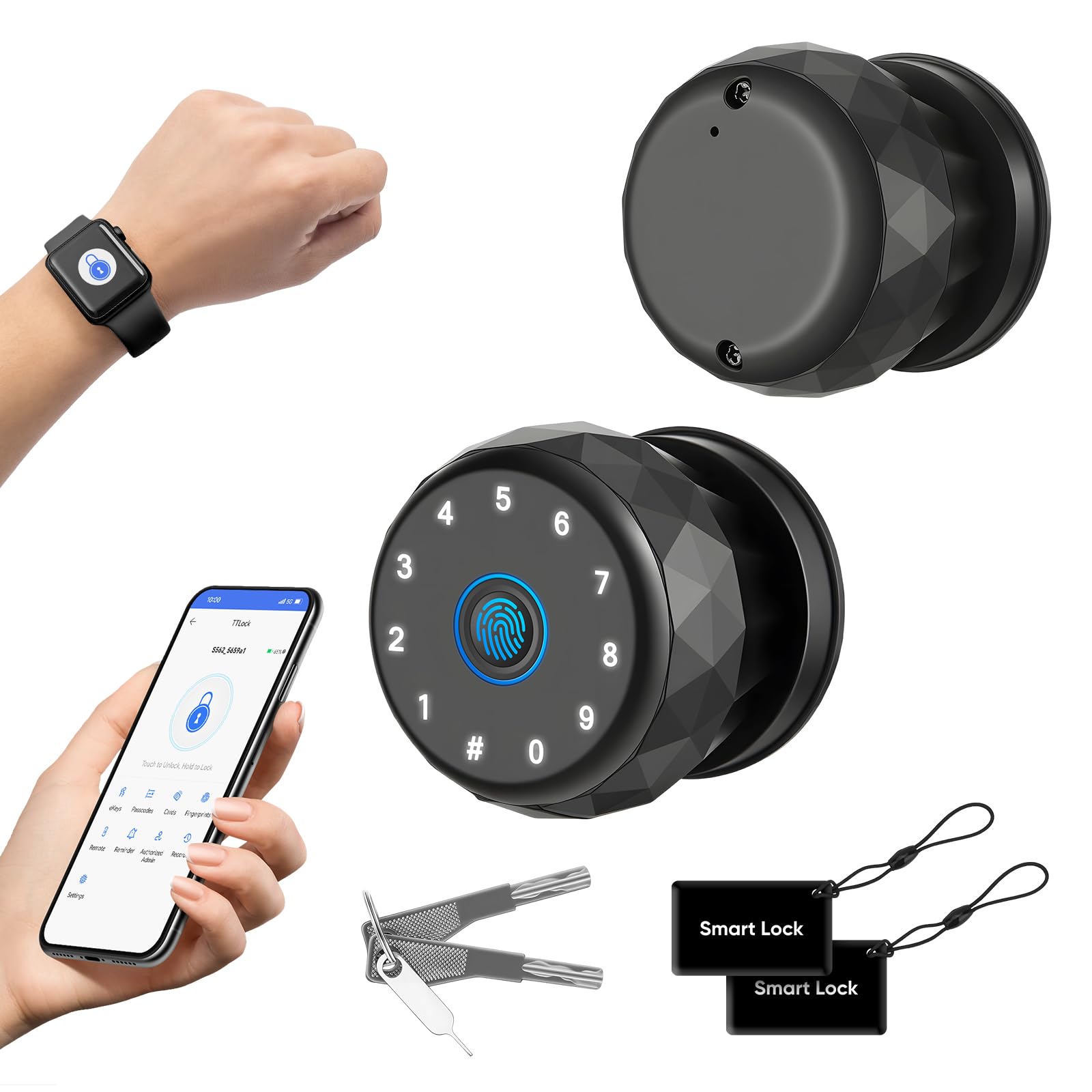
Figure 1: MYPIN Smart Fingerprint Knob Lock. This image displays the sleek design of the smart door knob with its integrated fingerprint sensor and keypad.

Figure 2: Usage scenarios for the MYPIN Smart Door Knob, including hotel rooms, apartments, baby rooms, garages, and bedrooms, highlighting its versatility.
2. Key Features
- Six Unlocking Methods: Access your door using fingerprint, keypad code, physical key, TT Lock app, key card, or Apple Watch.
- Smart App Management: Utilize the free TT Lock app to register fingerprints, codes, and cards, view unlock records, and customize auto-lock settings. (Note: App control requires Bluetooth proximity.)
- Automatic Locking & Privacy Protection: An integrated sensor automatically locks the door when closed. Fingerprint data and unlock records are encrypted and stored locally on the lock, not uploaded to the cloud, ensuring privacy.
- 0.5-Second Fingerprint Unlock: Equipped with an advanced 360° fingerprint sensor for fast, accurate recognition and a low false rejection rate. Intelligent learning optimizes performance over time.
- Secure, Elegant, and Practical Design: Combines a modern aesthetic with practical functions, storing up to 100 fingerprints and offering automatic locking approximately 5 seconds after closing.

Figure 3: Diagram illustrating the six unlock methods: Apple Watch, Key Fob, Mechanical Keys, Fingerprint, App Unlock, and Keypad, providing versatile access options.
3. Setup and Installation
3.1 Pre-Installation Check
Before beginning installation, ensure your door meets the compatibility requirements. Verify the door hole diameter, door thickness, backset, and latch hole diameter. This lock is compatible with single cylinder setups but not with mortise locks.

Figure 4: Diagram showing door hole diameter (2⅛" / 55mm), door thickness (1⅜" or 2⅛" / 35mm or 55mm), backset (2¾" or 2⅜" / 70mm or 60mm), and latch hole diameter (1" / 25mm) for compatibility check. Compatible with single cylinder, not with mortise locks.
3.2 Package Contents
Confirm all components are present before starting the installation process. Refer to the user manual included in the package for a detailed list and visual guide.

Figure 5: Included components in the MYPIN Smart Door Knob package: exterior knob, interior knob, two smart locks, two spare keys, latch, user manual, strike plate, and screws.
3.3 Installation Steps
Follow the step-by-step instructions provided in the physical user manual for precise installation. Ensure correct orientation for inner and outer door configurations.

Figure 6: Diagram illustrating the correct orientation for inner and outer door installations, showing left and right opening configurations to ensure proper functionality.
3.4 App Download and Initial Setup
Download the TT Lock app from your smartphone's app store. Follow the in-app instructions to pair your smart door knob via Bluetooth and complete the initial setup. This includes setting up administrator access and calibrating the lock.
4. Operating Instructions
4.1 Unlocking Methods
The MYPIN Smart Door Knob offers multiple ways to unlock:
- Fingerprint: Place your registered finger on the sensor for quick access.
- Keypad Code: Enter your personalized code on the keypad.
- TT Lock App: Use the app on your smartphone to unlock the door via Bluetooth.
- Key Card: Tap a registered key card against the lock.
- Apple Watch: Unlock using the compatible Apple Watch feature.
- Mechanical Key: Use the provided physical keys as a backup.

Figure 7: Visual guide to multiple keyless access methods: fingerprint, app unlock, Apple Watch, keypad, key fob, and mechanical keys, demonstrating the versatility of the lock.
4.2 App Management
The TT Lock app provides comprehensive control over your smart door knob:
- User Management: Add or remove fingerprints, codes, and key cards for various users.
- Temporary Passcodes: Generate one-time, timed, or permanent passcodes for visitors, family, friends, or service providers.
- Unlock Records: View a history of all unlock events, including method and time.
- Auto-Lock Settings: Customize the automatic locking delay.
- Remote Access (with Gateway): For remote control beyond Bluetooth range, a compatible gateway (sold separately) is required.

Figure 8: Smartphone screen displaying the TT Lock app interface for managing the smart lock, showing options for adding fingerprints, codes, and viewing unlock records.

Figure 9: Image showing a person granting access to trusted individuals (families, friends, delivery personnel, services, pet sitters) using the smart lock's temporary passcode feature via the app.
4.3 Auto-Lock Function
The smart door knob features an automatic locking mechanism. After the door is closed, it will automatically lock after a preset delay (typically 5 seconds), enhancing security and preventing accidental unlocks.
4.4 Passage Mode
Passage Mode allows the door to remain unlocked for a specified period, providing convenience for high-traffic times or when assistance is needed. This mode can be configured via the TT Lock app and can still be manually locked at night for added security.

Figure 10: Illustration of Passage Mode settings within the TT Lock app, allowing the door to remain unlocked for specified periods, with a visual of an elderly person for context, emphasizing convenience and safety.
4.5 Mechanical Key Backup
Always have a backup plan. The MYPIN Smart Door Knob includes two mechanical keys for manual unlocking in case of battery depletion or electronic malfunction.

Figure 11: Close-up of the smart door knob with a mechanical key being inserted, emphasizing the backup key unlock feature for emergencies or battery issues.
5. Maintenance
5.1 Battery Replacement
The smart door knob is powered by AAA batteries (not included). When the battery level is low, the lock will provide an alert. Replace all batteries simultaneously with new, high-quality alkaline batteries to ensure optimal performance. Refer to the user manual for specific battery compartment access.
5.2 Cleaning
Clean the exterior of the smart door knob with a soft, dry cloth. Avoid using abrasive cleaners, solvents, or harsh chemicals, as these can damage the finish and electronic components. Keep the fingerprint sensor clean for accurate recognition.
6. Troubleshooting
If you encounter issues with your MYPIN Smart Door Knob, consider the following common solutions:
- Fingerprint Not Recognized: Ensure your finger is clean and dry. Try re-registering your fingerprint in the app.
- Keypad Not Responding: Check battery levels. Ensure the keypad is clean and free from debris.
- App Connectivity Issues: Ensure Bluetooth is enabled on your phone and you are within range of the lock. Restart the app or your phone.
- Lock Not Engaging/Disengaging: Check for any obstructions in the door frame or latch. Ensure the installation is correct and all screws are tightened.
- Complete Malfunction: If the electronic functions fail, use the mechanical backup keys to access the door. Replace batteries immediately.
For more detailed troubleshooting steps, please consult the comprehensive user manual included with your product or visit the MYPIN support website.
7. Specifications
| Feature | Detail |
|---|---|
| Manufacturer | MYPIN |
| Model Number | MJ-HS0464 |
| Product Dimensions | 7 x 7 x 5.8 cm |
| Product Weight | 670 g |
| Color | Black |
| Material | Aluminum Alloy |
| Number of Pieces | 1 |
| Included Components | Smart Door Knob |
| Batteries Required | Yes (AAA, not included) |
| Operating Temperature | -20°C to 70°C (-4°F to 158°F) |
| IP Rating | IP54 |

Figure 12: Graphic indicating the IP54 rating and operating temperature range of -20°C to 70°C (-4°F to 158°F) for the smart door knob, highlighting its durability in various conditions.
8. Warranty and Support
The MYPIN Smart Door Knob comes with a standard manufacturer's warranty. For specific warranty terms and conditions, please refer to the documentation included with your product or visit the official MYPIN website. If you require technical assistance, have questions about installation, or need support for any issues, please contact MYPIN customer service through the contact information provided in your product packaging or on the official MYPIN support channels.