
1. Introduction
This manual provides comprehensive instructions for the ICE-WATCH Ice fit RT 3.0 Rose-Gold Nude smartwatch. It covers setup, operation, features, specifications, and troubleshooting to help you get the most out of your device. The Ice fit RT 3.0 is designed for active individuals, featuring an elegant design, a bright AMOLED display, and a comfortable silicone strap.
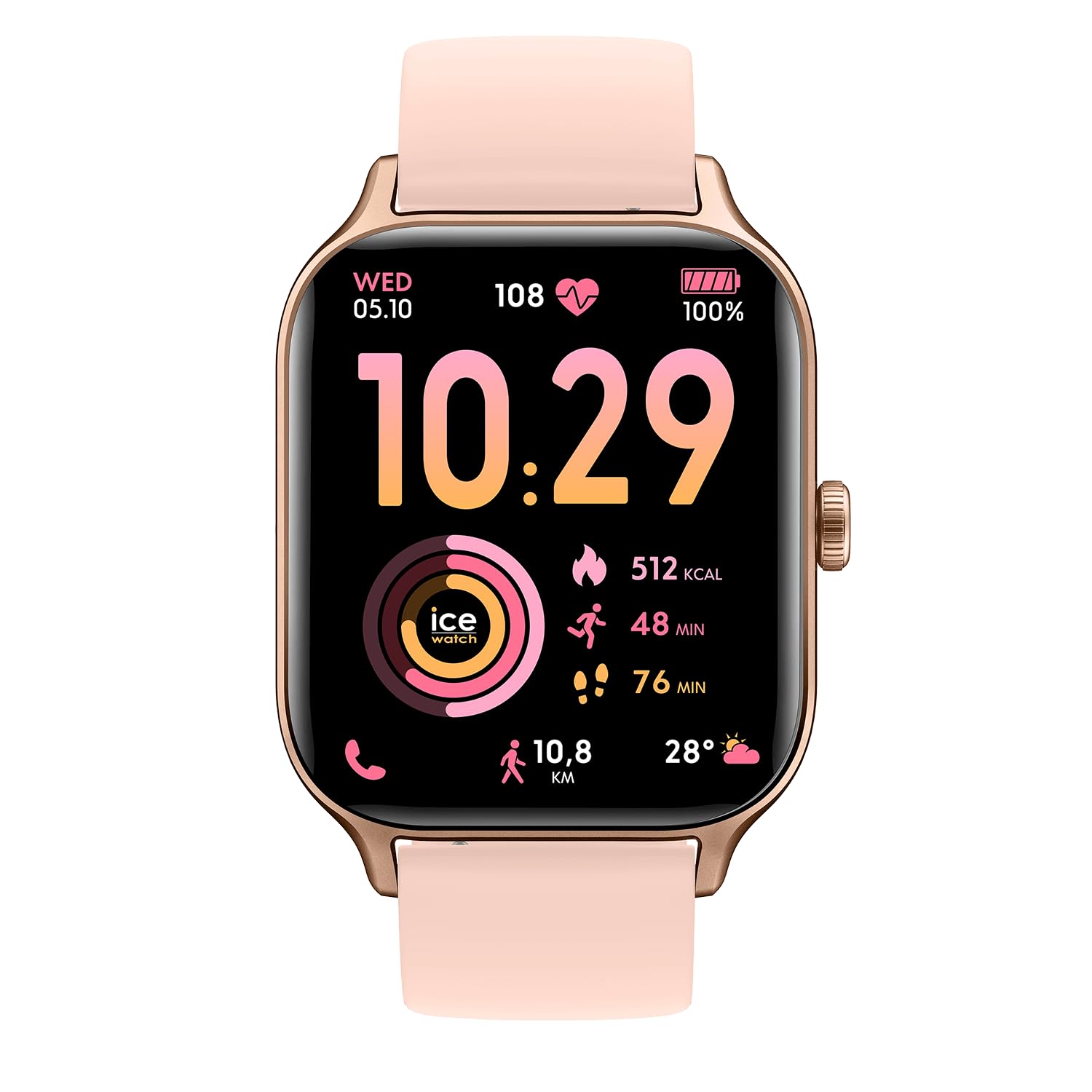
Figure 1: Front view of the ICE-WATCH Ice fit RT 3.0 smartwatch.
2. What's in the Box
Upon opening your ICE-WATCH Ice fit RT 3.0 package, you should find the following items:
- ICE-WATCH Ice fit RT 3.0 Smartwatch
- Charging Cable
- Quick Start Guide (this document)
3. Setup
3.1 Initial Charging
Before first use, fully charge your smartwatch. Connect the provided charging cable to the charging port on the back of the watch and plug the USB end into a compatible power adapter (not included) or a computer's USB port.
3.2 Pairing with Your Smartphone
- Download the official ICE-WATCH companion app from your smartphone's app store (compatible with iOS 13.0+ and Android 10.0+).
- Ensure Bluetooth is enabled on your smartphone.
- Open the ICE-WATCH app and follow the on-screen instructions to pair your device. The app will guide you through the connection process.
- Once paired, the watch will synchronize time and data with your phone.
4. Operating Instructions
4.1 Basic Navigation
The ICE-WATCH Ice fit RT 3.0 features a responsive touchscreen and a physical button for navigation.
- Touchscreen: Swipe left, right, up, or down to navigate through menus and widgets. Tap to select items.
- Physical Button: Press to return to the home screen or wake the device. A long press may access power options or specific functions depending on context.
4.2 Calls and Notifications
Once paired with your smartphone, the smartwatch can receive call and message notifications directly on your wrist. You can answer or reject calls and view message content.
4.3 Music Player
The smartwatch includes 4 GB of integrated storage, allowing you to store and play your favorite music directly from your wrist. Connect Bluetooth headphones (not included) to the watch for audio playback.
4.4 Customizing Watch Faces
Personalize your smartwatch by choosing from a variety of watch faces available through the companion app. You can also customize certain watch faces to display preferred information.

Figure 2: Smartwatch interface displaying various watch faces and app screens.
5. Health Tracking Features
The Ice fit RT 3.0 is equipped with advanced sensors to monitor your health and fitness.
- Activity Tracking: Tracks steps, distance, calories burned, and active minutes.
- Heart Rate Monitor: Continuously monitors your heart rate throughout the day and during workouts.
- Sleep Tracking: Analyzes your sleep patterns, including deep, light, and REM sleep stages.
- GPS Integration: Built-in GPS allows for accurate tracking of outdoor activities without needing your phone.
- Strava Compatibility: Share your workout data directly with Strava to track and compare your performance.

Figure 3: Smartwatch displaying fitness data with GPS and Strava integration.
6. Water Resistance
The ICE-WATCH Ice fit RT 3.0 has a water resistance rating of 5 ATM (50 meters), making it suitable for swimming and showering. It is resistant to splashes and brief immersion in water. However, it is not recommended for diving or high-pressure water activities.
7. Charging and Battery Life
The smartwatch is powered by a 350 mAh Lithium-ion battery, offering an average battery life of 5 days depending on usage. To charge, use the included magnetic charging cable. A full charge typically takes approximately 2 hours.
8. Specifications
| Feature | Detail |
|---|---|
| Model Number | 025278 |
| Display Type | Digital AMOLED |
| Screen Size | 1.75 inches |
| Band Material | Silicone |
| Case Material | Polycarbonate Plastic |
| Water Resistance | 50 Meters (5 ATM) |
| Connectivity | Bluetooth, Wi-Fi |
| GPS | Integrated GPS |
| Supported Apps | Strava, Health |
| Compatible OS | iOS 13.0+, Android 10.0+ |
| Battery Capacity | 350 mAh Lithium-ion |
| Average Battery Life | 5 days |
| Item Weight | 35 Grams |
9. Troubleshooting
9.1 Device Not Turning On
- Ensure the device is fully charged. Connect it to the charger for at least 30 minutes.
- Press and hold the physical button for 10-15 seconds to attempt a forced restart.
9.2 Pairing Issues
- Make sure Bluetooth is enabled on your smartphone and the watch is within range.
- Restart both your smartphone and the smartwatch.
- Clear the Bluetooth cache on your phone or forget the device in your phone's Bluetooth settings, then try pairing again.
- Ensure the ICE-WATCH companion app is up to date.
9.3 Inaccurate Health Data
- Ensure the watch is worn snugly on your wrist, but not too tight.
- Clean the sensors on the back of the watch regularly.
- Ensure your personal information (height, weight, age) is accurately entered in the companion app.
10. Warranty and Support
10.1 Manufacturer's Warranty
Your ICE-WATCH Ice fit RT 3.0 smartwatch comes with a standard manufacturer's warranty. Please refer to the warranty card included in your packaging or visit the official ICE-WATCH website for detailed terms and conditions regarding warranty coverage and duration.
10.2 Customer Support
For further assistance, technical support, or service inquiries, please contact ICE-WATCH customer support through their official website or the contact information provided in your product documentation.


