
Introduction
This manual provides essential information for the safe and efficient use of your FOSSIBOT F109 5G Rugged Phone. Please read it thoroughly before operating the device. Keep this manual for future reference.
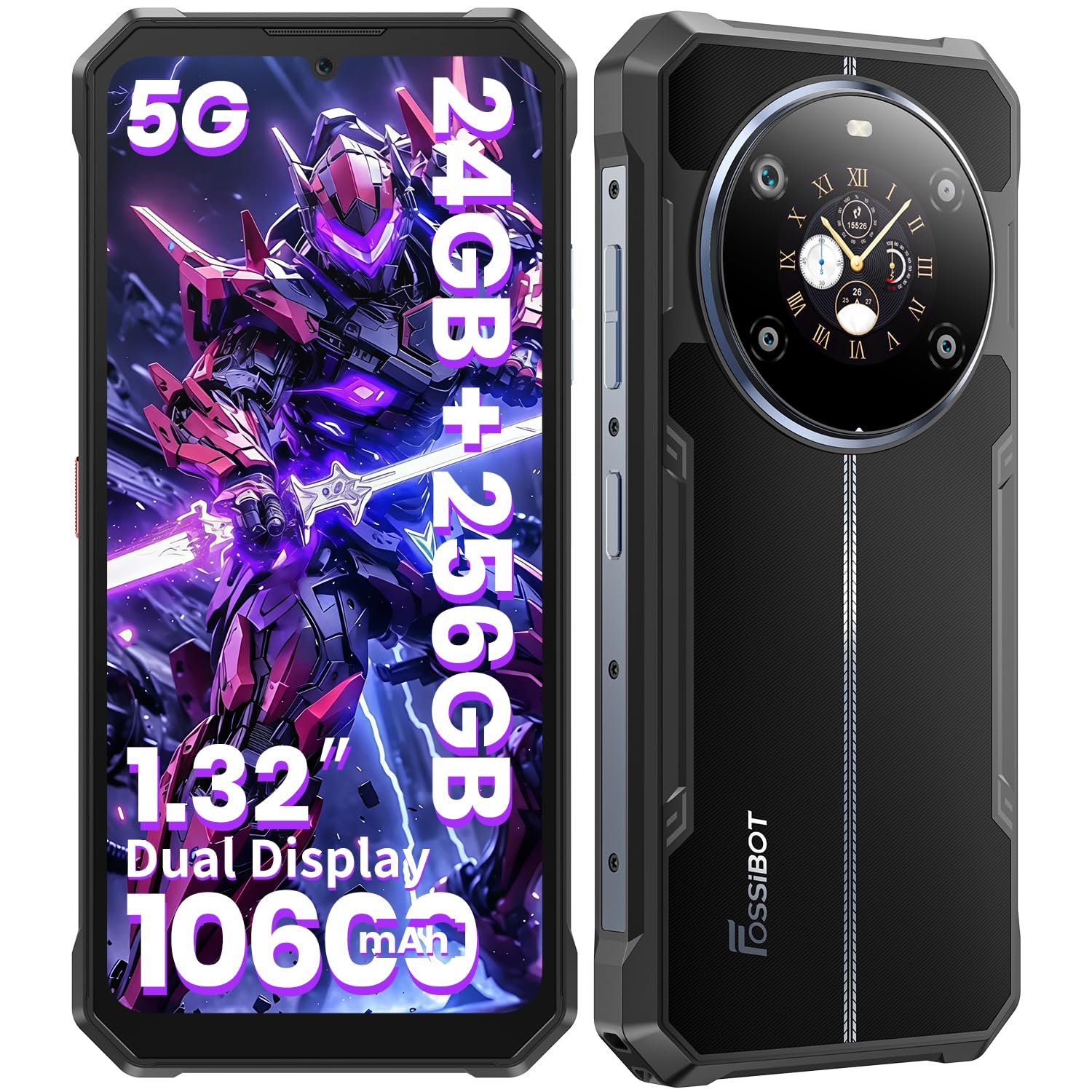
Figure 1: FOSSIBOT F109 5G Rugged Phone Overview
Package Contents
Verify that all items are present in your product package:
- FOSSIBOT F109 Smartphone
- Type-C USB Cable
- 18W Charger
- User Manual / Warranty Card
- SIM Card Pin
- Phone Case

Figure 2: Included items in the FOSSIBOT F109 package.
Setup
1. SIM Card and MicroSD Card Installation
- Locate the SIM card tray on the side of the phone.
- Insert the provided SIM card pin into the small hole next to the tray to eject it.
- Place your Nano-SIM card(s) and/or MicroSD card (up to 2TB, sold separately) into the tray according to the diagram on the tray.
- Carefully reinsert the tray into the phone until it clicks into place.

Figure 3: Illustration of Dual SIM and TF Card installation.
2. Initial Charging
- Connect the Type-C USB cable to the phone's charging port.
- Connect the other end of the cable to the 18W charger.
- Plug the charger into a power outlet.
- Allow the phone to charge fully before first use. The 10600mAh battery provides extended usage.

Figure 4: FOSSIBOT F109's 10600mAh battery capacity and estimated usage times.
3. Powering On/Off
- To Power On: Press and hold the Power button (located on the right side) until the FOSSIBOT logo appears.
- To Power Off: Press and hold the Power button, then select "Power off" from the options on the screen.
Operating Instructions
1. Android 14 Operating System
Your FOSSIBOT F109 runs on the latest Android 14, offering enhanced security, personalization, and a user-friendly interface. Navigate through apps and settings using touch gestures.

Figure 5: Overview of the Android 14 operating system interface.
2. Main Display and Rear Display
The phone features a 6.745-inch FHD+ main display for immersive viewing and a 1.32-inch versatile rear display for quick access to information.
- Main Display: Enjoy vibrant colors and sharp details for videos, games, and browsing.
- Rear Display: Provides quick access to notifications, incoming calls, time, compass, music controls, and can be customized with various dial designs. It also allows for taking selfies with the main camera.
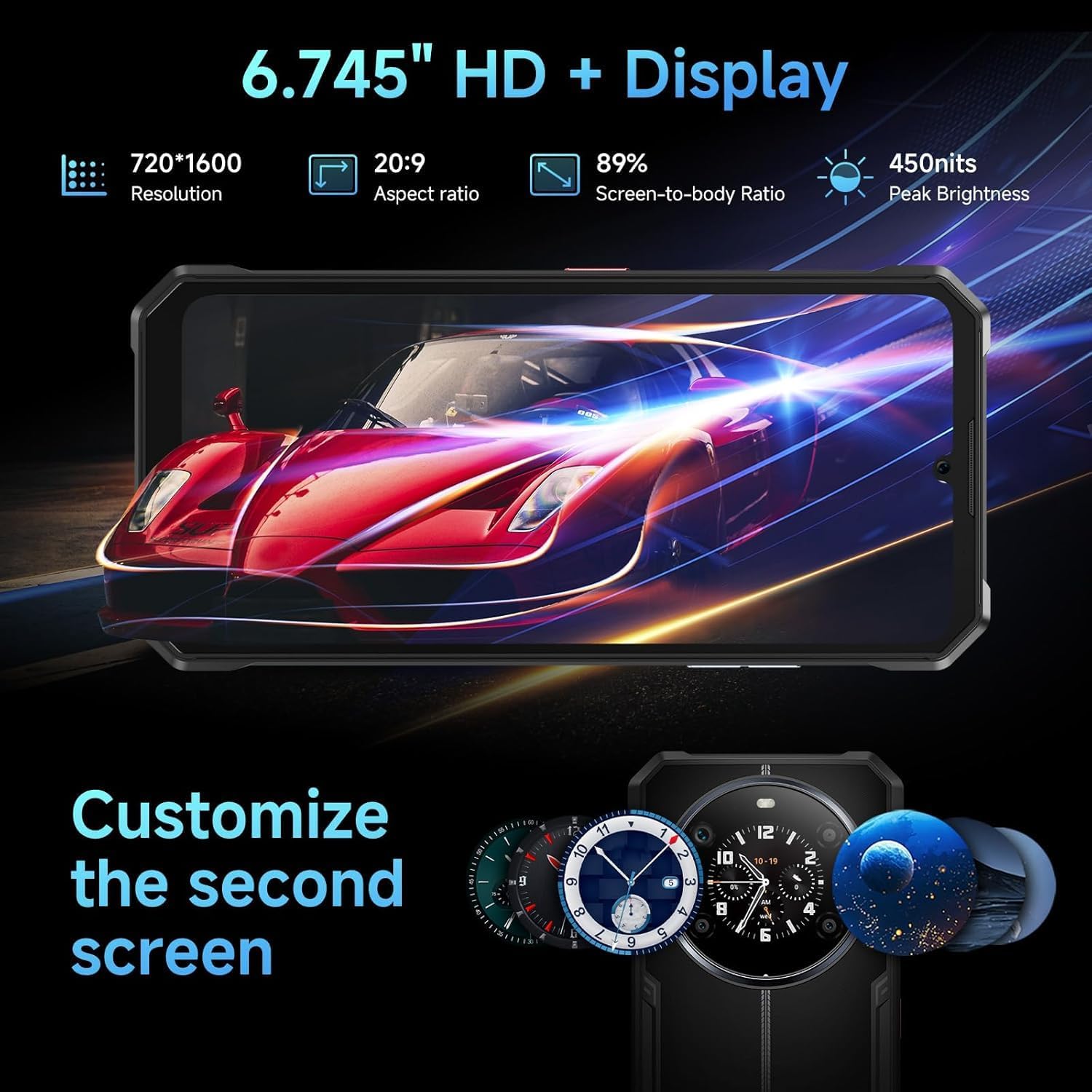
Figure 6: The FOSSIBOT F109's 6.745-inch main display and customizable 1.32-inch rear display.
3. Camera System
The FOSSIBOT F109 is equipped with a versatile camera system:
- 50MP AI Main Camera: For high-resolution photos.
- 16MP Front Camera: For clear selfies and video calls.
- 5MP Macro Lens: For detailed close-up shots.
Utilize various camera modes like portrait mode and night mode for optimal results in different environments.

Figure 7: The FOSSIBOT F109's 50MP AI main camera for detailed photography.
4. Performance and Storage
The MTK Dimensity 6300 chipset and 24GB RAM (8GB physical + 16GB virtual) ensure smooth multitasking and efficient performance. The phone comes with 256GB of internal storage, expandable up to 2TB with a MicroSD card.
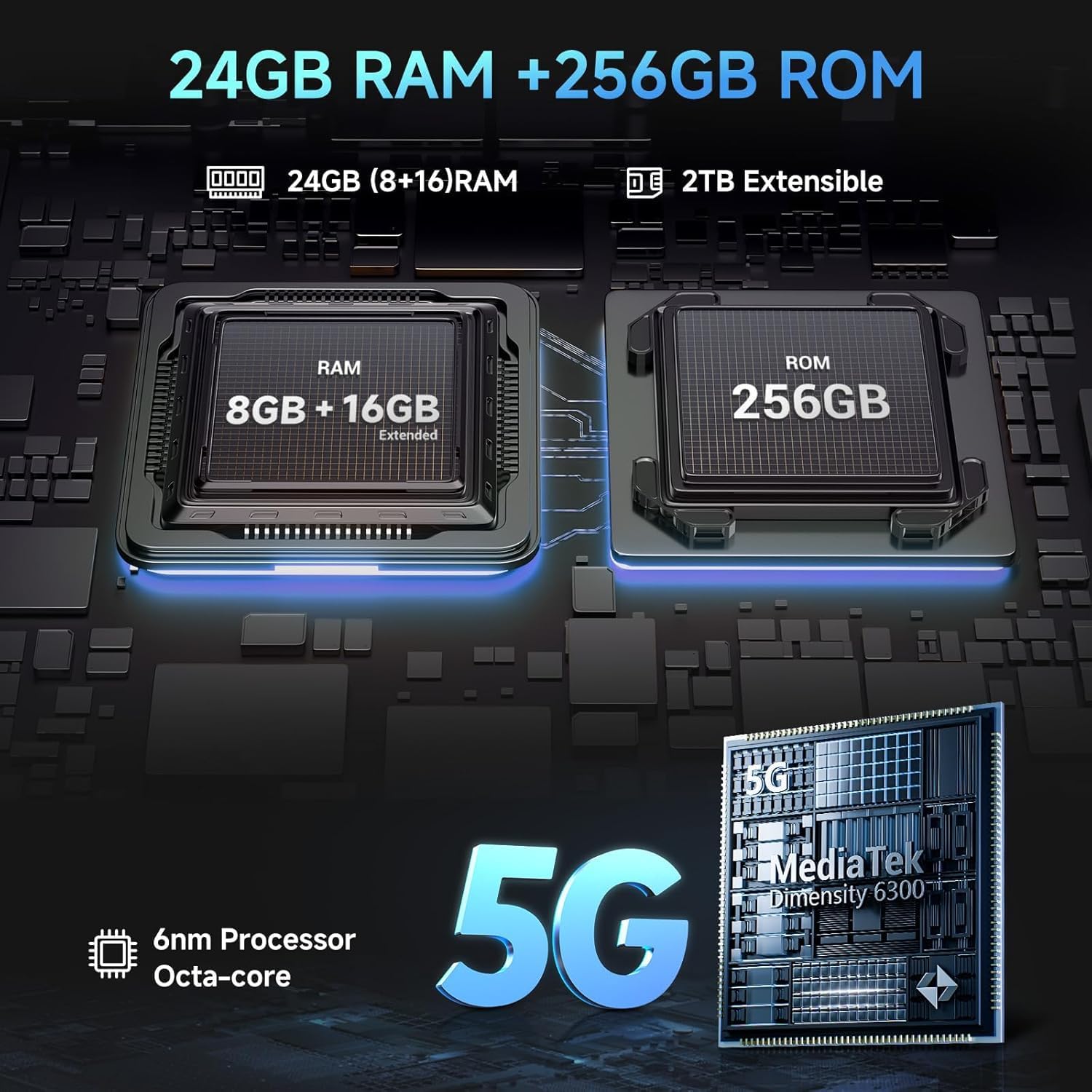
Figure 8: Illustration of FOSSIBOT F109's 24GB RAM and 256GB ROM with 2TB extensibility.
5. Connectivity and Features
- 5G Connectivity: Supports global 5G networks for fast data speeds.
- Dual SIM: Use two Nano-SIM cards simultaneously.
- Wi-Fi & Bluetooth: Standard wireless connectivity options.
- NFC & Google Pay: For contactless payments and data transfer.
- Custom Button: A programmable button for quick access to a chosen app or function.
- Face ID & Fingerprint Unlock: Secure biometric authentication.
Maintenance
1. Ruggedness and Durability
The FOSSIBOT F109 is designed to withstand harsh environments, featuring:
- IP68 Rating: Water-resistant up to 1.5 meters for 30 minutes.
- IP69K Rating: Protection against high-pressure, high-temperature water jets and dust ingress.
- MIL-STD-810H: Military-grade drop resistance up to 1.5 meters.
These features make the phone suitable for outdoor adventures, sports, and professional work in demanding conditions.

Figure 9: FOSSIBOT F109 demonstrating its rugged features including drop resistance, water resistance, and dust-proof design.
Video 1: Demonstration of the FOSSIBOT F109's durability against water and impacts.
2. Cleaning Instructions
To clean your FOSSIBOT F109, use a soft, damp cloth. Avoid using harsh chemicals or abrasive materials that could damage the device's protective coatings.
3. Battery Care
To prolong battery life, avoid exposing the phone to extreme temperatures. Use only the provided charger and cable. Do not fully discharge the battery regularly, and avoid leaving it at 100% charge for extended periods.
Troubleshooting
Common Issues and Solutions
- Phone not powering on: Ensure the battery is charged. Connect to the charger and wait a few minutes before attempting to power on again.
- Poor network signal: Check SIM card installation. Ensure you are within network coverage. Restart the phone.
- Apps freezing or crashing: Close background applications. Clear app cache. Restart the phone.
- Battery draining quickly: Reduce screen brightness. Disable unnecessary features like GPS, Bluetooth, Wi-Fi when not in use. Check for power-intensive apps.
- Water damage concerns: While rugged, ensure all ports are properly sealed before exposure to water. If water ingress is suspected, power off immediately and contact support.
For persistent issues, refer to the FOSSIBOT official support channels.
Specifications
| Feature | Specification |
|---|---|
| Brand | FOSSIBOT |
| Model Name | F109 |
| Operating System | Android 14 |
| RAM Memory Installed Size | 24 GB (8GB + 16GB virtual) |
| Memory Storage Capacity | 256 GB |
| Flash Memory Supported Size Maximum | 2 TB (MicroSD) |
| CPU Model | Mediatek Dimensity 6300 |
| CPU Speed | 2.4 GHz |
| Screen Size | 6.75 Inches (Main Display) |
| Resolution | 1080 x 2340 (Main Display) |
| Rear Display | 1.32 Inches |
| Rear Facing Camera Photo Sensor Resolution | 50 MP (Main) |
| Front Photo Sensor Resolution | 16 MP |
| Macro Camera | 5 MP |
| Battery Capacity | 10600 mAh |
| Charging | 18W Fast Charge |
| Cellular Technology | 5G |
| SIM Card Slot Count | Dual SIM |
| Connectivity Technology | Bluetooth, NFC, Wi-Fi |
| Water Resistance Level | IP68, IP69K |
| Drop Resistance | MIL-STD-810H (1.5m) |
| Connector Type | USB Type C |
Warranty and Support
FOSSIBOT provides 24/7 customer service for your F109 device. For any questions, concerns, or warranty claims, please contact the official FOSSIBOT support team. Refer to the warranty card included in your package for specific terms and conditions.
Contact Information: Please refer to the official FOSSIBOT website or the contact details provided in your warranty documentation.