
1. Introduction
Thank you for choosing the Garvee 24V Kids Electric Ride-On Dump Truck with Shovel. This manual provides essential information for the safe assembly, operation, and maintenance of your new electric construction vehicle. Please read this manual thoroughly before use and retain it for future reference.

Image: The Garvee 24V Electric Ride-On Dump Truck, designed for two children, ready for play.
2. Safety Information
WARNING: To reduce the risk of injury, adult supervision is required. Never use in roadways, near motor vehicles, on or near steep inclines or steps, swimming pools or other bodies of water. Always wear shoes. Never allow more than two riders. This product is intended for children aged 36 to 180 months (3 to 15 years) and supports a maximum weight of 110 lbs.
- Ensure all assembly steps are completed correctly by an adult before initial use.
- Always use the provided seat belts for both riders.
- Operate the vehicle on flat, dry surfaces away from traffic and hazards.
- Do not allow children to operate the vehicle unsupervised.
- Regularly inspect the vehicle for damage, loose parts, or wear before each use.
- The soft-start function is designed to prevent sudden jerks, but children should still be instructed on smooth acceleration.

Image: The spacious double seat with safety belts, ensuring secure riding for two children.
3. Setup & Assembly
Assembly of the Garvee 24V Kids Electric Ride-On Dump Truck is required and should be performed by an adult. A screwdriver is included for your convenience.
3.1. Unpacking and Component Check
Carefully remove all components from the packaging. Verify that all parts listed in the packing list are present. Contact customer support if any parts are missing or damaged.
3.2. Assembly Steps (General Guidance)
- Wheel Installation: Attach the wheels to the axles, ensuring all washers and locking nuts are securely fastened.
- Steering Wheel Assembly: Connect the steering column to the vehicle body and attach the steering wheel. Ensure proper alignment and secure fitting.
- Seat Installation: Secure the seat to the vehicle chassis using the provided screws.
- Dump Bed Attachment: Connect the dump bed mechanism to the rear of the vehicle, following the specific instructions for the lifting and dumping function.
- Battery Connection: Connect the battery terminals. Ensure positive (+) and negative (-) connections are correct.
- Accessory Attachment: Install any additional accessories like the shovel or decorative elements.
Refer to the detailed assembly diagrams in the separate assembly guide for precise instructions.

Image: The Garvee dump truck with its remote control and shovel, indicating included accessories.
4. Operating Instructions
4.1. Powering On/Off
- To turn on the vehicle, press the One-Button Start switch located on the dashboard.
- To turn off, press the same button again.
4.2. Driving Modes
The dump truck offers two control modes:
- Kids Manual Control: Children can operate the vehicle using the steering wheel and foot pedal. There are two adjustable speeds for manual mode.
- Parental Remote Control: An adult can control the vehicle using the 2.4GHz remote controller. This mode offers three adjustable speeds for enhanced safety and supervision.

Image: Demonstrating the two control modes: manual control by the child and remote control by a parent.
4.3. Dump Bed Operation
The automatic lifting dump bed allows for realistic play, with a tipping bucket load capacity of up to 11 lbs.
- Turn on the main switch of the vehicle.
- Locate the Tip bucket Control switch on the dashboard.
- Use the switch to lift and lower the dump bed.
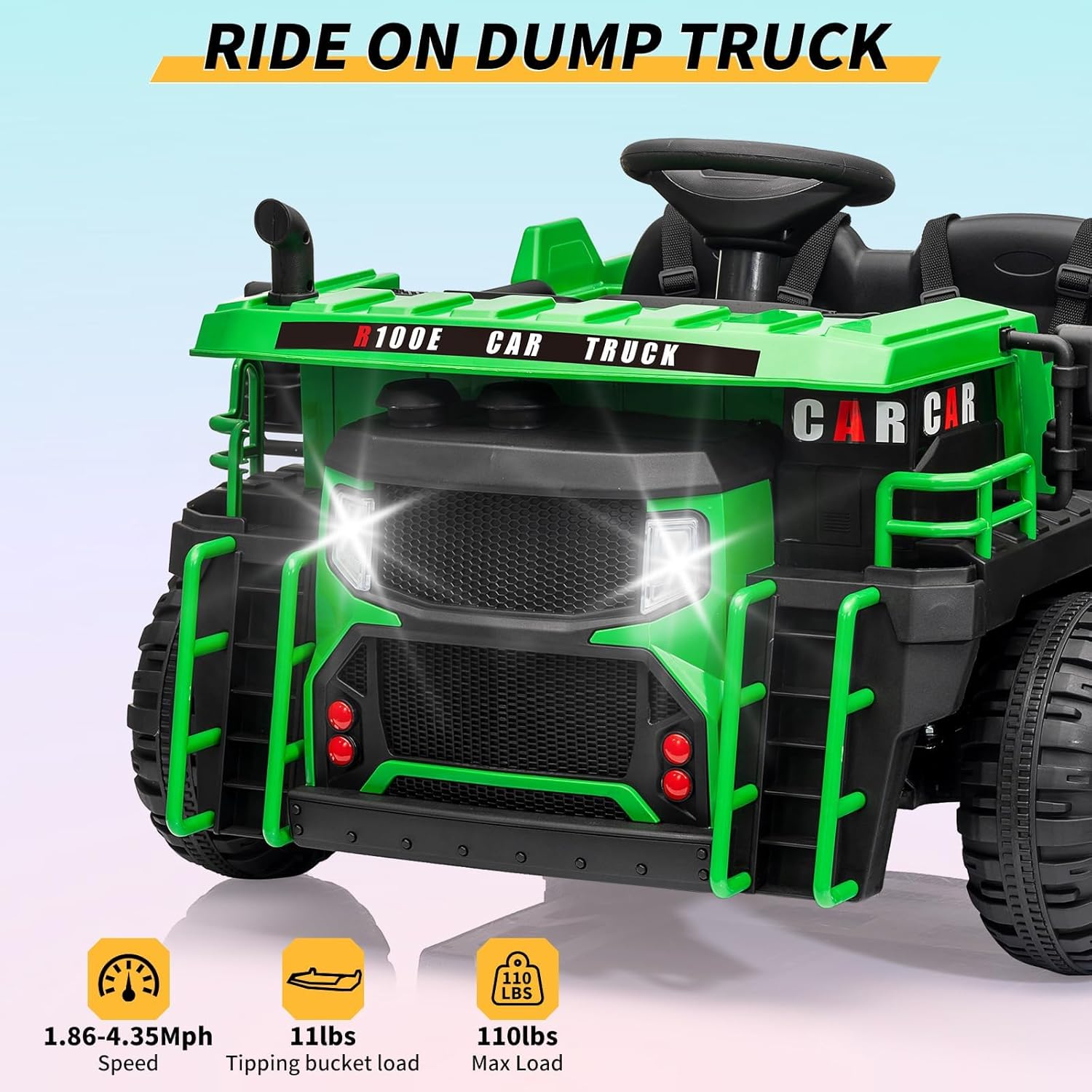
Image: Detailed view of the control panel and the dump bed in action, showing how to operate the lifting mechanism.

Image: Children engaging in play, using the dump bed to transport materials like leaves.
4.4. Multimedia Features
The vehicle is equipped with LED headlights, built-in songs, and supports USB and wireless music playback for an enhanced driving experience.
- LED Headlights: Automatically illuminate when the vehicle is powered on.
- Music Playback: Use the dashboard controls to select built-in songs or connect a USB device for custom music. Wireless music playback is also supported.
5. Maintenance
5.1. Battery Charging
- The vehicle is powered by a 24V 7AH battery.
- Use only the charger provided by Garvee.
- Charge the battery for 8-12 hours before first use. Do not charge for more than 18 hours.
- Recharge the battery after each use, or at least once a month if not in use, to prolong battery life.
- Do not allow the battery to completely drain before recharging.
5.2. Cleaning and Storage
- Clean the vehicle with a soft, damp cloth. Do not use abrasive cleaners or solvents.
- Avoid spraying water directly onto electrical components.
- Store the vehicle in a dry, cool place away from direct sunlight and moisture.
- If storing for extended periods, disconnect the battery.
5.3. General Inspection
- Periodically check all screws, nuts, and bolts for tightness.
- Inspect tires for wear and tear.
- Ensure all electrical connections are secure.
6. Troubleshooting
| Problem | Possible Cause | Solution |
|---|---|---|
| Vehicle does not move | Battery is low or disconnected; Power switch is off; Loose wiring; Overload protection activated. | Charge battery; Turn on power switch; Check all connections; Allow vehicle to cool down. |
| Vehicle moves slowly | Low battery; Overloaded vehicle; Operating on rough terrain. | Charge battery; Reduce load; Operate on smoother surfaces. |
| Remote control not working | Remote batteries are dead; Remote not paired; Interference. | Replace remote batteries; Re-pair remote according to instructions; Move to an area with less interference. |
| Dump bed not lifting | Dump bed control switch off; Mechanism jammed; Overloaded. | Ensure switch is on; Check for obstructions; Reduce load in dump bed. |
If you encounter issues not listed here, or if solutions do not resolve the problem, please contact Garvee customer support.
7. Specifications
| Brand | Garvee |
| Model Name | Electric Ride-on Car |
| Model Number | JC305 |
| Battery | 24V 7AH |
| Motors | Four 75W Motors |
| Speed Range | 1.9 to 4.35 mph (3 to 7 km/h) |
| Maximum Load Capacity | 110 lbs (50 kg) |
| Tipping Bucket Load | 11 lbs (5 kg) |
| Recommended Age | 36 to 180 months (3 to 15 years) |
| Product Dimensions | 38 x 27 x 17 inches (96.5 x 68.6 x 43.2 cm) |
| Item Weight | 59 Pounds (26.7 kg) |
| Material Type | Metal |
| Included Components | Screwdriver |

Image: Front view of the dump truck, illustrating key performance specifications.
8. Warranty & Support
8.1. Customer Support
For any questions, concerns, or assistance with your Garvee 24V Kids Electric Ride-On Dump Truck, please contact our dedicated customer service team. We are committed to ensuring a safe and enjoyable experience for you and your child.
- Contact Information: Please refer to the contact details provided on your purchase receipt or the Garvee official website.
- Online Resources: Visit the Garvee store on Amazon for FAQs and additional product information: Garvee Store
8.2. Warranty Information
Specific warranty details are typically provided with your purchase documentation. Please retain your proof of purchase for any warranty claims. Garvee stands behind the quality of its products and offers support for manufacturing defects within the specified warranty period.