Important Safety Instructions
Read all instructions carefully before operating the AIVOLT H66162 Leaf Blower and Vacuum Mulcher. Failure to follow these instructions may result in electric shock, fire, and/or serious injury.
- Always wear eye protection (safety glasses) and hearing protection when operating the tool.
- Wear long pants, long sleeves, boots, and heavy-duty gloves. Do not wear loose clothing or jewelry that could get caught in moving parts.
- Keep children, bystanders, and pets at least 50 feet (15 meters) away from the operating area.
- Do not operate the tool in wet conditions or rain.
- Ensure all guards and safety devices are in place and functioning correctly before use.
- Never point the blower nozzle at people or animals.
- Inspect the work area for objects that could be thrown or entangled in the fan.
- Always remove the battery pack before making adjustments, changing accessories, or storing the tool.
- Use only AIVOLT recommended battery packs and chargers.
- Do not operate the tool if it is damaged.
Product Overview
The AIVOLT H66162 is a versatile 3-in-1 cordless tool designed for blowing, vacuuming, and mulching leaves and light debris. It features a powerful brushless motor, multiple speed settings, and a convenient collection bag.
Components Included:
- AIVOLT H66162 Main Unit
- Blower Tube
- Vacuum Tube
- 40L Collection Bag
- Shoulder Strap
- Two 4.0Ah 40V Lithium-Ion Batteries
- Dual Charger
- User Manual

Figure 1: All components of the AIVOLT H66162 Leaf Blower and Vacuum Mulcher Combo, including the main unit, blower and vacuum tubes, collection bag, shoulder strap, two 4.0Ah batteries, and dual charger.
Assembly Instructions
Before assembly, ensure the battery is removed from the tool.
1. Attaching the Blower Tube:
- Align the blower tube with the outlet on the main unit.
- Push the tube firmly until it clicks into place. Ensure it is securely locked.
2. Attaching the Vacuum Tube and Collection Bag:
- Open the intake cover on the main unit.
- Attach the vacuum tube to the intake opening, ensuring it locks securely.
- Connect the collection bag to the exhaust port of the main unit. The bag should slide onto the port and be secured with the provided clip or strap.
- Close the intake cover securely.
3. Attaching the Shoulder Strap:
- Locate the attachment points on the main unit.
- Clip the shoulder strap to these points. Adjust the strap length for comfortable operation.

Figure 2: Visual guide for the easy installation of the AIVOLT H66162, showing steps for attaching tubes, the collection bag, and inserting the battery.
Initial Setup and Battery Installation
1. Charging the Batteries:
- Insert the 40V Lithium-Ion batteries into the dual charger.
- Plug the charger into a standard electrical outlet.
- The indicator lights on the charger will show the charging status. Charge until fully charged.
2. Installing the Battery:
- Ensure the tool is switched off.
- Slide a fully charged battery pack into the battery slot on the main unit until it clicks securely into place.
3. Selecting Operating Mode:
- The AIVOLT H66162 can operate as a blower or a vacuum/mulcher.
- To switch between modes, use the mode selector switch located on the side of the main unit. Ensure the correct tube and bag (for vacuum mode) are attached for the desired function.
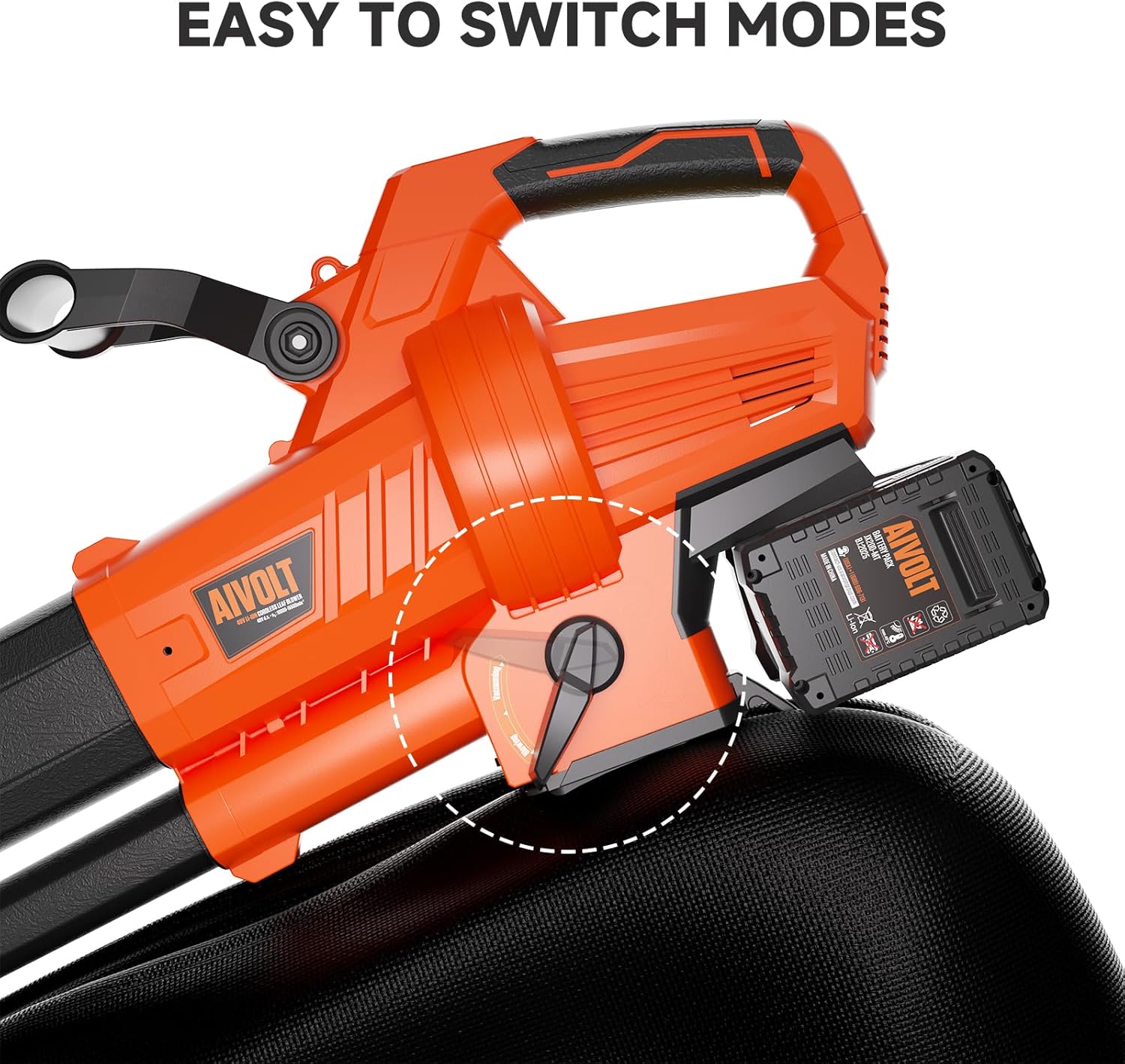
Figure 3: The mode selector switch on the AIVOLT H66162, allowing easy transition between blower and vacuum functions.
Operating Instructions
Always ensure you are wearing appropriate personal protective equipment (PPE) before operating the tool.
1. Starting the Tool:
- Press the On/Off switch to power on the tool.
2. Adjusting Speed Settings:
- The tool features 4-speed modes. Use the Speed Up and Speed Down buttons to select the desired power level.
- For maximum power, press the "TURBO" button for a 10-second burst of high-speed airflow.
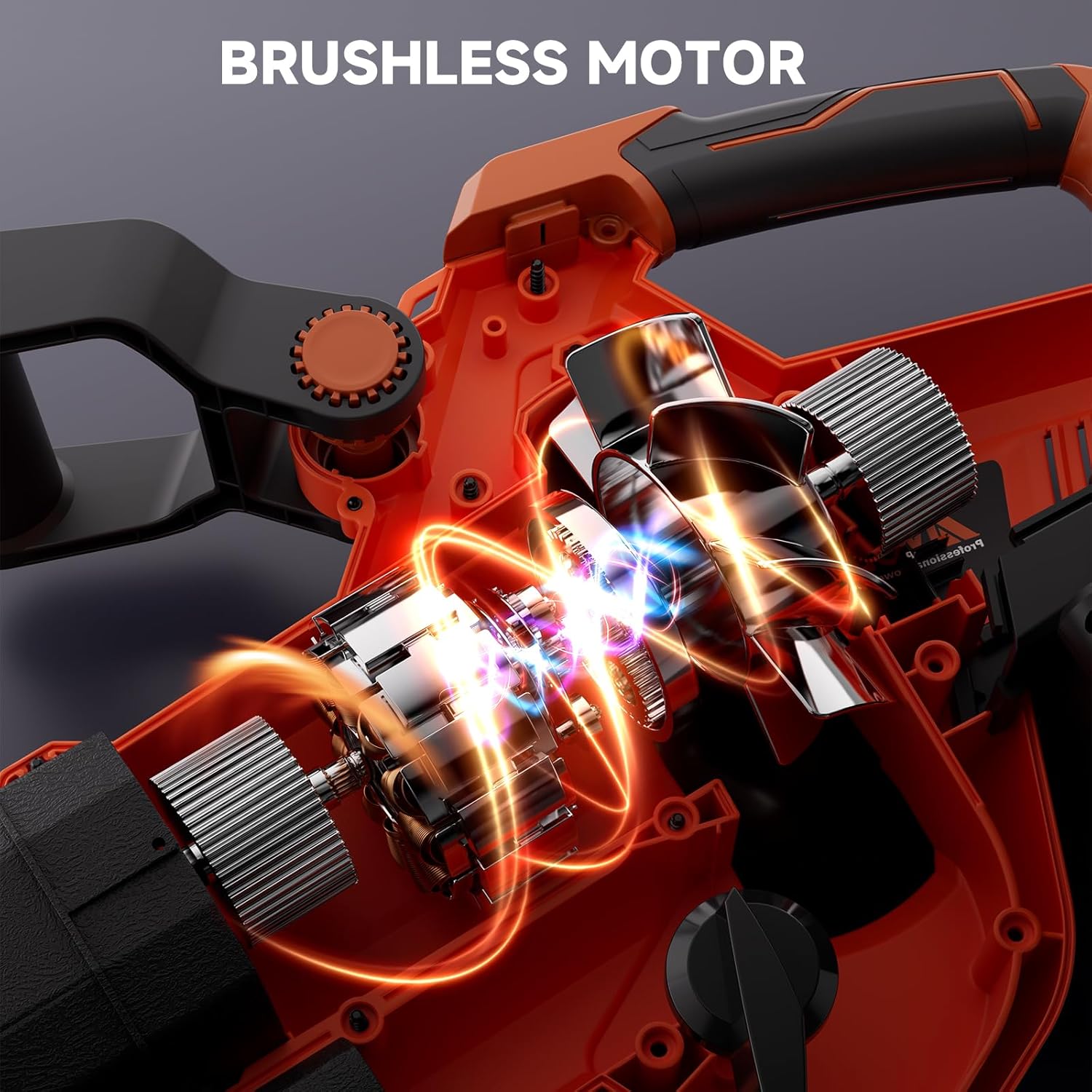
Figure 4: The control panel of the AIVOLT H66162, showing the On/Off switch, Speed Up/Down buttons, Turbo button, and battery indicator lights.
3. Blower Mode Operation:
- Hold the tool firmly with both hands.
- Sweep the blower tube from side to side, moving debris into piles.
- Utilize the wheels on the blower tube for easier maneuverability on hard surfaces.

Figure 5: The AIVOLT H66162 operating in blower mode, demonstrating its capability to clear leaves with a powerful airflow.
4. Vacuum/Mulcher Mode Operation:
- Ensure the vacuum tube and collection bag are securely attached.
- Lower the vacuum tube close to the ground and move it slowly over the leaves.
- The mulching impeller will shred leaves into a 15:1 ratio, collecting them in the 40L bag.
- Empty the collection bag when full by unzipping the bottom.
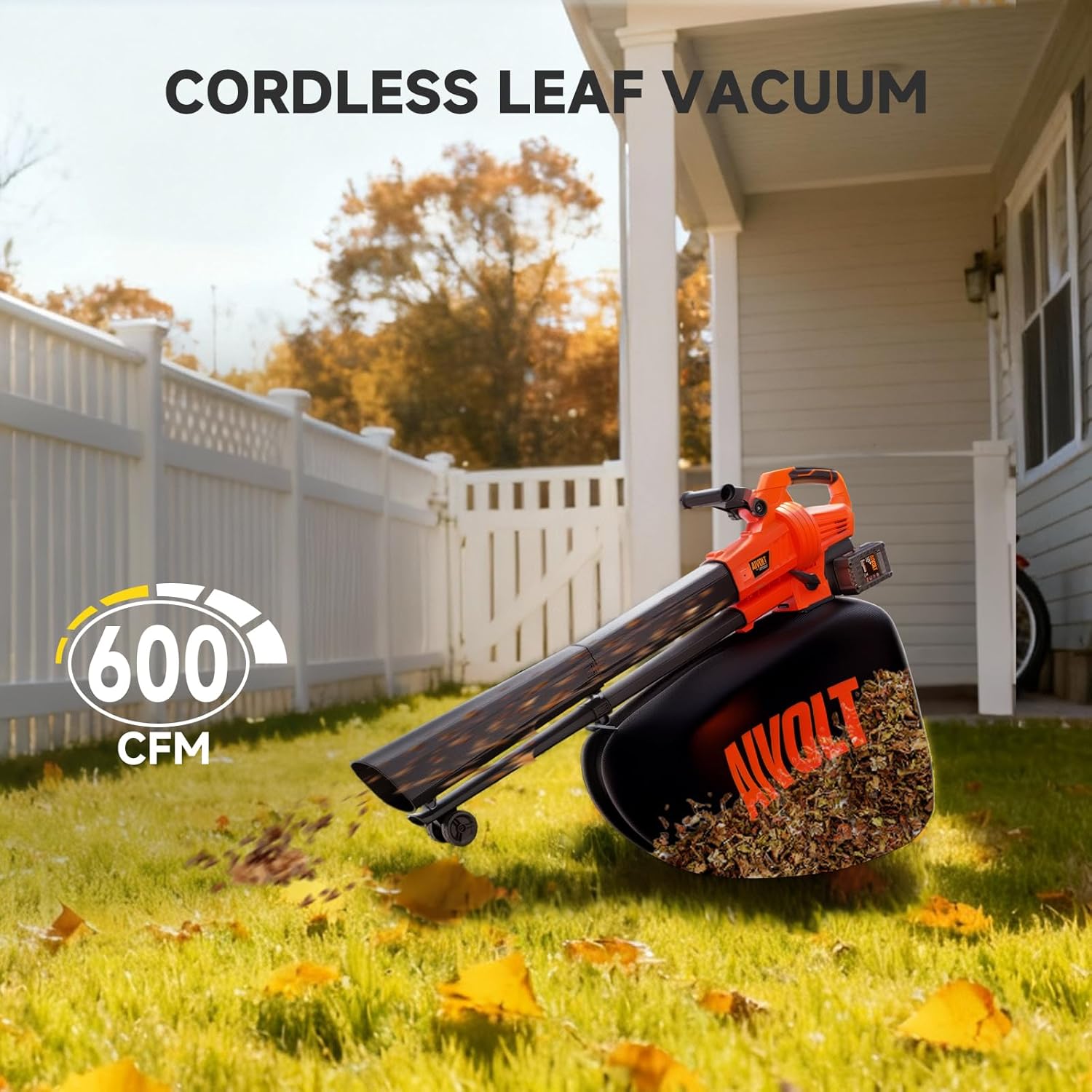
Figure 6: The AIVOLT H66162 operating in vacuum mode, effectively collecting leaves from a lawn.

Figure 7: Mulched leaves being emptied from the 40L collection bag, demonstrating the 15:1 mulching ratio.
5. Ergonomics and Handling:
- The tool is designed to be lightweight (11.2 lbs) and includes a shoulder strap to distribute weight evenly during use.
- The adjustable handle allows for comfortable grip and control.
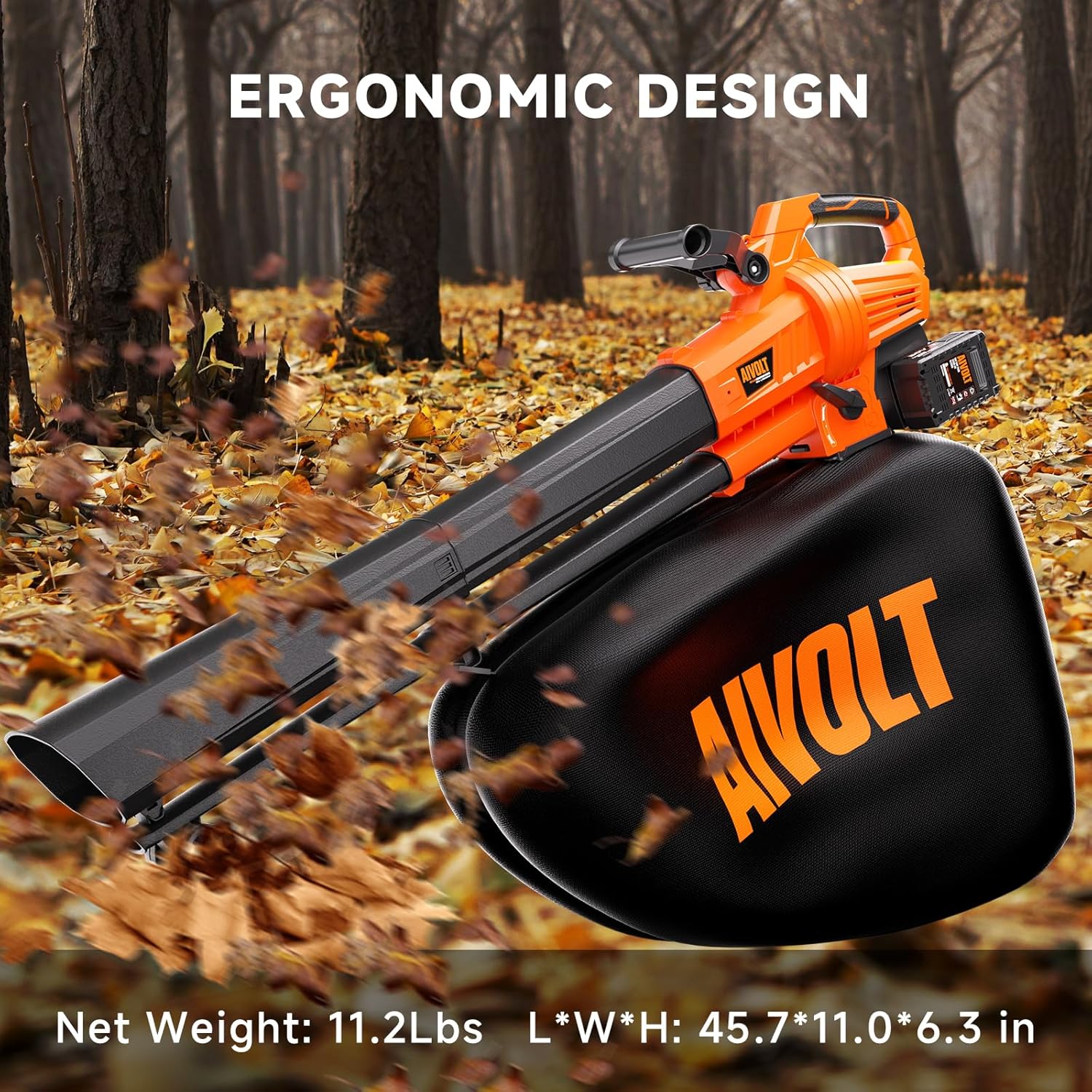
Figure 8: The AIVOLT H66162 showcasing its ergonomic design, including the shoulder strap and adjustable handle for user comfort.
Battery Charging and Care
The AIVOLT H66162 uses 40V Lithium-Ion batteries. Proper care ensures longevity and performance.
1. Charging:
- Always charge batteries in a well-ventilated area.
- Do not charge batteries in temperatures below 32°F (0°C) or above 104°F (40°C).
- Use only the supplied AIVOLT dual charger.
2. Battery Storage:
- Store batteries in a cool, dry place away from direct sunlight and moisture.
- For long-term storage, charge batteries to approximately 50% capacity.
3. Battery Safety:
- Do not short-circuit battery terminals.
- Do not immerse batteries in water or other liquids.
- Do not dispose of batteries in fire.
- If a battery is damaged, discontinue use immediately and dispose of it properly according to local regulations.
Maintenance
Regular maintenance ensures optimal performance and extends the life of your AIVOLT H66162.
1. Cleaning:
- After each use, remove the battery pack.
- Clean the exterior of the tool with a damp cloth. Do not use harsh chemicals or abrasive cleaners.
- Clear any debris from the air vents, blower tube, vacuum tube, and impeller area.
- Empty and clean the collection bag regularly.
2. Storage:
- Store the tool in a dry, secure location out of reach of children.
- Ensure the tool is clean and dry before storing.
3. Impeller Inspection:
- Periodically inspect the impeller for damage or debris buildup.
- Always remove the battery before inspecting the impeller.
Troubleshooting
| Problem | Possible Cause | Solution |
|---|---|---|
| Tool does not start. | Battery not installed correctly or discharged. | Ensure battery is fully charged and properly inserted. |
| Reduced blowing/vacuuming power. | Blocked intake/outlet, full collection bag, or low battery. | Clear blockages, empty bag, or recharge battery. |
| Excessive vibration. | Debris in impeller or damaged impeller. | Remove battery, inspect and clean impeller. If damaged, contact support. |
| Battery not charging. | Charger not plugged in, faulty battery, or charger. | Check power connection. Test with another battery/charger if available. Contact support if issue persists. |
Specifications
| Feature | Detail |
|---|---|
| Model Number | H66162 |
| Brand | AIVOLT |
| Power Source | Battery Powered (40V Lithium-Ion) |
| Motor Type | Brushless Motor |
| Max Air Speed (Blower) | 160 MPH |
| Max Air Volume (Vacuum) | 600 CFM |
| Mulching Ratio | 15:1 |
| Collection Bag Capacity | 40 Liters |
| Weight | 11.2 lbs (without battery) |
| Dimensions (L x W x H) | 45.7 x 11.0 x 6.3 inches |
| Special Features | 4-Speed Modes + Turbo, Adjustable Handle, Shoulder Strap, Wheels |
Warranty and Support
AIVOLT products are manufactured to high-quality standards. For warranty information, please refer to the warranty card included with your product or visit the official AIVOLT website. For technical support, replacement parts, or service inquiries, please contact AIVOLT customer service.
Contact Information: Refer to your product packaging or the AIVOLT official website for the most current contact details.


