
1. Introduction
Thank you for choosing the WILAWELS Wireless Remote Control Outlet Plug. This device allows you to control your plugged-in appliances and lights wirelessly with ease. This manual provides important information for safe and efficient use of your remote control outlet system.
The WILAWELS remote control outlet system is designed for convenience, offering a reliable range and simple operation without the need for complex wiring or apps.
2. Safety Information
- For indoor use only. Do not expose to water or damp conditions.
- Do not exceed the maximum load capacity of 1875W (15A).
- Ensure the plug is fully inserted into the wall outlet.
- Do not disassemble or attempt to repair the device. Contact support if needed.
- Keep out of reach of children.
- Unplug the device from the wall outlet before cleaning.
3. Package Contents
Your WILAWELS Remote Control Outlet Plug Bundle includes:
- Wireless Remote Control (with 12V 23A battery included)
- Remote Control Outlet Plugs (Quantity may vary based on bundle purchased, typically two)
- Mounting bracket for remote
- Adhesive strips and screws for mounting
4. Product Overview
Familiarize yourself with the components of your WILAWELS remote control outlet system.
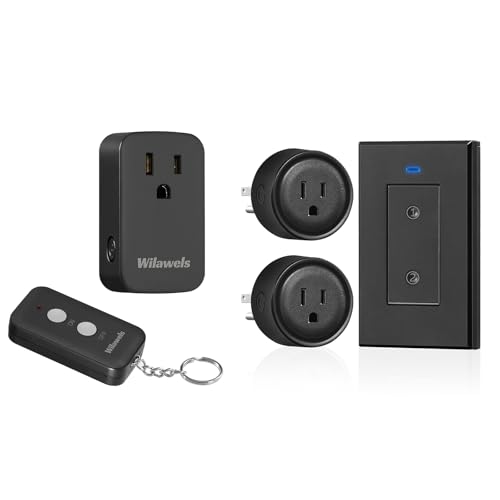
Image 1: The WILAWELS remote control outlet plug and its corresponding wireless remote.

Image 2: Detailed view showing the dimensions of the remote (6.7cm/2.6" x 3.6cm/1.4") and the plug (7.2cm/2.8" x 4cm/1.8" x 2.8cm/1.1"). The plug features an indicator light, a program button, and a manual switch. The remote has ON and OFF buttons.
- Remote Control: Features ON and OFF buttons for each paired outlet.
- Outlet Plug: Inserts into a standard wall outlet. Includes a manual ON/OFF switch and a program button.
- Indicator Light: Located on the plug, indicates power status and pairing mode.
5. Setup Instructions
The remote control and outlet plugs are pre-paired for immediate use. If re-pairing or pairing additional devices is needed, follow these steps:
- Plug In: Insert the remote control outlet plug into a standard wall outlet. The indicator light on the plug will flash.
- Enter Pairing Mode: Press and hold the program button on the side of the outlet plug until the indicator light begins to flash rapidly.
- Pair with Remote: While the indicator light is flashing rapidly, press either the "ON" or "OFF" button on the desired channel of your remote control. The indicator light on the plug will stop flashing and remain solid, confirming successful pairing.
- Test: Press the "ON" and "OFF" buttons on the remote to ensure the plug responds correctly.
- Mounting the Remote: The remote can be mounted using the included adhesive strips or screws. The faceplate can be slid off the mounting bracket for handheld use.
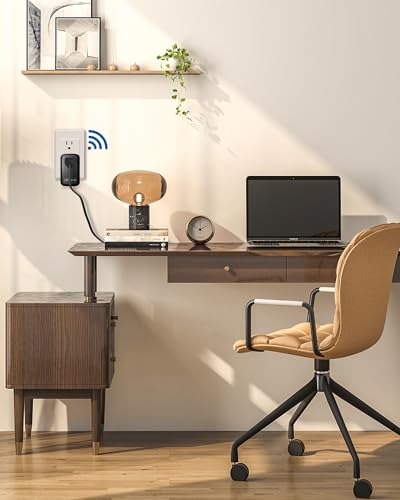
Image 3: A WILAWELS remote control outlet plug inserted into a wall outlet, demonstrating its compact design that does not block the second outlet.
6. Operating Instructions
Once paired, operating your WILAWELS remote control outlet is straightforward.
- Remote Control: Press the "ON" button on the remote to turn on the connected appliance. Press the "OFF" button to turn it off.
- Manual Switch: Each outlet plug also has a manual ON/OFF switch on its side. Press this button to toggle the power directly at the plug.
- Range: The remote operates effectively up to 100 feet, even through walls, providing flexible control within your home.
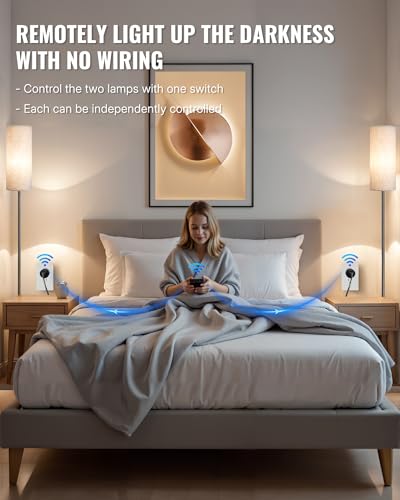
Image 4: An example of using WILAWELS remote control outlets to wirelessly control two lamps in a bedroom, illustrating convenient operation without additional wiring.
7. Maintenance
- Cleaning: Disconnect the plug from the power outlet before cleaning. Wipe with a dry, soft cloth. Do not use liquid cleaners or aerosols.
- Battery Replacement: The remote control uses a 12V 23A battery. If the remote's range decreases or it stops responding, replace the battery. To replace, open the battery compartment on the back of the remote, remove the old battery, and insert a new one with the correct polarity.
- Storage: Store the device in a cool, dry place when not in use for extended periods.
8. Troubleshooting
| Problem | Possible Cause | Solution |
|---|---|---|
| Outlet plug does not respond to remote. | Not paired, remote battery low, or out of range. |
|
| Appliance connected to the plug does not turn on. | Appliance is off, plug is off, or appliance is faulty. |
|
| Indicator light on plug is not on. | No power to the outlet. |
|
9. Specifications
- Model: H02RC1106-H05RC1206
- Brand: WILAWELS
- Input Voltage: 120V AC, 60Hz
- Max Load: 15A / 1875W
- Remote Frequency: 433.92 MHz
- Remote Range: Up to 100 feet (30 meters) in open areas
- Remote Battery: 1 x 12V 23A (included)
- Certifications: FCC Certified

Image 5: Infographic highlighting key features such as Energy-Saving, FCC Certification, Remote Control, 100ft Range, Max 1875W, and Intelligent Control.
10. Warranty and Support
WILAWELS products are designed for reliability and performance. For specific warranty details, please refer to the warranty card included with your purchase or visit the official WILAWELS website.
If you encounter any issues or have questions regarding your product, please contact WILAWELS customer support. Contact information can typically be found on the product packaging or the official brand website.
Website: WILAWELS Store on Amazon
