1. Introduction
Thank you for choosing the Erssimo NG22 Gaming Earbuds. This manual provides detailed instructions for the proper setup, operation, and maintenance of your new gaming earbuds. Please read this manual thoroughly before use to ensure optimal performance and longevity of the product.
2. Package Contents
Verify that all items listed below are present in your package:
- Erssimo NG22 Gaming Earbuds with In-line Microphone
- Detachable Boom Microphone
- Eartips (Small, Medium, Large)
- User Manual (this document)
- Carrying Bag
- Audio Conversion Cable (for devices requiring separate audio/mic jacks)

Image 2.1: The Erssimo NG22 Gaming Earbuds, featuring the main earbud units, the in-line microphone with control unit, and the detachable boom microphone. Various accessories such as eartips and an audio conversion cable are also included.
3. Product Features
3.1 Enhanced Audio Performance
The Erssimo NG22 Gaming Earbuds are designed with high noise isolation to minimize external distractions, allowing for focused gameplay. Equipped with a 10mm driver, these earbuds deliver detailed sound reproduction, enhancing the perception of in-game audio cues such as footsteps and gunshots. The bass response is optimized for gaming environments.

Image 3.1: An exploded view diagram illustrating the internal components of the Erssimo NG22 earbud, highlighting the 10mm driver for enhanced sound quality and positioning.
3.2 Dual Microphone System
These earbuds feature two types of microphones for versatile communication. An in-line microphone is integrated into the cable for general use, while a highly sensitive, detachable boom microphone is included for clearer voice pickup during gaming or conference calls. The detachable microphone ensures your voice is isolated and transmitted effectively.
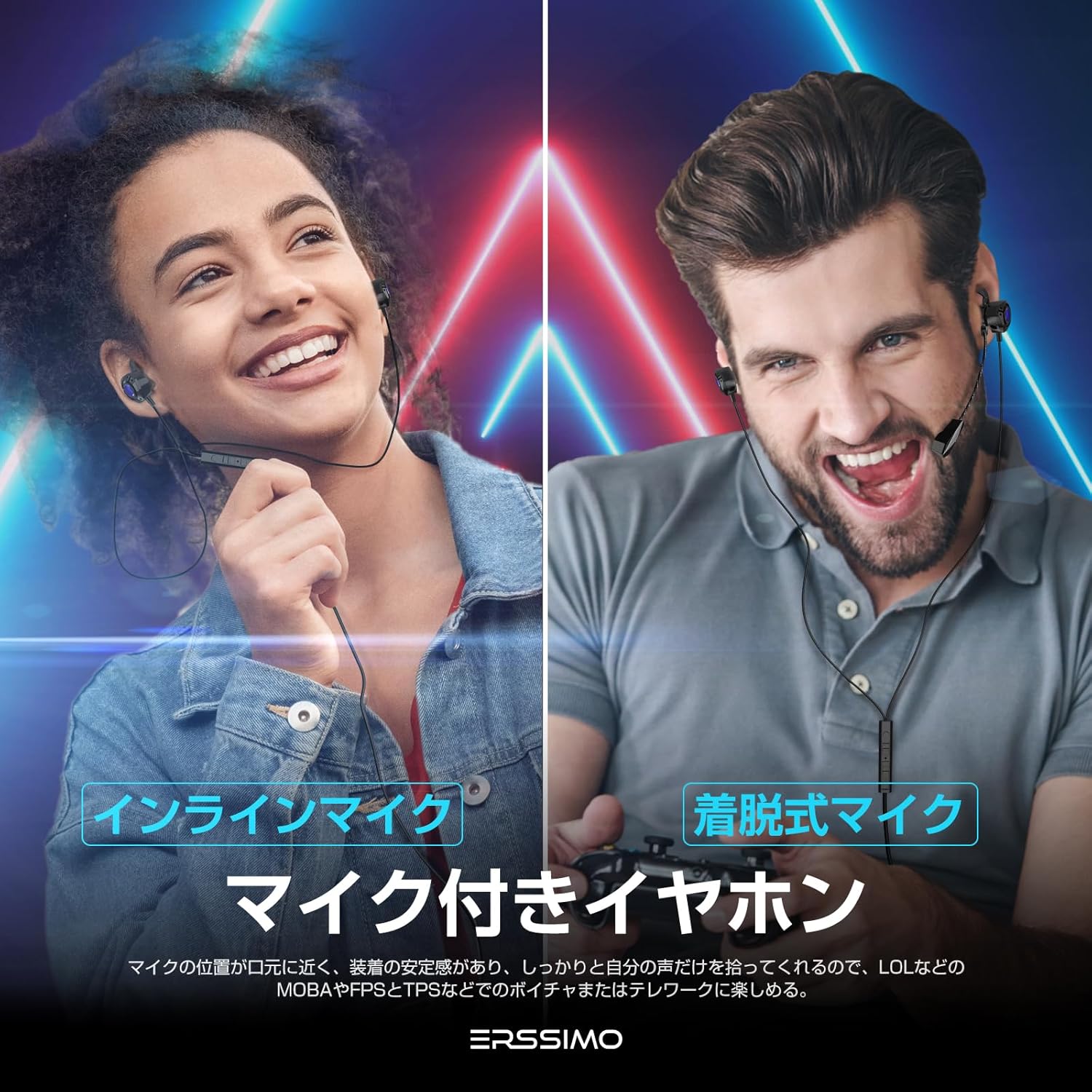
Image 3.2: This image displays the Erssimo NG22 earbuds in use, demonstrating both the integrated in-line microphone and the optional detachable boom microphone for different communication needs.
3.3 Integrated Control Functions
The in-line control unit provides convenient access to essential functions. It includes a microphone mute switch, allowing you to quickly turn the microphone on or off. A volume slider enables precise audio level adjustments. Additionally, the control button supports functions such as playing/pausing music and answering/ending calls.

Image 3.3: A close-up view of the in-line control unit on the Erssimo NG22 earbuds, highlighting the microphone mute switch, volume slider, and multi-function control button.
3.4 Ergonomic Design for Comfort
Weighing approximately 22 grams, the Erssimo NG22 earbuds are lightweight and designed for extended wear without discomfort. The package includes small, medium, and large eartips, allowing users to select the most suitable size for a secure and comfortable fit. This design is ideal for long gaming sessions or mobile use.

Image 3.4: A visual representation emphasizing the lightweight nature and comfortable fit of the Erssimo NG22 gaming earbuds, shown with a user wearing them.
3.5 Broad Device Compatibility
Featuring a standard 3.5mm stereo mini-jack, the Erssimo NG22 earbuds offer wide compatibility with various audio and gaming devices. They can be directly connected to PlayStation 4 (PS4), PlayStation 5 (PS5), Nintendo Switch, PC, Macbooks, smartphones, and tablets. For Xbox One consoles, a conversion adapter (not included) may be required. The wired connection ensures low latency audio transmission.

Image 3.5: An illustration showcasing the broad compatibility of the Erssimo NG22 earbuds with various gaming consoles (PS4, PS5, Switch, Xbox), PCs, and mobile devices, all connecting via a 3.5mm jack. The image also shows the included carrying bag and audio conversion cable.
4. Setup Instructions
4.1 Attaching the Detachable Microphone
- Locate the small port on the left earbud unit.
- Align the connector of the detachable boom microphone with this port.
- Gently push the microphone into the port until it is securely seated.
- Adjust the microphone's position for optimal voice pickup, typically near your mouth.
To remove the microphone, gently pull it straight out from the earbud port.
4.2 Connecting to Your Device
- Identify the 3.5mm audio jack on your gaming console, PC, or mobile device.
- Insert the 3.5mm plug of the Erssimo NG22 earbuds firmly into the device's audio jack.
- If your device has separate audio and microphone jacks (e.g., some PCs), use the included audio conversion cable. Connect the earbud's 3.5mm plug to the female end of the conversion cable, then plug the two male ends of the conversion cable into the corresponding audio (headphone) and microphone jacks on your device.
- Adjust the audio settings on your device to ensure the Erssimo NG22 is selected as the input and output audio device.
5. Operating Instructions
5.1 Volume Control
Use the slider on the in-line control unit to adjust the audio volume. Slide it up to increase volume and down to decrease volume.
5.2 Microphone Mute Function
The in-line control unit features a dedicated switch for microphone mute.
- Slide the switch to the "ON" position to enable the microphone.
- Slide the switch to the "OFF" position to mute the microphone.
5.3 Multi-function Control Button
The central button on the in-line control unit performs various functions depending on the number of presses:
- Single Press: Play/Pause music; Answer/End calls.
- Double Press: Skip to the next track (during music playback).
- Triple Press: Go to the previous track (during music playback).
- Long Press: Reject an incoming call.
6. Maintenance
- Cleaning: Use a soft, dry cloth to clean the earbuds and cable. Do not use abrasive cleaners or immerse the product in water.
- Eartips: Regularly remove and clean the eartips with a mild soap solution and water. Ensure they are completely dry before reattaching.
- Storage: When not in use, store the earbuds in the provided carrying bag to protect them from dust and damage. Avoid extreme temperatures.
- Cable Care: Do not pull on the cable excessively or wrap it too tightly, as this can cause internal damage.
7. Troubleshooting
| Problem | Possible Solution |
|---|---|
| No sound from earbuds. |
|
| Microphone is not working. |
|
| Sound quality is poor or distorted. |
|
8. Specifications
| Feature | Detail |
|---|---|
| Brand | Erssimo |
| Model Name | NG22 |
| Connectivity Technology | Wired (3.5mm Stereo Mini-Jack) |
| Headphones Form Factor | In Ear |
| Driver Size | 10mm |
| Microphone Type | In-line and Detachable Boom Mic |
| Control Type | Volume Control, Mic Mute, Multi-function Button |
| Weight | Approx. 22g |
| Included Components | Earbuds, Detachable Mic, Eartips (S/M/L), User Manual, Carrying Bag, Audio Conversion Cable |
| Package Dimensions | 18.2 x 8 x 3.2 cm |
9. Warranty and Support
For warranty information and customer support, please refer to the documentation provided at the point of purchase or contact your retailer. Keep your proof of purchase for any warranty claims.