1. Introduction
This manual provides comprehensive instructions for the realme C71 4G Smartphone. It covers essential information regarding device setup, operation, maintenance, and troubleshooting to ensure optimal performance and user experience. Please read this manual thoroughly before using your device.
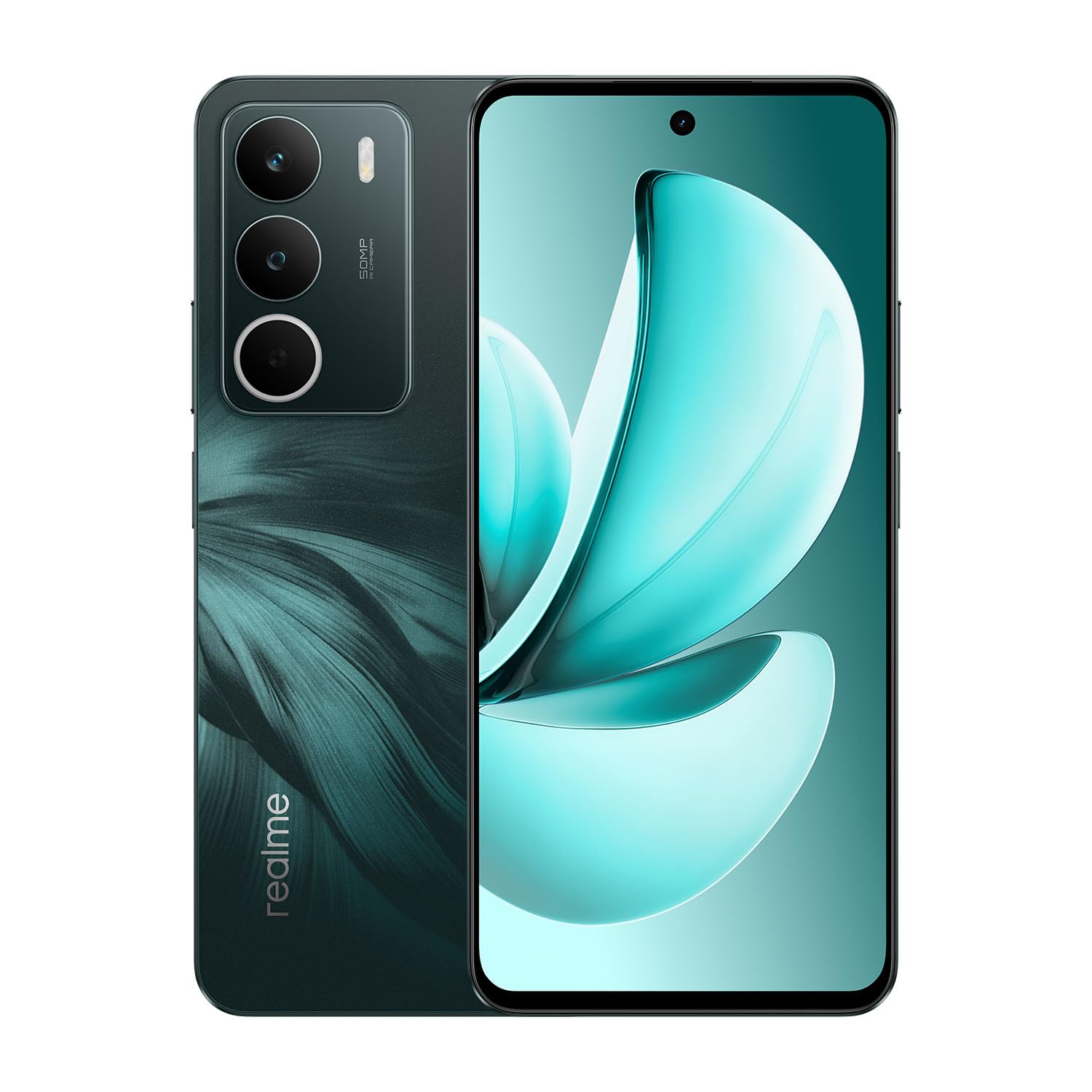
Image: realme C71 4G Smartphone in Forest Owl color, showcasing its sleek design.

Image: An infographic highlighting key features of the realme C71, such as its 6000mAh battery, 45W fast charging, military-grade shock resistance, 120Hz display, and octa-core chipset.
2. What's in the Box
Verify that all items are present in the product packaging:
- realme C71 4G Smartphone
- Phone Case
- SIM Tray Ejector
- USB Cable
3. Setup
3.1. Inserting SIM and SD Card
- Locate the SIM card tray on the side of the device.
- Insert the SIM tray ejector tool into the small hole next to the tray and press firmly until the tray pops out.
- Place your Nano-SIM card(s) and/or microSD card into the designated slots on the tray. Ensure the gold contacts face downwards.
- Carefully reinsert the tray into the phone until it clicks into place.
3.2. Initial Power On
- Press and hold the Power button (located on the right side) until the realme logo appears on the screen.
- Follow the on-screen prompts to complete the initial setup, including language selection, Wi-Fi connection, and Google account login.
3.3. Charging the Device
Connect the USB cable to the phone's charging port and the other end to a compatible power adapter. The device supports 45W fast charging.
4. Operating the Device
4.1. Display Features
The realme C71 features a 6.67-inch display with a 120Hz refresh rate for smooth visuals and an Eye Comfort Display with Real DC-Dimming technology to reduce eye strain.

Image: The realme C71 display showcasing its 120Hz refresh rate, 725 nit maximum brightness, 6.67-inch screen size, and up to 240Hz touch sampling rate.

Image: An illustration emphasizing the 120Hz Eye Comfort Display and Real DC-Dimming feature of the realme C71.
4.2. Camera
The device is equipped with a 50MP AI Camera, designed to capture detailed and clear photos in various environments. It includes features like Film Simulations for creative photography.

Image: A visual representation of the realme C71's 50MP AI Camera capabilities, including various film simulation options and example photographs.
4.3. Battery and Charging
The realme C71 features a 6000mAh battery, providing extended usage time. It supports 45W fast charging, allowing for quick recharges.

Image: The realme C71 in two colors, highlighting its 6000mAh massive battery and 45W fast charging, capable of providing 2 days of usage from a 1-hour charge.

Image: An illustration demonstrating the realme C71's 6000mAh battery life, indicating over 8 hours of gaming and up to 2 days of heavy usage on a full charge.

Image: The realme C71 being charged, illustrating its 45W fast charging capability which can achieve 50% charge in 35 minutes.
4.4. Performance
The device is powered by a robust 8-core processor (UNISOC T7250) with advanced architecture, ensuring smooth multitasking and efficient daily operations.

Image: A graphic representing the UNISOC T7250 8-core processor, highlighting its advanced architecture and 12nm process for exceptional performance.
4.5. Durability
The realme C71 offers IP54 water and dust resistance for everyday use, providing protection against splashes and dust. It also features military-grade shock resistance with tough corner protection, a reinforced aluminum structure, and foam protection.

Image: The realme C71 being splashed with water, illustrating its IP54 water and dust resistance for daily use.

Image: An exploded view of the realme C71's internal structure, detailing its military-grade shock resistance with tough corner protection, reinforced aluminum structure, and foam protection, designed for a maximum drop height of 1.5 meters.
4.6. Pulse Light
The Pulse Light feature provides visual notifications and interactions through glowing modes, enhancing the user experience.

Image: Close-up of the realme C71's rear camera module, illustrating the Pulse Light feature with its vivid glowing modes for notifications.
5. Maintenance
5.1. Cleaning Your Device
- Use a soft, lint-free cloth to clean the screen and body of the phone.
- Avoid using harsh chemicals, abrasive cleaners, or aerosol sprays.
- Ensure all ports are dry before charging or connecting accessories.
5.2. Software Updates
Regularly check for and install software updates to ensure your device has the latest features, security patches, and performance improvements. Navigate to Settings > About phone > Software update to check for available updates.
6. Troubleshooting
If you encounter issues with your realme C71, refer to the following common troubleshooting steps:
- Device not powering on: Ensure the battery is charged. Connect the charger and wait a few minutes before attempting to power on again.
- Apps crashing or freezing: Close the problematic app and reopen it. If the issue persists, restart the phone.
- Poor network signal: Check if your SIM card is properly inserted. Move to an area with better network coverage.
- Battery draining quickly: Reduce screen brightness, close unused apps running in the background, and disable unnecessary features like GPS or Bluetooth when not in use.
- Touchscreen unresponsive: Restart the device. If the issue continues, contact customer support.
7. Specifications
Key technical specifications for the realme C71 4G Smartphone:

Image: A visual representation of the realme C71's memory, indicating up to 6GB of dynamic RAM and 128GB of ROM.

Image: A hand holding the realme C71, emphasizing its slim profile of 7.79mm thickness and 196g weight.
| Feature | Specification |
|---|---|
| Model Number | RMX5303 |
| Operating System | Android 15 |
| Display Size | 6.67 Inches |
| Refresh Rate | 120Hz |
| Processor | 8-Core (UNISOC T7250), 1.8 GHz |
| RAM Memory | 6 GB |
| Storage Capacity | 128 GB |
| Rear Camera | 50MP |
| Battery Capacity | 6000mAh (5830 Milliamp Hours) |
| Charging | 45W Fast Charging |
| Connectivity | Bluetooth, USB, Wi-Fi, GPS |
| Water/Dust Resistance | IP54 |
| Dimensions (L x W x H) | 6.53 x 2.99 x 0.31 inches |
| Weight | 6.9 ounces (196 Grams) |
| Color | Forest Owl |
8. Safety Information
Please observe the following safety guidelines to prevent damage to your device or injury to yourself:
- Do not expose the device to extreme temperatures, direct sunlight, or excessive moisture.
- Use only realme-approved chargers and accessories.
- Avoid disassembling or modifying the device.
- Keep the device away from medical implants and devices.
- Dispose of the device and its battery responsibly according to local regulations.
9. Warranty and Support
9.1. Warranty Information
Your realme C71 Smartphone is covered by a limited warranty. Please refer to the warranty card included in your product packaging or visit the official realme website for detailed terms and conditions. The warranty typically covers manufacturing defects but does not cover damage caused by misuse, accidents, or unauthorized repairs.
9.2. Customer Support
For technical assistance, service, or further inquiries, please visit the official realme support website or contact their customer service hotline. Contact information can usually be found on the realme official website or in the warranty documentation.
Online Support: https://www.realme.com/global/support


