
1. Introduction
This manual provides essential information for setting up, operating, maintaining, and troubleshooting your realme 14x 5G Smartphone (Model RMX3943). Please read this guide thoroughly to ensure proper use and to maximize the device's capabilities.
The realme 14x 5G is a high-performance smartphone featuring a 6.67-inch 120Hz display, a 50MP AI camera, a MediaTek Dimensity 6300 5G chipset, and a 5000mAh battery. It is designed with ArmorShell Protection and IP64 water and dust resistance for enhanced durability.

Image 1.1: realme 14x 5G Smartphone in Peridot Green.
2. Setup
2.1. Unboxing and Package Contents
Verify that your package contains the following items:
- realme 14x 5G Smartphone
- Phone Case
- SIM Tray Ejector
- USB Cable (Type-C)
2.2. SIM Card Installation
- Locate the SIM card tray on the side of the device.
- Insert the SIM tray ejector tool into the small hole next to the tray and press firmly until the tray pops out.
- Place your Nano-SIM card(s) and/or microSD card (if applicable) into the designated slots on the tray. Ensure the gold contacts face downwards. The device supports Dual SIM functionality.
- Carefully reinsert the tray into the phone until it clicks into place.
2.3. Initial Power On and Charging
To power on your device, press and hold the Power button located on the side until the realme logo appears. Follow the on-screen instructions to complete the initial setup, including language selection, Wi-Fi connection, and Google account setup.
Before first use, it is recommended to fully charge the device. Connect the USB Type-C cable to the phone's charging port and the other end to a power adapter. The device features a 5000mAh battery for extended use.
3. Operating Instructions
3.1. Basic Navigation (Android 15)
Your realme 14x 5G runs on Android 15. Navigate the interface using gestures or on-screen buttons. Swipe up from the bottom to access the app drawer, swipe down from the top for notifications and quick settings.
3.2. Display Features
The 6.67-inch display supports a 120Hz refresh rate for smooth visuals. It also includes 10 visual protection modes to reduce eye strain. Access display settings to customize refresh rate, color temperature, and dark mode.
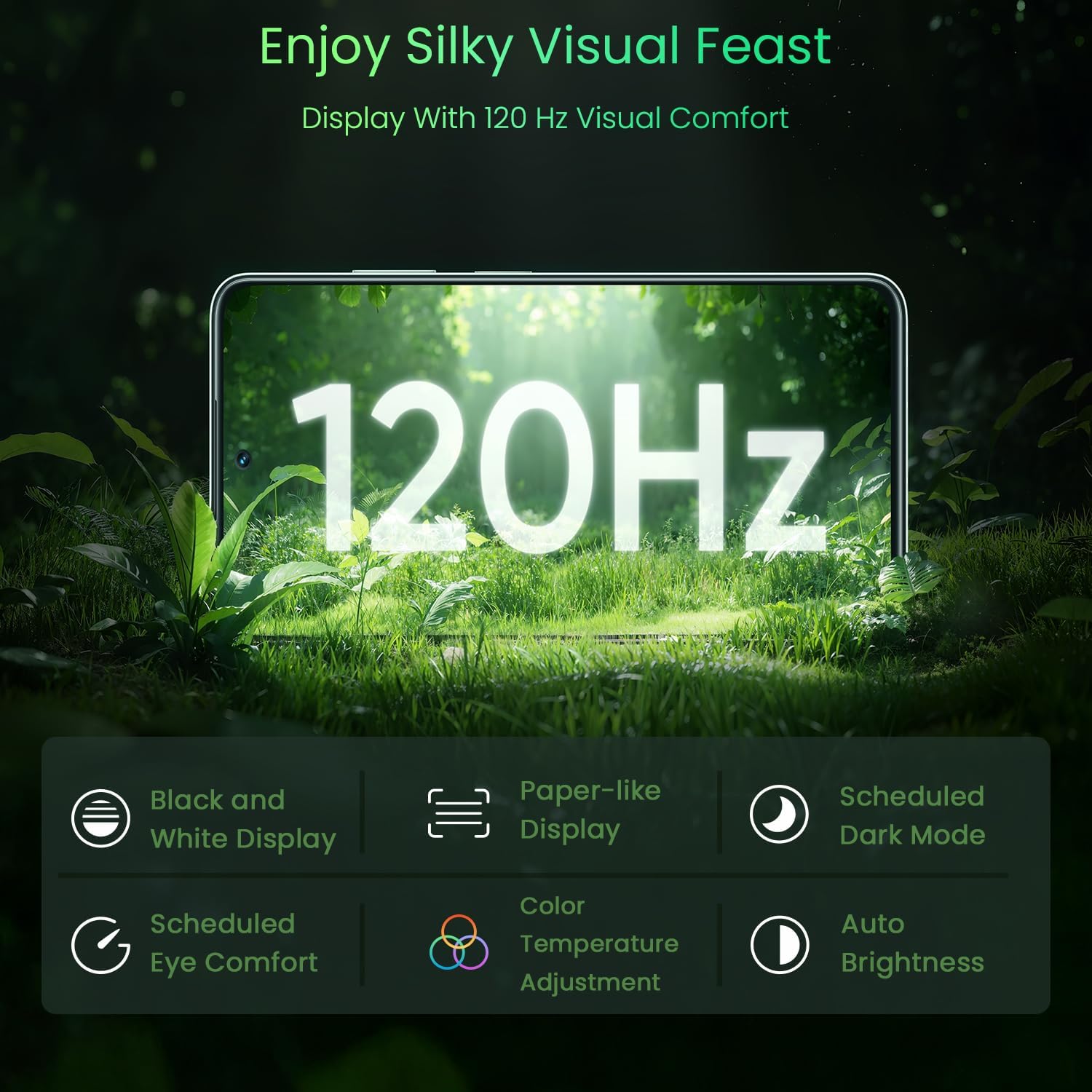
Image 3.1: The 120Hz Visual Comfort Display offers multiple eye protection modes.
3.3. Camera Usage
The device features a 50MP AI-enhanced rear camera and an 8MP front camera. Open the Camera app to access various modes such as Photo, Portrait, Video, and Night mode. AI features assist in optimizing image quality.

Image 3.2: The 50MP AI Camera captures detailed photos and supports portrait shots.
3.4. Connectivity
The realme 14x 5G supports 5G cellular technology, Wi-Fi, and Bluetooth for wireless connectivity. It also features NFC for contactless payments and data transfer. Ensure your device is connected to a stable network for optimal performance.

Image 3.3: The 360° NFC feature allows for multiple cards in one phone.
3.5. Security
The device includes fingerprint recognition for secure unlocking and authentication. Set up your fingerprint in the Security settings menu.
4. Maintenance
4.1. Battery Care
To prolong battery life, avoid extreme temperatures and do not let the battery fully discharge frequently. Use the provided USB Type-C cable and a compatible charger for optimal charging.

Image 4.1: The device features a 5000mAh battery and a slim design.
4.2. Cleaning the Device
Use a soft, lint-free cloth to clean the screen and body of the phone. Avoid using harsh chemicals or abrasive materials. The device has an IP64 rating, meaning it is resistant to dust and splashes, but it is not fully waterproof.

Image 4.2: The realme 14x 5G offers IP64 water and dust resistance for daily use.
4.3. Software Updates
Regularly check for and install software updates to ensure your device has the latest features, security patches, and performance improvements. Updates can be found in the device's settings under 'System' or 'About Phone'.
4.4. ArmorShell Protection
The realme 14x 5G is equipped with ArmorShell Protection, which has passed over 320 strict tests for durability, including power button tests, USB plugging/unplugging tests, temperature tests, and micro drop tests. This provides enhanced resistance against impacts and daily wear.

Image 4.3: ArmorShell Protection ensures the device's durability through rigorous testing.
5. Troubleshooting
5.1. Common Issues and Solutions
- Device not powering on: Ensure the battery is charged. Press and hold the power button for at least 10 seconds.
- Network connectivity issues: Check if airplane mode is off. Restart the device. Verify SIM card installation.
- Apps crashing or freezing: Close background apps. Clear app cache. Restart the device.
- Slow performance: Close unused apps. Clear storage space. Restart the device.
5.2. Factory Reset
If persistent issues occur, a factory reset may be necessary. This will erase all data on your device. Back up important data before proceeding. Go to Settings > System > Reset options > Erase all data (factory reset).
6. Specifications
The following table outlines the key specifications of the realme 14x 5G Smartphone (Model RMX3943):

Image 6.1: The MediaTek Dimensity 6300 5G Chipset powers the realme 14x 5G.
| Feature | Specification |
|---|---|
| Brand | realme |
| Model Name | realme 14X (RMX3943) |
| Operating System | Android 15 |
| RAM Memory Installed Size | 6 GB |
| Memory Storage Capacity | 128 GB |
| CPU Model | MediaTek Dimensity 6300 5G |
| CPU Speed | 2.4 GHz |
| Screen Size | 6.67 Inches |
| Refresh Rate | 120 Hz |
| Display Type | LCD |
| Display Resolution Maximum | 1604x720 Pixels Per Inch |
| Color | Peridot Green |
| SIM Card Slot Count | Dual SIM |
| Connector Type | USB Type C |
| Biometric Security Feature | Fingerprint Recognition |
| Water Resistance Level | IP64 Water Resistant |
| Front Photo Sensor Resolution | 8 MP |
| Rear Facing Camera Photo Sensor Resolution | 50 MP |
| Battery Power | 5000mAh (45 Watt Hours) |
| Item Weight | 190 Grams |
| Item Dimensions | 3.54 x 1.42 x 7.09 inches |
| Cellular Technology | 5G |
| Connectivity Technology | Bluetooth, USB, Wi-Fi |
7. Warranty and Support
7.1. Warranty Information
The realme 14x 5G Smartphone comes with a 1 Year Manufacturer Warranty. Please retain your proof of purchase for warranty claims. The warranty covers manufacturing defects under normal use conditions.
7.2. Customer Support
For further assistance, technical support, or warranty inquiries, please visit the official realme support website or contact their customer service. You can find more information at realme Global Support.