
Introduction
This manual provides detailed instructions for the setup, operation, and maintenance of your NYXI Wizard 2 Wireless Controller. Designed for compatibility with Switch, Gamecube, Wii, and PC, this controller features TMR Hall-Effect Joysticks, NGC Linear Hall Triggers, mechanical microswitches, NFC support, HD Rumble, and 6-axis gyroscope for an enhanced gaming experience.
Important Note: This controller is a plug-in module, not magnetic, and connects to the Switch 2 only via Bluetooth. Portable mode, mouse mode, and the wake-up function for Switch 2 are NOT supported.
Key Features
- TMR Hall-Effect Joysticks: Enhanced precision with tunnel magnetoresistance, eliminating drift and dead zones.
- NGC Linear Hall Triggers: Dual-mode triggers allowing switch between Hall-effect for precise control (e.g., racing games) and micro-switch for rapid response (e.g., FPS games).
- Mechanical Microswitches: A/B/X/Y buttons with 3mm travel and 2ms response time, rated for up to 5 million clicks.
- Ultra-Compatibility: Supports Switch, Gamecube, Wii, and PC.
- HD Rumble: Provides immersive tactile feedback.
- 6-Axis Gyroscope: Enhances gameplay with precise motion control.
- NFC Support: For Amiibo functionality.
- Programmable Back Buttons: Customizable ML and MR buttons.
Setup and Connectivity
1. Initial Pairing with Nintendo Switch
- Ensure your Nintendo Switch console is powered on and updated to the latest firmware.
- From the HOME Menu, select "Controllers" > "Change Grip/Order".
- On the controller, press and hold the SYNC button (usually a small button on the top or back) for a few seconds until the player indicator lights begin to flash.
- The controller will pair with the Switch. Once paired, the player indicator light(s) will remain solid.
Note: For Switch 2, manual Bluetooth pairing is required. Portable mode, mouse mode, and wake-up functions are not supported.
2. Connecting to PC
The NYXI Wizard 2 controller can be connected to a PC via Bluetooth or a USB cable.
- Bluetooth Connection:
- Ensure your PC has Bluetooth enabled.
- Go to "Bluetooth & other devices" settings on your PC.
- Select "Add Bluetooth or other device" > "Bluetooth".
- Press and hold the SYNC button on the controller until its indicator lights flash.
- Select "NYXI Wizard 2" from the list of available devices to pair.
- Wired Connection:
- Connect the controller to your PC using a compatible USB-C cable.
- The PC should automatically detect and install the necessary drivers.
3. Connecting to Gamecube/Wii
The controller is designed to be compatible with Gamecube and Wii. Specific connection methods may vary depending on the console and any required adapters (e.g., Gamecube controller adapter for Wii U/Switch, or a dongle for original Gamecube as mentioned in a review). Please refer to your console's documentation for connecting third-party controllers.

Image: The NYXI Wizard 2 controller displaying its multi-platform compatibility with Nintendo Switch, PC, Nintendo GameCube, and Wii consoles.
Operating Instructions
Joystick Calibration (TMR Hall-Effect)
The TMR Hall-Effect Joysticks are designed for high precision and minimal drift. If you experience any issues, a recalibration might be necessary. Refer to your console's system settings for controller calibration options.
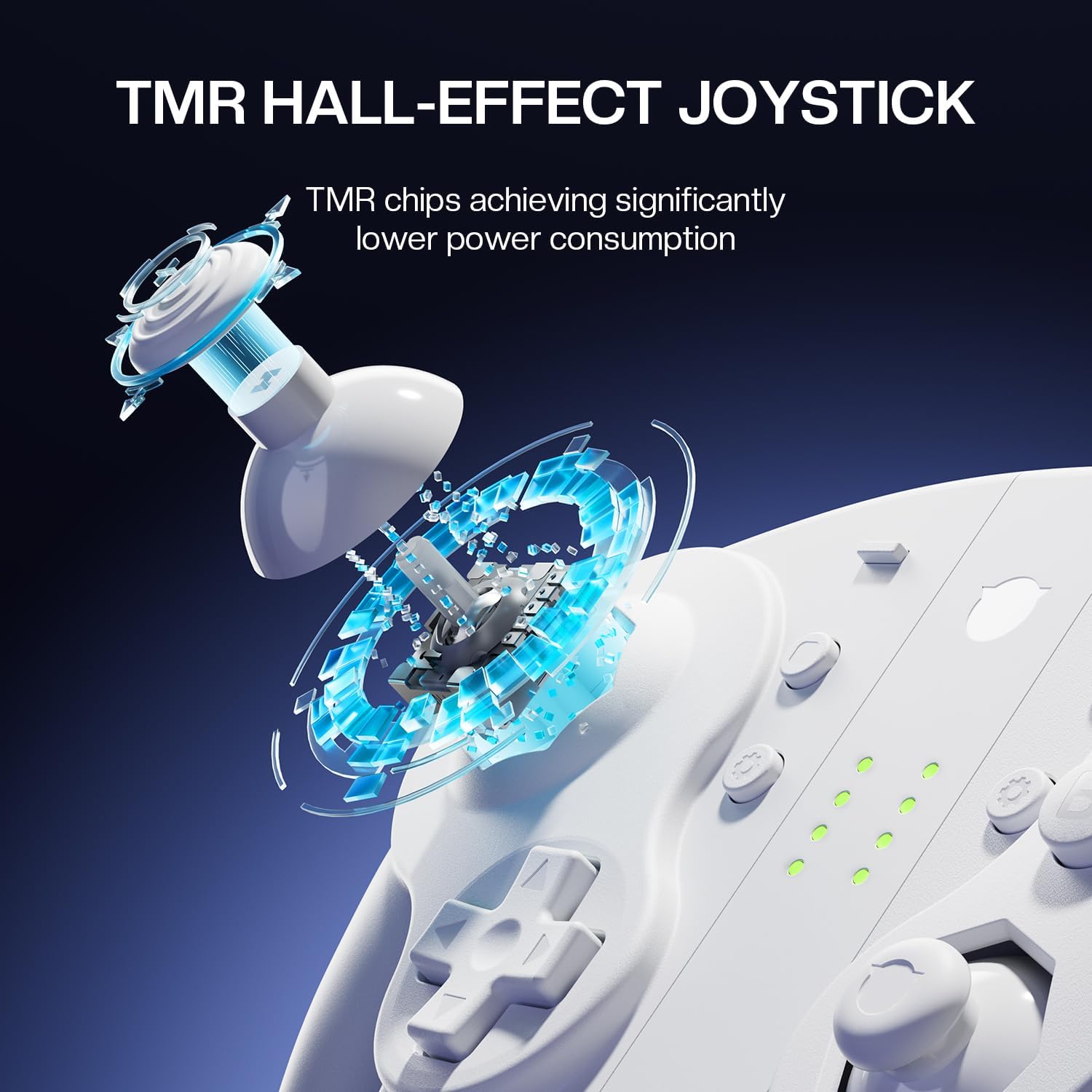
Image: An exploded view diagram illustrating the internal components and operation of the TMR Hall-Effect Joystick, highlighting its precision and low power consumption.
Trigger Mode Switching (NGC Linear Hall Trigger)
The controller features dual-mode triggers. You can switch between the linear Hall-effect mode for analog input (ideal for racing games) and the micro-switch mode for digital, rapid input (ideal for FPS games). The method for switching modes is typically a physical switch or a button combination on the controller. Consult the quick start guide included with your product for specific instructions.

Image: A visual comparison of the NGC Original Linear Hall Trigger (13mm travel) and the Mechanical Micro Trigger (3mm travel), demonstrating the dual-mode functionality for different gaming needs.
Programmable Back Buttons (ML/MR)
The ML and MR buttons on the back of the controller are programmable. This allows you to assign specific functions or button combinations to them for quick access during gameplay.
- Entering Programming Mode: Press and hold the "SET" button (or equivalent, refer to your quick start guide) and the desired ML/MR button simultaneously until an indicator light flashes.
- Assigning Function: Press the button(s) you wish to map to the ML/MR button.
- Exiting Programming Mode: Press the "SET" button again to save the setting. The indicator light will turn off.

Image: A close-up view of the controller's underside, highlighting the ML (left) and MR (right) programmable back buttons.
NFC Functionality (Amiibo Support)
The controller supports NFC for Amiibo figures. To use an Amiibo, place it on the NFC touchpoint of the controller (usually near the center or a designated area) during gameplay when prompted by the game.

Image: The NYXI Wizard 2 controller positioned next to an Amiibo figure, with an NFC signal graphic indicating interaction, demonstrating its Amiibo support.
HD Rumble and 6-Axis Gyroscope
These features are automatically enabled when supported by the game and console. HD Rumble provides nuanced vibration feedback, while the 6-axis gyroscope allows for precise motion controls in compatible games.

Image: The NYXI Wizard 2 controller with visual effects indicating HD Rumble vibrations and the spherical range of motion for the 6-axis gyroscope, enhancing immersive gameplay.
Maintenance
- Cleaning: Use a soft, dry cloth to clean the controller. For stubborn dirt, slightly dampen the cloth with water. Avoid using harsh chemicals or abrasive materials.
- Storage: Store the controller in a cool, dry place away from direct sunlight and extreme temperatures.
- Battery: The controller contains a non-standard battery. Do not attempt to replace it yourself. If battery issues arise, contact customer support.
- Firmware Updates: Periodically check the official NYXI website for any available firmware updates for your controller to ensure optimal performance and compatibility.
Troubleshooting
Controller Not Connecting/Pairing
- Ensure the controller is sufficiently charged.
- Verify that Bluetooth is enabled on your console/PC.
- Try restarting your console/PC and the controller.
- Perform a factory reset on the controller (refer to your quick start guide for specific button combinations).
- Ensure no other wireless devices are causing interference.
Joystick Drift or Imprecision
- Although TMR Hall-Effect Joysticks are designed to prevent drift, if issues occur, try recalibrating the joysticks through your console's system settings.
- Ensure the controller's firmware is up to date.
Buttons Unresponsive
- Check for any physical obstructions or debris under the buttons.
- Ensure the controller is properly connected and powered on.
- If programmable buttons are not working as expected, try resetting their programming.
No Rumble Feedback
- Verify that the game you are playing supports rumble functionality.
- Check your console's settings to ensure rumble is enabled for controllers.
- Ensure the controller's battery is not critically low.
Specifications
| Feature | Detail |
|---|---|
| Model Number | Wizard 2 |
| Compatibility | Nintendo Switch, Gamecube, Wii, PC |
| Joystick Type | TMR Hall-Effect |
| Trigger Type | NGC Linear Hall Trigger (Dual-mode) |
| Button Type | Mechanical Microswitches (A/B/X/Y) |
| Special Features | NFC (Amiibo), HD Rumble, 6-Axis Gyroscope, Programmable Back Buttons |
| Connectivity | Wireless (Bluetooth), Wired (USB-C) |
| Battery | 1 Non-standard battery (included) |
| Package Dimensions | 20.3 x 15 x 8 cm |
| Weight | 520 grams |
| Country of Origin | China |
Warranty and Support
For warranty information, technical support, or to report any issues, please contact NYXI customer service. You can typically find contact details on the official NYXI website or through the retailer where you purchased the product.
Note: Information regarding software updates and spare parts availability is not provided in the product specifications.
Visit the official NYXI store for more information: NYXI Official Store


