
1. Introduction
Thank you for choosing the LEDIARY 20'' Low Profile Ceiling Fan with Light. This manual provides essential information for the safe installation, operation, and maintenance of your new ceiling fan. Please read these instructions thoroughly before installation and keep them for future reference.
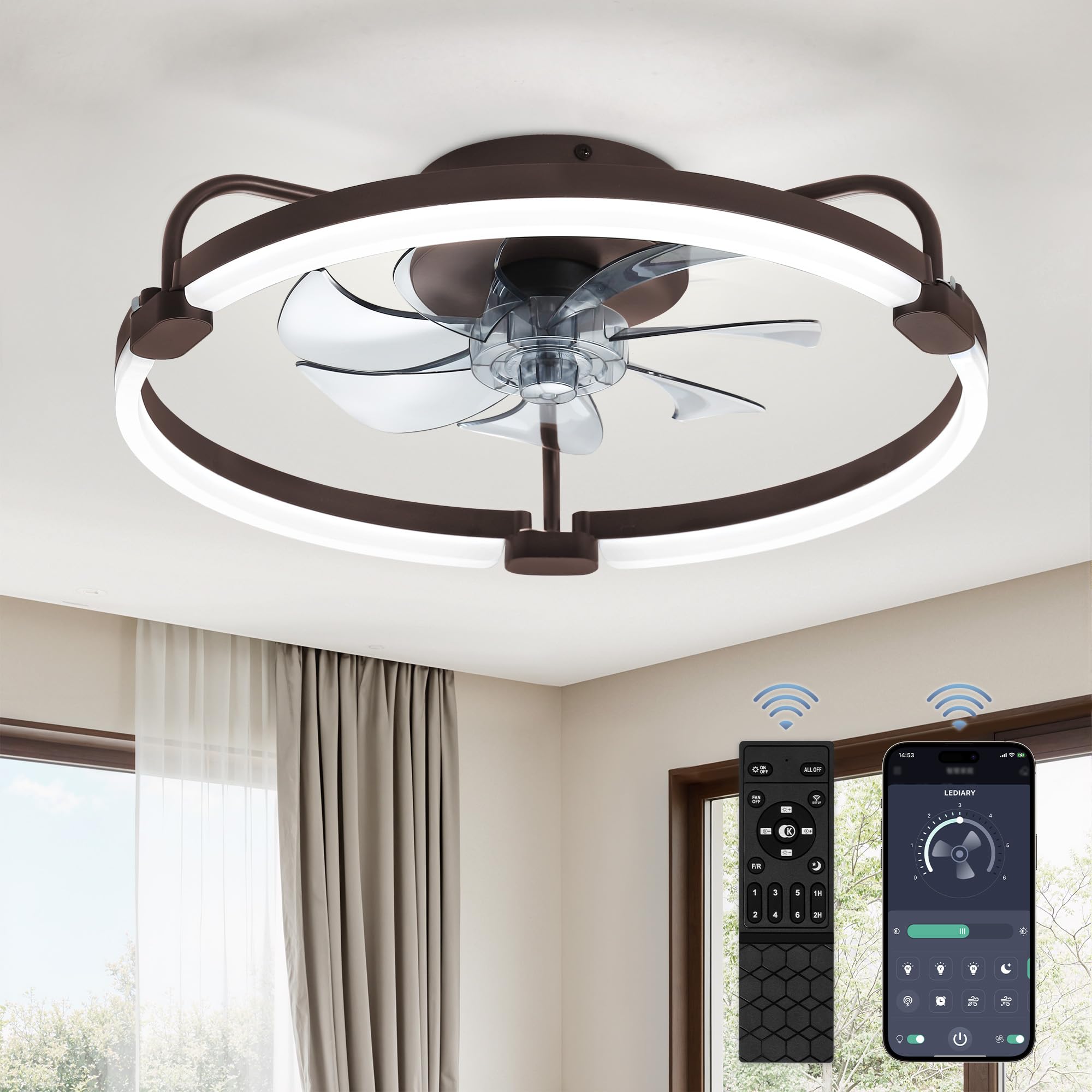
Image: The LEDIARY 20-inch Low Profile Ceiling Fan with Light, featuring a brown frame and integrated LED lighting, installed on a ceiling.
2. Safety Information
- Always turn off power at the circuit breaker before beginning installation.
- Installation should be performed by a qualified electrician or a person with electrical installation experience.
- Ensure all electrical connections comply with local codes and ordinances.
- Do not bend fan blades during installation or cleaning.
- Verify that the mounting structure can support the weight of the fan.
3. Package Contents
Before installation, ensure all components are present and undamaged. Refer to the detailed installation guide video provided by the manufacturer for visual assistance.

Image: Various components of the ceiling fan, including the motor housing, fan blades, light ring, remote control, and mounting hardware, neatly arranged on a surface.
- Ceiling Fan Unit (Motor, Fan Blades, Light Ring)
- Remote Control (with 2 AAA batteries included)
- Mounting Bracket
- Installation Hardware (screws, wire nuts, etc.)
- User Manual
4. Setup and Installation
The LEDIARY ceiling fan is designed for easy installation. Follow these general steps, consulting the detailed guide for specific instructions:
- Prepare for Installation: Ensure power is off at the circuit breaker. Clear the work area.
- Mount the Bracket: Secure the mounting bracket to the ceiling junction box using appropriate screws.
- Wire the Fan: Connect the electrical wires (live, neutral, ground) from the ceiling to the corresponding wires on the fan unit. Use the provided wire nuts to secure connections.
- Attach the Fan Unit: Carefully lift the fan unit and attach it to the mounting bracket. Secure it with the provided screws.
- Final Assembly: Ensure all connections are secure and the fan is firmly mounted. Restore power at the circuit breaker.
5. Operating Instructions
Your LEDIARY ceiling fan offers versatile control options and features for personalized comfort.
5.1 Remote and App Control
The fan can be controlled via the included remote or a dedicated smartphone application. Both methods allow for 360° control of fan and light functions independently.

Image: A remote control and a smartphone displaying the fan's control application, highlighting features like 6 fan speeds, timer setting, CCT adjustable, smooth dimming, and reverse function.
5.2 Lighting Features
The integrated LED light offers stepless dimming and adjustable color temperature:
- Color Temperature: Adjust from warm white (3000K) to cool white (6000K).
- Brightness: Dimmable from 10% to 100%.
- Memory Function: The light will remember your last setting when turned off and on.

Image: The ceiling fan light illustrating the range of adjustable color temperatures from warm (3000K) to white (6000K) and brightness levels from 10% to 100%.
5.3 Fan Features
Enjoy powerful and quiet airflow with advanced fan capabilities:
- 6 Wind Speeds: Choose from 6 different fan speeds for optimal comfort.
- Low Noise Operation: The pure copper motor ensures smooth, quiet operation.
- Reversible DC Motor: Offers 2 airflow modes: downdraft for cooling in summer and updraft for circulating warm air in winter.
- Timer Setting: Set the fan to turn off automatically after a specified time.

Image: A visual representation of the fan's reversible function, showing cool downdraft airflow for summer and warm updraft airflow for winter.
6. Maintenance
To ensure the longevity and optimal performance of your LEDIARY ceiling fan, follow these simple maintenance guidelines:
- Cleaning: Periodically wipe the fan and light fixture with a soft, damp cloth. Do not use abrasive cleaners or solvents.
- Inspection: Regularly check all connections and mounting hardware to ensure they remain secure.
- No Lubrication Required: The motor is permanently lubricated and does not require additional oiling.
7. Troubleshooting
If you encounter any issues with your ceiling fan, refer to the following common troubleshooting steps:
- Fan Not Operating: Check if the power is on at the circuit breaker and wall switch. Ensure remote control batteries are correctly installed and charged.
- Light Not Working: Verify power supply. Check if the light setting is at minimum brightness or a warm color temperature that appears dim.
- Excessive Wobbling: Ensure all fan blades are securely attached and balanced. Check that the mounting bracket is firmly installed.
- Remote Not Responding: Replace remote batteries. Ensure there are no obstructions between the remote and the fan receiver.
For persistent issues, please contact customer support.
8. Specifications
Detailed technical specifications for the LEDIARY 20'' Low Profile Ceiling Fan with Light:

Image: A diagram illustrating the product dimensions (20"D x 20"W x 5.5"H) and recommended room size (Height: 7-10FT, Length & Width: UP TO 8.5FT x 8.5FT) for the ceiling fan.
| Feature | Detail |
|---|---|
| Brand | LEDIARY |
| Model Name | Y24FSD0031-4801 |
| Item Model Number | 20LPL |
| Color | Brown |
| Product Dimensions | 20"D x 20"W x 5.5"H |
| Item Weight | 5.24 pounds |
| Power Source | DC |
| Wattage | 65 watts |
| Number of Blades | 7 |
| Number of Power Levels | 6 (Fan Speeds) |
| Control Method | Remote, App |
| Special Features | 6 Wind Speeds, Color Temperature Adjustable (3000K-6000K), Dimmable (10%-100%), Reversible DC Motor, Light Memory Function |
| Room Type | Bedroom, Home Office, Kitchen, Living Room, Study Room |
| Mounting Type | Flush Mount |
| Batteries | 2 AAA batteries required (included) |
9. Warranty and Support
LEDIARY provides 2-year support and after-sales service for this product. If you have any questions, encounter installation difficulties, or experience product damage, please contact our customer service team for assistance.
For further assistance, please visit the LEDIARY Store on Amazon.


