
Introduction
Thank you for choosing the WILAWELS Remote Control Outlet Plug and Mini Remote Control Outlet Bundle. This product provides a convenient and wireless solution for controlling your lamps, lights, and other appliances. This manual will guide you through the setup, operation, maintenance, and troubleshooting of your new remote control system.
Key features of your WILAWELS Remote Control Outlet Bundle include:
- No Wiring Required: Enjoy hassle-free installation without in-wall wiring or mounting brackets.
- No Wi-Fi or Pairing Needed (Mini Remote): Instantly control hard-to-reach outlets with a simple button push.
- Compact Design: The remote light switch kit boasts a small and flexible design, occupying only one outlet space.
- Wireless and Magnetic Design: The remote features a keychain for easy carrying and a magnetic base for convenient storage.
- Added Convenience: Operate multiple lamps or appliances from one switch, creating versatile light control.
Safety Information
Please read and understand all safety instructions before using this product. Failure to follow these instructions may result in electric shock, fire, or serious injury.
- Do not exceed the maximum load rating of the outlet plug. Refer to the specifications section for details.
- Do not immerse the product in water or expose it to rain or moisture.
- Do not use this product with appliances that require continuous supervision, such as heaters or irons.
- Ensure the outlet plug is fully inserted into a wall receptacle.
- Keep out of reach of children.
- Do not disassemble or modify the product.
Setup Instructions
1. Single Remote Control Outlet Plug (W11RC1106)
This bundle includes a mini remote control and a single remote control outlet plug, designed for immediate use without complex setup.
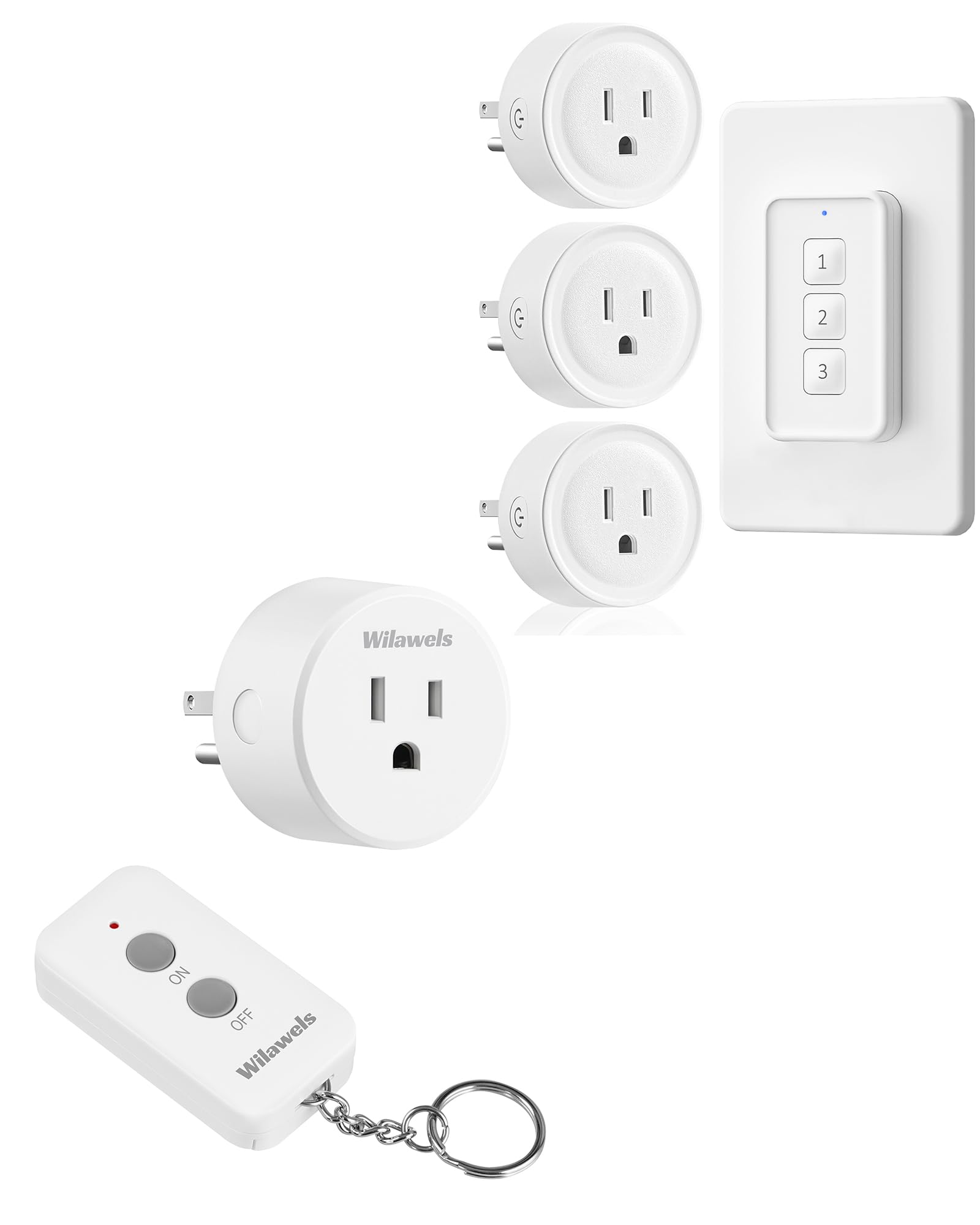
This image shows the compact design of the WILAWELS mini remote control and a single remote control outlet plug. The remote features 'ON' and 'OFF' buttons and a keychain.
- Plug In: Insert the WILAWELS Remote Control Outlet Plug into any standard wall outlet.
- Connect Appliance: Plug your lamp or appliance into the WILAWELS Remote Control Outlet Plug. Ensure the appliance is switched to the 'ON' position if it has its own power switch.
- Ready to Use: The system is now ready. Use the 'ON' and 'OFF' buttons on the mini remote control to operate your connected appliance.

This image illustrates the 'plug and play' functionality, showing the remote being used to control Christmas lights plugged into a WILAWELS remote outlet, highlighting ease of use without Wi-Fi or apps.
2. Multi-Plug Remote Control System (W14RC1306)
This bundle includes multiple remote control outlet plugs and a wall-mounted remote switch, allowing independent control of several devices.
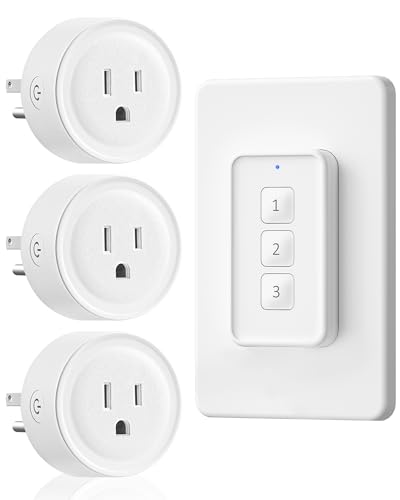
This image displays the WILAWELS bundle featuring three remote control outlet plugs and a corresponding wall-mounted remote switch, designed for controlling multiple devices.
- Install Wall Switch: The wall-mounted remote switch can be attached to a wall using the included adhesive strips or screws. Its magnetic base also allows attachment to metal surfaces.
- Plug In Outlets: Insert each WILAWELS Remote Control Outlet Plug into your desired wall outlets.
- Connect Appliances: Plug your lamps or appliances into the remote control outlet plugs. Ensure appliances are in the 'ON' position.
- Pairing (if necessary): While the mini remote is plug-and-play, the multi-plug system may require a quick pairing process if not pre-paired. Refer to the specific instructions included in your product packaging for detailed pairing steps. Generally, this involves pressing a button on the outlet plug and then a corresponding button on the remote switch.

This image demonstrates the multi-device control capability of the WILAWELS system, where a single wall-mounted remote switch can operate three different appliances independently, without Wi-Fi or apps.
Operating Instructions
Using the Mini Remote Control (W11RC1106)
- Press the 'ON' button to turn on the connected appliance.
- Press the 'OFF' button to turn off the connected appliance.

A person is shown comfortably operating a lamp using the WILAWELS remote control, demonstrating the convenience of controlling appliances without needing to get up or wire anything.
Using the Wall-Mounted Remote Switch (W14RC1306)
- Each numbered button (1, 2, 3) on the wall switch corresponds to a specific remote control outlet plug.
- Press the desired numbered button once to turn on the corresponding appliance.
- Press the same numbered button again to turn off the corresponding appliance.
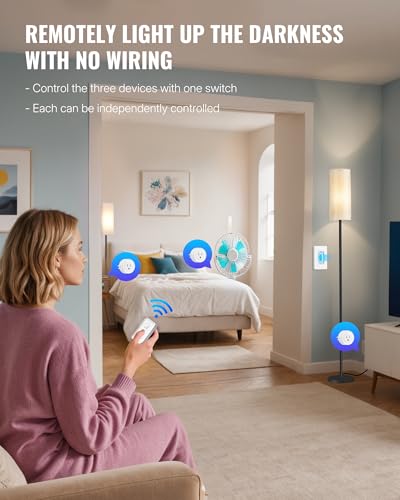
A woman is shown using the remote to control multiple devices in a bedroom, highlighting the convenience of remotely lighting up a room and controlling appliances without wiring.
The remote control system offers a strong signal and an indoor range of up to 100 feet, allowing control through doors, walls, and furniture without interference.
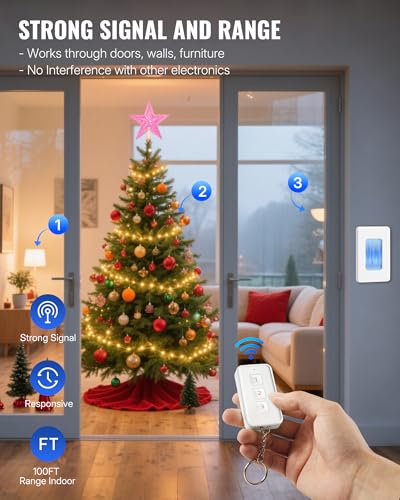
This image visually represents the strong signal and extensive 100ft indoor range of the WILAWELS remote control, capable of operating devices through obstacles like doors, walls, and furniture without interference.
Maintenance
Battery Replacement
The remote controls are powered by a 12V (23A) battery. When the remote's range decreases or it stops responding, it's time to replace the battery.

This image details the simple process of replacing the 12V (23A) battery in the remote control. The remote is shown attached to a magnetic hook, emphasizing its wireless and magnetic design.
- Locate the battery compartment on the back of the remote control.
- Open the compartment cover.
- Remove the old 12V (23A) battery.
- Insert a new 12V (23A) battery, ensuring the correct polarity (+/-).
- Close the battery compartment cover securely.
Cleaning
To clean the remote control and outlet plugs, wipe them with a soft, dry cloth. Do not use liquid cleaners or abrasive materials.
Troubleshooting
| Problem | Possible Cause | Solution |
|---|---|---|
| Appliance does not turn on/off with remote. | 1. Remote battery is low or dead. 2. Appliance is not plugged in or is switched off. 3. Outlet plug is not receiving power. 4. Remote and outlet are not paired (for multi-plug system). | 1. Replace the remote battery. 2. Ensure the appliance is securely plugged into the remote outlet and its own power switch is 'ON'. 3. Check if the wall outlet is functional by plugging in another device. 4. Refer to your product packaging for pairing instructions. |
| Reduced remote control range. | 1. Remote battery is low. 2. Excessive interference or obstacles. | 1. Replace the remote battery. 2. Try operating the remote closer to the outlet plug or repositioning the outlet plug. |
| Outlet plug indicator light is off. | 1. Outlet plug is not receiving power. 2. Outlet plug is faulty. | 1. Check the wall outlet with another device. Ensure the outlet plug is fully inserted. 2. Contact customer support if the outlet plug remains unresponsive. |
Specifications
- Model Numbers: W11RC1106, W14RC1306
- Remote Battery Type: 12V (23A) (Included)
- Indoor Range: Up to 100 feet (30 meters)
- Control Type: Wireless RF (Radio Frequency)
- Compatibility: Standard US 3-prong outlets
- No Wi-Fi or App Required
Warranty Information
WILAWELS products are designed for reliability and performance. For specific warranty details, please refer to the documentation included with your purchase or visit the official WILAWELS website. Keep your purchase receipt as proof of purchase for any warranty claims.
Customer Support
If you have any questions, encounter issues, or require assistance with your WILAWELS Remote Control Outlet Plug and Mini Remote Control Outlet Bundle, please contact our customer support team. You can typically find contact information on the product packaging or on the official WILAWELS website.
We are committed to providing excellent service and support for our products.