
Introduction
This instruction manual provides essential information for the safe and efficient use of your WILAWELS Wireless Light Switch and Mini Remote Control Outlet Bundle. Please read this manual thoroughly before installation and operation, and retain it for future reference.
Safety Information
- Do not exceed the maximum load rating of the outlet. Refer to the specifications section for details.
- Do not immerse the device in water or expose it to rain or moisture.
- Do not attempt to disassemble or modify the device. This may void the warranty and pose safety risks.
- Ensure the device is used in a well-ventilated area.
- Keep out of reach of children.
- For indoor use only, unless otherwise specified for the outdoor range.
Package Contents
Verify that all items are present in your package:
- 1 x Mini Remote Control Outlet
- 1 x Wireless Light Switch (Rocker style)
- User Manual
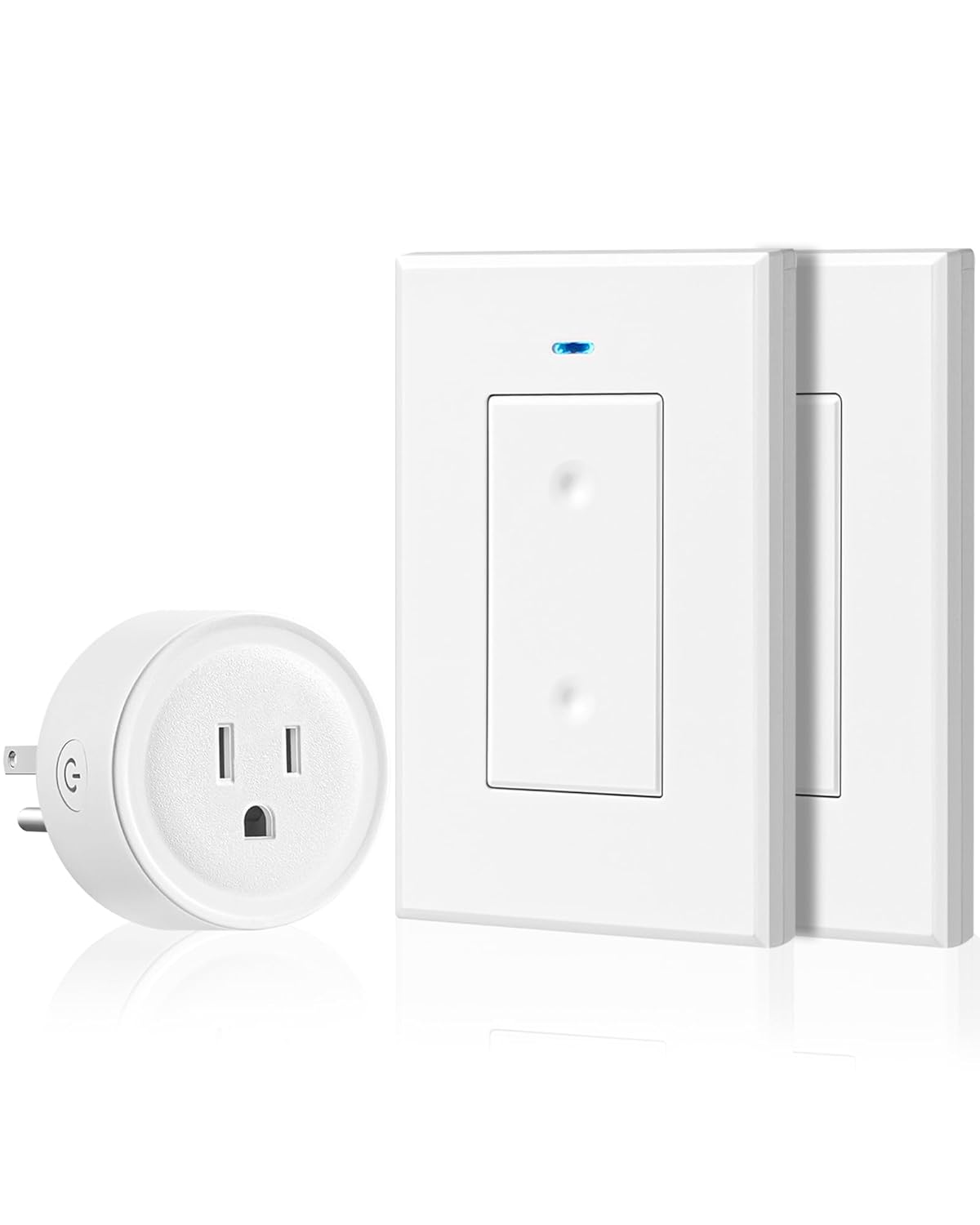
Image: The WILAWELS Mini Remote Control Outlet and two Wireless Light Switches, showcasing the complete bundle.
Product Features
- Wireless Control: Operate lights or appliances remotely without the need for electrical wiring.
- Stable RF Signal: Reliable radio frequency signal works through doors and walls.
- Extended Range: Up to 100 feet line of sight indoors and 656 feet outdoors.
- No WiFi or App Required: Simple plug-and-play operation without complex setup.
- Expandable System: Easily add more WILAWELS remotes and sockets (of the same model) to customize your control.
Setup and Installation
Step 1: Plug in the Mini Remote Control Outlet
- Locate a standard wall outlet where you wish to control a light or appliance.
- Plug the Mini Remote Control Outlet into the wall outlet.
- Plug your desired light or appliance into the Mini Remote Control Outlet.
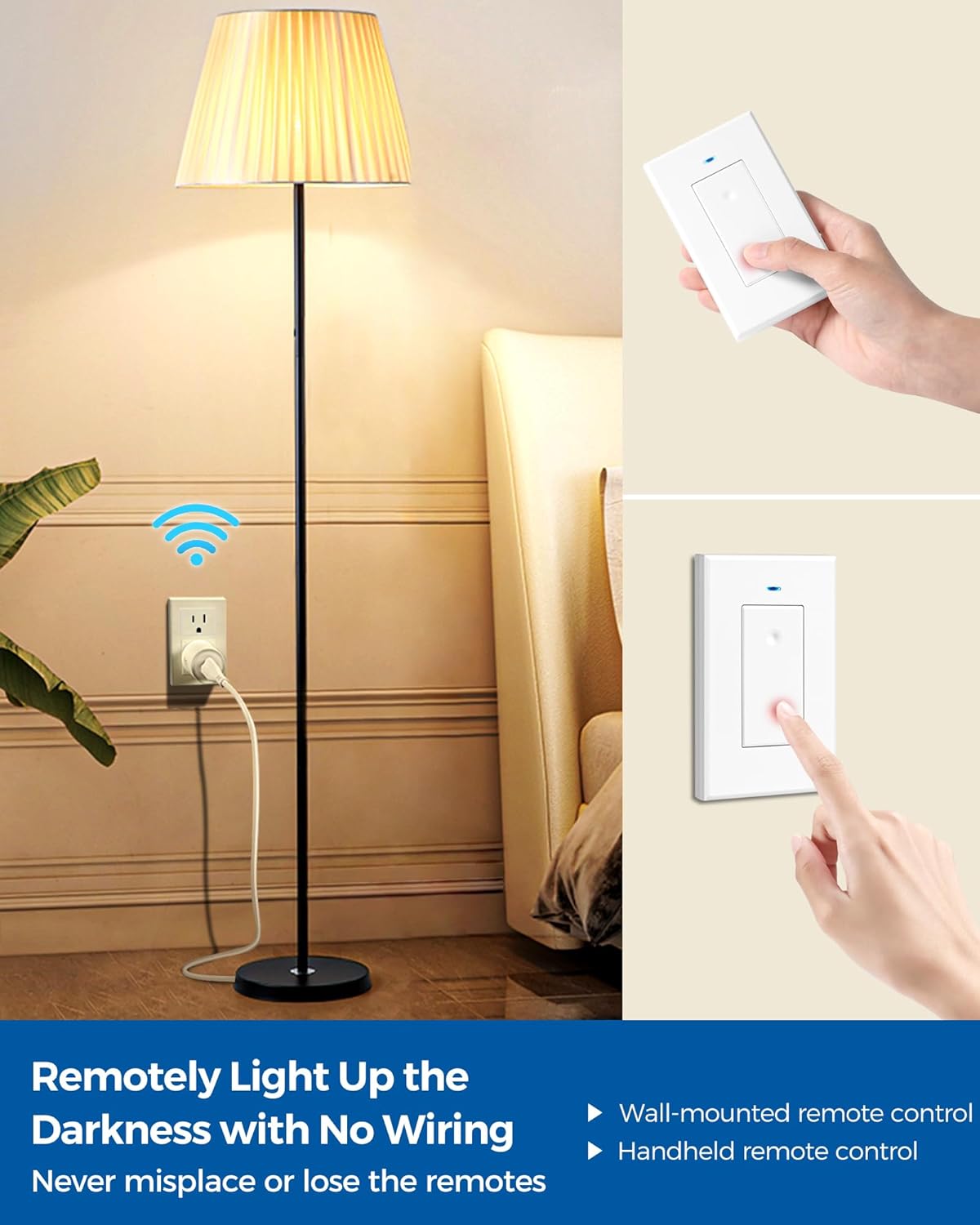
Image: A floor lamp plugged into the Mini Remote Control Outlet, which is then plugged into a wall socket, demonstrating initial setup.
Step 2: Position the Wireless Light Switch
The Wireless Light Switch can be used in two ways:
- Handheld Remote: Use the switch as a portable remote control.
- Wall-Mounted: The switch can be mounted on a wall using adhesive strips (not included) or screws (not included) to function as a traditional wall switch without wiring.

Image: A living room setting showing the Wireless Light Switch both mounted on a wall and held in hand, illustrating flexible placement options.
No Pairing Required
The WILAWELS Wireless Light Switch and Mini Remote Control Outlet are pre-programmed and ready to use right out of the box. No complicated WiFi setup, app installation, or pairing procedures are necessary.

Image: A hand holding the Wireless Light Switch in a room with a decorated Christmas tree, emphasizing the 'plug and play' nature of the product.
Operating Instructions
Basic Operation
To turn the connected light or appliance ON or OFF, simply press the rocker switch on the Wireless Light Switch. Each press will toggle the power state.
Wireless Range
The system utilizes a strong RF signal, allowing control through doors and walls. The effective range is up to 100 feet indoors (line of sight) and up to 656 feet outdoors (line of sight). Obstructions and interference from other electronics may reduce the effective range.

Image: A Wireless Light Switch mounted near a glass door, illustrating its strong signal and 100-foot indoor range capability.
Expandability
You can expand your system by adding more WILAWELS Wireless Light Switches and Mini Remote Control Outlets of the same model. This allows you to control the same light or appliance from multiple locations, or control multiple devices with different switches.

Image: A bedroom scene depicting a user controlling a lamp via the Mini Remote Control Outlet from bed with a handheld switch, and another switch mounted on the wall near the door, demonstrating multi-location control.
Maintenance
- Cleaning: Wipe the devices with a soft, dry cloth. Do not use abrasive cleaners or solvents.
- Power Source: The Wireless Light Switch is designed for long-term use and typically does not require battery replacement. If the switch stops responding, refer to the troubleshooting section.
Troubleshooting
| Problem | Possible Cause | Solution |
|---|---|---|
| Device not responding to switch. | Outlet not powered, switch out of range, or interference. |
|
| Limited operating range. | Obstructions, thick walls, or electronic interference. |
|
Specifications
- Brand: WILAWELS
- Model: W05RC2106-W08RC1106
- Wireless Technology: Radio Frequency (RF)
- Indoor Range: Up to 100 feet (line of sight)
- Outdoor Range: Up to 656 feet (line of sight)
- Connectivity: No WiFi, No App required
- Power Input (Outlet): Standard AC 120V, 60Hz (Typical for US)
- Max Load (Outlet): (Please refer to product packaging or device label for specific amperage/wattage limits)
Warranty and Support
For warranty information, technical support, or any questions regarding your WILAWELS product, please refer to the manufacturer's official website or contact their customer support directly. Contact details are typically provided on the product packaging or within the purchase documentation.