
1. Introduction
Thank you for choosing the KESHIDE Model 109 Travel Digital Alarm Clock. This compact and versatile clock is designed for convenience, featuring a clear digital display, alarm with snooze, indoor temperature reading, and 12/24-hour format options. This manual provides detailed instructions to help you set up and operate your new alarm clock effectively.
Key Features:
- Multi-function display: Shows hour, minutes, month, day, and indoor temperature.
- 12/24-hour format selectable.
- Daily alarm with snooze function.
- Temperature display in °C/°F, range from 0°C~50°C (32°F~122°F).
- Battery operated for portability.
2. Product Overview
Familiarize yourself with the components and controls of your KESHIDE Model 109 alarm clock.

Figure 2.1: Front view with dimensions and display elements (Time, Alarm, Date, Temperature).

Figure 2.2: Back view with control buttons (MODE, SET, ADJ, TIMER) and battery compartment. Also shows 12/24 switch and °C/°F switch.
- Front Display: Shows time, alarm status, month, date, and temperature.
- SNOOZE Button (Top): Activates snooze or stops alarm.
- MODE Button (Back): Switches between display modes and enters setting modes.
- SET Button (Back): Confirms settings during adjustment.
- ADJ Button (Back): Adjusts values (up/down) during setting.
- TIMER Button (Back): Not specified in features, typically for countdown.
- 12/24 Switch (Back): Toggles between 12-hour and 24-hour time format.
- °C/°F Switch (Back): Toggles between Celsius and Fahrenheit temperature units.
- Battery Compartment (Back): Holds 2*AAA batteries (not included).
3. Setup
3.1 Battery Installation
- Open the battery compartment cover on the back of the clock.
- Insert two (2) AAA batteries, ensuring correct polarity (+ and -).
- Close the battery compartment cover. The clock display should now activate.
3.2 Initial Time and Date Setting
Upon first use or after battery replacement, you will need to set the current year, date, and time.
Video 3.1: Demonstration of setting the alarm clock's time and alarm. This video shows the process of adjusting the year, month, day, and time, followed by setting the alarm time and activating the snooze function.
- Set Year: Press and hold the SET button on the back of the clock until the year flashes on the display. Use the ADJ button to adjust the year. Press SET to confirm.
- Set Month/Day: After setting the year, the month will flash. Use the ADJ button to adjust the month. Press SET to confirm. The day will then flash. Use the ADJ button to adjust the day. Press SET to confirm.
- Set Time (Hours/Minutes): The hour will flash. Use the ADJ button to adjust the hour. Press SET to confirm. The minutes will then flash. Use the ADJ button to adjust the minutes. Press SET to confirm and exit time setting mode.
4. Operating Instructions
4.1 Setting the Alarm
- Press the MODE button repeatedly until the alarm time is displayed (usually indicated by an alarm icon).
- Press and hold the SET button until the alarm hour flashes. Use the ADJ button to set the desired alarm hour. Press SET to confirm.
- The alarm minutes will flash. Use the ADJ button to set the desired alarm minutes. Press SET to confirm and exit alarm setting mode.
- To activate or deactivate the alarm, press the ADJ button briefly when the alarm time is displayed. An alarm icon will appear/disappear on the screen.
4.2 Snooze Function
When the alarm sounds, press the large SNOOZE button on the top of the clock. The alarm will pause and sound again after approximately 5 minutes.
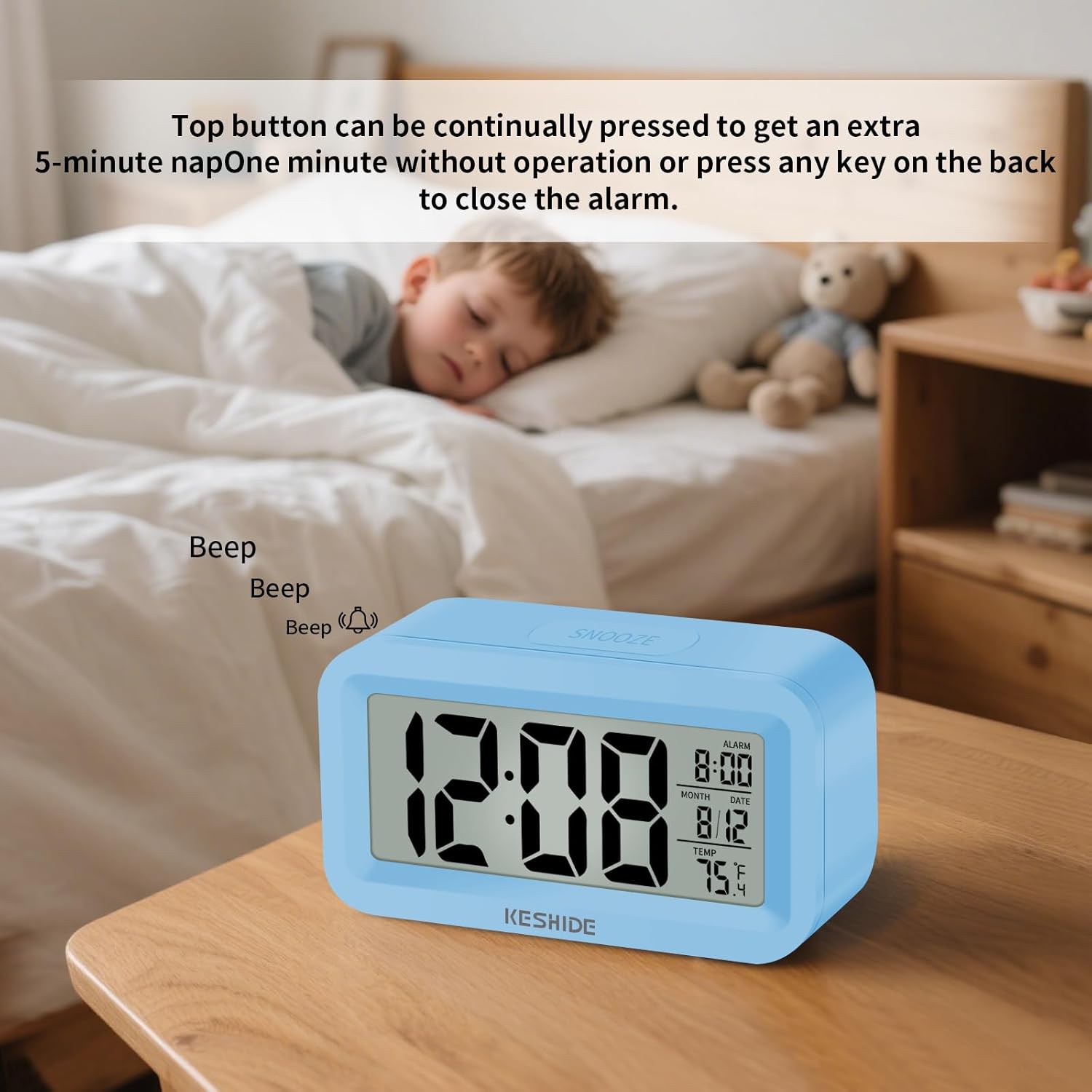
Figure 4.1: Snooze function in action. Pressing the top button provides an additional 5 minutes of sleep.
To stop the alarm completely, press any button on the back of the clock, or let it ring for one minute without interaction.
4.3 12/24-Hour Display
To switch between 12-hour (AM/PM) and 24-hour (military time) formats, locate the 12/24 switch on the back of the clock and slide it to your preferred setting.

Figure 4.2: Switching between 12-hour and 24-hour time display.
4.4 Temperature Unit Switch
To switch the temperature display between Celsius (°C) and Fahrenheit (°F), locate the °C/°F switch on the back of the clock and slide it to your preferred setting.

Figure 4.3: Temperature display and unit selection.
5. Maintenance
To ensure the longevity and proper functioning of your alarm clock, follow these simple maintenance guidelines:
- Cleaning: Wipe the clock with a soft, dry cloth. Do not use abrasive cleaners or solvents, as they may damage the surface or display.
- Battery Replacement: Replace batteries when the display becomes dim or the clock functions erratically. Always use new AAA batteries and dispose of old batteries responsibly.
- Storage: If storing the clock for an extended period, remove the batteries to prevent leakage.
- Environment: Avoid exposing the clock to extreme temperatures, direct sunlight, or high humidity.
6. Troubleshooting
If you encounter any issues with your KESHIDE Model 109 alarm clock, refer to the following common problems and solutions:
| Problem | Possible Cause | Solution |
|---|---|---|
| Display is dim or blank. | Low or dead batteries. | Replace with new AAA batteries. Ensure correct polarity. |
| Alarm does not sound. | Alarm is not activated or set incorrectly. | Verify alarm time is set and the alarm icon is visible on the display. Refer to Section 4.1. |
| Clock resets to factory settings unexpectedly. | Loose batteries or power interruption. | Ensure batteries are securely installed. Avoid bumping or dropping the clock. If the issue persists, try a different set of batteries. |
| Temperature reading seems inaccurate. | Clock placed near heat sources, direct sunlight, or drafts. | Relocate the clock to a stable environment away from extreme temperature fluctuations. Allow time for the sensor to adjust. |
7. Specifications
| Feature | Detail |
|---|---|
| Brand | KESHIDE |
| Model Number | 109 |
| Display Type | Digital |
| Product Dimensions | 4"W x 1"H (Note: Full dimensions are 4.01"L x 1.10"D x 2.2"H) |
| Power Source | Battery Powered (2 x AAA, not included) |
| Indoor/Outdoor Usage | Indoor |
| Alarm Clock | Yes |
| Temperature Range | 0°C ~ 50°C (32°F ~ 122°F) |
| Item Weight | 2.39 ounces |
8. Warranty & Support
For any product issues or concerns, please contact KESHIDE Electronics directly through the Amazon Platform. We are committed to addressing your problems even beyond the standard return window to ensure a satisfactory customer experience.
For further assistance, please visit the KESHIDE Store on Amazon.